
1. Introduction
Thank you for choosing the Armitron Men's Bracelet Watch, Model 20/5482. This manual provides essential information for the proper setup, operation, and maintenance of your timepiece. Please read it carefully to ensure optimal performance and longevity of your watch.
This watch features a durable construction with a coin edge bezel, mineral crystal lens, and a teal degrade dial with luminous hands and markers. It is designed for everyday wear and is water resistant up to 165 feet (50 meters).

Figure 1: Front view of the Armitron Men's Bracelet Watch, Model 20/5482.
2. Setup and Initial Use
2.1 Setting the Time
- Locate the crown on the right side of the watch case.
- Gently pull the crown outwards to the time-setting position. You may feel a slight click.
- Turn the crown clockwise or counter-clockwise to adjust the hour and minute hands to the correct time.
- Once the time is set, push the crown back into its original position against the watch case. This will start the watch movement.

Figure 2: Side view illustrating the crown for time adjustment.
2.2 Adjusting the Bracelet
Your Armitron watch comes with a silver-tone expansion band designed for comfort and ease of wear. This type of band stretches to fit over your hand and then contracts to fit your wrist.
- To put on the watch, gently stretch the band and slide it over your hand onto your wrist.
- If the band is too loose or too tight, it may require professional adjustment by a jeweler to remove or add links. Attempting to adjust an expansion band without proper tools or experience can damage the bracelet.
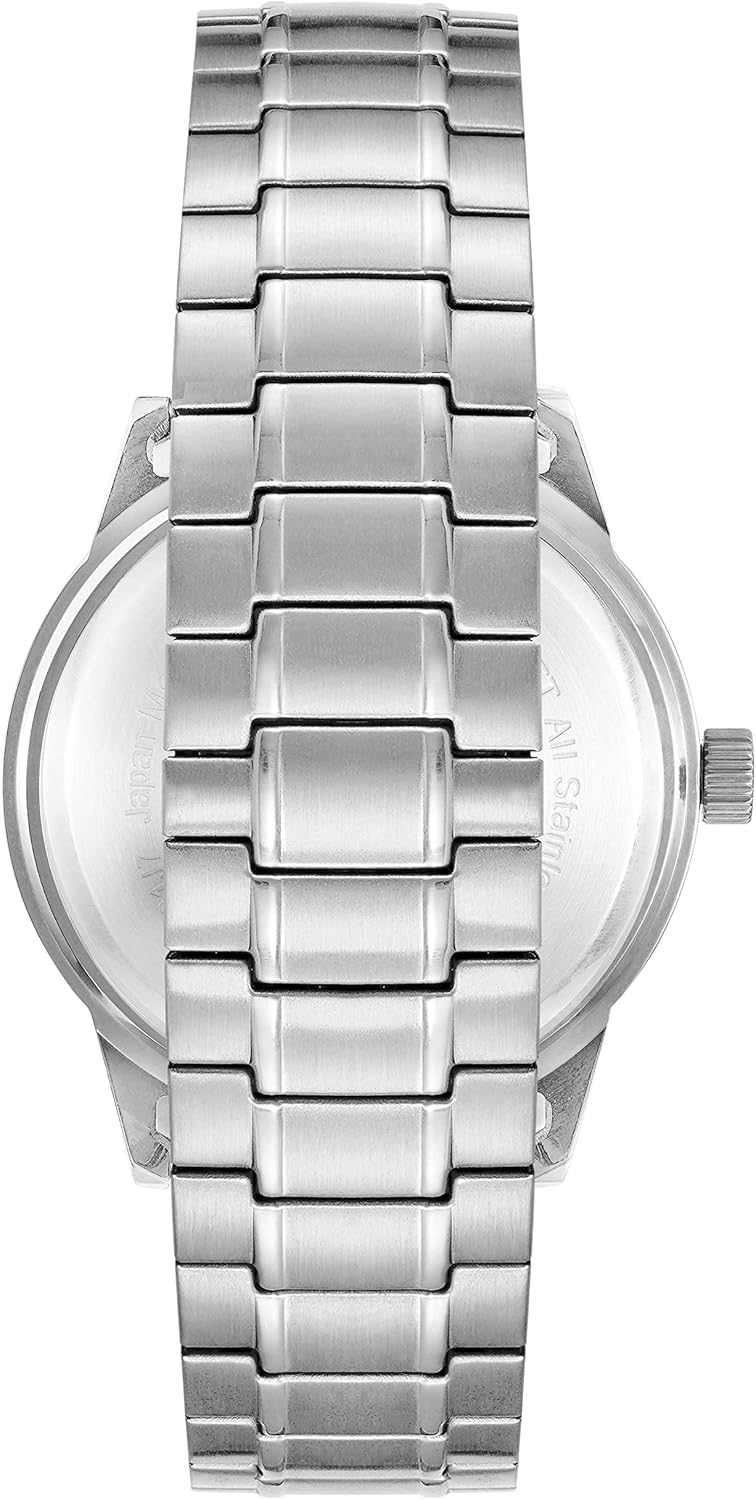
Figure 3: Back view of the watch, highlighting the expansion band.
3. Operating Your Watch
The Armitron Model 20/5482 is a classic analog watch designed for reliable timekeeping. Once the time is set, the watch operates continuously.
- Reading the Time: The watch displays time using three hands: an hour hand, a minute hand, and a second hand. The dial features numerical markers (12, 3, 6, 9) and luminous indices for other hours, along with a white outer minute track for precise reading.
- Luminous Features: The hands and hour markers are luminous, allowing for readability in low-light conditions after exposure to light.
4. Maintenance and Care
4.1 Water Resistance
Your Armitron watch is water resistant to 165 feet (50 meters). This means it is suitable for short periods of recreational swimming, but not for diving or snorkeling.
- Do NOT operate the crown while the watch is wet or submerged in water.
- Avoid exposing the watch to hot water, steam, or extreme temperature changes, as this can compromise the water resistance seals.
- After exposure to saltwater, rinse the watch with fresh water and dry it thoroughly with a soft cloth.
4.2 Cleaning
To maintain the appearance of your watch:
- Wipe the watch case and crystal with a soft, dry, lint-free cloth.
- For the metal bracelet, a soft brush and mild soapy water can be used, followed by thorough rinsing and drying. Ensure the crown is fully pushed in before cleaning with water.
- Avoid using harsh chemicals, solvents, or abrasive cleaners, as these can damage the watch's finish.
4.3 Battery Replacement
Your watch is powered by a quartz movement and requires a battery. When the watch stops running, the battery needs to be replaced. It is recommended to have the battery replaced by a qualified watch technician to ensure proper sealing and maintain water resistance.
5. Troubleshooting
| Problem | Possible Cause | Solution |
|---|---|---|
| Watch is not running. | Battery is depleted. | Replace the battery. It is recommended to have this done by a professional watch technician. |
| Time is incorrect. | Crown is not fully pushed in, or time was set incorrectly. | Ensure the crown is fully pushed into the watch case. Re-set the time as per Section 2.1. |
| Condensation under crystal. | Exposure to extreme temperature changes or compromised water resistance. | Seek professional service immediately to prevent internal damage. Avoid further exposure to water. |
6. Specifications
- Model Number: 20/5482GNSVWM
- Movement: Quartz
- Case Material: Stainless Steel
- Lens Material: Mineral Crystal
- Dial Color: Teal Degrade
- Band Type: Expansion Bracelet
- Water Resistance: 165 feet (50 meters)
- Approximate Package Dimensions: 4.37 x 3.23 x 2.87 inches
- Approximate Item Weight: 7.69 ounces
7. Warranty and Support
For information regarding warranty coverage, service, or any other inquiries, please refer to the official Armitron website or contact Armitron customer support directly.
Armitron Official Website: www.armitron.com
Please retain your proof of purchase for warranty purposes.


