
Introduction
Thank you for choosing the Sauder Beginnings Corner Desk. This manual provides detailed instructions for the assembly, operation, maintenance, and troubleshooting of your new desk. Please read this manual thoroughly before beginning assembly or use to ensure proper setup and longevity of your product.

Image: The Sauder Beginnings Corner Desk, showcasing its L-shaped design and Cinnamon Cherry finish. It features a main desktop surface, an open storage area with an adjustable shelf, and a lower file drawer.
Safety Information
WARNING:
This product may expose you to chemicals including Formaldehyde, which is known to the State of California to cause cancer. For more information, go to www.p65warnings.ca.gov.
- Always follow assembly instructions carefully.
- Do not overload the desk or its storage compartments.
- Keep small parts away from children during assembly.
- Ensure all fasteners are securely tightened before use.
- Place the desk on a level surface to prevent tipping.
Setup and Assembly
The Sauder Beginnings Corner Desk is designed for easy assembly. It is recommended that two people assemble this desk.
Tools Required:
- Phillips Head Screwdriver (not included)
Before You Begin:
- Unpack all components and verify against the parts list (refer to the included assembly guide for a complete list).
- Clear a spacious area for assembly.
- Identify all hardware and panels.
- Note that the drawer can be assembled on either the left or right side to suit your space configuration.

Image: A technical diagram illustrating the overall dimensions of the desk (52 1/8" W x 33 5/8" D x 29" H) and the internal dimensions of the open shelves and file drawer for planning your setup.
Assembly Steps:
Follow the step-by-step instructions provided in the separate assembly manual included with your product packaging. This typically involves:
- Attaching cam locks and dowels to panels.
- Assembling the main desktop surface.
- Constructing the side panels and support structures.
- Installing the adjustable shelf in the open storage area.
- Assembling the file drawer and installing its full extension slides.
- Attaching the drawer to the desk frame.
- Securing all connections.
For detailed visual guidance, refer to the diagrams in your assembly manual.
Operating and Usage
Your Sauder Beginnings Corner Desk is designed to optimize your workspace with its functional features.
Desktop Surface:
The spacious L-shaped tabletop provides ample room for your computer, monitor, keyboard, and other office essentials. Its design maximizes corner space efficiency.
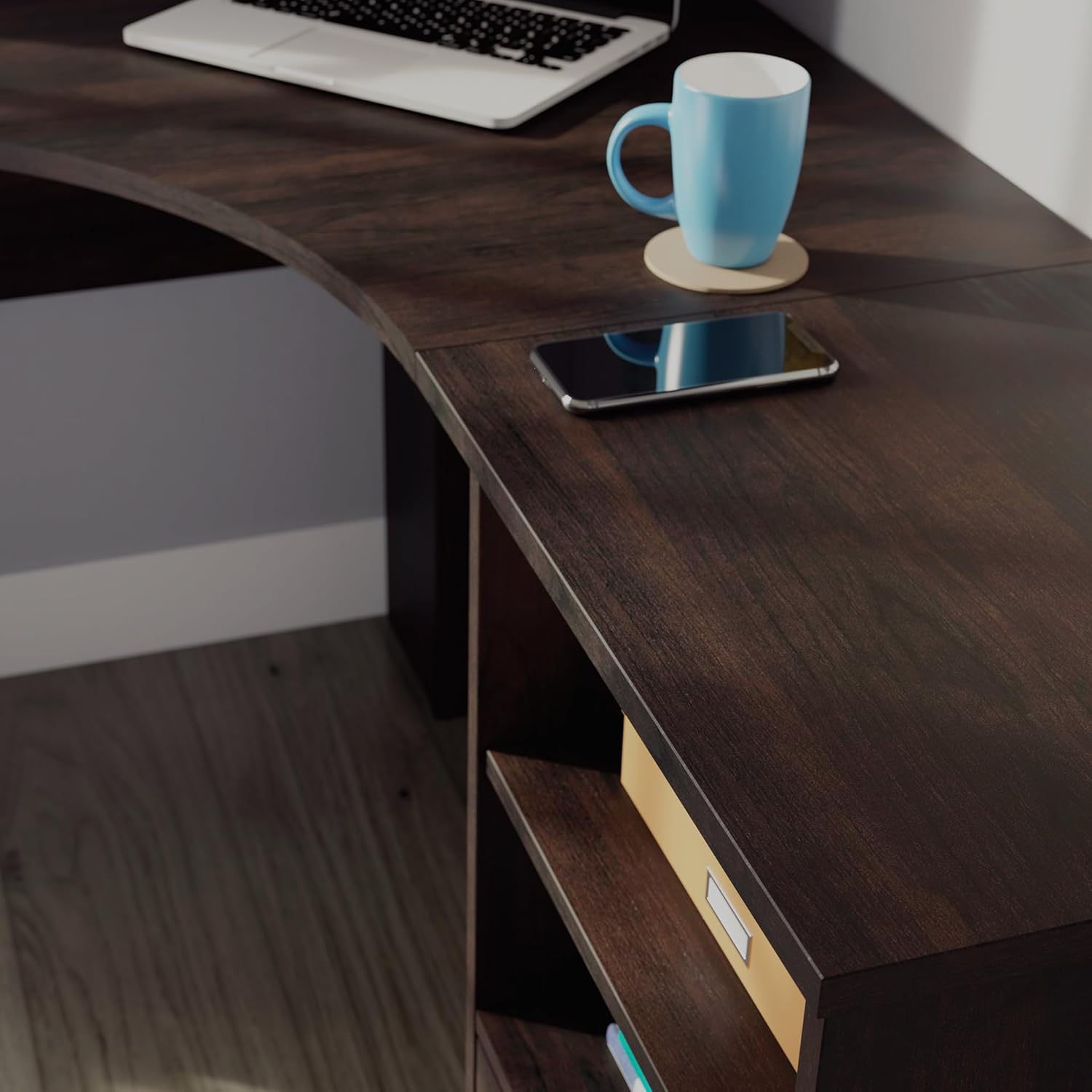
Image: A close-up view of the desk's Cinnamon Cherry finish, showing its texture and ample space for items like a smartphone and a mug, highlighting the functional desktop area.
File Drawer:
The lower drawer features full extension slides, allowing easy access to your letter-size hanging files. This helps keep your documents organized and your workspace tidy.

Image: The file drawer pulled open, revealing several letter-size hanging files, demonstrating its capacity and the full extension slide mechanism for easy access.
Open Storage Area:
The convenient open storage area includes an adjustable shelf, providing flexible space for books, decorative items, or other office supplies. Adjust the shelf height to accommodate items of various sizes.

Image: The Sauder Beginnings Corner Desk positioned in a room, showcasing its use with a laptop, lamp, and various items on the desktop and within the open storage shelves, illustrating its practical application in a home office environment.
Maintenance
To maintain the appearance and longevity of your Sauder Beginnings Corner Desk, follow these simple care instructions:
- Cleaning: Wipe the surfaces with a damp cloth. Avoid using harsh chemicals or abrasive cleaners, as they may damage the finish.
- Spills: Immediately wipe up any spills to prevent staining or damage to the engineered wood.
- Sunlight: Avoid prolonged exposure to direct sunlight, which can cause fading or discoloration over time.
- Heat: Do not place hot items directly on the surface. Use coasters or protective pads.
- Fasteners: Periodically check and tighten all screws and fasteners to ensure stability.
Troubleshooting
If you encounter any issues with your Sauder Beginnings Corner Desk, refer to the common solutions below:
| Problem | Possible Cause | Solution |
|---|---|---|
| Desk is wobbly or unstable. | Loose fasteners or uneven floor. | Check and tighten all screws. Ensure the desk is on a level surface; use shims if necessary. |
| Drawer does not slide smoothly. | Misaligned slides or debris in tracks. | Ensure drawer slides are correctly installed and aligned. Clear any dust or debris from the tracks. |
| Missing parts during assembly. | Packaging error. | Contact Sauder customer support with your model number and part description. |
Specifications
| Feature | Detail |
|---|---|
| Brand | Sauder |
| Model Number | 429625 |
| Product Dimensions (D x W x H) | 33.58"D x 52.09"W x 28.98"H |
| Color | Cinnamon Cherry Finish |
| Material | Engineered Wood (Base & Top), Metal (Drawer Glide) |
| Weight | 79.86 Pounds |
| Drawer Type | File Drawer (Letter-size hanging files) |
| Drawer Glide Mechanism | Full Extension Slides |
| Storage Options | Adjustable Shelf in open storage area |
| Assembly Required | Yes (Recommended 2 people) |
Warranty and Support
Warranty Information:
This Sauder Beginnings Corner Desk comes with a 5-Year Limited Warranty. This warranty covers defects in materials and workmanship under normal use. Please retain your proof of purchase for warranty claims.
Customer Support:
For assistance with assembly, missing parts, or any other inquiries, please contact Sauder customer support. Have your model number (429625) ready when you call.
- Website: sauder.com/service
- Phone: 800-523-3987

Image: An image promoting Sauder's domestic call center, emphasizing their readiness to assist customers with product inquiries and support.


