
1. Important Safety Information
Always read and follow all safety instructions before using this appliance to reduce the risk of fire, electric shock, injury to persons, or exposure to excessive microwave energy. Keep this manual for future reference.
- Do not attempt to operate this oven with the door open or if the door is damaged.
- Do not heat sealed containers.
- Do not use corrosive chemicals or vapors in this appliance.
- Ensure proper grounding to reduce the risk of electric shock.
- Supervise children closely when the appliance is in use.
2. Product Overview
The Café CVM519P2PS1 is a 1.9 cubic foot over-the-range microwave oven designed for efficient cooking and convenience. It features sensor cooking controls, a steam clean function, and a four-speed, 400-CFM venting system.

Figure 1: Front view of the Café CVM519P2PS1 Microwave Oven.
3. Setup and Installation
This appliance is designed for over-the-range installation. Professional installation is recommended to ensure proper ventilation and electrical connections. Refer to the included User Manual for detailed installation instructions, including mounting templates and wiring diagrams.
3.1 Unpacking
- Carefully remove all packaging materials.
- Inspect the microwave for any damage. Do not operate if damaged.
- Ensure all included components, such as the turntable and mounting hardware, are present.
4. Operating Instructions
4.1 Control Panel Overview
The microwave features a touch-sensitive control panel with a central dial for time adjustments and various function buttons.

Figure 2: Close-up of the control panel, showing the dial and touch buttons.
4.2 Basic Microwave Functions
- Start/Pause: Press to begin or temporarily stop a cooking cycle.
- Cancel/Off: Press to clear settings or stop a cycle.
- Cook Time: Manually set cooking duration. Use the dial to adjust time.
- Power Level: Adjust microwave power intensity.
- Add 30 Sec: Quickly add 30 seconds to the cooking time. This can be used during a cycle.
- Turntable On/Off: Toggle the turntable rotation.
4.3 Sensor Microwave Cooking
The sensor microwave functions automatically adjust cooking time and power based on the food's moisture and temperature.
- Popcorn: Optimized for popping popcorn.
- Beverage: Heats beverages to an ideal temperature.
- Potato: Cooks potatoes thoroughly.
- Cook: General sensor cooking for various foods.
- Reheat: Reheats leftovers evenly.
- Defrost Weight/Time: Defrosts food based on weight or a set time.

Figure 3: Interior view showing food on the turntable during operation.
4.4 Advanced Cooking Modes
This microwave offers versatile cooking options beyond standard microwave heating.
- Convection Bake: Utilizes a fan to circulate heat for even baking.
- Convection Roast: Ideal for roasting meats and vegetables.
- Air Fry: Provides a crispy texture similar to deep-frying with less oil.
- Combination Fast Cook: Combines microwave and convection cooking for faster results.
4.5 Convenience Features
- Timer On/Off: Set a separate kitchen timer.
- Settings: Access various appliance settings, including lock control.
- Chef Connect On/Off: For syncing with compatible range hoods.
- Vent Fan: Operates the four-speed, 400-CFM exhaust fan.
- Surface Light: Illuminates the cooktop below the microwave.
5. Maintenance and Care
5.1 Cleaning the Interior
The microwave interior is stainless steel, making it easy to clean. For general cleaning, wipe with a damp cloth and mild detergent. For stubborn stains, use the Steam Clean feature.
- Steam Clean: This feature helps loosen food spills for easier cleaning. Follow the instructions in the full user manual for proper use.
- The glass turntable is removable and dishwasher-safe for convenient cleaning.
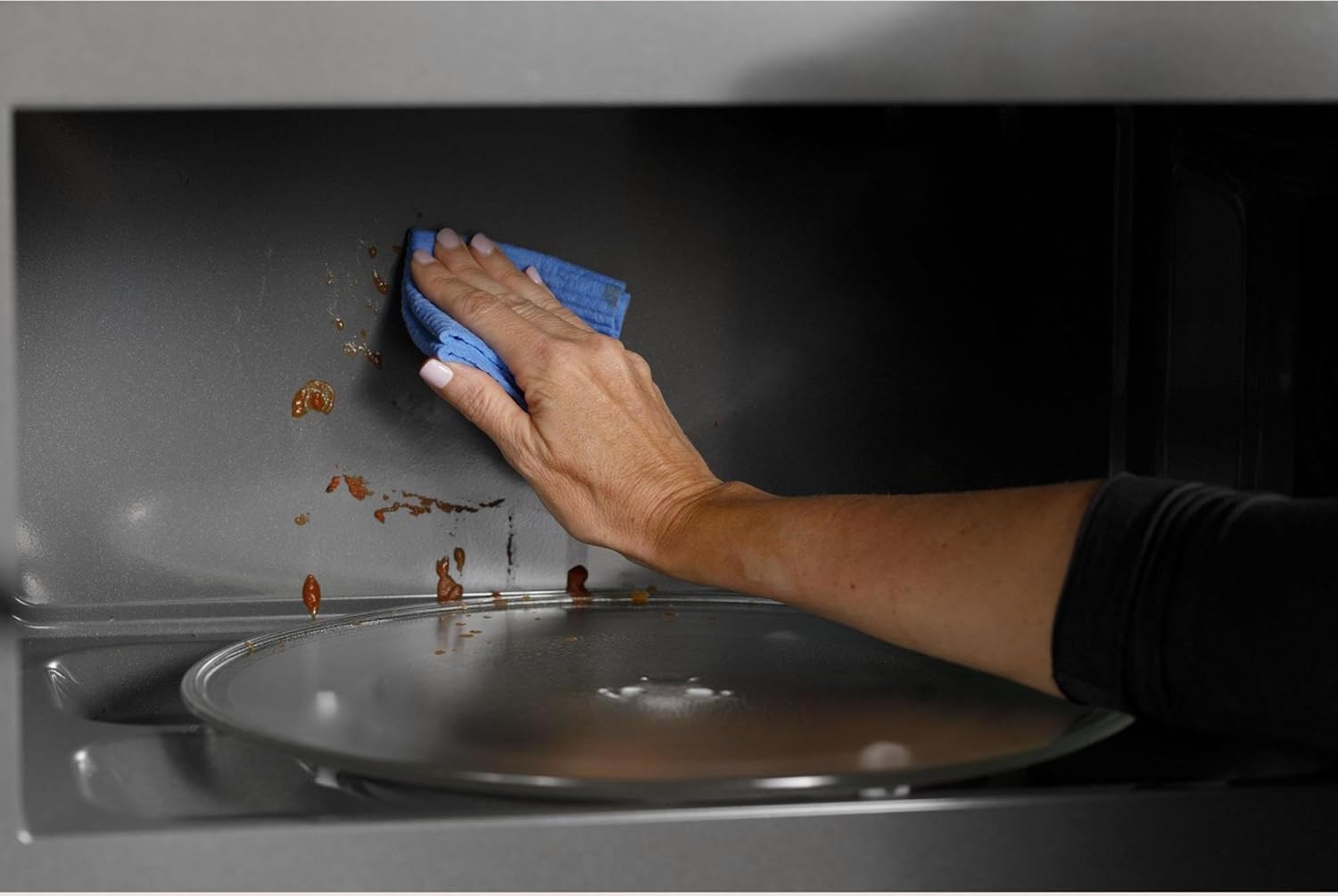
Figure 4: Cleaning the stainless steel interior of the microwave.
5.2 Filter Maintenance
The microwave includes a reset filter indicator. Refer to the full user manual for instructions on how to clean or replace the grease filters and charcoal filter (if applicable) and how to reset the filter indicator.
6. Troubleshooting
If you encounter issues with your microwave, try the following basic troubleshooting steps. For comprehensive solutions, consult the detailed troubleshooting guide in the full user manual.
- No Power/Display: Check the circuit breaker. Ensure the microwave is properly plugged into a grounded outlet.
- Microwave Not Heating: Ensure the door is securely closed. Check if a cooking cycle was properly initiated.
- Uneven Cooking: Ensure the turntable is operating correctly. Stir or rotate food halfway through cooking.
- Time Resetting: In case of a power outage, the clock may need to be reset.
7. Product Specifications
| Feature | Specification |
|---|---|
| Brand Name | Café |
| Model Info | CVM519P2PS1 |
| Item Weight | 57 pounds |
| Product Dimensions | 30 x 19 x 18 inches |
| Energy Use | 1000 Watts |
| Capacity | 1.9 Cubic Feet |
| Installation Type | Over-the-Range |
| Special Features | Defrost, Turntable, Sensor Cooking, Steam Clean, Convection Bake/Roast, Air Fry |
| Oven Cooking Mode | Microwave Radiation |
| Color | Stainless Steel |
| Voltage | 120 Volts |
| Wattage | 1000 watts |
| Material Type | Bronze, Copper, Stainless |
| Inner Material Type | Stainless Steel |
| Included Components | User Manual |
8. Warranty and Support
This product comes with a manufacturer's warranty. Please refer to the warranty information provided in the included User Manual for details on coverage and duration. For technical support, service, or to inquire about extended protection plans, please contact Café customer service.
- Protection Plans: Optional 3-Year and 4-Year Protection Plans are available for purchase.
- Customer Support: Refer to the contact information in your User Manual or visit the official Café website.


