
Introduction
This manual provides instructions for the safe and efficient operation of your OMISOON Portable Air Conditioner, model DH-KTS04. This 4-in-1 device functions as a personal air cooler, fan, humidifier, and features a night light, designed to enhance comfort in small personal spaces such as bedrooms, offices, or dorm rooms.
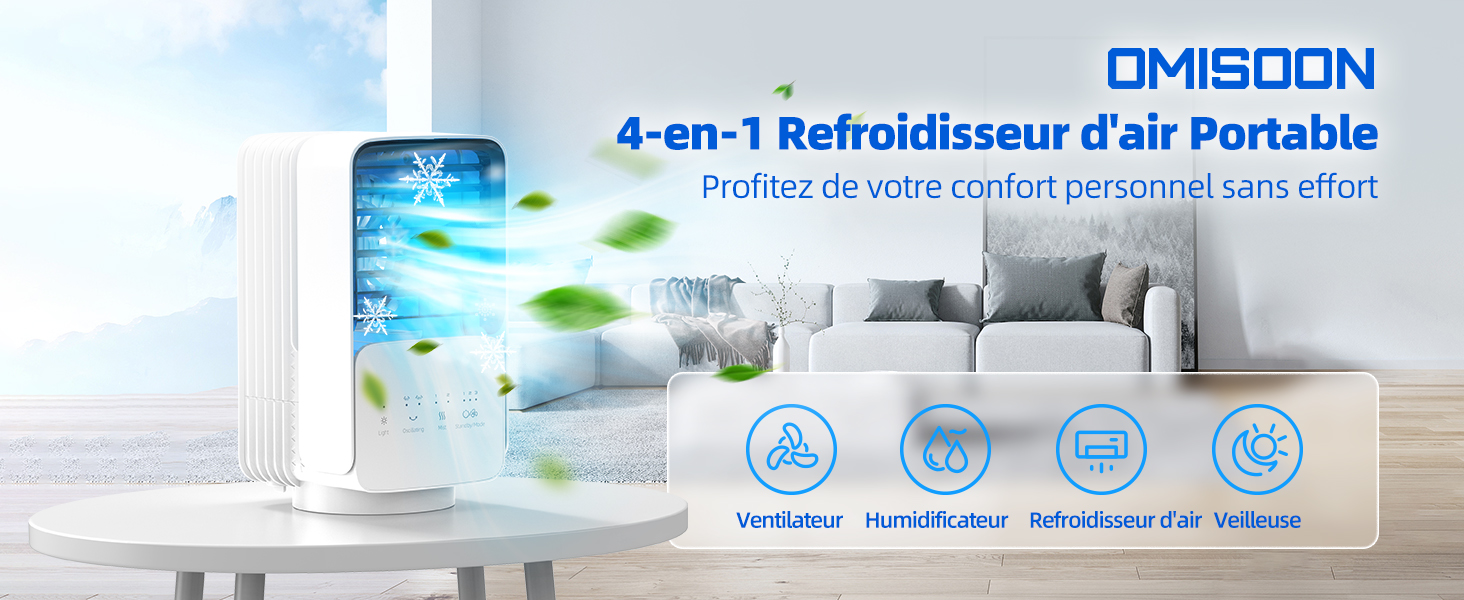
This image illustrates the multi-functional capabilities of the OMISOON Portable Air Conditioner, highlighting its use as a fan, humidifier, and air cooler.
Safety Instructions
Please read and understand all safety instructions before using the appliance. Failure to follow these instructions may result in electric shock, fire, or serious injury.
- Do not immerse the unit, power cord, or plug in water or other liquids.
- Ensure the power supply (5V DC, 8W via USB) matches the unit's requirements.
- Avoid spilling water onto the control panel or any electrical components.
- Place the unit on a stable, level surface to prevent tipping and water spillage.
- Keep out of reach of children and pets.
- Unplug the unit from the power source before cleaning, refilling water, or when not in use for extended periods.
- Do not block the air inlets or outlets. Ensure proper ventilation around the unit.
- This device is designed for personal cooling and humidification in small areas. It is not intended to cool an entire room like a traditional air conditioning unit.
- Do not attempt to repair or modify the unit yourself. Contact qualified service personnel for repairs.
Product Overview
Components
- OMISOON Portable Air Conditioner Unit
- USB Power Cable
- Power Adapter (USB wall plug)
Control Panel Features

Front view of the OMISOON Portable Air Conditioner DH-KTS04, showing the air outlet and touch control panel.
- Power Button: Turns the unit on or off.
- Fan Speed Button: Adjusts the fan speed (Low, Medium, High).
- Oscillation Button: Activates or deactivates the oscillation feature (60°/120°).
- Mist Button: Controls the mist output levels (Level 1, Level 2) for humidification and cooling.
- Light Button: Activates or changes the 7-color night light.
Setup
- Unpack: Carefully remove the air cooler unit and all accessories from the packaging.
- Placement: Place the unit on a flat, stable, and level surface. Ensure there is adequate space around the unit for proper airflow.
- Fill Water Tank:
- Locate and open the water tank cover.
- Fill the 700ml water tank with clean tap water. For enhanced cooling, you may add ice cubes to the water tank.
- Close the water tank cover securely.
Caution: Do not overfill the water tank. Avoid spilling water onto the unit's electrical components.
- Connect Power:
- Insert the small end of the USB power cable into the unit's power port.
- Connect the larger end of the USB cable to the provided power adapter, a power bank, a car charger, or a laptop's USB port. The unit requires a 5V DC power source.

This image illustrates the multiple power supply methods for the OMISOON Portable Air Conditioner, including an adapter, power bank, car charger, and laptop connection.
Operating Instructions
- Power On/Off: Press the Power button once to turn the unit on. Press it again to turn the unit off.
- Adjust Fan Speed: Press the Fan Speed button repeatedly to cycle through the three available fan speeds: Low, Medium, and High. Select the speed that best suits your comfort needs.

This image shows the three fan speed settings (Low, Medium, High) available on the OMISOON Portable Air Conditioner, suitable for different needs.
- Activate Oscillation: Press the Oscillation button to activate the automatic horizontal swing function. The unit can oscillate 60° or 120° to distribute cool air more widely. Press the button again to stop oscillation.

This diagram illustrates the 120-degree horizontal rotation and 60-degree vertical adjustment capabilities of the air cooler, allowing for multi-angle cooling.
- Use Mist Function (Humidifier/Air Cooler): Press the Mist button to activate the ultrasonic misting function. Press it again to switch between the two mist output levels. This function adds humidity to the air and enhances the cooling effect when water (and ice) is present in the tank.

Visual representation of the two mist output levels (1st Level and 2nd Level) for humidification and enhanced cooling.
- Night Light: Press the Light button to turn on the integrated 7-color night light. Press the button again to cycle through different colors or to turn the light off.
- Aromatherapy: For a relaxing experience, add a few drops of your preferred essential oil to the designated aromatherapy area (if applicable, refer to product diagram or specific instructions on packaging). The mist will diffuse the fragrance into the air.

The OMISOON Portable Air Conditioner shown with essential oil bottles, indicating its aromatherapy diffusion capability.
- Automatic Shut-off: The unit is equipped with an integrated protection system that automatically stops operation after 6 hours to save energy and ensure safety.
Maintenance
Regular maintenance ensures optimal performance and extends the lifespan of your air cooler.
- Water Tank Cleaning:
- Always unplug the unit before cleaning.
- Empty any remaining water from the tank.
- Clean the water tank regularly (e.g., weekly) with a soft cloth and mild detergent. Rinse thoroughly with clean water.
- Ensure the tank is completely dry before refilling or storing the unit.
Warning: Do not allow water to enter the main unit's electrical components during cleaning.
- Exterior Cleaning: Wipe the exterior surfaces of the unit with a soft, damp cloth. Do not use abrasive cleaners, solvents, or harsh chemicals, as these may damage the finish.
- Air Filter/Grille Cleaning: Periodically check and clean the air intake grille and internal filter (if accessible) to prevent dust buildup and ensure optimal airflow. Use a soft brush or vacuum cleaner to remove dust.
- Storage: When the unit is not in use for an extended period, empty and clean the water tank, unplug the unit, and store it in a cool, dry place away from direct sunlight.
Troubleshooting
If you encounter any issues with your OMISOON Portable Air Conditioner, please refer to the following common problems and solutions:
| Problem | Possible Cause | Solution |
|---|---|---|
| Unit does not turn on. | No power supply or loose connection. | Ensure the USB power cable is securely connected to both the unit and a working power source. Verify the power source is active. |
| No mist or weak mist output. | Water tank is empty or mist function is not activated. | Check if the water tank is filled with sufficient water. Press the Mist button to activate the function and select a mist level. |
| Air is not cool enough. | Not a traditional AC; no ice added; low fan speed. | Remember this is a personal air cooler for small spaces. Add ice cubes to the water tank for enhanced cooling. Increase the fan speed. |
| Unit is noisy. | Normal fan operation; unstable placement. | Some fan noise is normal, especially at higher speeds. Ensure the unit is placed on a stable, level surface to minimize vibrations. |
| Water leakage. | Overfilling; loose tank cover; unit tilted. | Do not overfill the water tank. Ensure the water tank cover is properly sealed. Avoid tilting or moving the unit excessively when the water tank is full. |
Specifications
| Feature | Specification |
|---|---|
| Brand | OMISOON |
| Model Name | DH-KTS04 |
| Material | Plastic |
| Mounting Type | Table Mount |
| Special Features | Humidifier, Night Light, Oscillation |
| Controls Type | Touch Panel |
| Water Tank Capacity | 700 Milliliters |
| Item Weight | 1.2 Kilograms |
| Recommended Uses | Personal cooling in small spaces (bedrooms, offices) |
| Form Factor | Compact and Portable Design |
| Wattage | 8 Watts |
| Noise Level | 52 Decibels |
| Number of Speeds | 3 |
| Voltage | 5 Volts (DC) |
| Operating Mode | Manual |
| Dimensions (L x W x H) | 27 x 13.9 x 14.3 centimeters |
| Components Included | Portable Air Conditioner, USB cable, Power Adapter |
Warranty and Support
Warranty Information
The OMISOON Portable Air Conditioner DH-KTS04 comes with a limited warranty. For specific details regarding the warranty period and coverage, please refer to the warranty card included in your product packaging or contact OMISOON customer support directly.
Customer Support
For technical assistance, troubleshooting guidance, or any other customer service inquiries, please contact OMISOON customer support through your retailer or visit the official OMISOON website for contact information.