1. Introduction
Thank you for choosing the Camiysn Compact 80% Mechanical Gaming Keyboard. This wired TKL keyboard features yellow switches, ergonomic design, and vibrant RGB backlighting, making it ideal for gaming, typing, and office use. This manual will guide you through the setup, operation, and maintenance of your new keyboard.

Figure 1: Camiysn Compact 80% Mechanical Gaming Keyboard
2. Setup
2.1 Initial Connection
The Camiysn SKY87 keyboard is a plug-and-play device. Simply connect the USB cable from the keyboard to an available USB port on your computer. No additional drivers or software are required for basic functionality.
2.2 Ergonomic Adjustment
For maximum comfort during extended use, the keyboard features a scientific stair-up keycap design and two-level adjustable feet. Flip out the stands on the underside of the keyboard to adjust the typing angle to your preference.

Figure 2: Ergonomic Design Features
3. Operating Instructions
3.1 Yellow Switches
The Camiysn SKY87 keyboard is equipped with linear yellow switches, providing a smooth and quiet typing experience. These switches are ideal for both gaming and office environments due to their light actuation force and minimal sound.

Figure 3: Yellow Switch Detail
3.2 RGB Backlighting
The keyboard features customizable RGB backlighting. Use the Function (FN) key in combination with other keys to change lighting modes, brightness, and speed. Refer to the quick start guide for specific key combinations.
The keyboard also features a side light effect, adding to the aesthetic appeal.
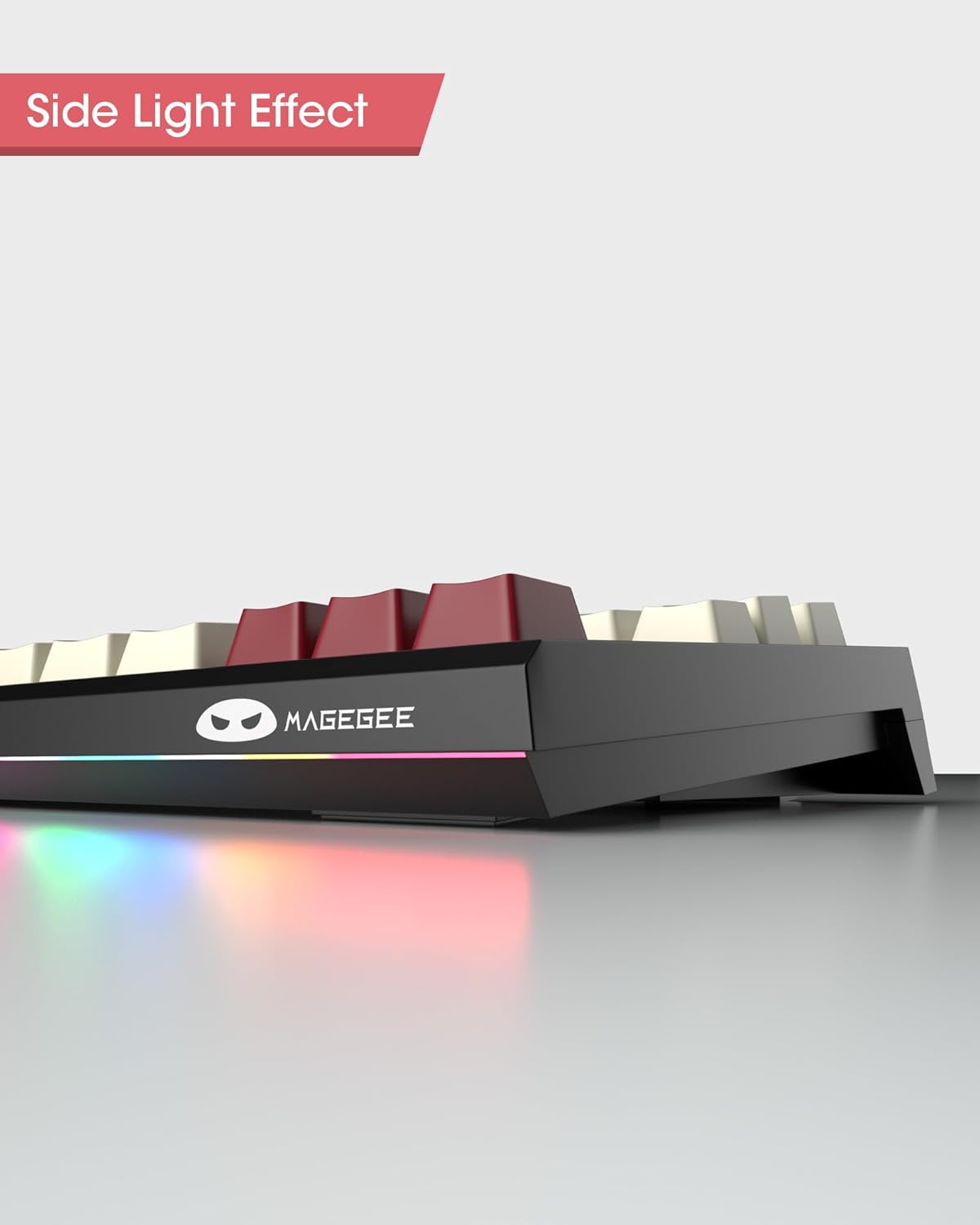
Figure 4: Side Light Effect
3.3 Multimedia Keys
Access 12 multimedia functions by pressing the FN key in combination with the F1-F12 keys. These shortcuts allow for quick control over media playback, volume, and other system functions.

Figure 5: Multimedia Key Functions
3.4 Full Anti-Ghosting
The keyboard supports 100% anti-ghosting, ensuring that all key presses are registered simultaneously, even during intense gaming sessions. This provides reliable and accurate input.

Figure 6: Full Key Anti-Ghosting
3.5 Keycap Replacement
The keyboard comes with extra red keycaps, allowing for customization of your desktop style. The keycaps are double-shot molded for durability and clear legends.

Figure 7: Double Shot Keycaps and Customization
Video 1: Overview of SKY87 Mechanical Gaming Keyboard features, including unboxing, keycap replacement, and RGB lighting demonstration. (Source: Camiysn Store)
Video 2: Demonstration of the Mechanical Gaming Keyboard's typing sound and RGB lighting effects. (Source: Merchant Video)
4. Maintenance
To ensure the longevity and optimal performance of your keyboard, follow these maintenance tips:
- Regularly clean the keycaps and keyboard surface with a soft, dry cloth.
- Use compressed air to remove dust and debris from between the keys.
- Avoid spilling liquids on the keyboard. In case of a spill, immediately disconnect the keyboard and allow it to dry completely before reconnecting.
- Do not expose the keyboard to extreme temperatures or humidity.
5. Troubleshooting
If you encounter any issues with your Camiysn keyboard, please refer to the following common troubleshooting steps:
- Keyboard not responding: Ensure the USB cable is securely connected to both the keyboard and the computer. Try connecting to a different USB port.
- Keys not working: Check for any physical obstructions under the keycap. If specific keys are not responding, contact customer support.
- Backlighting issues: Use the FN key combinations to cycle through lighting modes and adjust brightness. If the issue persists, try reconnecting the keyboard.
- Compatibility: Ensure your operating system is compatible (Windows 2000/XP/ME/Vista/7/8/10/11, Linux, Mac).
If these steps do not resolve the issue, please contact Camiysn customer support for further assistance. We will respond within 24 hours.
6. Specifications
| Feature | Detail |
|---|---|
| Model Number | SKY87 |
| Keyboard Layout | 87 Keys (TKL) |
| Switch Type | Yellow Mechanical Switches |
| Connectivity | Wired (USB) |
| Backlighting | RGB |
| Anti-Ghosting | 100% (Full Key) |
| Keycaps | Double Shot |
| Compatibility | Windows (2000, XP, ME, Vista, 7, 8, 10, 11), Linux, Mac |
| Product Dimensions | 14.5 x 5.5 x 1.6 inches |
| Item Weight | 1.37 pounds |
7. Warranty and Support
Camiysn products are manufactured to high-quality standards. For warranty information and technical support, please refer to the contact details provided with your product packaging or visit the official Camiysn website. Please retain your proof of purchase for any warranty claims.
For any questions or problems regarding use or quality, please feel free to contact us. We aim to respond within 24 hours.


