Introduction
This manual provides detailed instructions for the safe and effective use of your IKT BX30 Wireless Bluetooth Earbuds. Please read this manual thoroughly before using the product and retain it for future reference.
Package Contents
Verify that all items listed below are included in your package:
- 2 x Wireless Earbuds
- 1 x Charging Case
- 1 x USB-C Charging Cable
- 3 x Pairs of Ear Tips (S/M/L)
- 1 x User Manual (this document)
Product Overview
The IKT BX30 Wireless Bluetooth Earbuds are designed for comfort and high-quality audio, featuring secure ear hooks and a portable charging case with an LED display.
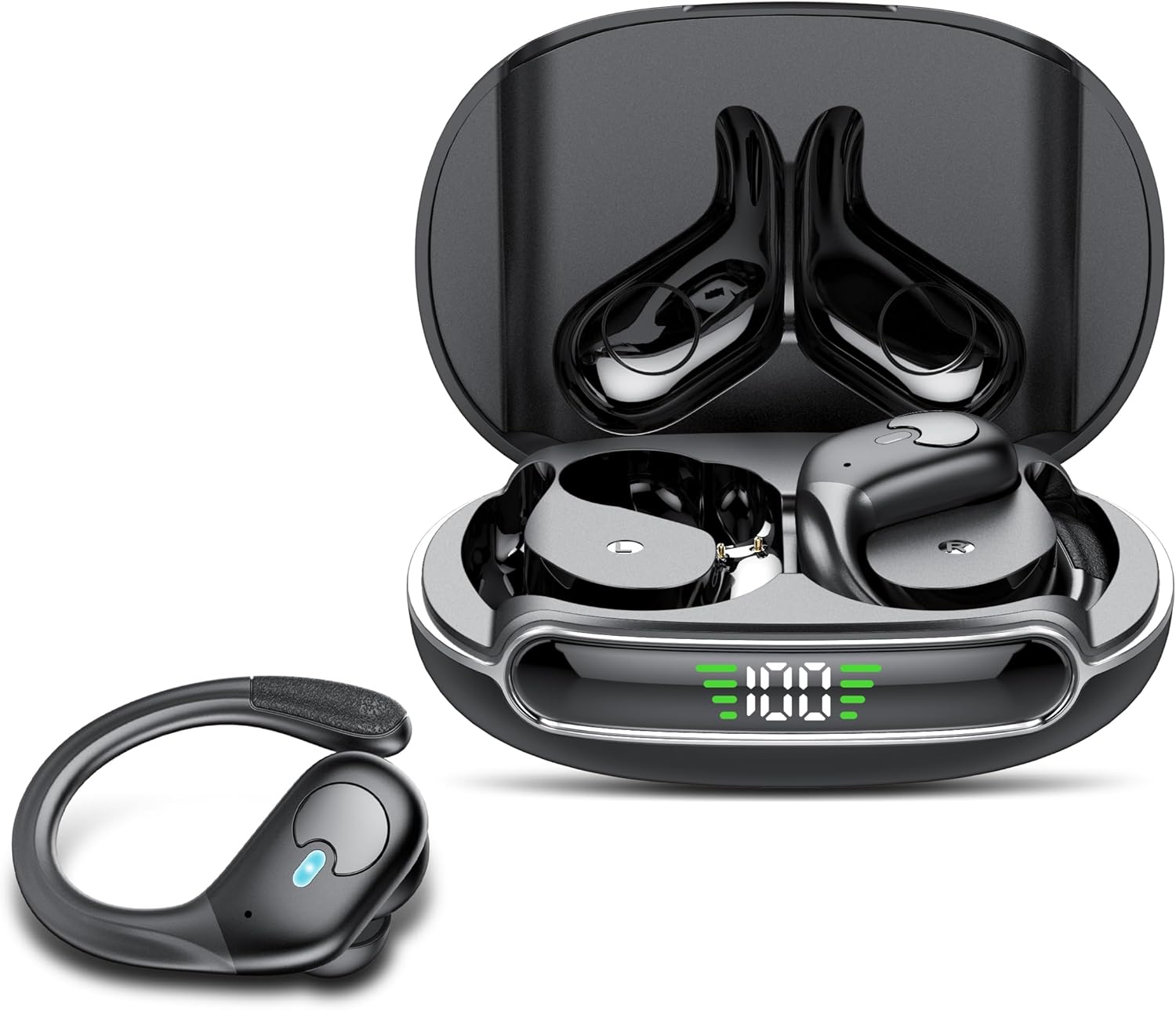
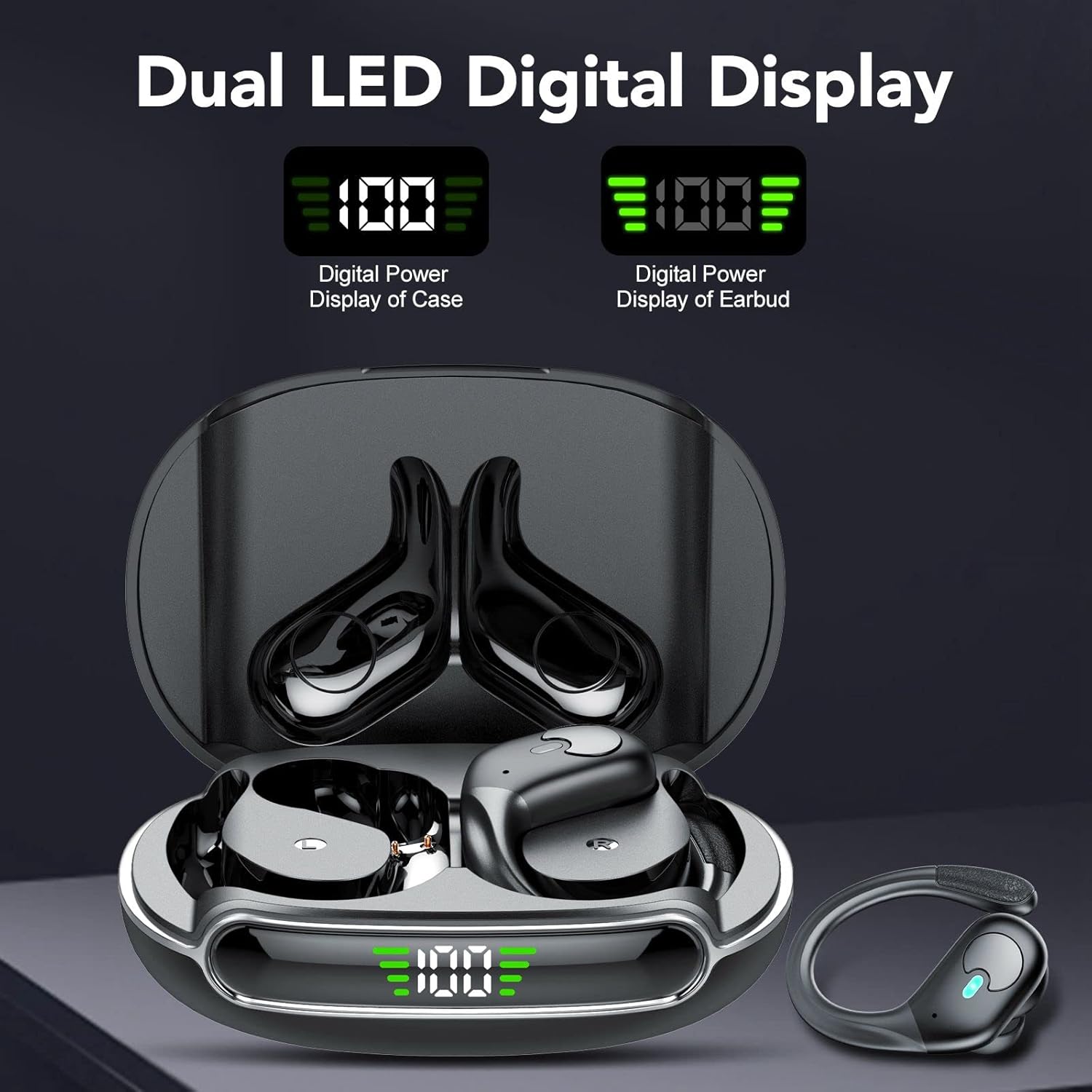
The charging case features a dual LED digital display to indicate the battery level of both the case and the individual earbuds.
Setup
1. Charging the Earbuds and Case
Before first use, fully charge the earbuds and the charging case. The charging case has a 650mAh battery capacity and can provide approximately 5 additional charges for the earbuds, extending total playtime up to 60 hours. A full charge for the charging case takes approximately 2 hours.
- Place the earbuds into the charging case. Ensure they are correctly seated to initiate charging.
- Connect the USB-C charging cable to the charging port on the case and to a power source.
- The LED digital display on the charging case will show the current battery level during charging.
- A single earbud provides approximately 10 hours of playtime on a full charge.

2. Pairing with a Device
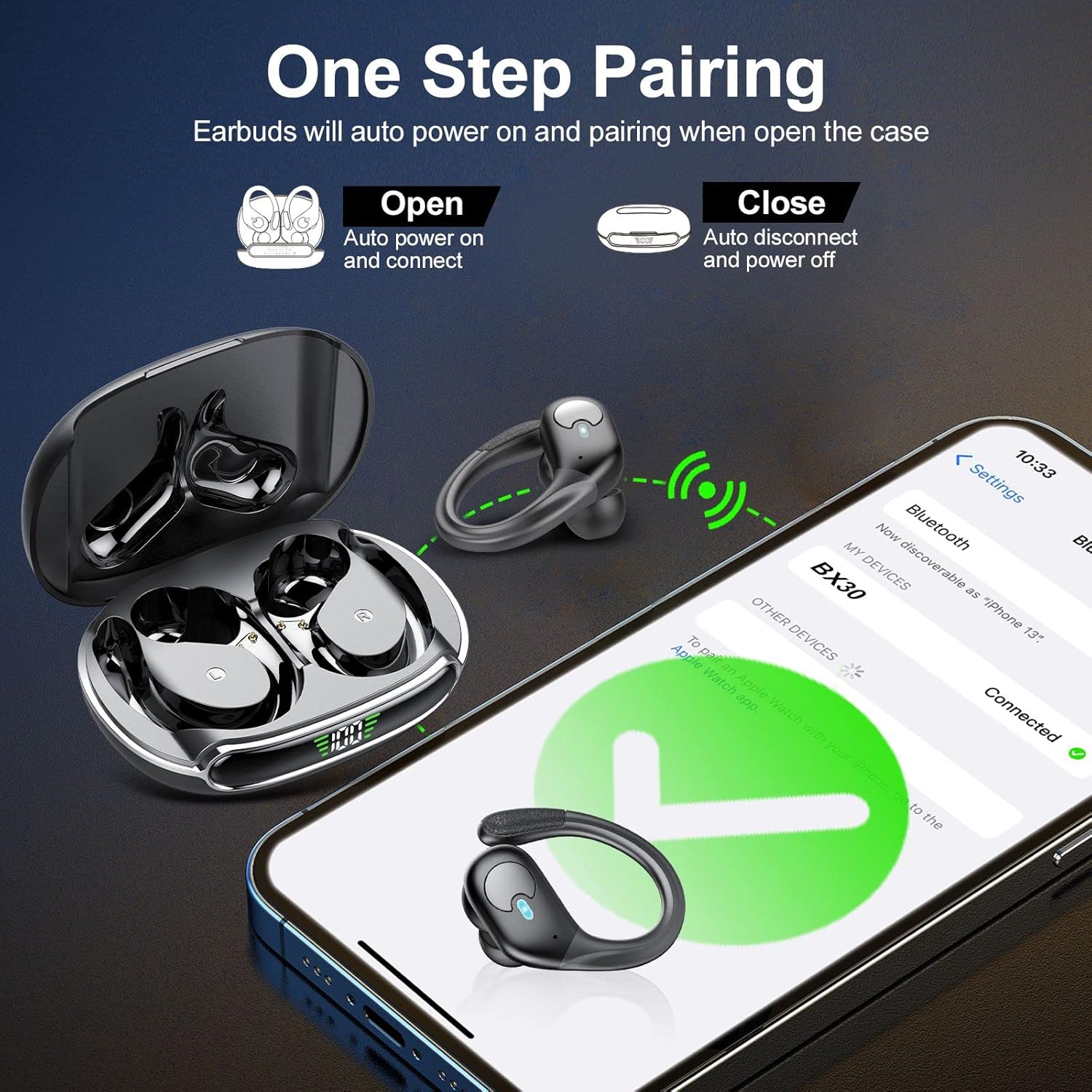
The IKT BX30 earbuds feature Bluetooth 5.3 technology for a stable and fast connection, and support one-step auto-connect.
- Initial Pairing: Open the lid of the charging case. The earbuds will automatically power on and enter pairing mode.
- On your device (e.g., smartphone, tablet), enable Bluetooth and search for available devices.
- Select "BX30" from the list of found devices to connect. You will hear an audible confirmation once connected.
- Automatic Reconnection: After the initial pairing, the earbuds will automatically connect to the last paired device when you open the charging case lid.
- To disconnect, simply place the earbuds back into the charging case and close the lid.

Operating Instructions
1. Touch Controls
The IKT BX30 earbuds feature touch controls for managing media playback and calls. Specific touch gestures may vary slightly by device, but common functions include:
- Play/Pause: Single tap on either earbud.
- Next Track: Double tap on the right earbud.
- Previous Track: Double tap on the left earbud.
- Answer/End Call: Single tap on either earbud.
- Reject Call: Press and hold on either earbud.
- Activate Voice Assistant: Triple tap on either earbud (functionality depends on your connected device).
2. Wearing the Earbuds
The earbuds are designed with soft adjustable silicone ear hooks to ensure a secure and comfortable fit, especially during physical activity. Three sizes of ear tips (S/M/L) are included to help you find the best seal for optimal sound quality and noise reduction.
- Choose the ear tips that provide a snug fit in your ear canal.
- Position the earbud in your ear, then gently adjust the flexible ear hook over your ear for stability. The non-slip end of the ear hook helps prevent them from falling off.

3. Call Functions
The IKT BX30 earbuds incorporate CVC 8.0 wave speed reverse forming and ENC (Environmental Noise Cancellation) call noise reduction technology. This technology reduces external noise by up to 90%, providing clear call quality as if you are speaking face-to-face.

4. Audio Playback
Experience Hi-Fi audio with the IKT BX30 earbuds, featuring a 13.4mm graphene diaphragm that ensures clear and balanced sound. The design provides up to 43% bass amplification. For optimal bass performance, ensure you are using the largest ear tips that fit comfortably.
Maintenance
Proper maintenance ensures the longevity and performance of your earbuds.
- Cleaning: Regularly clean the earbuds, ear tips, and charging contacts with a soft, dry, lint-free cloth. Avoid using harsh chemicals or abrasive materials.
- Water Resistance: The earbuds are IPX7 waterproof, meaning they can withstand immersion in water up to 1 meter for 30 minutes. However, the charging case is not waterproof. Ensure earbuds are dry before placing them back in the charging case.
- Storage: Store the earbuds in their charging case when not in use to protect them and keep them charged. Avoid extreme temperatures.
Troubleshooting
If you encounter issues with your IKT BX30 earbuds, refer to the following common solutions:
- Earbuds not pairing:
- Ensure earbuds are charged and out of the charging case.
- Turn off and on Bluetooth on your device.
- Forget "BX30" from your device's Bluetooth list and attempt to re-pair.
- No sound from one earbud:
- Place both earbuds back into the charging case, close the lid, then open it again to reset the connection.
- Check the earbud's battery level.
- Charging case not charging:
- Ensure the USB-C cable is securely connected to both the case and the power source.
- Try a different USB-C cable or power adapter.
- Poor sound quality:
- Ensure ear tips provide a good seal in your ear canal. Try different sizes.
- Clean any debris from the earbud speakers.
- Ensure your device is within the Bluetooth range.
Specifications
| Model Name | BX30 |
| Bluetooth Version | 5.3 |
| Earbud Battery Capacity | 65mAh (approx. 10 hours playtime per earbud) |
| Charging Case Battery Capacity | 650mAh (approx. 60 hours total playtime) |
| Charging Time (Case) | 2 hours |
| Water Resistance Level | IPX7 (Earbuds only) |
| Audio Driver Type | Dynamic Driver (13.4mm Graphene Diaphragm) |
| Sensitivity | 101 dB |
| Frequency Response | 2000 Hz |
| Control Type | Touch Control |
| Item Weight | 80 Grams (total) / 2.82 ounces |
| Product Dimensions | 3.31 x 2.36 x 1.38 inches |
| Material | Plastic |
Warranty and Support
IKT products are manufactured to high standards and undergo rigorous quality checks. For information regarding warranty coverage, technical support, or customer service, please refer to the contact details provided on the product packaging or visit the official IKT website.
Please retain your proof of purchase for warranty claims.


