
KERUI D2
KERUI D2 Wireless Home Alarm System User Manual
Model: D2 | Brand: KERUI
Introduction
The KERUI D2 Home Alarm System is a standalone wireless security solution designed to protect your home, office, or garage. It features a main alarm unit, door/window sensors, motion detectors, and remote controls, providing comprehensive protection against intrusions. This manual provides detailed instructions for setup, operation, maintenance, and troubleshooting to ensure optimal performance of your alarm system.
Safety Information
- Keep the device away from water and high humidity.
- Do not attempt to disassemble or repair the device yourself. Refer to qualified personnel for service.
- Ensure batteries are inserted with correct polarity. Replace all batteries simultaneously when low.
- The alarm produces a loud sound (120dB). Avoid prolonged exposure to prevent hearing damage.
- This system is a deterrent and should be part of a comprehensive security strategy.
Package Contents
Verify that all components are present in your package:
- 1 x Door Alarm Host
- 1 x Remote Control
- 4 x Door/Window Sensors
- 2 x Motion Detectors
- Mounting accessories (screws, adhesive pads)
- Batteries (for some components, check specifications)

Figure 1: Complete KERUI D2 Home Alarm System Kit.
Setup and Installation
Follow these steps to set up your KERUI D2 alarm system:
1. Install Batteries
- Door Alarm Host: Open the battery compartment and insert 2 x AAA batteries (not included in all kits, check packaging).
- Motion Detectors: Insert 1 x CR2032 battery into each motion detector.
- Door/Window Sensors: Insert 1 x 23A 12V battery into each door/window sensor.
- Remote Control: Insert 1 x CR2032 battery into the remote control.
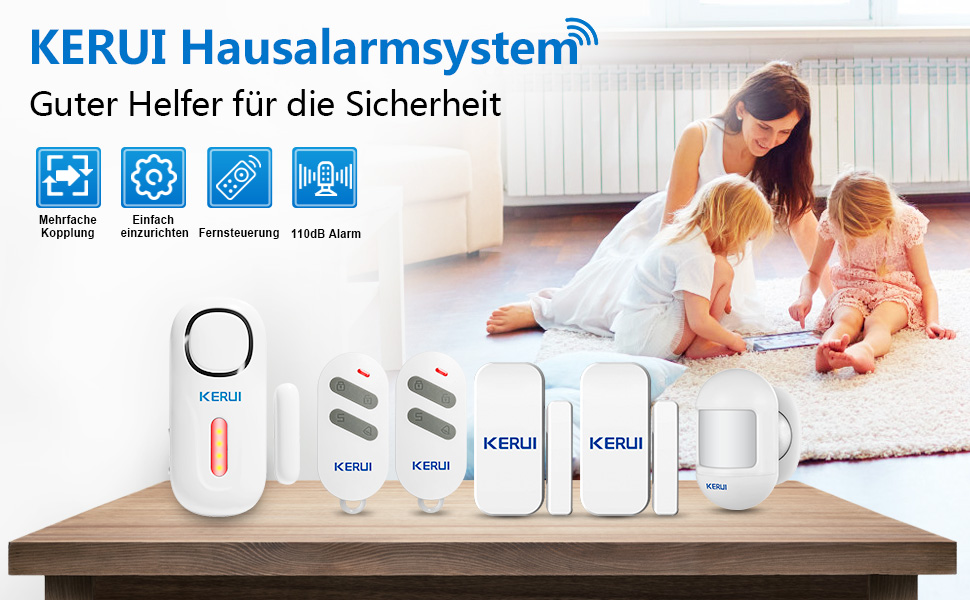
Figure 2: Installation Method Overview.
2. Mounting Sensors
- Door/Window Sensors:
These consist of two parts: the main sensor and a magnetic strip. Mount them on doors or windows using the provided adhesive pads or screws. Ensure the two parts are aligned and within 10mm of each other when the door/window is closed. When the door/window opens, the separation triggers the alarm.
- Motion Detectors:
Install motion detectors in areas where movement needs to be monitored, such as hallways or rooms. Mount them at a height of 2-2.2 meters for optimal detection range. Avoid placing them near heat sources or direct sunlight.
- Door Alarm Host:
Place the main alarm unit in a central location where its siren can be heard throughout the protected area. It can be mounted on a wall or placed on a flat surface.
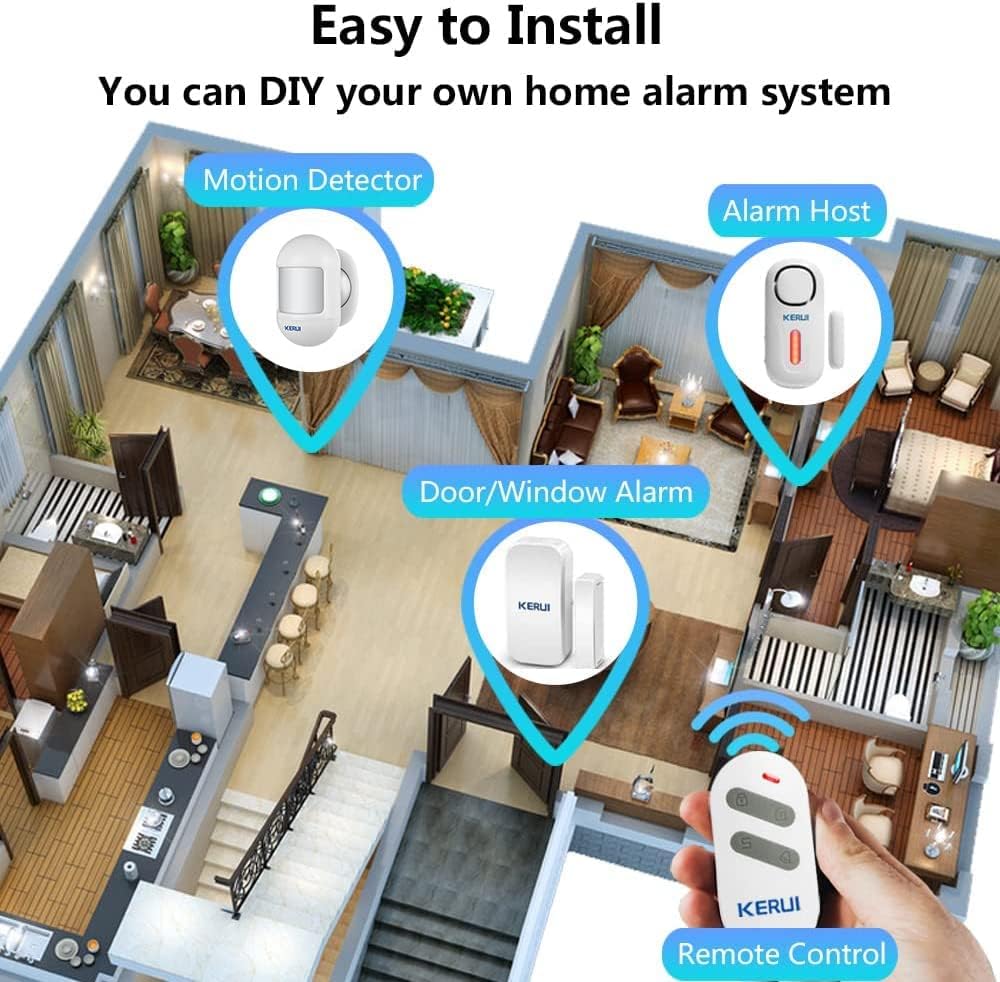
Figure 3: Easy Installation and Component Placement.
3. Pairing Sensors (if not pre-paired)
The system components are typically pre-paired. If you need to add new sensors or re-pair existing ones, refer to the specific pairing instructions provided with the individual sensor or the main alarm unit. Generally, this involves putting the main unit into pairing mode and then triggering the sensor.
Operating Instructions
Using the Remote Control
The remote control allows you to easily manage your alarm system:
- Arm Button (Locked Padlock): Press to arm the system. All configured sensors will become active.
- Disarm Button (Unlocked Padlock): Press to disarm the system. All sensors will be deactivated.
- SOS Button (SOS): Press for emergency help. The alarm will sound immediately.
- Doorbell Button (Bell Icon): If a door sensor is set to doorbell mode, pressing this button may activate a chime.

Figure 4: Remote Control Functions.
Alarm Modes and Zones
The KERUI D2 system supports 4 zones and 3 types of zones, allowing for customized alarm settings:
- Normal Alarm Zone: Triggers the full 120dB siren when activated.
- Doorbell Zone: When a door sensor is configured for this zone, it will emit a chime sound instead of the full alarm when opened. Useful for entry notifications.
- Emergency Zone: Sensors in this zone will trigger the alarm immediately, regardless of the system's armed/disarmed status.
Individual alarms can be set for each zone. Consult the detailed instructions for the main alarm unit to configure specific zones and their behaviors.
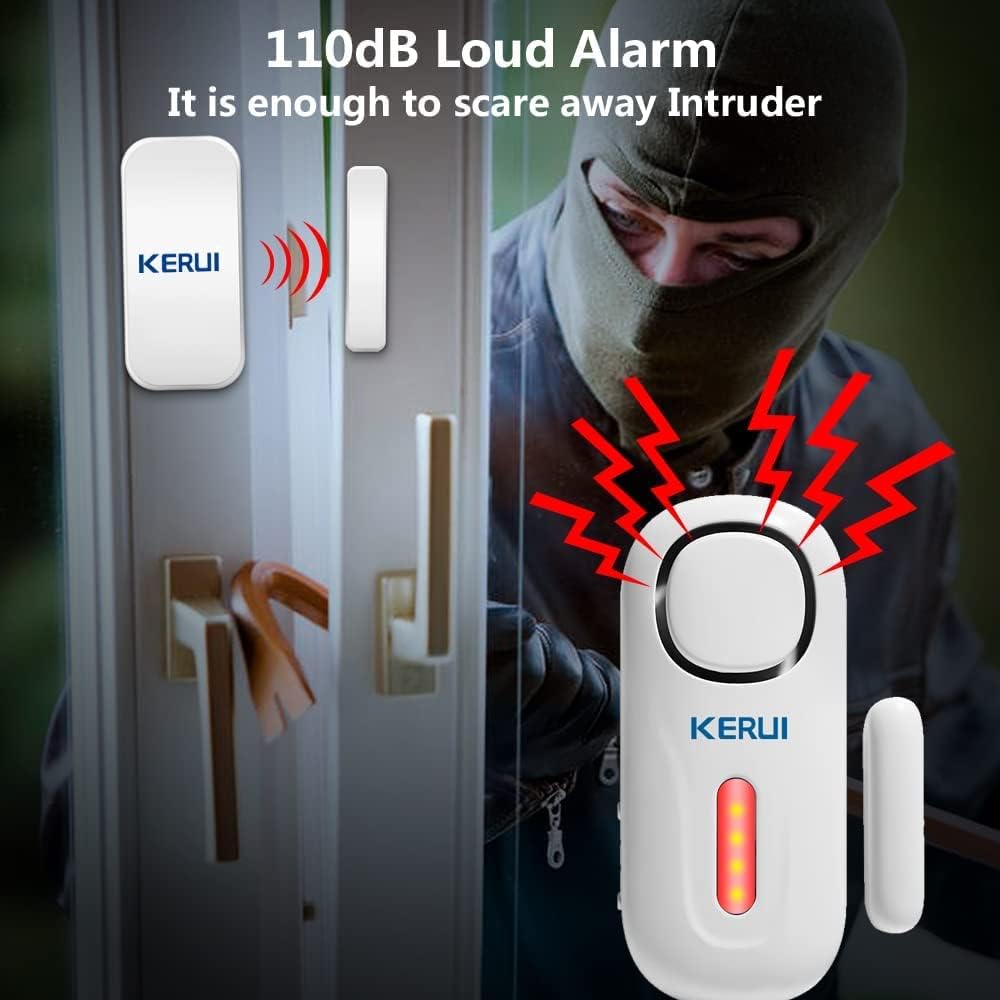
Figure 5: Alarm Activation and Sound Level.
Maintenance
- Battery Replacement: The system features a low battery reminder. If the alarm sensor battery is low, all LEDs on the main unit will flash 3 times every 40 seconds. Replace batteries promptly to ensure continuous protection. Refer to the "Install Batteries" section for battery types.
- Cleaning: Wipe the devices with a soft, dry cloth. Do not use abrasive cleaners or solvents.
- Sensor Alignment: Periodically check that door/window sensors remain properly aligned and within the 10mm gap for effective operation.
Troubleshooting
| Problem | Possible Cause | Solution |
|---|---|---|
| Alarm does not sound when triggered. | System is disarmed; low battery in sensor or main unit; sensor not properly aligned; sensor not paired. | Ensure system is armed. Check and replace batteries. Realign sensor parts (within 10mm). Re-pair sensor if necessary. |
| Remote control not working. | Low battery in remote; remote out of range; remote not paired. | Replace remote battery. Move closer to the main unit. Re-pair remote if necessary. |
| False alarms. | Motion detector placed in high-traffic area or near heat source; door/window sensor misaligned. | Relocate motion detector. Ensure door/window sensor parts are securely mounted and aligned when closed. |
| Low battery indicator flashing. | Battery in one or more sensors is low. | Identify the sensor with low battery and replace it immediately. |
Specifications
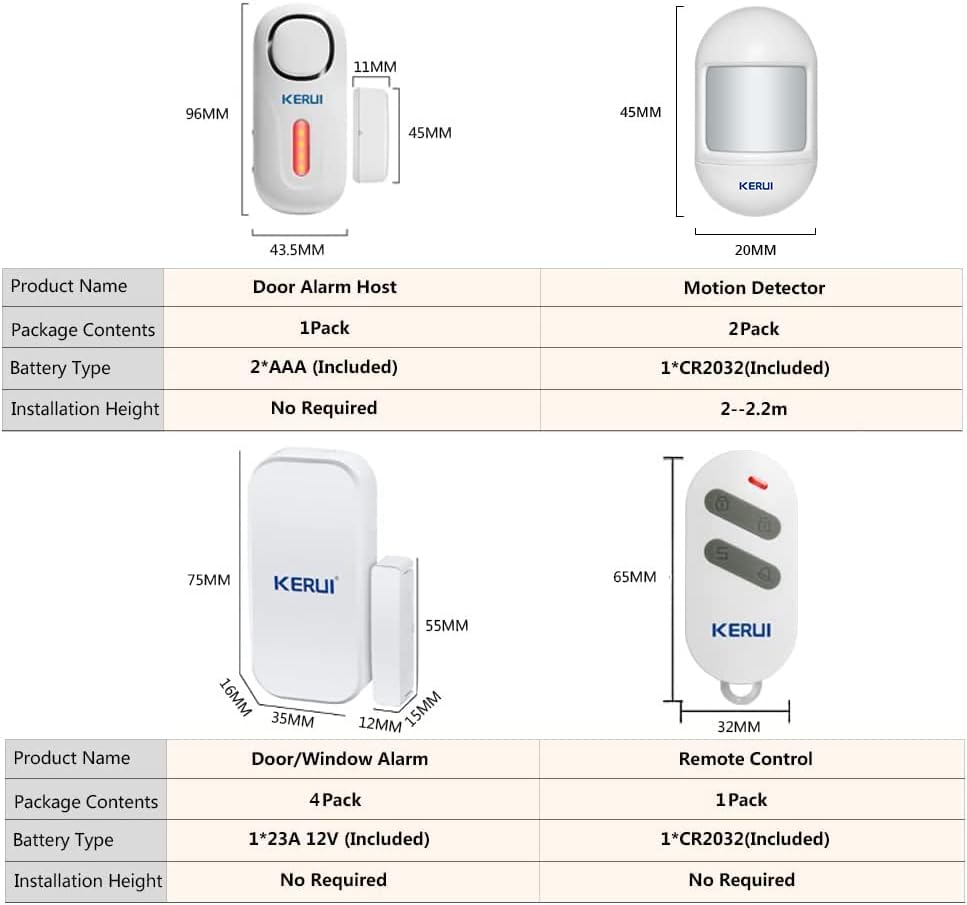
Figure 6: Product Dimensions and Component Specifications.
| Feature | Detail |
|---|---|
| Model Number | D2 |
| Alarm Sound Level | 120 dB |
| Product Dimensions | 13.6 x 8.8 x 9.8 cm (Main Unit) |
| Item Weight | 360 g |
| Power Source | Battery Powered |
| Installation Method | Screw-in / Adhesive |
| Wireless Connectivity | Supports up to 40 motion detectors/sensors and 20 remote controls. |
Warranty and Support
KERUI provides the following support for your D2 Home Alarm System:
- Warranty: 12 months warranty from the date of purchase.
- Technical Support: Free lifetime technical support.
- Customer Service: Friendly customer service available within 24 hours.
For any questions or assistance, please visit the official KERUI store or contact customer service via Amazon email. You can also find additional sensors (door sensors, PIR motion detectors, water leak sensors) in the KERUI store to expand your system.
Official KERUI Store: KERUI Store on Amazon
Related Documents - D2
 |
KERUI Smart Security System User Guide Comprehensive user manual for the KERUI Smart Security System, covering installation, sensor pairing, system configuration, and operation instructions. |
 |
KERUI DW9 Alarm System User Manual and Technical Guide Comprehensive user manual for the KERUI DW9 alarm system, detailing features, instructions for setting, adding/deleting detectors, low power prompts, clearing functions, and technical parameters. Includes guidance on operation and maintenance. |
 |
KERUI Door Alarm Sensor: Installation, Pairing, and Troubleshooting Guide Comprehensive guide for the KERUI Door Alarm Sensor, covering installation, pairing with various sirens (Standalone, WiFi, J009), troubleshooting common issues, and warranty information. Includes detailed textual descriptions of diagrams and instructions. |
 |
Smart Security System User's Guide User's guide for the Smart Security System, detailing setup, features, components, and specifications for home security. Covers installation, pairing, arming/disarming, and system management. |
Ask a question about this manual
Ask about setup, troubleshooting, compatibility, parts, safety, or missing instructions. Manuals+ will review the question and use this page’s manual context to help answer it.