1. Introduction
This manual provides comprehensive instructions for the setup, operation, and maintenance of your onn. HD 1080p LCD Home Theater Projector. Please read this manual thoroughly before using the projector to ensure proper functionality and to maximize your viewing experience.
The onn. HD 1080p LCD Home Theater Projector offers a versatile solution for immersive entertainment, supporting a wide range of image sizes and connectivity options. Its compact design and user-friendly interface make it suitable for various indoor and outdoor settings.
2. What's in the Box
Verify that all items listed below are included in your package:
- onn. HD Projector
- 6' HDMI Cable
- Remote Control (requires 2 AAA batteries, not included)
- AC/DC Adapter
- Lens Cover
- Quick Start Guide

Image: All components included in the projector package, neatly laid out.
3. Product Overview
The onn. HD Projector is designed to deliver a high-quality visual experience with its native HD 720p resolution, supporting up to 1080p video decoding. It features a 1 LED light source and a 4.41" LCD display for vibrant and clear images.

Image: The onn. HD Projector shown with a large projected image on a wall, highlighting its home theater capabilities.
Key Features:
- Native Resolution: Standard HD 720p (1280 x 720) with support for 1080p video decoding.
- Aspect Ratios: Selectable 16:9 or 4:3.
- Projection Type: 1 LED Light source + 4.41" LCD Display.
- Image Size: Flexible range from 32" to 210".
- Adjustable Foot: Manual adjustment of projection angle up to 15°.
- Keystone Correction: Vertical ±15° for optimal positioning.
- Projection Distance: 3.94 ft (1.2 m) to 22.96 ft (7 m).
- Contrast Ratio: 2000:1.
- Audio: Single 5W RMS speaker.
- Brightness: ANSI 250 lm (IDMS v1.03 Sections 15.3).
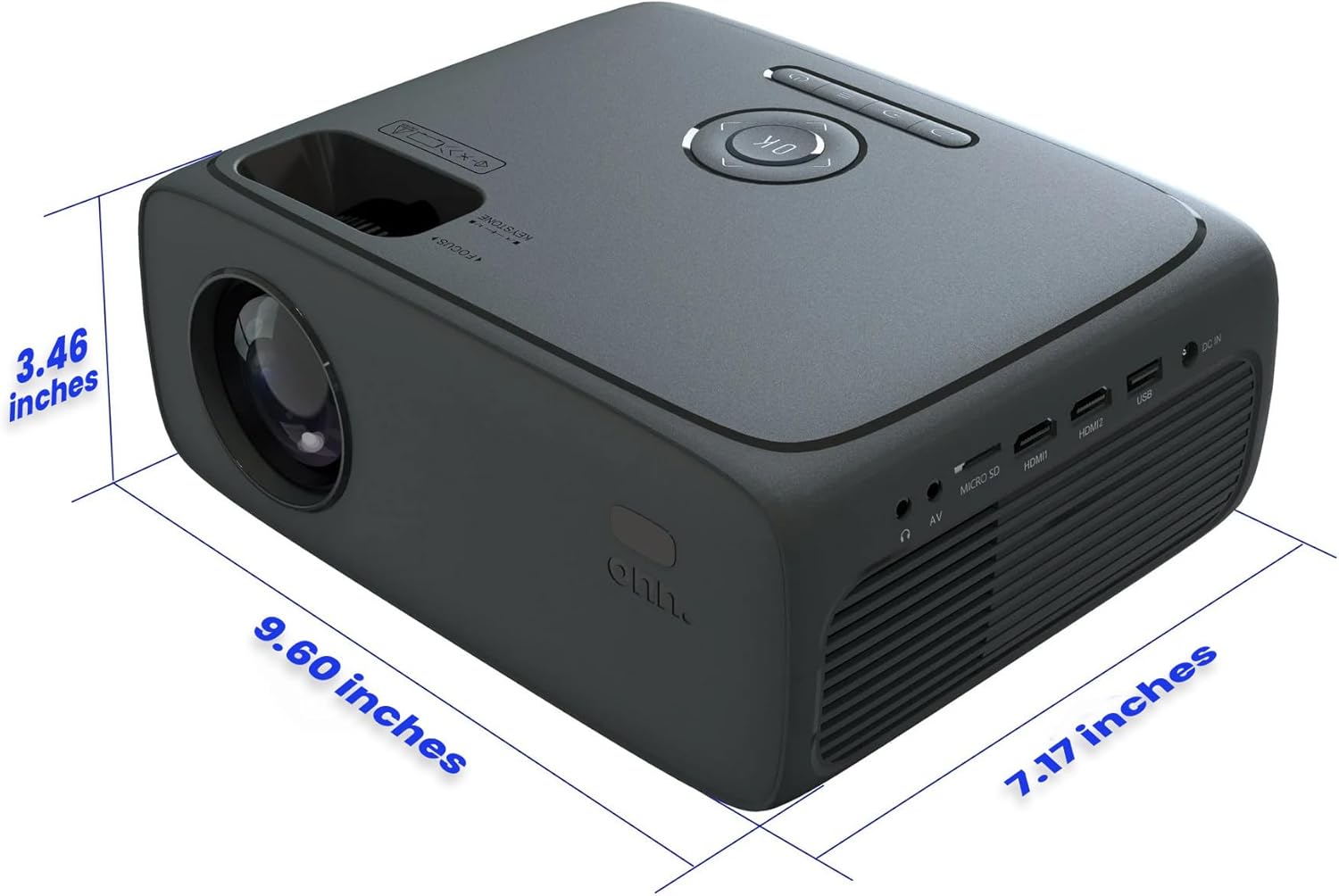
Image: Visual representation of key features like resolution, contrast, and image size.
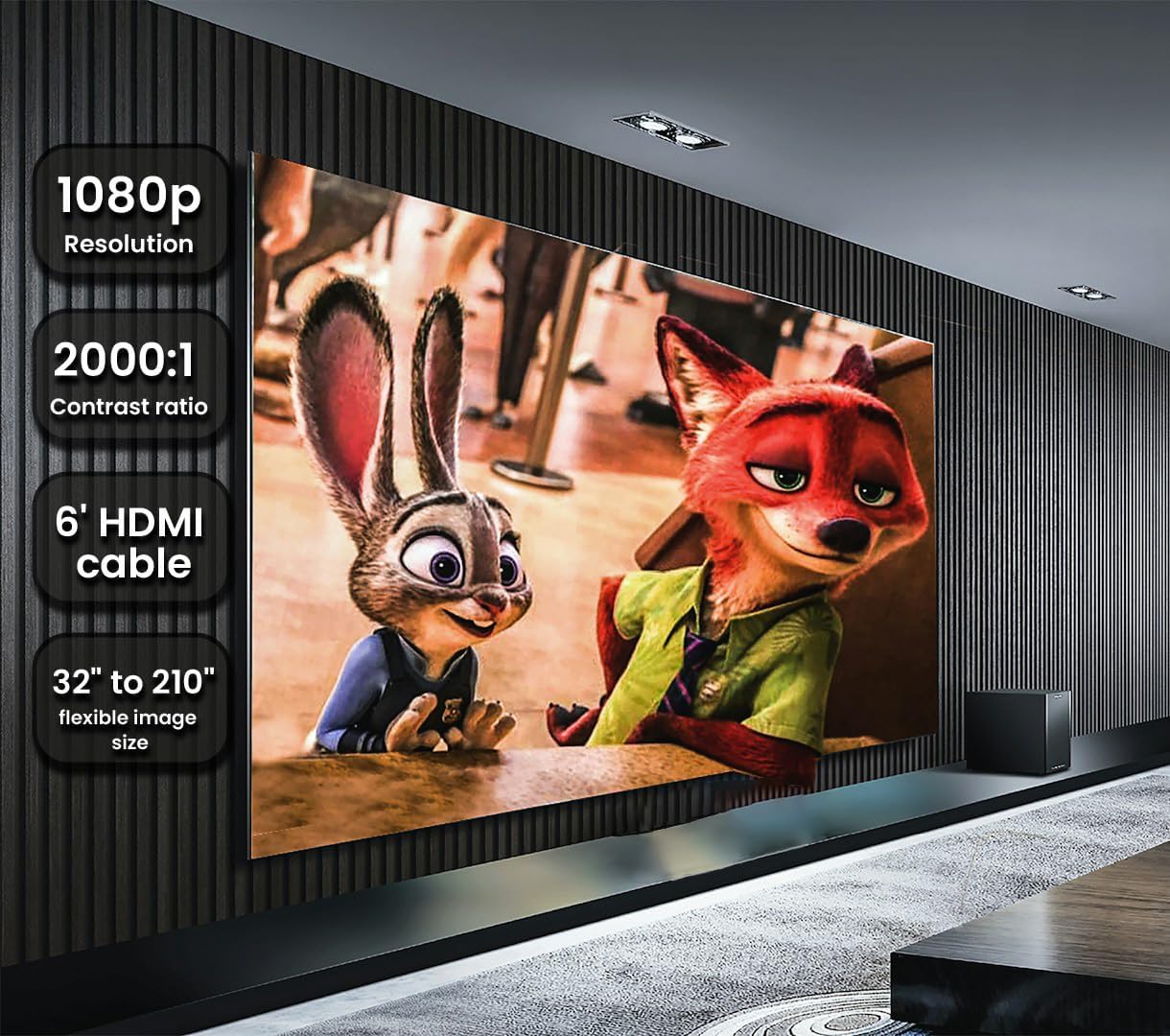
Image: Diagram showing the physical dimensions of the projector.
4. Connections
The projector offers a variety of input and output ports for connecting different devices:
- 2x HDMI Ports: For connecting devices like Fire TV Stick, Roku, DVD players, laptops, gaming consoles (PS5, PS4), etc.
- 1x USB 2.0 Port: For connecting USB drives.
- 1x MicroSD Slot: For connecting MicroSD cards.
- 1x 3.5mm Headphone Jack: For connecting external headphones or speakers.
- 1x 3.5mm AV Port: For connecting older devices using an AV cable.
- DC IN: Power input.
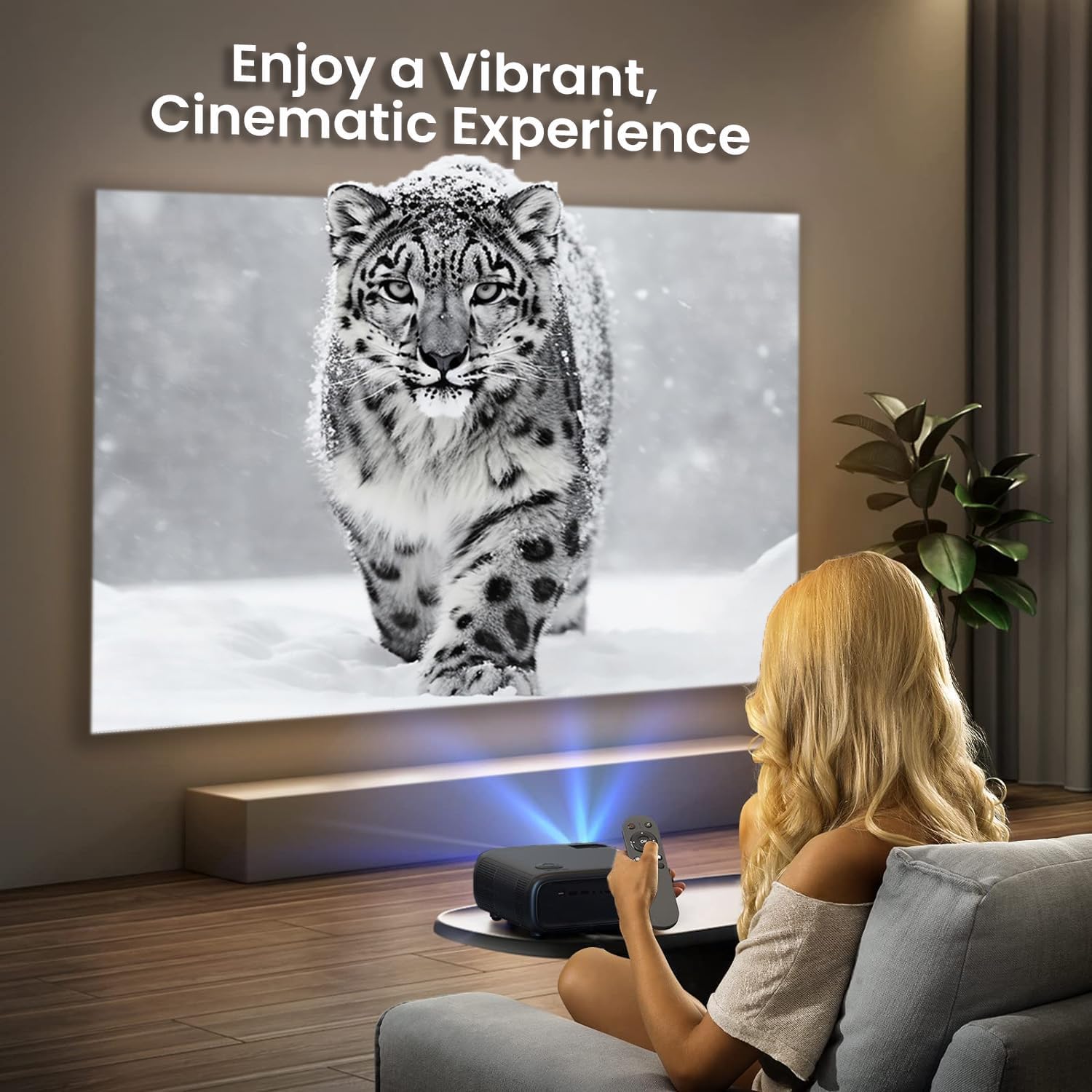
Image: Detailed view of the projector's rear panel showing all available connection ports.
5. Setup
5.1. Power Connection
- Connect the AC/DC adapter to the "DC IN" port on the projector.
- Plug the other end of the adapter into a power outlet.
- Press the power button on the projector or the remote control to turn it on.
5.2. Connecting Input Devices
Choose the appropriate port based on your device:
- HDMI: Use the included HDMI cable to connect your device (e.g., Roku, laptop) to either HDMI1 or HDMI2 port.
- USB/MicroSD: Insert your USB drive or MicroSD card into the respective slot.
- AV: Use a 3.5mm AV cable (not included) to connect older devices.
5.3. Image Placement and Adjustment
- Place the projector on a stable, flat surface.
- Adjust the projection distance to achieve your desired image size (32" to 210").
- Use the adjustable foot at the bottom of the projector to change the vertical projection angle if needed.
- Focus Adjustment: Rotate the focus knob near the lens until the image appears sharp and clear.
- Keystone Correction: Use the keystone adjustment dial (usually near the focus knob) to correct trapezoidal distortion, ensuring a rectangular image.
6. Operating the Projector
6.1. Using the Remote Control
The included remote control provides full functionality for navigating the projector's menus and controlling playback. Ensure batteries are inserted correctly.

Image: The remote control for the onn. HD Projector, showing its layout and buttons.
6.2. Input Source Selection
After connecting your device, press the "Input" or "Source" button on the remote or projector to select the correct input (e.g., HDMI1, HDMI2, USB, AV).
6.3. Menu Navigation
Use the arrow keys and "OK" button on the remote or projector to navigate through the on-screen menus for settings such as picture mode, sound mode, aspect ratio, and more.
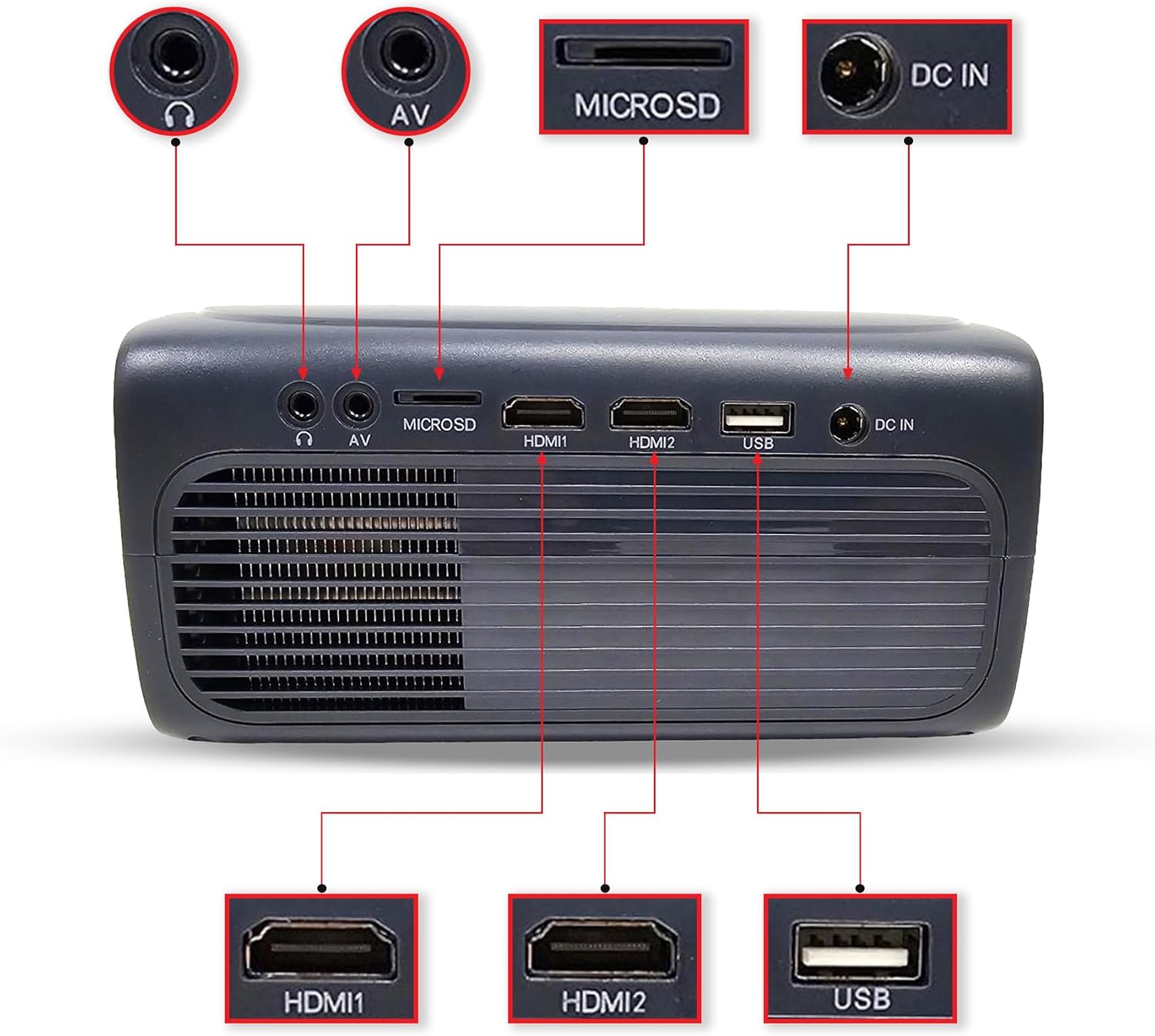
Image: A user operating the projector with the remote control, demonstrating its ease of use in a home theater setup.
7. Maintenance
To ensure the longevity and optimal performance of your projector, follow these maintenance guidelines:
- Lens Cleaning: Gently wipe the projector lens with a soft, lint-free cloth or lens cleaning paper. Avoid abrasive materials or harsh chemicals.
- Dust Removal: Regularly clean the projector's exterior with a soft, dry cloth. Ensure ventilation openings are free from dust and obstructions.
- Storage: When not in use for extended periods, store the projector in a cool, dry place, away from direct sunlight and extreme temperatures. Use the lens cover to protect the lens.
- Ventilation: Do not block the ventilation holes during operation. Ensure adequate airflow around the projector to prevent overheating.
8. Troubleshooting
If you encounter issues with your projector, refer to the following common problems and solutions:
| Problem | Possible Cause | Solution |
|---|---|---|
| No image on screen | Power not connected; Incorrect input source; Lens cap on. | Check power connection; Select correct input source; Remove lens cap. |
| Image is blurry | Out of focus; Incorrect projection distance. | Adjust the focus knob; Adjust projection distance. |
| Image is trapezoidal | Projector not perpendicular to screen. | Adjust keystone correction dial. |
| No sound | Volume too low; Muted; External audio device not connected properly. | Increase volume; Unmute; Check external audio connections. |
| Remote control not working | Batteries dead or incorrectly inserted; Obstruction between remote and projector. | Replace batteries; Ensure clear line of sight to IR receiver. |
9. Specifications
| Feature | Detail |
|---|---|
| Brand Name | ONN |
| Model Number | 100096801 |
| Native Resolution | HD 720p (1280 x 720) |
| Supported Video Decoding | Up to 1080p |
| Aspect Ratios | 16:9, 4:3 |
| Projection Type | 1 LED Light source + 4.41" LCD Display |
| Image Size | 32" - 210" |
| Projection Distance | 3.94 ft (1.2 m) to 22.96 ft (7 m) |
| Contrast Ratio | 2000:1 |
| Speaker | Single 5W RMS |
| White Light Output | ANSI 250 lm (IDMS v1.03 Sections 15.3) |
| Connectivity | 2x HDMI, 1x USB 2.0, 1x MicroSD, 1x 3.5mm Headphone, 1x 3.5mm AV |
| Item Weight | 6 pounds |
| Package Dimensions | 15 x 10 x 6 inches |
| Color | Black |
10. Warranty and Support
For information regarding warranty coverage, technical support, or service, please refer to the warranty card included with your product or visit the official ONN website. Keep your purchase receipt as proof of purchase for warranty claims.


