
havit SK800BT
Havit SK800BT Portable Waterproof Speaker User Manual
Model: SK800BT | Brand: Havit
1. Introduction
Thank you for purchasing the Havit SK800BT Portable Waterproof Speaker. This manual provides important information regarding the setup, operation, maintenance, and troubleshooting of your new speaker. Please read this manual thoroughly before using the product to ensure proper operation and to prevent damage.
The Havit SK800BT is a compact, portable speaker designed for versatile audio playback. It features wireless Bluetooth streaming, multiple playback modes (Bluetooth, AUX, Micro SD Card, USB), and a durable, waterproof, and dustproof design, making it suitable for various indoor and outdoor environments.
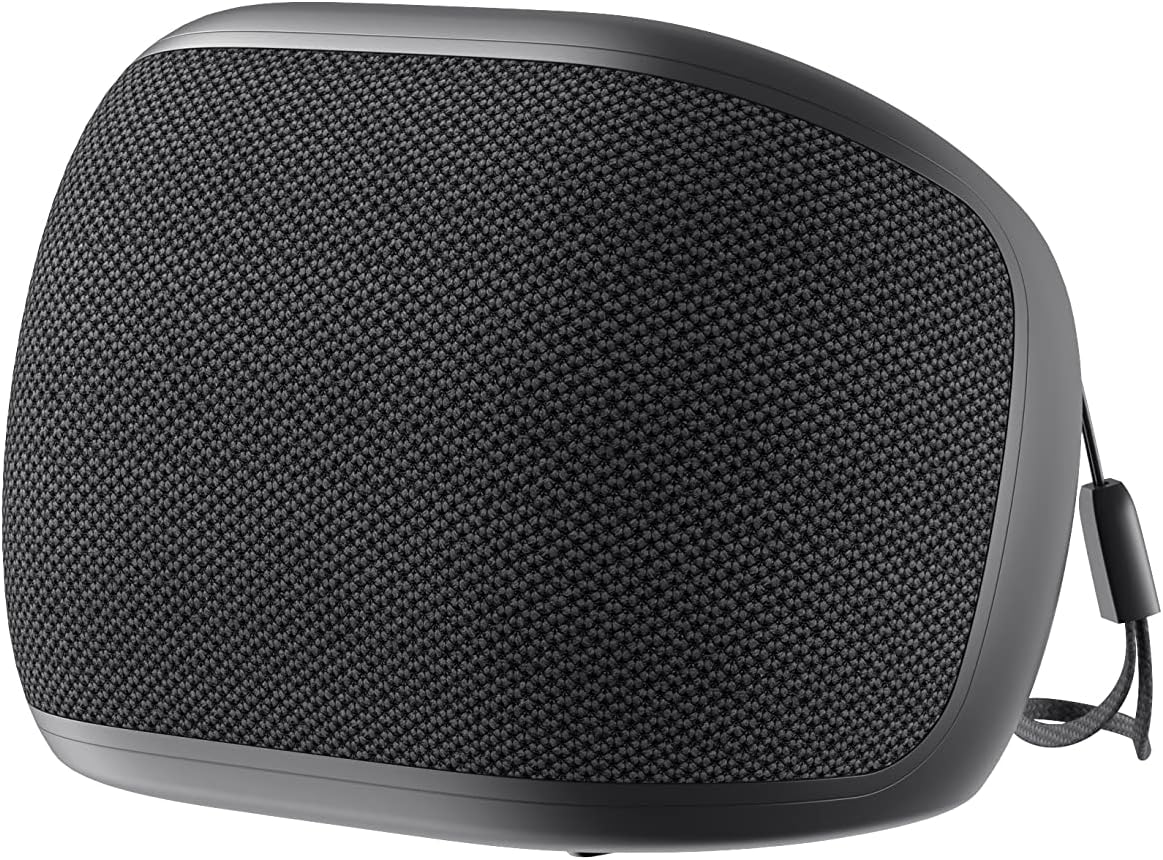
Figure 1.1: Front view of the Havit SK800BT Portable Waterproof Speaker, showcasing its compact design and fabric grille.
2. Safety Information
- Do not expose the speaker to extreme temperatures or direct sunlight for prolonged periods.
- Ensure the charging port cover is securely closed when using the speaker near water to maintain its waterproof integrity.
- Do not disassemble, repair, or modify the speaker yourself. This may void the warranty and pose safety risks.
- Use only the specified charging voltage (DC 5V) to prevent damage to the battery and speaker.
- Keep the speaker away from strong magnetic fields.
- Clean the speaker with a soft, dry cloth. Do not use abrasive cleaners or solvents.
3. Product Components and Controls
Familiarize yourself with the various parts and controls of your Havit SK800BT speaker.

Figure 3.1: Side view of the speaker, highlighting the DC 5V charging port, AUX input, TF (Micro SD) card slot, and USB port, protected by a rubber flap.

Figure 3.2: Top view of the speaker, showing the control panel with buttons for volume up (+), volume down (-), play/pause/call answer (triangle icon), and power on/off (circle icon).
Control Buttons:
- Power Button (Circle Icon): Press and hold to power on/off. Short press to switch playback modes.
- Play/Pause Button (Triangle Icon): Short press to play or pause music. Short press to answer/end calls. Press and hold to reject calls.
- Volume Up Button (+): Short press to increase volume. Press and hold for next track.
- Volume Down Button (-): Short press to decrease volume. Press and hold for previous track.
Ports:
- DC 5V: Charging port.
- AUX: 3.5mm audio input for wired connection.
- TF: Micro SD card slot for direct music playback.
- USB: USB port for direct music playback from a USB drive.
4. Setup
4.1 Charging the Speaker
Before first use, fully charge the speaker. Connect the provided USB charging cable to the DC 5V port on the speaker and the other end to a USB power adapter (not included) or a computer's USB port. The charging indicator light will illuminate during charging and turn off when fully charged. A full charge takes approximately 4 hours.
4.2 Powering On/Off
- To Power On: Press and hold the Power button (circle icon) for approximately 3 seconds until you hear an audible prompt.
- To Power Off: Press and hold the Power button (circle icon) for approximately 3 seconds until you hear an audible prompt.
5. Operating Instructions
5.1 Bluetooth Pairing
- Ensure the speaker is powered on and in Bluetooth mode. If not, short press the Power button to cycle through modes until you hear the Bluetooth pairing prompt. The Bluetooth indicator light will flash rapidly.
- Enable Bluetooth on your device (smartphone, tablet, laptop).
- Search for "Havit SK800BT" in your device's Bluetooth settings.
- Select "Havit SK800BT" to connect. Once successfully paired, you will hear a confirmation sound, and the Bluetooth indicator light will stop flashing and remain solid.
- The speaker will automatically reconnect to the last paired device when powered on, if the device's Bluetooth is enabled and within range.
5.2 Playback Modes
The Havit SK800BT supports four playback modes: Bluetooth, AUX, Micro SD Card, and USB. Short press the Power button to cycle between these modes.
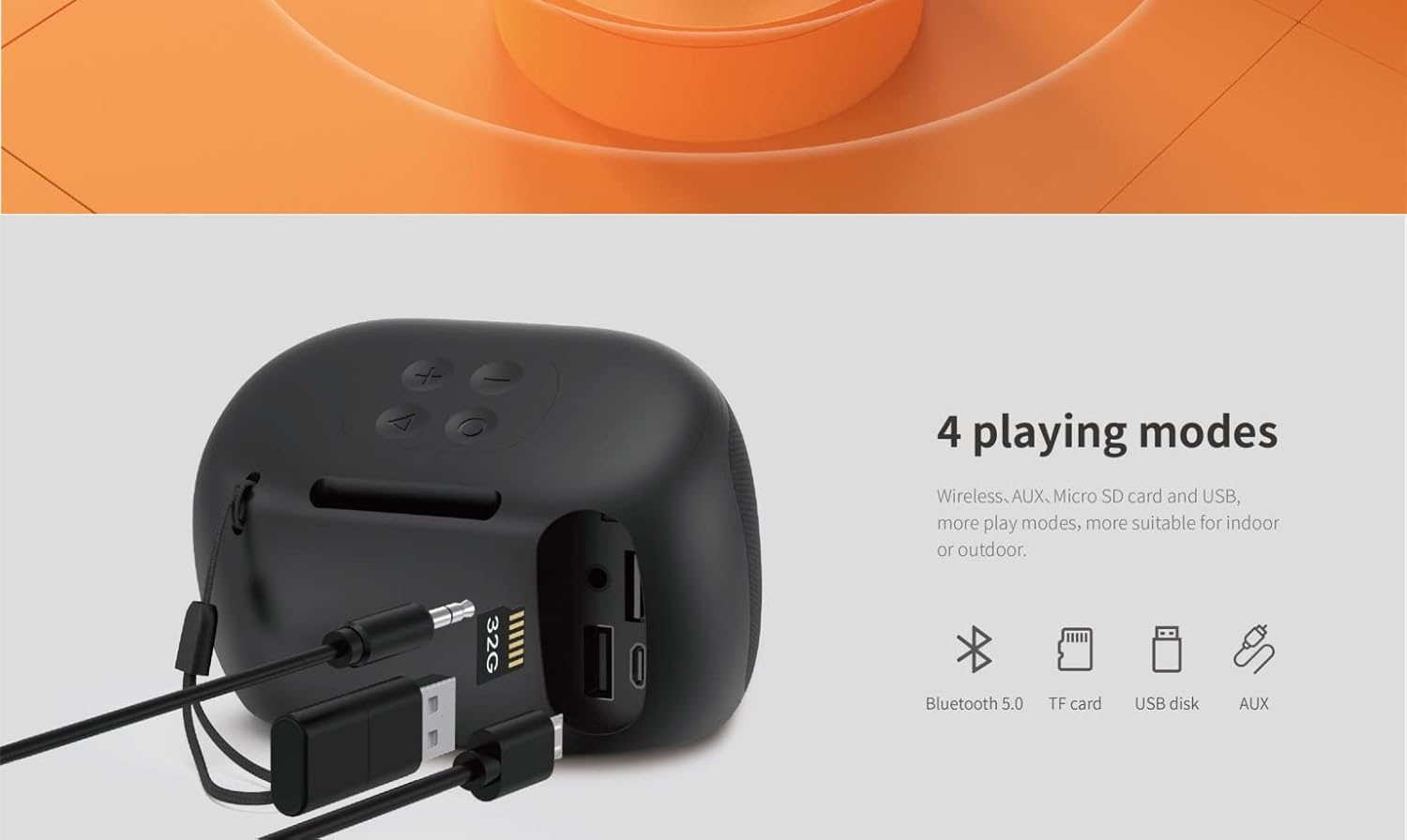
Figure 5.1: Illustration of the four supported playback modes: Bluetooth 5.0, TF card, USB disk, and AUX input.
5.2.1 AUX Mode
Connect one end of a 3.5mm audio cable (not included) to the AUX port on the speaker and the other end to the audio output of your device. The speaker will automatically switch to AUX mode.
5.2.2 Micro SD Card Mode
Insert a Micro SD card (TF card) with audio files into the TF card slot. The speaker will automatically switch to Micro SD card mode and begin playing music.
5.2.3 USB Mode
Insert a USB flash drive with audio files into the USB port. The speaker will automatically switch to USB mode and begin playing music.
5.3 Volume Control
- Increase Volume: Short press the "+" button.
- Decrease Volume: Short press the "-" button.
5.4 Track Navigation
- Next Track: Press and hold the "+" button.
- Previous Track: Press and hold the "-" button.
5.5 Answering/Ending Calls
When connected via Bluetooth to a smartphone:
- Answer Call: Short press the Play/Pause button (triangle icon).
- End Call: Short press the Play/Pause button (triangle icon) during a call.
- Reject Call: Press and hold the Play/Pause button (triangle icon) for 2 seconds.
5.6 Voice Assistant
The speaker supports voice assistant functionality. When connected via Bluetooth, short press the Play/Pause button (triangle icon) twice to activate your device's voice assistant (e.g., Siri, Google Assistant).
6. Maintenance
6.1 Cleaning
Wipe the speaker with a soft, damp cloth. Do not use harsh chemicals, cleaning solvents, or strong detergents. Ensure the charging port cover is closed before cleaning with a damp cloth.
6.2 Storage
When not in use for extended periods, store the speaker in a cool, dry place, away from direct sunlight and extreme temperatures. It is recommended to charge the speaker at least once every three months to maintain battery health.
6.3 Waterproofing Care
While the speaker is waterproof, it is important to ensure the rubber flap covering the charging and input ports is securely sealed before exposing the speaker to water or moisture. Do not submerge the speaker for extended periods or expose it to pressurized water jets.
7. Troubleshooting
| Problem | Possible Cause | Solution |
|---|---|---|
| Speaker does not power on. | Low battery. | Charge the speaker fully. |
| Cannot connect via Bluetooth. | Bluetooth not enabled on device; speaker not in pairing mode; too far from device; interference. | Ensure Bluetooth is on. Put speaker in pairing mode. Move device closer. Clear other Bluetooth devices. Try unpairing and re-pairing. |
| No sound or low volume. | Volume too low on speaker or device; incorrect mode selected; audio file issue. | Increase volume on both speaker and device. Ensure correct playback mode (Bluetooth, AUX, TF, USB). Test with a different audio file. |
| Music stops playing from Micro SD/USB. | Unsupported file format; corrupted file; card/drive not inserted correctly. | Ensure audio files are in a supported format (e.g., MP3). Reinsert the Micro SD card or USB drive. Try a different card/drive. |
| Poor sound quality/distortion. | Volume too high; weak Bluetooth signal; speaker placed on vibrating surface. | Reduce volume. Move device closer to speaker. Place speaker on a stable surface. |
8. Specifications
Detailed technical specifications for the Havit SK800BT Portable Waterproof Speaker.

Figure 8.1: Key specifications of the speaker, including battery capacity, playtime, output power, and voice assistant feature.
| Feature | Detail |
|---|---|
| Model Name | SK800BT |
| Bluetooth Version | V5.0 |
| Output Power | 4W |
| Battery Capacity | 3.7V/800mAh |
| Play Time | Up to 6 hours (medium volume) |
| Charging Time | Approximately 4 hours |
| Wireless Operation Range | 10M (33 feet) without obstacles |
| Speaker Size | 40mm |
| Dimensions (L x W x H) | 102 x 71.8 x 69.5 mm (Product Dimensions: 6.8 x 11.7 x 12 cm) |
| Weight | 290 g |
| Material | ABS + Fabric |
| Supported Profiles | AVRCP 1.0, GAVDP 1.0, AVDTP 1.0, A2DP 1.0, Profile 1.5, Headset Profile v1.1 |
| Supported Modes | Bluetooth, AUX, Micro SD Card, USB, FM (Note: FM is listed in description but not in feature bullets or main specs, will include with a note) |
| Special Features | Bluetooth, Portable, Waterproof, Voice Assistant |
Note: Some specifications like FM radio are mentioned in the product description. Please refer to the latest product packaging or manufacturer's website for the most accurate and up-to-date information.
9. Warranty and Support
9.1 Warranty Information
The Havit SK800BT Portable Waterproof Speaker comes with a standard manufacturer's warranty. The duration and terms of the warranty may vary by region and retailer. Please retain your purchase receipt as proof of purchase for any warranty claims. For detailed warranty information, refer to the warranty card included with your product or visit the official Havit website.
Extended warranty and accidental damage protection plans may be available for purchase separately. Please check with your retailer for options.
9.2 Customer Support
If you encounter any issues or have questions regarding your Havit SK800BT speaker that are not covered in this manual, please contact Havit customer support or the retailer from whom you purchased the product. You can typically find contact information on the manufacturer's official website or on your purchase documentation.
For the latest drivers, firmware updates, and additional support resources, please visit the official Havit website: www.havit.com (Note: This is a placeholder URL, please refer to the actual manufacturer's website.)
Related documentsSK800BT


Ask a question about this manual
Ask about setup, troubleshooting, compatibility, parts, safety, or missing instructions. Manuals+ will review the question and use this page’s manual context to help answer it.