
Introduction
The 1Mii Airplane Bluetooth Adapter (Model B0BXLMHKGP) is designed to enhance your audio experience during travel and with various audio sources. This portable wireless audio transmitter allows you to connect your Bluetooth headphones to in-flight entertainment systems, handheld gaming consoles, personal computers, and fitness equipment that feature a 3.5mm audio jack. It supports high-fidelity stereo sound with advanced audio codecs for optimal listening quality.
Safety Information
Please read and understand all safety warnings before using this device. Heed warnings related to battery handling, potential interference with other wireless devices, and suitable operating temperatures and humidity levels. Refer to the full user manual (PDF) for detailed safety information. Do not expose the device to extreme temperatures or moisture. Keep out of reach of children.
Package Contents
- 1Mii Airplane Bluetooth Adapter
- Portable Charging Case
- USB-C Charging Cable
- User Manual (this document)
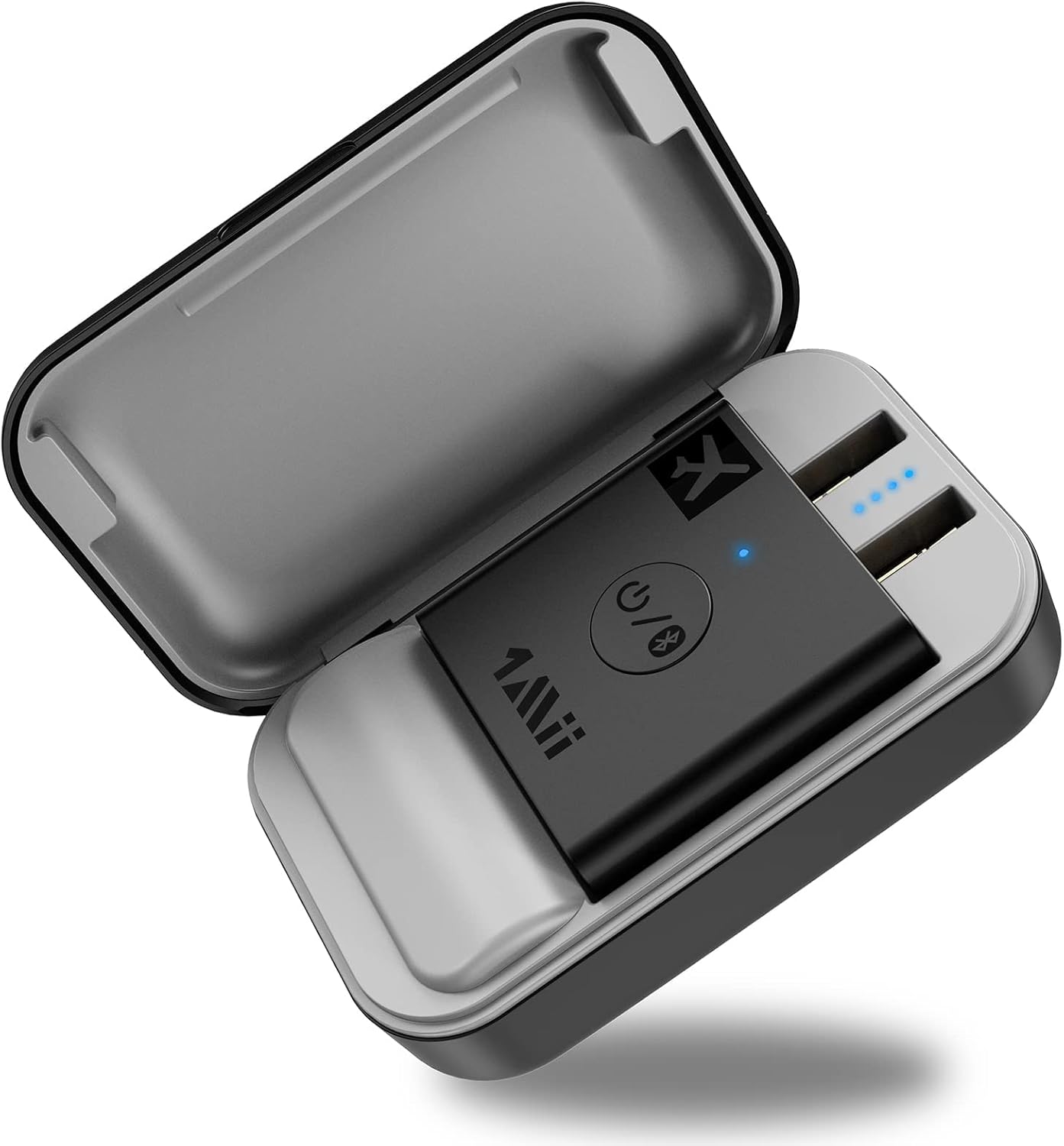
Image: The 1Mii Airplane Bluetooth Adapter resting inside its portable charging case, showcasing its compact design and ready-to-use state.
Setup and Pairing
- Charge the Device: Ensure the Bluetooth adapter and its charging case are fully charged before first use. Connect the provided USB-C cable to the charging case and a power source. The adapter itself charges when placed inside the case.
- Power On: Remove the adapter from the charging case. The B05 adapter will automatically turn on and enter pairing mode, indicated by a blinking red and blue light.
- Prepare Your Bluetooth Headphones: Set your Bluetooth headphones to pairing mode. Refer to your headphone's user manual for specific instructions on how to enter pairing mode.
- Connect to Audio Source:
- For Dual 3.5mm Jacks (e.g., older airplane systems): Ensure both plugs on the adapter are extended. Insert both 3.5mm plugs into the corresponding audio jacks on the airplane's entertainment system.
- For Single 3.5mm Jack (e.g., newer airplane systems, gaming consoles, PCs, fitness equipment): You can individually rotate one of the plugs by 90 degrees to fold it away, allowing the adapter to be used with a single 3.5mm port. Insert the remaining active 3.5mm plug into the audio jack.
- Pairing Confirmation: Once successfully paired, the indicator light on the adapter will turn solid blue, and your headphones should indicate a successful connection.

Image: Step 1 of setup, showing the adapter being removed from its charging case, which automatically powers it on.

Image: Step 2 of setup, illustrating the process of setting Bluetooth headphones or earbuds into pairing mode.

Image: Step 3 of setup, demonstrating how to rotate one of the adapter's plugs for compatibility with single 3.5mm audio jacks.

Image: A detailed view of the adapter's adjustable plugs, showing how they can be configured for either single or dual 3.5mm audio inputs.
Operating Instructions
Once paired, the 1Mii adapter will transmit audio wirelessly to your connected Bluetooth headphones. The adapter is designed for seamless audio streaming with minimal latency.
- In-Flight Entertainment: Connect the adapter to the airplane's audio jack(s) and enjoy movies, music, or shows with your personal Bluetooth headphones.
- Gaming Consoles: Use the adapter with handheld gaming consoles that have a 3.5mm audio output to enjoy wireless audio.
- Personal Computers & Fitness Equipment: Connect to any device with a 3.5mm audio output for wireless audio transmission.
- Audio Quality: The adapter supports Bluetooth 5.3 and advanced codecs like aptX Adaptive, aptX HD, aptX Low Latency, aptX, and SBC, providing high-fidelity stereo sound and 24-bit audio quality. For optimal low latency, your Bluetooth headphones should also support aptX Low Latency.

Image: A man enjoying in-flight entertainment using the 1Mii adapter and his personal Bluetooth headphones, highlighting the convenience of wireless audio on an airplane.
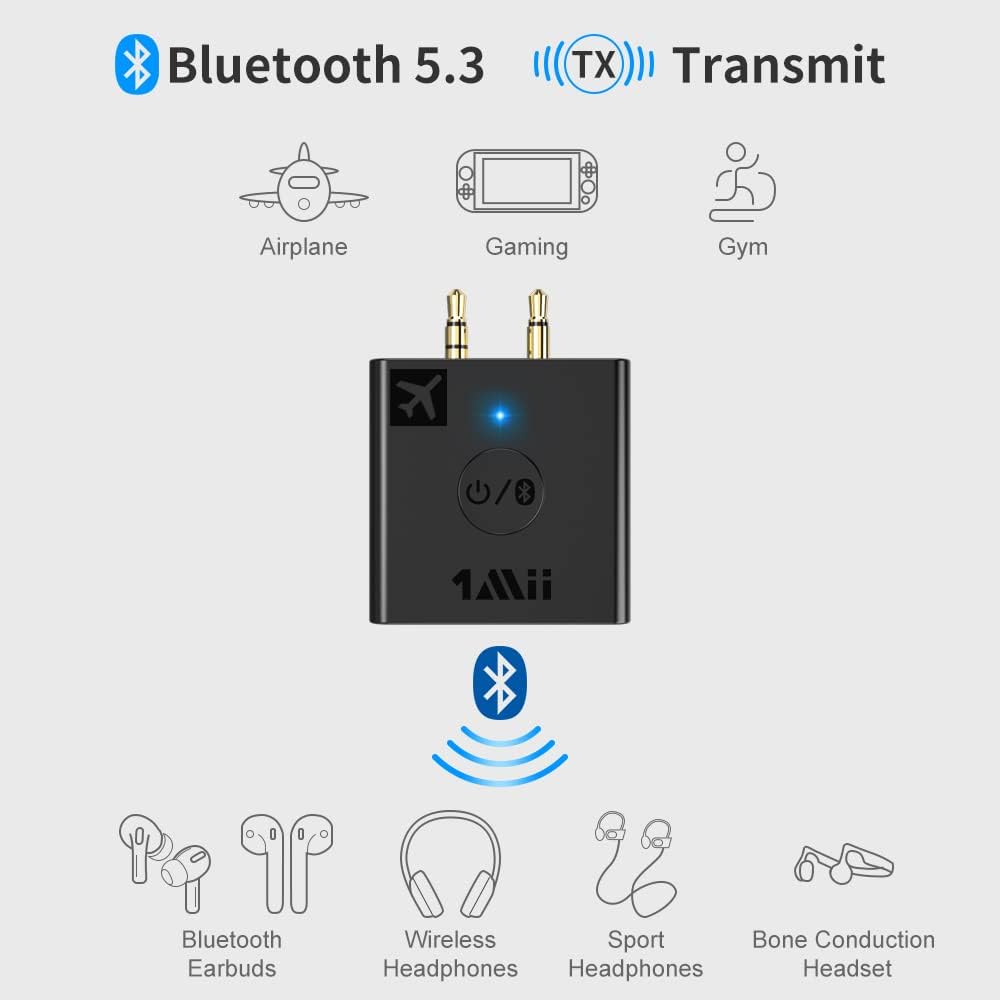
Image: A diagram illustrating the Bluetooth 5.3 transmission capabilities of the 1Mii adapter, showing its compatibility with various devices like airplanes, gaming consoles, gym equipment, and different types of Bluetooth headphones.
Battery Life and Charging
The 1Mii Bluetooth Transmitter offers extended battery life for long periods of use.
- Adapter Playtime: Up to 6 hours of continuous use on a single charge.
- Total Playtime with Charging Case: Up to 24 additional hours of playtime when recharged by the portable charging case, totaling up to 30 hours.
- Charging: The device can also provide continuous playback power if plugged in via the included USB-C cable to a power source.

Image: A visual representation of the 1Mii adapter's impressive battery life, indicating 6 hours on a single charge and up to 30 hours total with the charging case.
Maintenance
To ensure the longevity and optimal performance of your 1Mii Airplane Bluetooth Adapter, follow these maintenance guidelines:
- Cleaning: Use a soft, dry cloth to clean the adapter and charging case. Avoid using abrasive cleaners or solvents.
- Storage: Store the device in a cool, dry place when not in use. Keep it in its charging case to protect it from dust and physical damage.
- Battery Care: For long-term storage, charge the battery to approximately 50% every few months to prevent deep discharge.
Troubleshooting
If you encounter issues with your 1Mii Airplane Bluetooth Adapter, refer to the following common questions and solutions:
- Q: Is it compatible with AirPods?
A: Yes, it is compatible with AirPods, but it is INCOMPATIBLE with AirPods Pro 2nd Gen. - Q: Why is there still voice lag when using this Low Latency B05 Bluetooth airplane adapter with my Bluetooth headphones?
A: To achieve low latency, your Bluetooth headphones should also support the aptX Low Latency function. Otherwise, the receiving device might use another codec (e.g., SBC, aptX), resulting in a 70-200ms audio delay which may be noticeable by some users. - Q: What shall I do if I cannot get the B05 Bluetooth airplane adapter to pair with my Bluetooth Headphones?
A:- Turn off Bluetooth on your mobile phones or PC (Make sure your headphone is not paired with another device automatically during the process of pairing B05).
- For first-time pairing, make sure the pairing distance is within 1 meter.
- If still cannot get them paired, set both B05 Bluetooth Adapter and your Bluetooth headphones to factory default.
- Reset B05: Long press the Bluetooth button for about 10 seconds until the purple light flashes one time, then it gets to pairing mode again with red and blue light blinking.
- Important Note: Please make sure the Bluetooth adapter is fully charged and paired before departure.
Specifications
| Feature | Detail |
|---|---|
| Product Dimensions | 3.2 x 2 x 1.2 inches |
| Item Weight | 5.9 ounces |
| Batteries | 2 Lithium Polymer batteries (included) |
| Connectivity Technology | Bluetooth 5.3 |
| Supported Codecs | aptX Adaptive, aptX HD, aptX Low Latency, aptX, SBC |
| Power Source | Battery Powered |
| Material | Plastic |
| Manufacturer | 1Mii |
Warranty and Support
For warranty information and technical support, please refer to the official 1Mii website or the contact details provided in the original product packaging. A digital version of the user manual is also available for download from the product's Amazon page (User Manual PDF).


