
1. Introduction
This manual provides essential instructions for the setup, operation, and maintenance of your Fastrack Tick Tock Quartz Multifunction Watch, model NT3287QM03. Please read this guide thoroughly to ensure proper use and longevity of your timepiece.
2. Product Overview
The Fastrack Tick Tock Quartz Multifunction Watch NT3287QM03 features a brown dial with a two-toned design, a brown metal strap, and multiple sub-dials for enhanced functionality. It is designed for casual wear and offers reliable timekeeping.
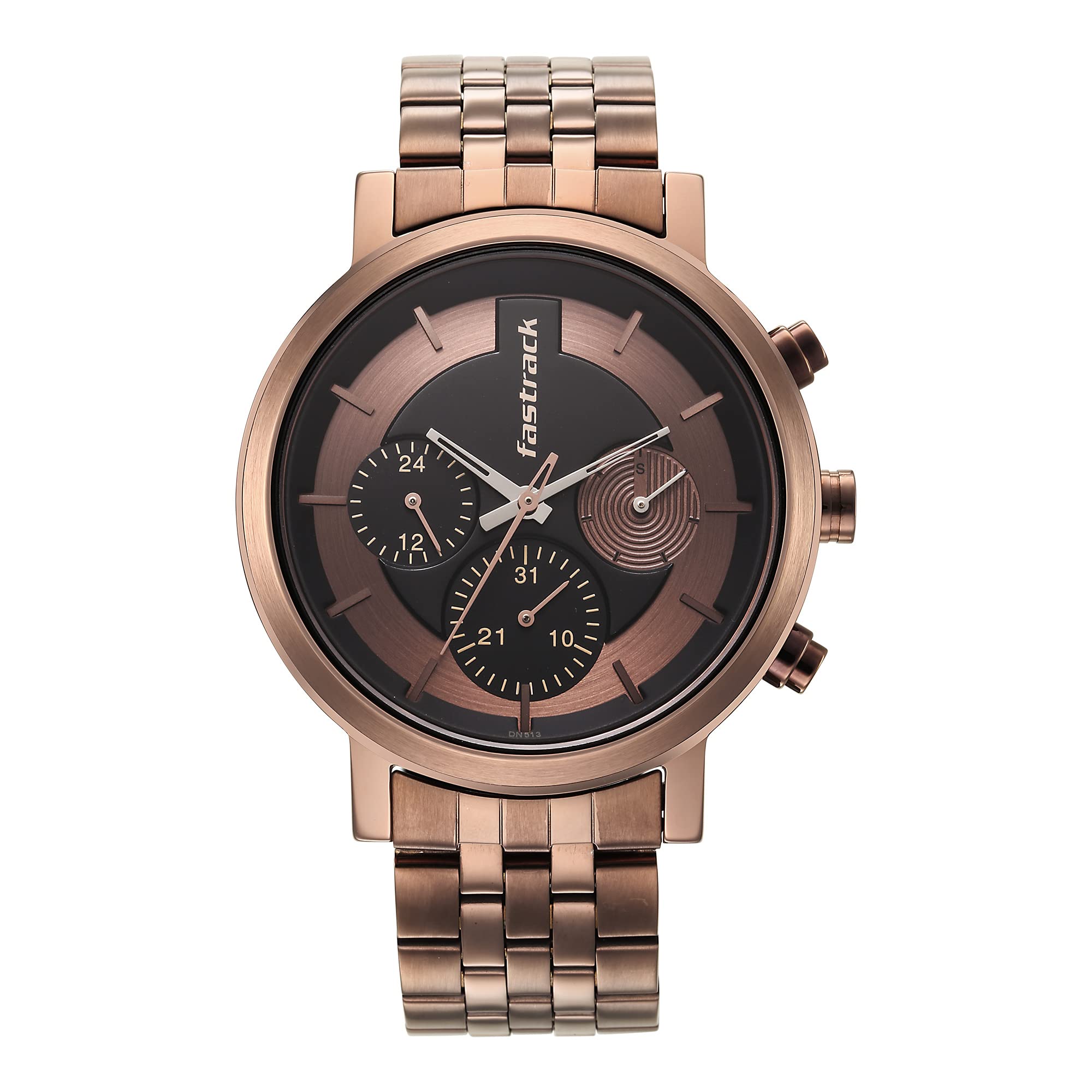
Figure 2.1: Front view of the Fastrack Tick Tock Quartz Multifunction Watch NT3287QM03, showcasing the brown dial and metal strap.

Figure 2.2: Side view of the watch, highlighting the case and pushers.
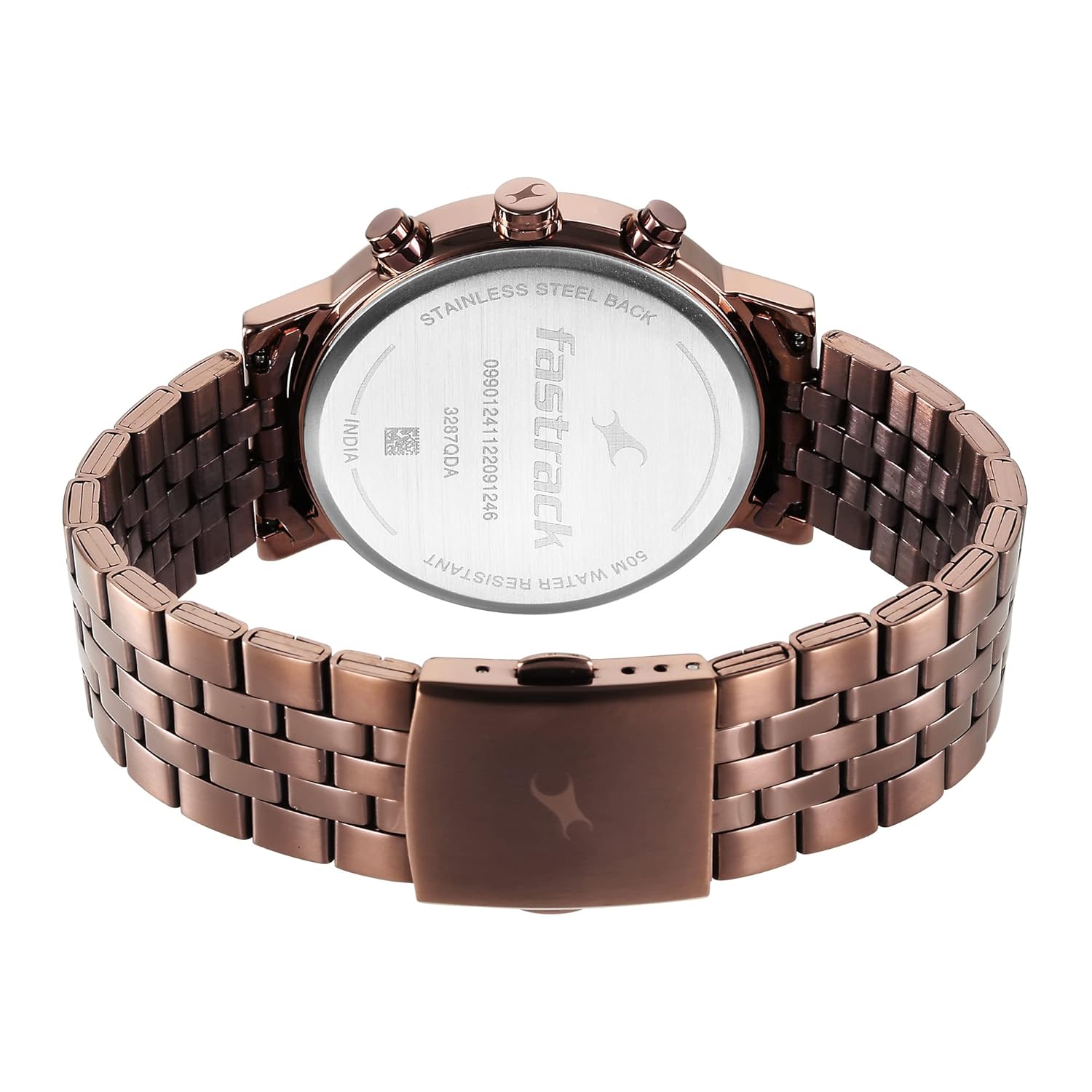
Figure 2.3: Back view of the watch, showing the stainless steel back and strap clasp.
Key Features:
- Multifunction Dials: Dedicated sub-dials for 24-hour time, day of the week, and date.
- Brown Metal Strap: Durable and stylish brown metal strap with a push-button deployment clasp.
- Quartz Movement: Ensures accurate timekeeping.
- Analog Display: Classic analog display for clear readability.
- Water Resistance: 50 meters (5 ATM) water resistance.
Product Video Overview
Video 2.4: An overview of the Fastrack Men's Casual Watch, highlighting its design, strap, movement, and water resistance features.
3. Setup
3.1 Adjusting the Strap
The metal strap can be adjusted by removing or adding links to achieve a comfortable fit. It is recommended to have this done by a professional watchmaker or jeweler to prevent damage to the strap or clasp mechanism.
3.2 Initial Time and Date Setting
- Pull out the Crown: Gently pull the crown (the knob on the side of the watch) to its outermost position.
- Set the Time: Rotate the crown to move the hour and minute hands clockwise until the desired time is displayed. Ensure you differentiate between AM and PM for correct date change.
- Push in the Crown: Once the time is set, push the crown back into its normal operating position.
- Setting Date and Day: The watch features dedicated sub-dials for date and day. These are typically adjusted using the pushers on the side of the watch or by rotating the crown to a specific intermediate position. Refer to the 'Operating Instructions' section for detailed steps.
4. Operating Instructions
Your Fastrack Tick Tock watch is equipped with a quartz movement and multifunction sub-dials. The main crown and side pushers control these functions.
4.1 Setting the Main Time
- Pull the crown out to the second click position (outermost).
- Rotate the crown to adjust the hour and minute hands to the current time.
- Push the crown back to the normal position.
4.2 Setting the Date Sub-dial
- Pull the crown out to the first click position (intermediate).
- Rotate the crown (usually clockwise) to advance the date hand to the correct date.
- Push the crown back to the normal position.
4.3 Setting the Day Sub-dial
- The day sub-dial is typically adjusted using one of the side pushers.
- Press the designated pusher repeatedly until the day hand points to the correct day of the week.
- Avoid adjusting the day/date between 9 PM and 3 AM, as this can interfere with the automatic date change mechanism.
4.4 Using the 24-Hour Sub-dial
The 24-hour sub-dial automatically synchronizes with the main hour hand, indicating the current time in a 24-hour format. It cannot be set independently.
5. Maintenance
5.1 Cleaning Your Watch
- Wipe the watch case and metal strap with a soft, dry cloth regularly to remove dust and smudges.
- For stubborn dirt, a slightly damp cloth can be used, followed by immediate drying.
- Avoid using chemical cleaners, solvents, or abrasive materials, as these can damage the watch's finish.
5.2 Water Resistance
This watch is water resistant up to 50 meters (5 ATM). This means it is suitable for short periods of recreational swimming, but not for diving or snorkeling. Do not operate the crown or pushers when the watch is wet or submerged in water. Ensure the crown is fully pushed in to maintain water resistance.
5.3 Battery Replacement
The watch is powered by a Lithium Polymer battery. When the watch stops or the second hand begins to jump erratically (indicating low battery), it is time for a battery replacement. It is recommended to have the battery replaced by an authorized service center to ensure proper sealing and maintain water resistance.
6. Troubleshooting
6.1 Watch Not Running
- Check the Crown: Ensure the crown is fully pushed in. If it's pulled out, the watch will not run.
- Battery: The battery may be depleted. Refer to section 5.3 for battery replacement.
6.2 Incorrect Time/Date
- Reset Time/Date: Follow the instructions in section 4 to reset the time, date, and day.
- Time Zone: Ensure the time is set for your correct time zone.
6.3 Water Inside the Watch
- If you notice condensation or water droplets inside the watch, immediately take it to an authorized service center. Do not attempt to open the watch yourself.
7. Specifications
| Feature | Detail |
|---|---|
| Brand | Fastrack |
| Model Name | Tick Tock |
| Model Number | NT3287QM03 |
| Movement | Quartz |
| Display Type | Analog |
| Water Resistance | 50 Meters (5 ATM) |
| Case Material | Brass |
| Strap Material | Metal |
| Dial Color | Brown (Two-toned) |
| Special Features | 24-hour sub-dial, Day sub-dial, Date sub-dial, Second Hand |
| Power Source | Battery Powered (1 Lithium Polymer battery included) |
| Product Dimensions | 14 x 7 x 10 cm |
| Item Weight | 200 g |
Wrist Measurement Guide
To ensure a comfortable fit, measure your wrist circumference. Use a flexible measuring tape and keep it slightly loose. The watch case diameter is 43mm.
- Small Wrist: Less than 16 cm (6.3 in)
- Medium Wrist: 16 - 18 cm (6.3 - 7.1 in)
- Large Wrist: 18 cm+ (> 7.1 in)
8. Warranty and Support
Your Fastrack Tick Tock Quartz Multifunction Watch NT3287QM03 comes with a standard manufacturer's warranty. Please refer to the warranty card included with your purchase for specific terms and conditions, including coverage duration and claim procedures.
For technical support, service, or warranty claims, please contact Fastrack customer service or visit an authorized Fastrack service center. Keep your purchase receipt as proof of purchase.