
1. Introduction
The TORRAS COOLIFY 2S Neck Air Conditioner is an innovative wearable device providing both cooling and heating functionalities for personal comfort. Designed for portability and ease of use, it features advanced temperature control and airflow technology to adapt to various environments and activities.
2. Package Contents
- TORRAS COOLIFY 2S Wearable Air Conditioner x1
- Portable Carry Bag x1
- USB-C Charging Cable x1
3. Product Overview
The COOLIFY 2S features a sleek, ergonomic design that comfortably fits around the neck. It integrates advanced cooling plates and a powerful fan system to deliver immediate and sustained temperature regulation.

Figure 1: TORRAS COOLIFY 2S Neck Air Conditioner and its packaging. The device is black with silver accents, designed for portability.
Key Features:
- KU 2.0 Pro Chip: Instantly lowers temperature by 30°F in one second.
- 360° Cooling Effect: Dual-layer design with four air ducts provides comprehensive airflow.
- HyperVortex Technology: Delivers strong and comfortable airflow.
- Adjustable Silicone: Conforms to various neck sizes for a secure and comfortable fit.
- App Control: Bluetooth functionality for effortless control of cooling, heating, and air blowing settings.
- Low Noise: Operates at a whisper-quiet 31dB.
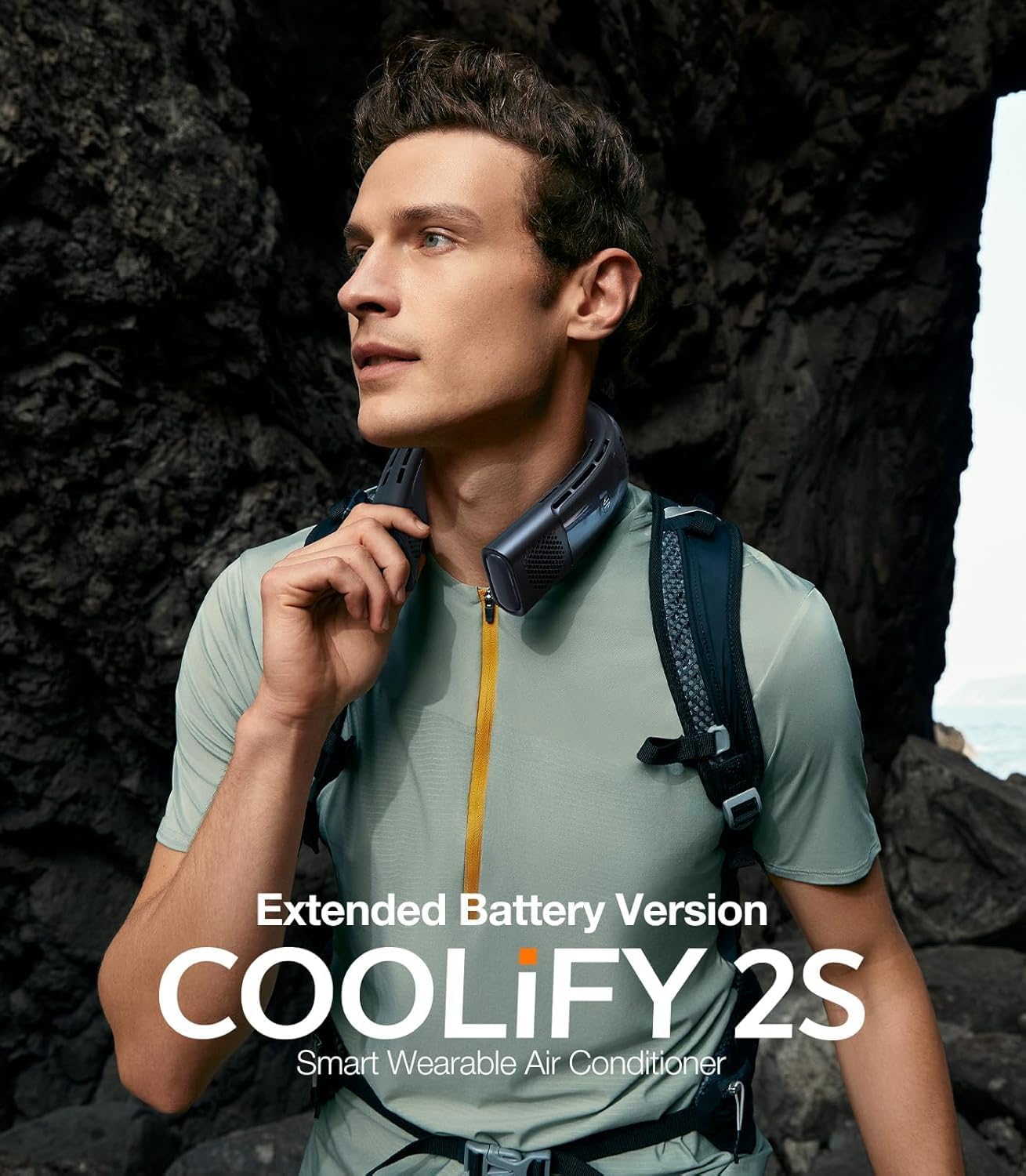
Figure 2: A man wearing the TORRAS COOLIFY 2S Neck Air Conditioner around his neck while outdoors, demonstrating its portability and hands-free operation.
Controls and Display:
- Power Button: Located on one side, allows turning the device on/off and cycling through fan speeds.
- Mode Button: Located on the other side, allows cycling through Cooling, Fan, and Heating modes.
- Digital Display: Shows current mode and battery percentage.

Figure 3: The TORRAS COOLIFY 2S is shown alongside a smartphone displaying its control app interface, demonstrating the ability to adjust cooling, heating, and fan settings via Bluetooth.
4. Setup
- Initial Charge: Before first use, fully charge the COOLIFY 2S using the provided USB-C charging cable. The digital display will show the battery percentage.
- Wearing the Device: Gently open the device and place it around your neck. The adjustable silicone ensures a snug and comfortable fit.
5. Operating Instructions
Powering On/Off and Fan Speed:
- Press the Power Button once to turn on the device to default Fan 1 mode.
- Press the Power Button repeatedly to cycle through fan speeds (F1, F2, F3).
- Long press the Power Button to turn off the device.
Switching Modes (Cooling, Heating, Fan):
- Press the Mode Button to switch between Fan, Cooling, and Heating modes.
- In Cooling mode, the cooling plates will activate.
- In Heating mode, the heating plates will activate.

Figure 4: A visual guide with numbered tips for operating the TORRAS COOLIFY 2S, including default mode, switching modes, and adjusting wind power.
App Control:
Download the TORRAS app to gain full control over your COOLIFY 2S. The app allows for stepless adjustment of temperature and fan speeds, providing a highly personalized experience. It also displays battery percentage and allows for firmware updates.
Charging and Battery Life:
The COOLIFY 2S features an upgraded 5000mAh battery with 18W fast charging. It can charge up to 80% in 1.5 hours and fully charge in 2.5 hours. The device can be used while charging, extending its operational time.

Figure 5: An infographic detailing the 5000mAh large capacity battery, 80% super conversion rate, 2.5H full charge time, and battery life for different modes (Wind, Cooling, Heating).
6. Maintenance
- Cleaning: Wipe the device with a soft, dry cloth. Do not use harsh chemicals or immerse in water. Ensure air vents are clear of debris.
- Storage: Store the device in its portable carry bag when not in use to protect it from dust and damage.
7. Troubleshooting
- Device not turning on: Ensure the device is fully charged. Connect it to the USB-C charging cable and allow it to charge for at least 30 minutes before attempting to power on again.
- Reduced cooling/heating performance: Check that the cooling/heating plates are making direct contact with your neck. Ensure air vents are not obstructed.
- Short battery life: Battery life varies significantly with mode and intensity. Max cooling mode (C3) provides approximately 4 hours of use, while Eco fan mode (F1) can last up to 28 hours. Using the device while charging can extend runtime.
- App connectivity issues: Ensure Bluetooth is enabled on your smartphone and the device is within range. Restart both the device and the app if connection problems persist.
8. Specifications
| Feature | Detail |
|---|---|
| Product Dimensions | 7.6 x 6.1 x 2.1 inches (19.3 x 15.5 x 5.3 cm) |
| Item Weight | 14.4 ounces (0.41 kg) |
| Battery | 1 Lithium Metal battery (included), 5000mAh |
| Charging | USB-C, 18W Fast Charging |
| Control Method | App, Touch |
| Noise Level | 31dB |
| Temperature Range (Heating) | Up to +50°F (relative to ambient) |
| Temperature Range (Cooling) | Down to -30°F (relative to ambient) |
9. Warranty and Support
The TORRAS COOLIFY 2S comes with a 180-day limited warranty. For any technical support needs, TORRAS offers lifetime technical support with a 12-hour response time.
For detailed information and further assistance, please refer to the official user guide:


