1. Introduction
This manual provides essential information for the installation, operation, and maintenance of your HD Switch Safety Switch. This precision-engineered safety interlock switch is designed for use in various Husqvarna lawn tractor models, commonly functioning as a brake switch, clutch/PTO switch, reverse switch, neutral indicator, parking brake, or control stick switch. Please read this manual thoroughly before installation and use to ensure proper function and safety.
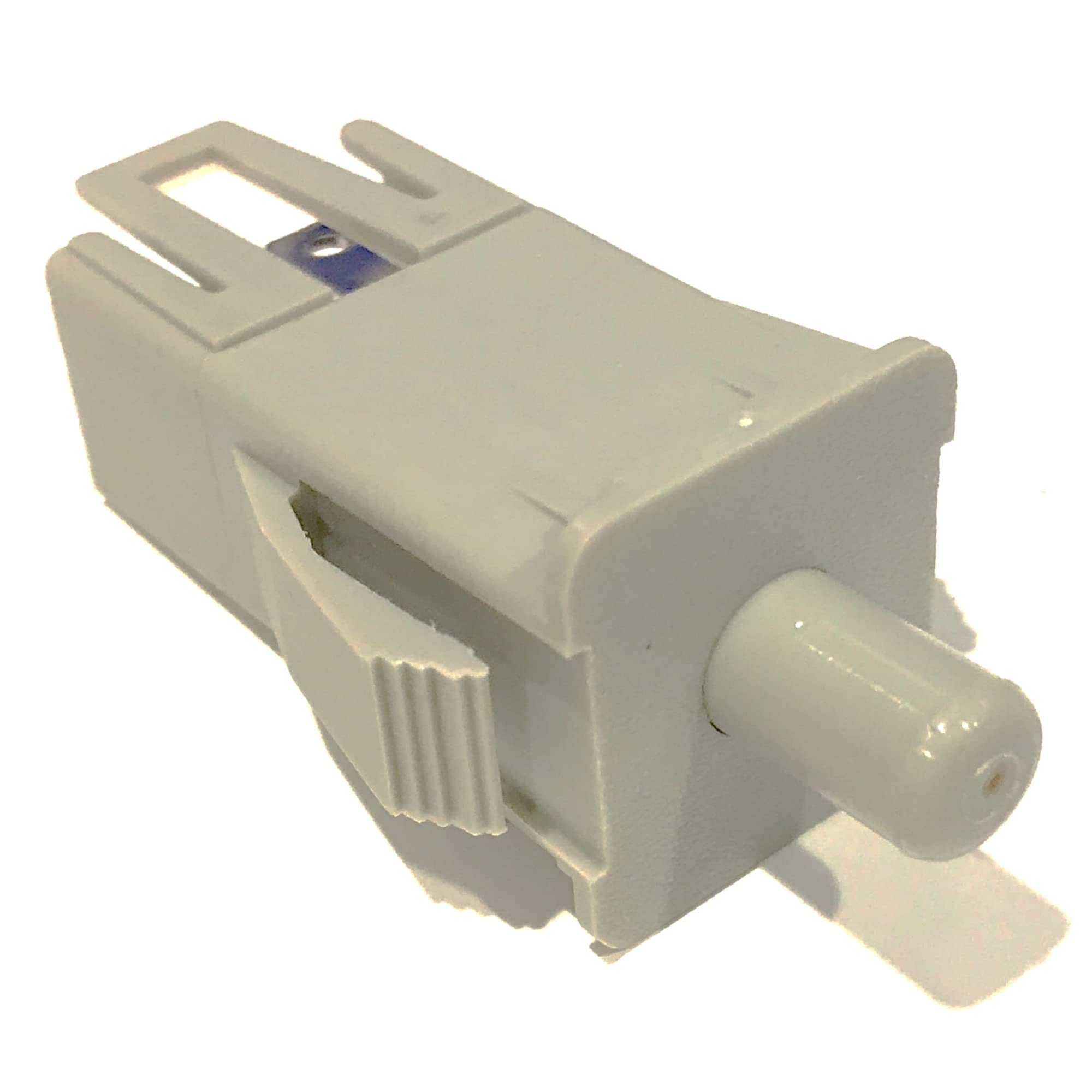
Figure 1: Front view of the HD Switch Safety Switch.
2. Safety Information
Always prioritize safety when working with electrical components and machinery. Failure to follow these safety guidelines may result in injury or damage to equipment.
- Disconnect Power: Before attempting any installation, maintenance, or repair, ensure the equipment's battery is disconnected and all power sources are off.
- Consult Equipment Manual: Refer to your specific Husqvarna lawn tractor's owner's manual for detailed wiring diagrams and safety procedures.
- Professional Installation: If you are unsure about any step, seek assistance from a qualified technician.
- Use Correct Tools: Employ appropriate tools for installation to prevent damage to the switch or surrounding components.
- Inspect Components: Before installation, visually inspect the switch for any signs of damage. Do not install a damaged switch.
3. Setup and Installation
This safety switch is designed as a direct replacement for original equipment manufacturer (OEM) parts. Installation typically involves replacing the existing switch in its designated location.
- Preparation: Ensure the lawn tractor is turned off, the engine is cool, and the battery is disconnected. Engage the parking brake.
- Locate Existing Switch: Identify the safety switch you intend to replace. Common locations include under the seat, near the brake pedal, clutch pedal, or PTO lever.
- Disconnect Wiring: Carefully disconnect the electrical connectors from the existing switch. Note the orientation of the wires if they are not color-coded or keyed.
- Remove Old Switch: Unmount the old switch from its housing or bracket. This may involve releasing clips, unscrewing fasteners, or simply pulling it out if it's a plug-in type.
- Install New Switch: Insert the HD Switch Safety Switch into the designated mounting location. Ensure it is securely seated and properly aligned.
- Connect Wiring: Reconnect the electrical connectors to the new switch. Ensure connections are firm and correct.
- Test Functionality: Reconnect the battery. Before operating the equipment, perform a thorough test of the safety interlock system to ensure the switch functions correctly (e.g., engine does not start if PTO is engaged, or if operator is not in seat).

Figure 2: Side view of the HD Switch Safety Switch, showing electrical connectors.
4. Operating Principles
The HD Switch Safety Switch is a normally closed (NC) or normally open (NO) plugger switch, depending on its specific application within your Husqvarna equipment. Its primary function is to complete or break an electrical circuit based on the position or state of a mechanical component (e.g., brake pedal, clutch, PTO lever, seat). This ensures that the equipment operates only under safe conditions.
- Brake Switch: Prevents engine start or operation unless the brake pedal is depressed.
- Clutch/PTO Switch: Prevents engine start or operation if the PTO (Power Take-Off) or clutch is engaged.
- Neutral Indicator: May be used to indicate if the transmission is in neutral.
- Seat Switch: Prevents engine operation if the operator is not in the seat.
Always ensure that all safety interlocks are functioning correctly before operating your lawn tractor.
5. Maintenance
The HD Switch Safety Switch is designed for durability and requires minimal maintenance. Regular inspection is recommended to ensure continued reliable operation.
- Visual Inspection: Periodically check the switch and its wiring for any signs of wear, corrosion, or damage.
- Cleanliness: Keep the area around the switch free from dirt, debris, and moisture, which can interfere with its operation.
- Connection Integrity: Ensure all electrical connections remain tight and free of corrosion.
- Functionality Test: Regularly test the safety interlock functions as described in your equipment's owner's manual.
6. Troubleshooting
If you experience issues with your safety switch, consider the following troubleshooting steps:
| Problem | Possible Cause | Solution |
|---|---|---|
| Engine does not start. | Safety switch not engaged (e.g., brake not pressed, PTO engaged, operator off seat). | Ensure all safety conditions are met (brake pressed, PTO disengaged, operator in seat). |
| Engine starts but dies when engaging PTO/clutch. | PTO/clutch safety switch malfunction or improper installation. | Inspect the PTO/clutch safety switch and its connections. Ensure it is correctly installed and functioning. |
| Intermittent safety switch issues. | Loose wiring, corrosion, or worn switch. | Check all electrical connections for tightness and corrosion. Replace switch if worn or damaged. |
If troubleshooting steps do not resolve the issue, consult a qualified service technician or refer to your equipment's service manual.
7. Specifications
- Product Type: Safety Interlock NC/NO Plugger Switch
- Brand: HD Switch
- Compatibility: Husqvarna CT 126, 130, 131, 135, 141, 150, 151, 160; CTH 130, 150, 160; GTH 200, 220, 225, 2250, 250; GTVH 200, 205; LT 120, 125, 130, 150; GTH 2550; LT1238, LT1538; LTH 120, 1342, 1742, 18542
- ASIN: B0BXFBJVGV
- Manufacturer: HD Switch
8. Warranty Information
For specific warranty details regarding your HD Switch Safety Switch, please refer to the warranty information provided at the time of purchase or contact HD Switch directly. Warranty terms typically cover manufacturing defects under normal use conditions.
9. Customer Support
If you require further assistance or have questions not covered in this manual, please contact HD Switch customer support. Contact information can typically be found on the product packaging or the HD Switch official website.


