
Introduction
The WUBEN X2 is an innovative and portable flashlight designed for daily use, outdoor activities, and emergency situations. It features a compact design, high lumen output, and multiple lighting modes, making it a versatile tool for various needs. This manual provides essential information for setting up, operating, maintaining, and troubleshooting your WUBEN X2 flashlight.

Image: The WUBEN X2 Flashlight in camouflage blue, demonstrating its compact size relative to a human hand.
What's in the Box
- WUBEN X2 Flashlight (Battery included)
- Type-C Charging Cable Lanyard
- Red Diffuser
- User Manual
Setup
Initial Charging
Before first use, it is recommended to fully charge your WUBEN X2 flashlight. The device features a Type-C charging port and comes with an innovative charging lanyard that doubles as a charging cable.
- Locate the Type-C charging port on the flashlight, typically protected by a metal flap button.
- Unfold the Type-C charging lanyard to reveal the USB-A and Type-C connectors.
- Connect the Type-C end of the lanyard to the flashlight's charging port.
- Connect the USB-A end of the lanyard to a compatible 5V1A USB power adapter (not included) or a computer USB port.
- The LED battery indicator will show charging status (blue or red, flashing or constant). A full charge typically takes approximately 2.5 hours.
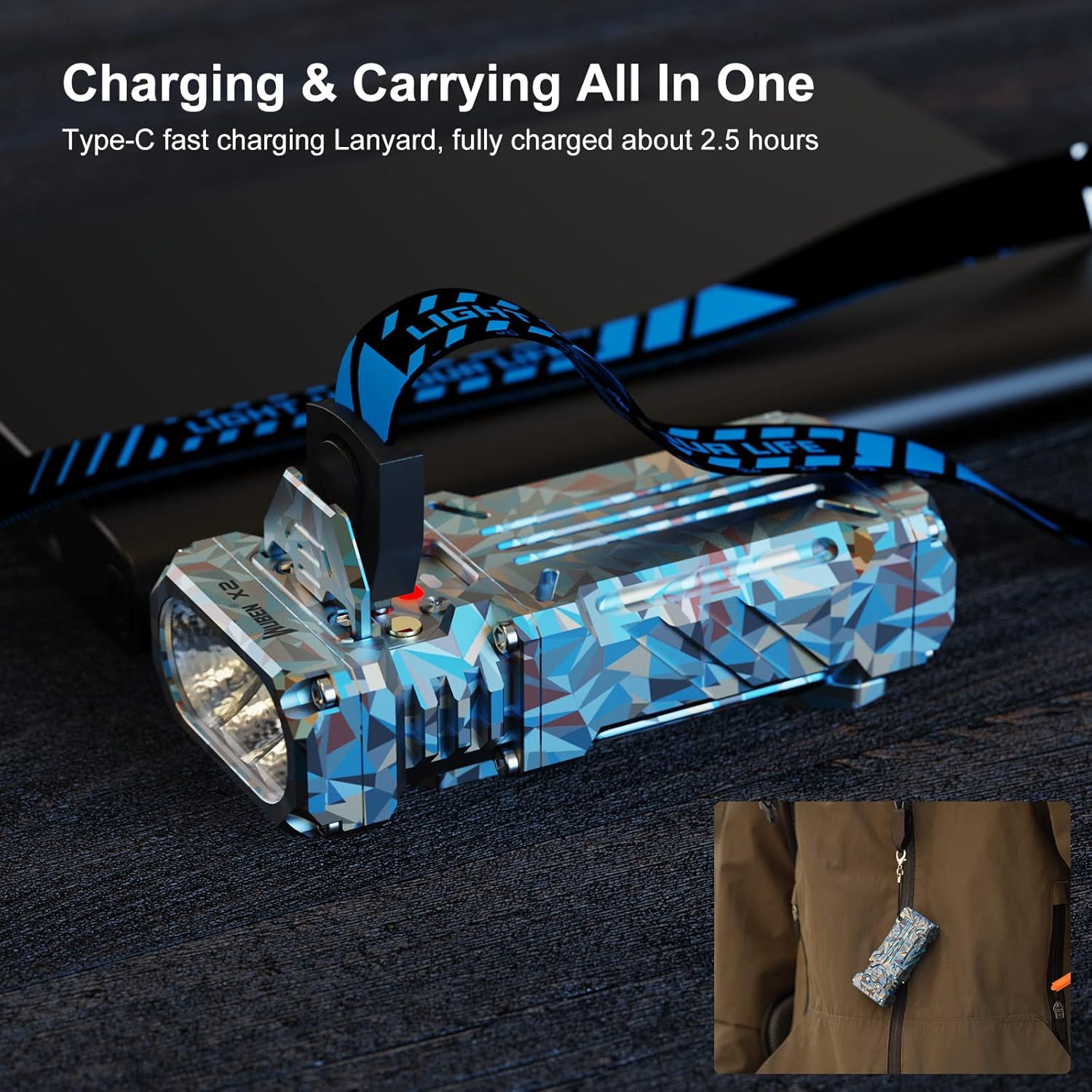
Image: The WUBEN X2 Flashlight connected to its Type-C charging lanyard, illustrating the charging process and the lanyard's dual function.
Unlocking the Flashlight
The WUBEN X2 flashlight is locked by default for safety during shipping and to prevent accidental activation. To unlock it:
- When the flashlight is off, press the switch 4 times rapidly to unlock it. The indicator light will flash blue to confirm.
To lock the flashlight, perform the same action (4 rapid presses) when the flashlight is off.

Image: A close-up view of the WUBEN X2's metal flap button, highlighting its function as both a power switch and a protective cover for the charging port.
Operating Instructions
Power On/Off
- Power On: Press the main switch button once.
- Power Off: Press and hold the main switch button for approximately 1 second.
Changing Light Modes
The WUBEN X2 features 6 lighting modes: Low, Med, High, Turbo, Strobe, and SOS. The flashlight can memorize the last used common lighting mode (Low, Med, High, Turbo).
- Cycle Modes (Low, Med, High): With the flashlight on, single-press the main switch button to cycle through Low → Med → High.
- Turbo Mode: Double-press the main switch button from any state (on or off) to activate Turbo mode.
- Strobe Mode: Triple-press the main switch button from any state (on or off) to activate Strobe mode.
- SOS Mode: From Strobe mode, single-press the main switch button to switch to SOS mode.

Image: Visual representation of the WUBEN X2's 175-degree floodlighting capability and its six distinct light modes.
Battery Indicator
The LED indicator on the flashlight provides real-time battery status:
- Constant Blue: Battery level is sufficient.
- Flashing Blue: Battery level is moderate.
- Constant Red: Battery level is low, charging is recommended.
- Flashing Red: Battery level is critically low, recharge immediately.
Using the Red Diffuser
The included red diffuser can be attached to the flashlight to convert its output into a red warning light, useful for emergencies or signaling.
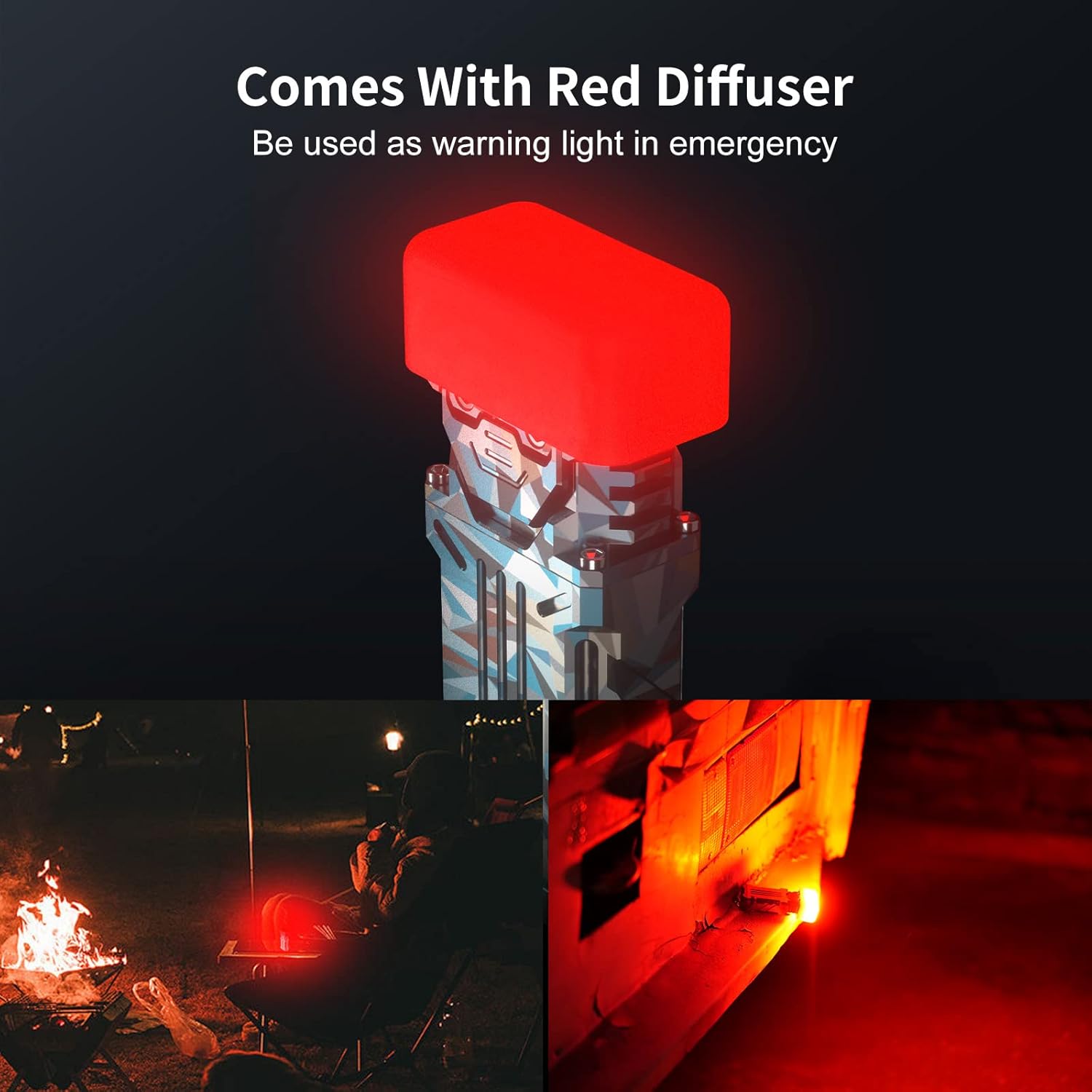
Image: The WUBEN X2 with its red diffuser attached, demonstrating its function as an emergency warning light.
Maintenance
General Care
- Keep the flashlight clean from dirt and debris. Use a soft, damp cloth for cleaning.
- Avoid dropping the flashlight from excessive heights, though it has an impact resistance of 1 meter.
- Store the flashlight in a cool, dry place when not in use for extended periods.
Waterproof Features
The WUBEN X2 is IP68 rated, meaning it is dust-tight and protected against continuous immersion in water up to 2 meters for 1 hour. Ensure the Type-C charging port's metal flap is securely closed to maintain its waterproof integrity.
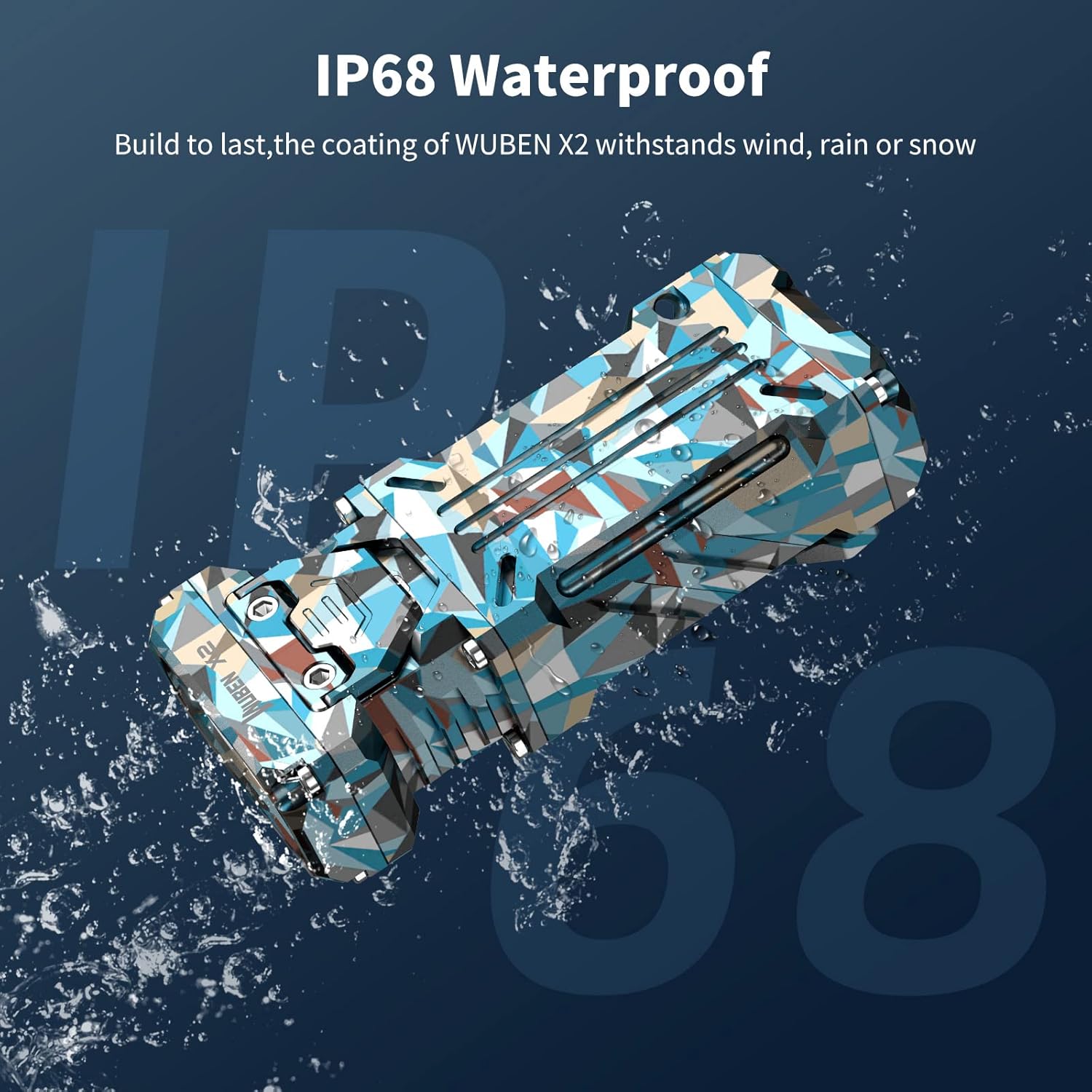
Image: The WUBEN X2 Flashlight undergoing a water splash test, visually confirming its IP68 waterproof capabilities.
Troubleshooting
- Flashlight not turning on:
- Check if the flashlight is locked. Press the switch 4 times rapidly to unlock.
- Ensure the battery is charged. Refer to the "Initial Charging" section.
- Light output is dim or inconsistent:
- Recharge the battery fully.
- Clean the lens with a soft cloth.
- Charging issues:
- Ensure the Type-C cable is properly connected to both the flashlight and the power source.
- Try a different USB power adapter or port.
- Verify the charging lanyard is not damaged.
Specifications
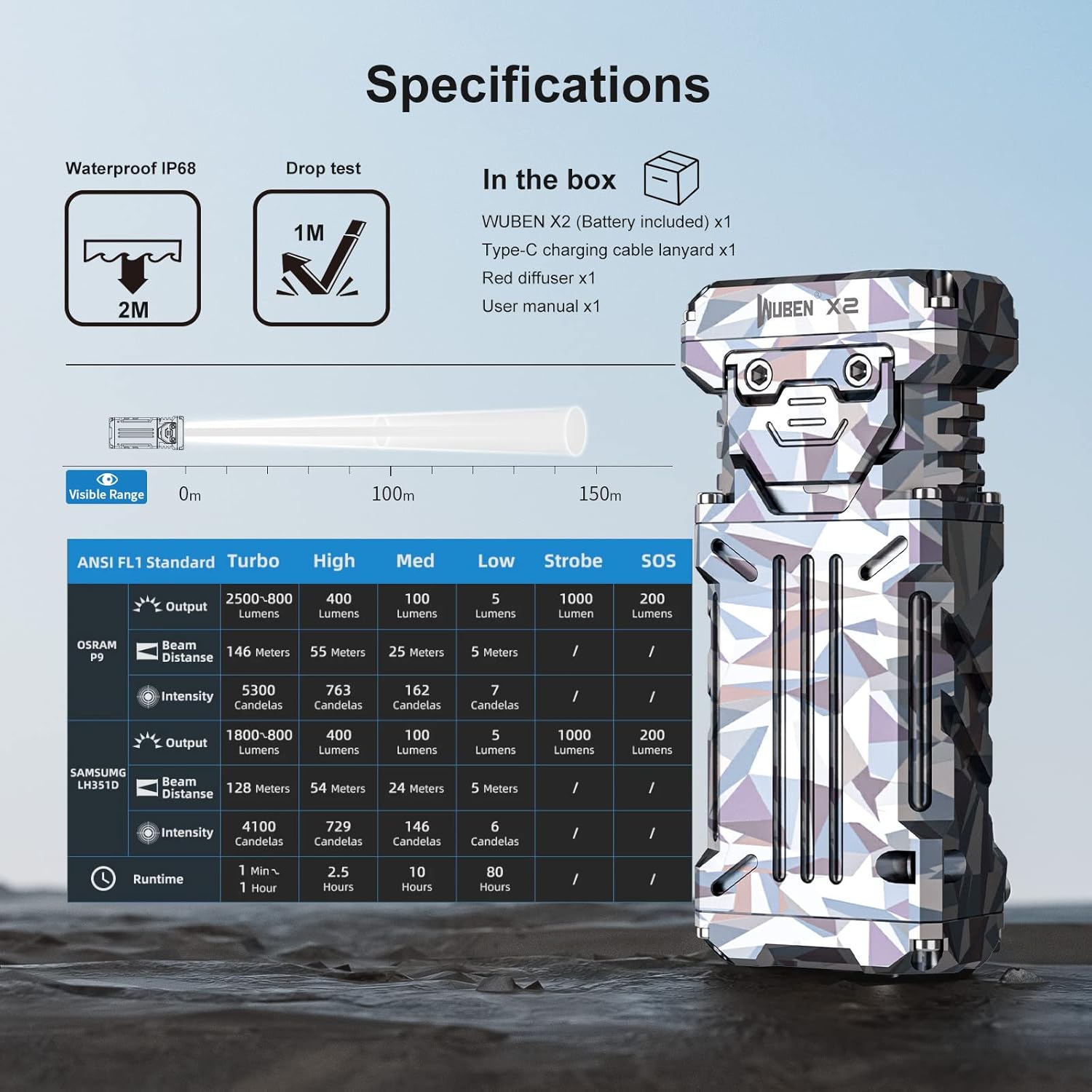
Image: Comprehensive specifications table for the WUBEN X2, detailing performance metrics and physical characteristics.
| Feature | Detail |
|---|---|
| Model | X2-JH |
| Dimensions (L x W x H) | 85mm x 39mm x 20mm (3.35"D x 0.79"W x 1.54"H) |
| Weight | 115 grams (3.87 ounces) |
| Max Output | 1800 Lumens (Turbo mode can reach 2500 Lumens) |
| Max Beam Distance | 146 Meters |
| Light Source Type | LED (OSRAM P9 / SAMSUNG LH351D 5000K) |
| CRI | 90+ (for SAMSUNG LH351D) |
| Power Source | Battery Powered (Lithium-Ion) |
| Charging Port | Type-C (5V1A fast charging) |
| Charging Time | Approx. 2.5 hours |
| Water Resistance | IP68 (Submersible up to 2 meters for 1 hour) |
| Impact Resistance | 1 Meter |
| Material | Aircraft-grade Aluminum / Titanium |
| Color | Camouflage blue |
Performance Table (Approximate)
| Mode | Output (Lumens) | Beam Distance (Meters) | Runtime (Hours) |
|---|---|---|---|
| Turbo | 1800-2500 | 128-146 | 1 min + 1 hour (step-down) |
| High | 400 | 54-55 | 2.5 |
| Med | 100 | 24-25 | 10 |
| Low | 5 | 5 | 80 |
| Strobe | 1000 | N/A | N/A |
| SOS | 200 | N/A | N/A |
Note: Performance data is approximate and may vary based on environmental conditions and specific LED type (OSRAM P9 or SAMSUNG LH351D). Turbo mode output will step down after approximately 1 minute to prevent overheating.


