
1. Introduction
This manual provides essential information for setting up, operating, maintaining, and troubleshooting your Samsung Galaxy A54 5G smartphone. Please read this manual carefully to ensure proper use and to maximize the device's capabilities.
2. Setup
2.1. What's in the Box
Upon unboxing your Samsung Galaxy A54 5G, verify that all components are present:
- Mobile phone
- 1 USB Type-C to Type-C Cable
- 1 Ejection Pin
- 1 User Manual (this document)

Image: Contents of the Samsung Galaxy A54 5G retail box.
2.2. Inserting the SIM Card
- Locate the SIM card tray on the side of your device.
- Insert the ejection pin into the small hole next to the tray to open it.
- Place your Nano-SIM card(s) into the tray with the gold contacts facing down. The device supports Dual SIM functionality.
- Carefully reinsert the tray into the phone.
2.3. Initial Power On and Data Transfer
Press and hold the Power button until the Samsung logo appears. Follow the on-screen instructions to complete the initial setup. If you are transferring data from an old device, utilize the Smart Switch feature for a seamless transition.

Image: Samsung Smart Switch application for data transfer.
3. Operating Instructions
3.1. Device Overview
Familiarize yourself with the physical layout of your Galaxy A54 5G.

Image: Rear view of the Samsung Galaxy A54 5G.

Image: Side view of the Samsung Galaxy A54 5G, highlighting button placement.
3.2. Display and User Interface
The Galaxy A54 5G features a 6.4-inch FHD+ Super AMOLED display with a 120Hz refresh rate for smooth visuals. It runs on Android 13 with Samsung's One UI, offering a customizable and intuitive user experience.

Image: Samsung One UI interface.
3.3. Camera Features
Capture high-quality photos and videos with the versatile camera system:
- Rear Cameras: 50MP Main (OIS), 12MP Ultra-wide, 5MP Macro.
- Front Camera: 32MP for clear selfies.
Key camera functionalities include:
- Nightography: Enhanced low-light photography.
- Photo Remaster: Improve image quality by reducing blur and noise.
- Object Eraser: Remove unwanted objects, shadows, or reflections from photos.
- VDIS (Video Digital Image Stabilization): For stable video recording.

Image: Multiple camera setup on the Galaxy A54 5G.

Image: Demonstration of Photo Remaster feature.
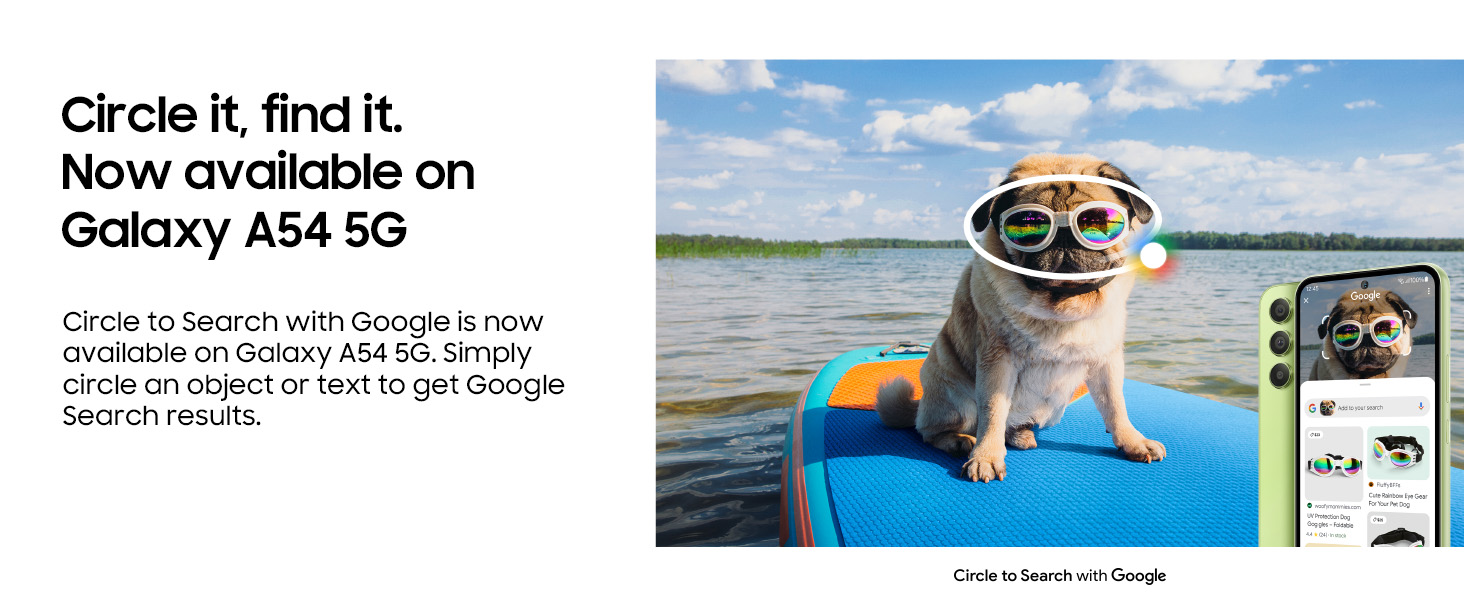
Image: Object Eraser feature in action.
3.4. Smart Features and Connectivity
- Circle to Search with Google: Circle an object or text on your screen to instantly get Google Search results.
- 5G Connectivity: Experience hyper-fast network speeds for streaming, gaming, and downloads.
- Quick Share: Easily share files, photos, and documents securely with other Samsung Galaxy devices.
- Connected Experience: Seamlessly integrate your smartphone with other Samsung Galaxy devices for enhanced productivity.
- Privacy and Security: Protected by Samsung Knox, with features like Secure Folder for encrypted storage.
- Digital Wallet: Securely store payment cards and other digital credentials.

Image: Circle to Search with Google feature.

Image: Highlighting 5G network capabilities.

Image: Quick Share functionality between devices.

Image: Samsung Knox privacy and security features.
4. Maintenance
4.1. Durability and Protection
The Galaxy A54 5G is designed with durability in mind:
- IP67 Water and Dust Resistance: Protects against immersion in up to 1 meter of freshwater for up to 30 minutes. Not advised for beach or pool use. Water and dust resistance may diminish over time.
- Gorilla Glass 5: Featured on both the front and back for enhanced scratch and drop resistance.

Image: Galaxy A54 5G demonstrating water resistance.
4.2. Software Updates
Your device is supported with 4 generations of OS updates and 5 years of security maintenance, ensuring long-term performance and security.

Image: Software update and security maintenance icons.
5. Troubleshooting
If you encounter issues with your device, consider the following basic troubleshooting steps:
- Restart Device: A simple restart can resolve many minor software glitches.
- Check Connections: Ensure Wi-Fi, Bluetooth, and cellular data are enabled and connected correctly.
- Software Updates: Verify that your device is running the latest software version. Updates often include bug fixes and performance improvements.
- Clear Cache: Clearing the cache of problematic apps or the system cache partition can resolve performance issues.
- Battery Drain: Check battery usage in settings to identify apps consuming excessive power. Adjust screen brightness and disable unnecessary features.
- Charging Issues: Ensure you are using a compatible charger and cable. Check the charging port for debris.
- Performance Lag: Close background applications, free up storage space, or consider a factory reset as a last resort (back up data first).
For more advanced troubleshooting or persistent issues, refer to the Samsung Members app or contact customer support.
6. Specifications
Detailed technical specifications for the Samsung Galaxy A54 5G:
| Feature | Detail |
|---|---|
| Brand | Samsung |
| Model Year | 2023 |
| Operating System | Android 13.0 |
| Processor | Exynos1380 Octa-Core (2.4GHz, 2GHz) |
| RAM | 8 GB |
| Internal Storage | 128 GB (expandable via microSD up to 1TB) |
| Display Type | FHD+ Super AMOLED |
| Screen Size | 16.31 Centimetres (6.4-inch) |
| Resolution | 1080 x 2340 Pixels |
| Refresh Rate | 120 Hz |
| Rear Camera | 50 MP (Main, OIS) + 12 MP (Ultra-wide) + 5 MP (Macro) |
| Front Camera | 32 MP |
| Battery Capacity | 5000 mAh (Lithium-Ion) |
| Charging | Super Fast Charging compatible |
| SIM Card Slot | Dual SIM (Nano) |
| Connectivity | 5G, Bluetooth, USB Type-C, Wi-Fi |
| Water Resistance | IP67 Rated |
| Biometric Security | Fingerprint Recognition |
| Dimensions (LxWxH) | 158 x 77 x 8 mm |
| Weight | 202 Grams |
| GPS | Built-In GPS, GLONASS, Galileo |

Image: Representation of the device's processor.

Image: Visual representation of storage capacity.

Image: Illustration of the device's long-lasting battery.
7. Warranty and Support
7.1. Warranty Information
The Samsung Galaxy A54 5G comes with a 1-year manufacturer warranty for the device and a 6-month manufacturer warranty for in-box accessories from the date of purchase.
7.2. Customer Support
For any queries, technical assistance, or warranty claims, please contact Samsung customer support:
- Email: support.india@samsung.com
- Toll-Free Number: 1800 40 7267864
- Manufacturer Address: Samsung India Electronics Pvt ltd, 6th Floor, DLF Centre, Sansad Marg, New Delhi - 110001
7.3. Samsung Members App
Download the Samsung Members app to get tips, diagnostics, and direct support to unlock your device's full potential.

Image: Samsung Members app for support and tips.


