
EENOUR U800 Black
EENOUR Mini Golf Laser Rangefinder User Manual
Model: U800 Black
Introduction
Thank you for choosing the EENOUR Mini Golf Laser Rangefinder. This compact and high-precision device is designed to enhance your golf experience by providing accurate distance measurements. Please read this manual thoroughly before using the product to ensure proper operation and maintenance.
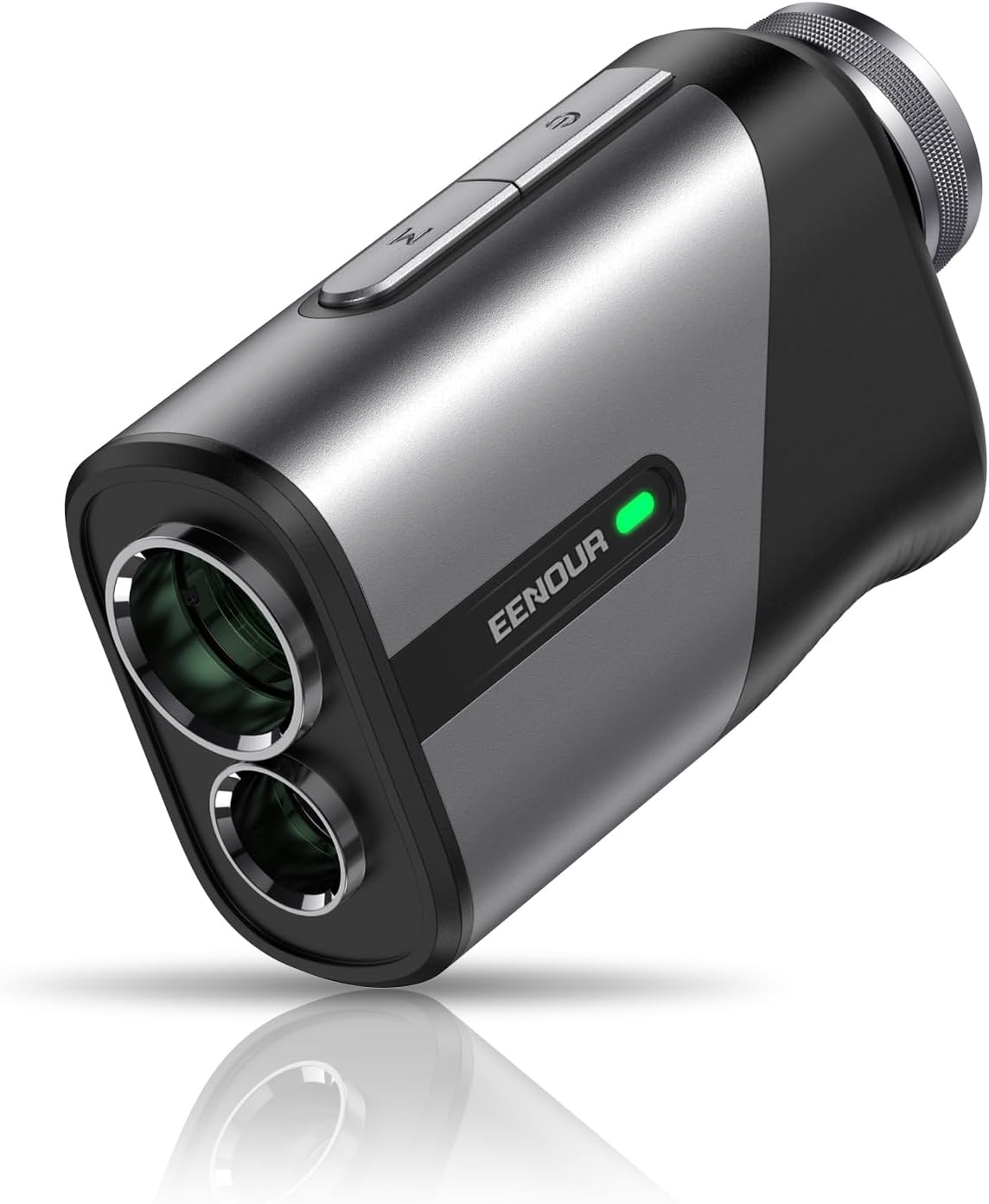
Image: The EENOUR Mini Golf Laser Rangefinder, a compact device with a sleek black and grey finish, featuring two optical lenses and control buttons on top.
Package Contents
- EENOUR Mini Golf Laser Rangefinder
- Waterproof Carry Pouch
- Carabineer
- Microfiber Cloth
- USB C-Type Cable
- User Guide (this manual)
Setup
Charging the Battery
The EENOUR U800 rangefinder comes with a built-in 650mAh rechargeable lithium-ion battery. Before first use, ensure the device is fully charged.
- Locate the USB-C charging port on the device.
- Connect the provided USB C-Type cable to the rangefinder and a compatible USB power source (e.g., computer USB port, wall adapter).
- The battery indicator on the device will show charging status. A full charge supports approximately 20,000 measurements.
- Once fully charged, disconnect the cable.

Image: A close-up view of the EENOUR rangefinder's USB-C charging port with a cable inserted, illustrating the rechargeable battery feature and battery level indicators.
Initial Power On
Press the measurement button to turn on the device. The LCD display inside the eyepiece will illuminate.
Operating Instructions
Basic Measurement
- Look through the eyepiece.
- Aim the crosshairs at your desired target.
- Press the measurement button. The distance will be displayed almost instantly (approx. 0.064s).

Image: An illustration demonstrating the rapid measurement capability of the EENOUR rangefinder, showing a 0.06-second simple measurement and 0.46-second flagpole locking.
Modes and Features
The EENOUR rangefinder offers several modes to assist with various golfing scenarios. Use the mode button (often labeled 'M') to cycle through these functions.
- Scan Function: Allows for continuous measurement as you pan across multiple targets, quickly distinguishing distances of obstacles.
- Pin-Lock with Pulse Vibration: When targeting a flagpole, the device will vibrate and provide a visual confirmation once the flag is locked, ensuring accurate measurement to the pin up to 273 yards away.
- Slope Compensation: This technology calculates and displays the compensation distance, accounting for uphill or downhill terrain, providing a more accurate "plays like" distance. The side indicator light illuminates only when in no-compensation mode, making it legal for tournament play.
- Speed Measurement: Measure the speed of moving objects.
- Horizontal and Vertical Distance Measurement: Provides both horizontal and vertical components of the distance.

Image: A graphic illustrating the key features of the EENOUR rangefinder, including Flagpole Lock, Slope Compensate, Continuous Scan, Horizontal & Vertical Display, Speed Measurement, Vibration Confirms, Ergonomic Design, and 6.5X Magnification.
Optical System
The rangefinder features multi-coated optics LCD lenses with 85% high transmittance, reducing reflected light and brightening the image for a clear sight. It offers 6.5X magnification and a 7° field of wide view.

Image: A comparison showing the "Clearer Sight" provided by the EENOUR rangefinder's multi-layer coated optical lenses, demonstrating 85% transmittance compared to 75% of others, along with 6.5X magnification and a 3-875 yard range.
Maintenance
- Cleaning: Use the provided microfiber cloth to gently clean the lenses and the body of the rangefinder. Do not use abrasive materials or chemical cleaners.
- Storage: Store the device in its waterproof carry pouch when not in use to protect it from dust, moisture, and impacts.
- Battery Care: Recharge the battery regularly, even if not frequently used, to maintain battery health. Avoid fully discharging the battery for extended periods.
- Water Resistance: The device has a waterproof rating (IP54), meaning it is protected from splashing water from any direction. However, do not submerge the device in water.
Troubleshooting
| Problem | Possible Cause | Solution |
|---|---|---|
| Device does not power on. | Low or depleted battery. | Charge the device using the provided USB C-Type cable. |
| Inaccurate measurements. | Lens is dirty; target is too far or too small; unstable aiming. | Clean the lenses with the microfiber cloth. Ensure stable aiming. Target a larger object if possible. |
| Display is dim or unclear. | Low battery; dirty lens; environmental conditions. | Recharge the battery. Clean the lenses. Use in appropriate lighting conditions. |
| Flag-lock not working. | Multiple objects in view; target too far. | Ensure the flag is the primary target and there are no significant obstructions. Try scanning slowly. |
Specifications
- Model: U800 Black
- Product Dimensions: 9.45 x 5.51 x 3.45 cm
- Item Weight: 136 g (0.3 lbs)
- Measurement Range: 3-875 yards
- Accuracy: +/- 0.5 yard
- Magnification: 6.5X
- Lens Transmittance: 85%
- Battery: 650mAh Rechargeable Lithium Ion (included)
- Laser Class: Class 1 (Human Body Accessible Output Power: 1mw)
- Water Resistance Level: Waterproof (IP54)
- Material: Rubber
- Color: Black
- Sport: Golf, Hunting

Image: A visual representation of the EENOUR rangefinder's compact and lightweight design, highlighting its super-small, ultra-light (0.3 lbs), and real-portable attributes, along with its Red Dot Winner 2023 award.
Warranty and Support
EENOUR offers a 1-year warranty for this product. For any questions, technical support, or warranty claims, please contact EENOUR customer service through the retailer where you purchased the product or visit the official EENOUR website for contact information.
Please retain your proof of purchase for warranty service.
Related documentsU800 Black


Ask a question about this manual
Ask about setup, troubleshooting, compatibility, parts, safety, or missing instructions. Manuals+ will review the question and use this page’s manual context to help answer it.