
Mount-It! MI-3860
Contents
Mount-It! Motorized Fireplace TV Wall Mount User Manual
Model: MI-3860
Brand: Mount-It!
Introduction
This manual provides comprehensive instructions for the installation, operation, and maintenance of your Mount-It! Motorized Fireplace TV Wall Mount. Designed for optimal viewing comfort and space utilization, this motorized mount allows you to effortlessly adjust your television's height with a remote control. Please read this manual thoroughly before installation and use to ensure safe and proper operation.
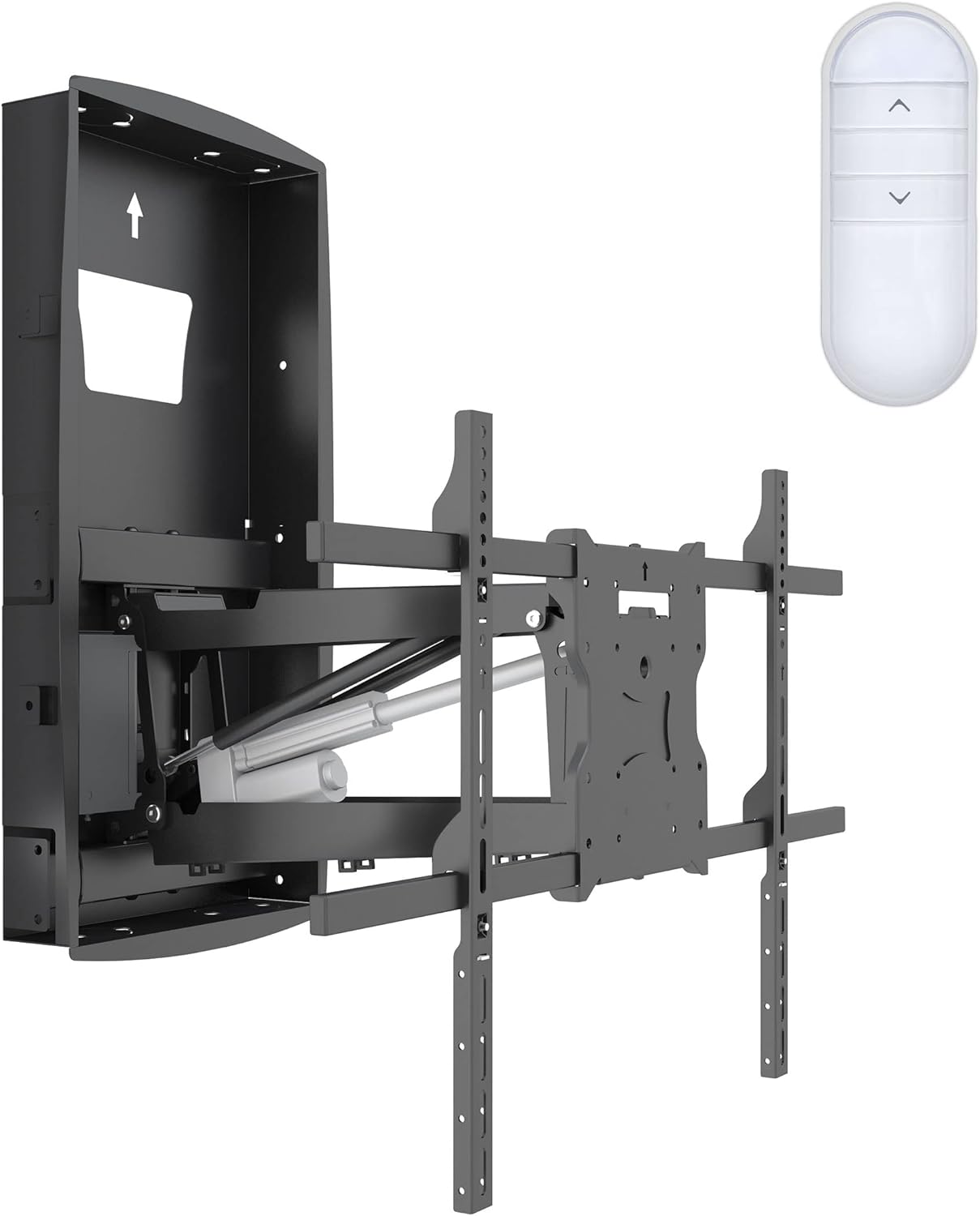
Figure 1: Mount-It! Motorized Fireplace TV Wall Mount and Remote Control
Safety Information
Always observe the following safety precautions to prevent personal injury or property damage:
- Ensure the mounting surface can safely support the combined weight of the mount and the television.
- This mount is designed for in-wall installation between standard 16-inch spaced wood studs. Do not attempt to install on metal studs or concrete without appropriate anchors and professional guidance.
- An external power source is required for the motorized functions. Ensure the power outlet is easily accessible and properly grounded.
- Do not exceed the maximum weight capacity of 110 pounds.
- Keep hands and objects clear of the moving parts of the mount during operation.
- Do not attempt to modify the mount or use it for purposes other than its intended design.
- For fireplaces, ensure the maximum heat development does not exceed 100°F to protect both the TV and the mount.
Package Contents
Verify that all components are present before beginning installation:
- Motorized TV Wall Mount Assembly
- Remote Control
- TV Mounting Brackets (various sizes for VESA compatibility)
- Hardware Kit (screws, washers, spacers, anchors)
- Power Adapter and Cable
- Instruction Manual (this document)
Product Features
- Remote Powered Operation: Effortlessly adjust TV height with the included remote control.
- 24.8-inch Electric Height Adjustment: Lowers your TV to a comfortable viewing height.
- In-Wall Recessed Design: Allows the TV to sit flush to the wall with an ultra-low 1.65-inch profile when in the upper position.
- Heavy-Duty Construction: Made from solid alloy steel, supporting TVs up to 110 lbs.
- Full Motion Capabilities: Features +/-30° swivel and +10°/-5° tilt for optimal viewing angles and glare reduction.
- Universal VESA Compatibility: Supports VESA patterns from 200x200 to 600x400.
- Cable Management: Integrated design helps conceal cables for a clean aesthetic.
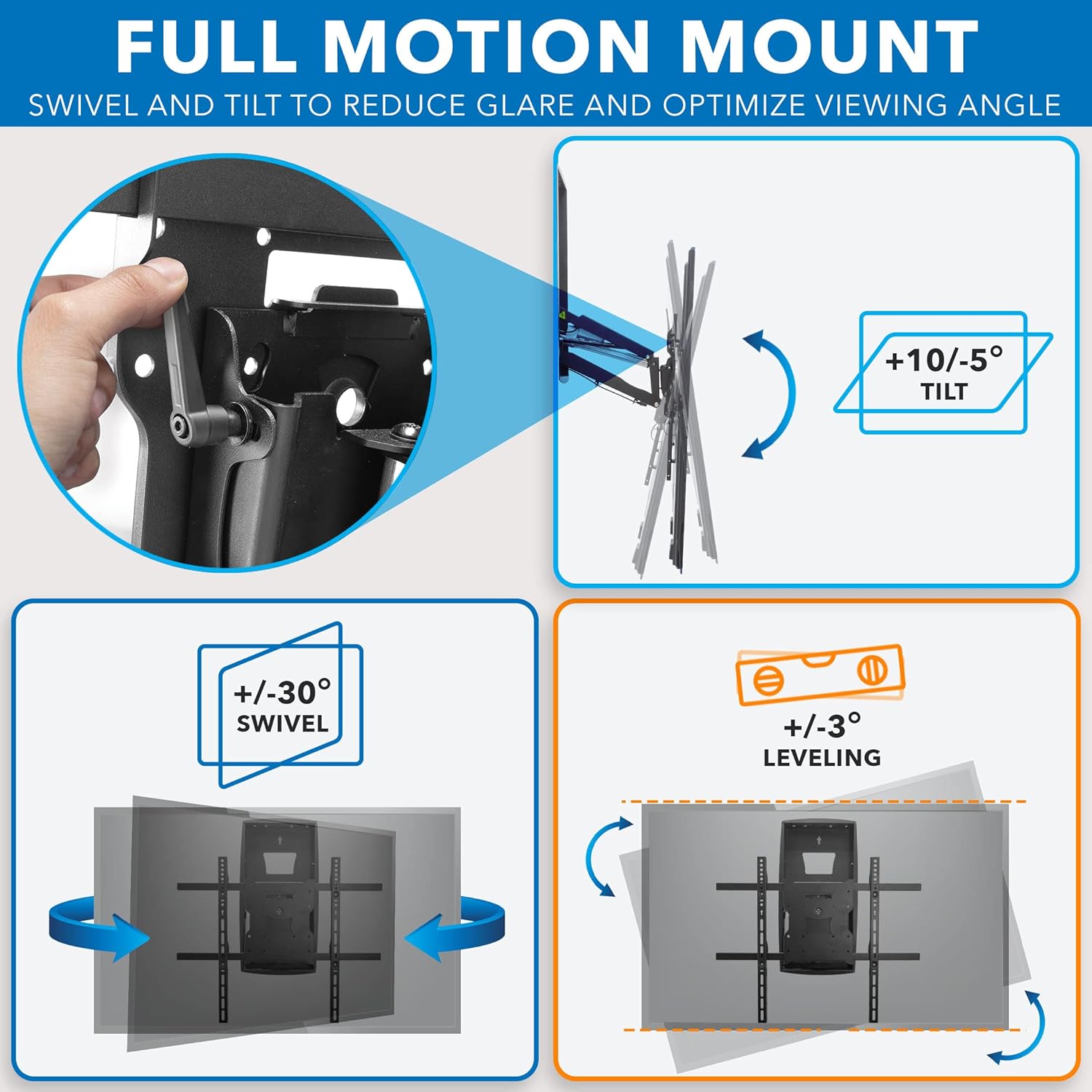
Figure 2: Full Motion Capabilities (Tilt, Swivel, Leveling)

Figure 3: Recessed Base Design for Flush Wall Mounting
Installation Guide
Professional installation is recommended for this product due to its in-wall design and electrical requirements. Ensure you have all necessary tools and safety equipment before proceeding.
- Pre-Installation Check:
- Verify your TV's weight and VESA pattern are within the mount's specifications (Max 110 lbs, VESA 200x200 to 600x400).
- Locate two standard 16-inch spaced wood studs in your desired mounting area above the fireplace.
- Ensure there is sufficient space behind the wall for the recessed box and that the mantel depth is suitable (up to 14.5 inches).
- Confirm access to an external power source near the installation site.

Figure 4: Mantel Depth Compatibility

Figure 5: VESA Compatibility and Weight Capacity
- Wall Preparation:
- Mark the precise location for the recessed box opening between the studs.
- Carefully cut the opening in the drywall according to the template provided in the full user manual (PDF link available on product page).
- Run necessary electrical wiring for the external power source to the designated area within the wall cavity.

Figure 6: In-Wall Installation Requirements
- Mount Assembly and Installation:
- Assemble the main mount unit as per the detailed instructions in the full manual.
- Securely attach the mount to the wood studs using the provided lag bolts. Ensure it is level and firmly anchored.
- Connect the power adapter to the mount and plug it into the external power source.
- Attaching TV Brackets:
- Attach the appropriate TV mounting brackets to the back of your television using the correct VESA screws and spacers from the hardware kit.
- Ensure the brackets are securely fastened and centered on your TV.
- Mounting the TV:
- Carefully lift the television and hook the TV brackets onto the mount's arms.
- Secure the TV to the mount using the locking mechanisms.
- Perform a test run of the motorized movement to ensure smooth operation and proper alignment.

Figure 7: Mount Dimensions for Planning
Operating Instructions
The Mount-It! Motorized Fireplace TV Wall Mount is operated using the included remote control.
- Remote Control Functions:
- Use the Up Arrow button to raise the TV to its upper, flush position.
- Use the Down Arrow button to lower the TV to a comfortable viewing height.
- The mount features a 24.8-inch range of vertical adjustment.
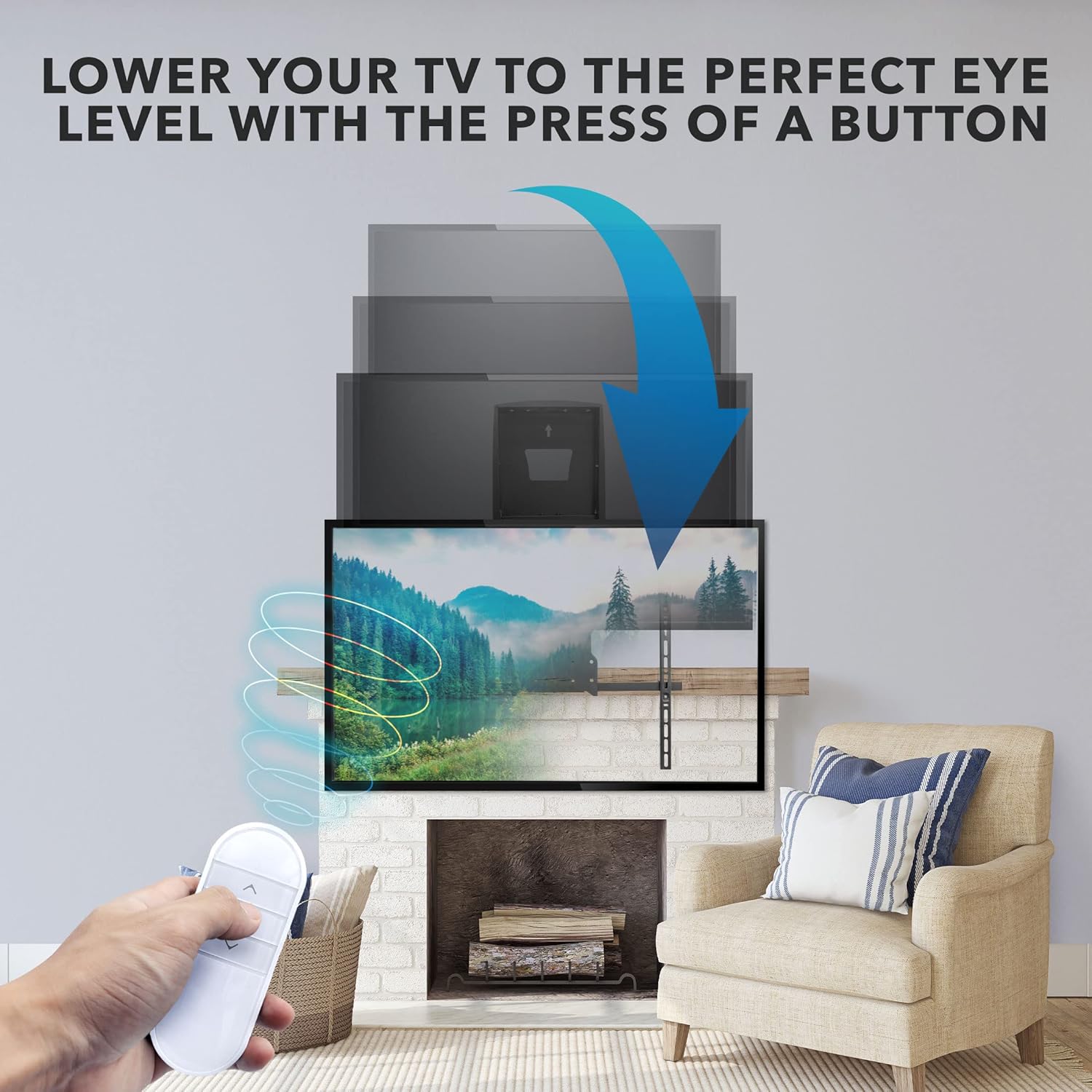
Figure 8: Lowering TV to Eye Level with Remote
- Adjusting Viewing Angle:
- Once lowered, the mount allows for manual adjustment of tilt and swivel.
- Tilt: Adjust the TV vertically up to +10° and down to -5° to reduce glare.
- Swivel: Pivot the TV horizontally up to +/-30° to optimize the viewing angle from different seating positions.
- Leveling: Fine-tune the horizontal level of the TV by +/-3° if needed.
Note: There are no official seller videos available for demonstration. Customer-provided videos may be found on the product page.
Maintenance
Regular maintenance ensures the longevity and optimal performance of your TV mount.
- Cleaning: Wipe the mount and TV with a soft, dry cloth. Avoid abrasive cleaners or solvents that may damage the finish.
- Inspection: Periodically check all screws and connections to ensure they remain tight and secure. Re-tighten if necessary.
- Lubrication: The motorized components are factory-lubricated and generally do not require additional lubrication. If you notice unusual noise or stiffness, contact customer support.
- Cable Management: Ensure cables are not pinched or tangled during movement. Re-route if needed.
Troubleshooting
| Problem | Possible Cause | Solution |
|---|---|---|
| Mount does not move. | No power; Remote battery low; Motor malfunction. | Check power connection; Replace remote batteries; Contact customer support. |
| TV shakes or wobbles during movement. | Loose mounting screws; TV too large/heavy; Uneven installation. | Check all mounting screws; Ensure TV is within weight/size limits; Re-level the mount. |
| Remote control not responding. | Line of sight blocked; Battery dead; Remote malfunction. | Ensure clear path to receiver; Replace batteries; Contact customer support. |
| Recessed box is visible when TV is raised. | TV size is too small. | A 60" or larger TV is required to fully cover the recessed box in the raised position. |
Specifications
| Brand: | Mount-It! |
| Model: | MI-3860 |
| Material: | Alloy Steel |
| Item Weight: | 45.5 pounds |
| Package Dimensions: | 33 x 18 x 6 inches |
| Color: | Black |
| Mounting Type: | Over Fireplace Wall Mount Between 16" Spaced Wood Studs |
| Movement Type: | Height Adjustable, Articulating |
| Maximum Compatible TV Size: | 80 Inches |
| Minimum Compatible TV Size: | 42 Inches |
| Maximum Weight Capacity: | 110 pounds |
| VESA Compatibility: | 200x200, 300x200, 300x300, 400x200, 400x300, 400x400, 600x400 |
| Tilt Angle: | +10° / -5° |
| Swivel Angle: | +/-30° |
| Leveling Adjustment: | +/-3° |
| Height Adjustment Range: | 24.8 inches |
Warranty and Support
This Mount-It! motorized electric TV mount comes with a LIFETIME WARRANTY.
Our knowledgeable and responsive US-based customer support team is available during standard business hours to answer any questions you may have prior and post-purchase.
For further assistance, please visit the official Mount-It! store or contact their customer service directly. You can find more information and potentially a full PDF user manual at Mount-It! Store on Amazon.
Documents and downloads
Ask a question about this manual
Ask about setup, troubleshooting, compatibility, parts, safety, or missing instructions. Manuals+ will review the question and use this page’s manual context to help answer it.