
Armitron 20/5513BRDTB
Armitron Sport Men's Analog-Digital Chronograph Watch User Manual
Model: 20/5513BRDTB
Introduction
This manual provides comprehensive instructions for the operation and maintenance of your Armitron Sport Analog-Digital Chronograph Watch, Model 20/5513BRDTB. This timepiece combines classic analog display with modern digital functionalities, offering versatility and precision for various activities.

Image: Front view of the Armitron Sport Analog-Digital Chronograph Watch. The watch features a black resin case, a red resin strap, and an analog-digital display showing time, seconds, day, and date. The watch face indicates "WR 330FT" and "ARMITRON".
Setup and Initial Configuration
Before first use, ensure any protective films are removed from the watch face and case back. Familiarize yourself with the watch's buttons, typically located on the sides of the case.
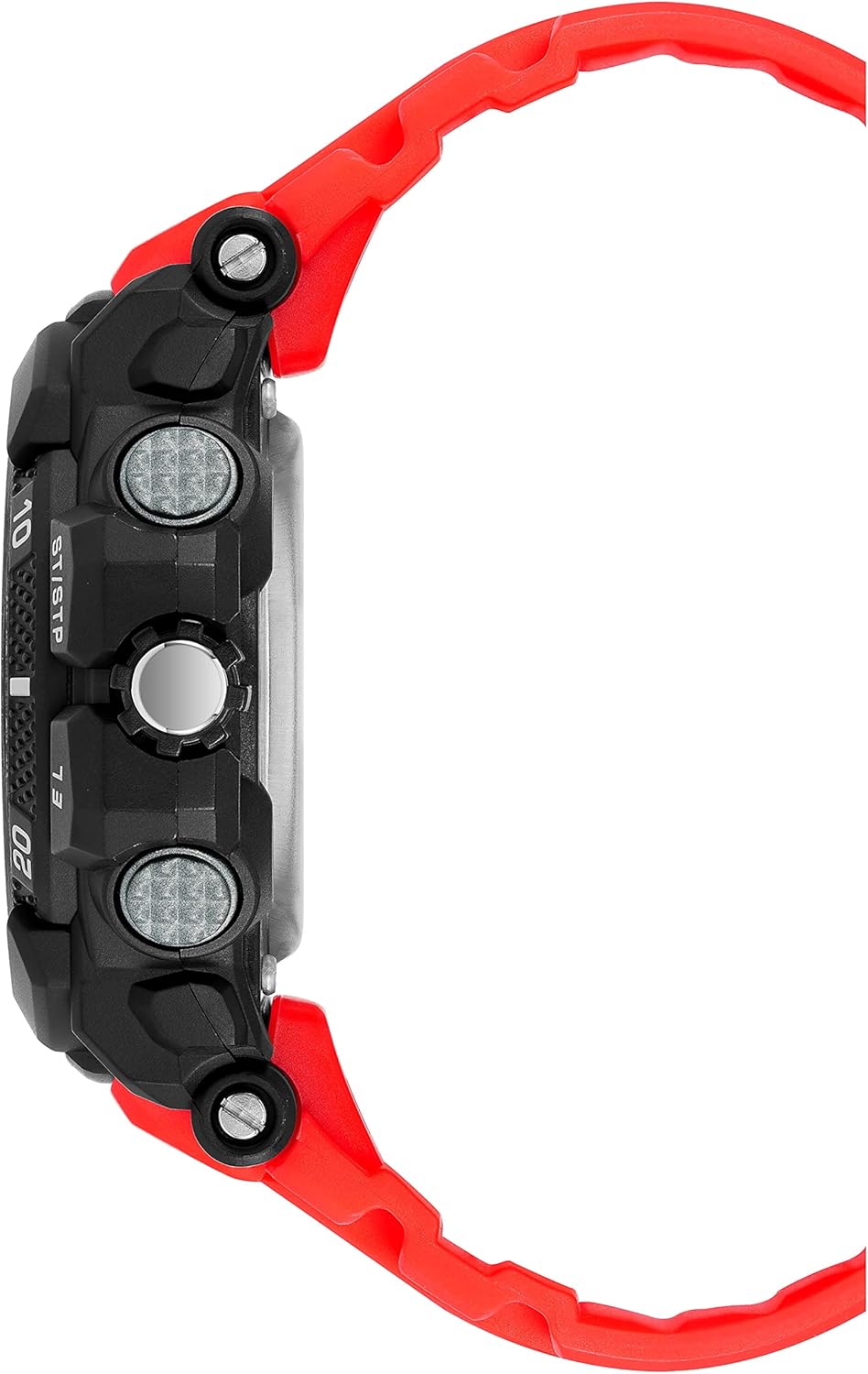
Image: Side view of the Armitron Sport Analog-Digital Chronograph Watch, highlighting the various buttons on the left and right sides of the watch case. These buttons are used for accessing and controlling the watch's functions.
Setting Analog Time:
- Pull the crown (the small knob on the right side of the watch) out to the first position.
- Turn the crown clockwise or counter-clockwise to adjust the analog hour and minute hands to the correct time.
- Once set, push the crown back in to secure the time and start the analog movement.
Setting Digital Time and Date:
The digital display offers various modes. Use the MODE button (typically bottom left) to cycle through modes: Time, Chronograph, Alarm, Dual Time.
- From the Time mode, press and hold the RESET button (typically top left) until the seconds begin to flash. This indicates setting mode.
- Press the ST/STP button (typically top right) to advance the flashing digit or setting.
- Press the MODE button to move to the next setting (e.g., seconds, hour, minute, year, month, day).
- Repeat steps 2 and 3 until all desired settings (time, date, 12/24-hour format) are configured.
- Press the RESET button again to exit setting mode.
Operating Functions
Chronograph (Stopwatch):
- Press the MODE button until "CHRONO" or "STW" appears on the digital display.
- Press ST/STP to start the stopwatch.
- Press ST/STP again to pause.
- Press RESET to reset the stopwatch to zero while paused.
- To record lap times, press RESET while the stopwatch is running. The lap time will display briefly, and the stopwatch will continue running in the background. Press RESET again to return to the running stopwatch display.
Alarm:
- Press the MODE button until "ALARM" or "AL" appears.
- Press and hold RESET to enter alarm setting mode. The hour will flash.
- Use ST/STP to adjust the hour.
- Press MODE to move to minutes, then use ST/STP to adjust.
- Press RESET to confirm and exit setting mode.
- To turn the alarm on/off, press ST/STP while in Alarm mode (not setting mode). An alarm icon will appear/disappear.
- To silence a sounding alarm, press any button.
Dual Time:
This function allows you to set and view a second time zone.
- Press the MODE button until "DUAL TIME" or "DT" appears.
- Press and hold RESET to enter dual time setting mode.
- Use ST/STP to adjust the hour and MODE to switch between hour and minute.
- Press RESET to confirm and exit.
Backlight:
Press the EL button (typically bottom right) to illuminate the digital display for a few seconds, allowing visibility in low-light conditions.
Military Time (24-Hour Format):
During time setting, you can toggle between 12-hour (AM/PM) and 24-hour (military) format by pressing the ST/STP button when the hour is flashing.
Maintenance and Care
Proper care will ensure the longevity and performance of your Armitron Sport watch.
Cleaning:
Wipe the watch case and strap regularly with a soft, damp cloth. For stubborn dirt, a mild soap solution can be used, followed by rinsing with clean water and drying thoroughly. Avoid harsh chemicals or abrasive materials.
Water Resistance:
This watch is water resistant to 330 feet (100 meters). This rating means it is suitable for showering, swimming, and snorkeling. Do not operate any buttons or the crown while the watch is submerged or wet, as this can compromise the water seal. Avoid exposure to hot water or steam, which can damage the seals.

Image: Rear view of the Armitron Sport Analog-Digital Chronograph Watch, displaying the stainless steel case back and the red resin strap with its buckle closure. The case back often contains information about water resistance and material.
Battery Replacement:
When the digital display dims or the watch stops functioning, the battery may need replacement. It is recommended to have the battery replaced by a qualified watch technician to ensure the water resistance is maintained.
Troubleshooting
- Digital Display is Blank or Dim:
This usually indicates a low battery. Replace the battery. If the issue persists after battery replacement, consult a service center.
- Analog Hands Not Moving:
Check if the crown is pushed all the way in. If it is, the battery for the analog movement might be depleted. Seek professional battery replacement.
- Buttons Are Unresponsive:
Ensure the watch is not in a locked mode (if applicable, though this model typically doesn't have one). If the watch was recently exposed to water, ensure it is completely dry. If the problem continues, there may be an internal issue requiring professional service.
- Time is Inaccurate:
Re-set the time carefully following the instructions in the "Setup" section. Extreme temperatures or strong magnetic fields can affect accuracy. If inaccuracy persists, the watch may require servicing.
Specifications
| Model Number | 20/5513BRDTB |
| Movement | Japanese Quartz |
| Display Type | Analog-Digital |
| Case Material | Black Resin |
| Strap Material | Red Resin |
| Water Resistance | 330 feet (100 meters) |
| Functions | Chronograph, Lap Time, Alarm, Dual Time, Military Time, Backlight, Time, Seconds, Day, Date |
| Dimensions (Parcel) | 10.5 x 8.7 x 7.5 cm |
| Weight (Parcel) | 210 g |
Warranty and Support
Armitron watches typically come with a limited warranty covering manufacturing defects. Please refer to the warranty card or documentation included with your purchase for specific terms, conditions, and duration.
For technical support, service, or warranty claims, please contact Armitron customer service directly or visit their official website. Contact information is usually provided in the watch packaging or on the manufacturer's website.
Keep your proof of purchase for warranty validation.
Related documents20/5513BRDTB


Ask a question about this manual
Ask about setup, troubleshooting, compatibility, parts, safety, or missing instructions. Manuals+ will review the question and use this page’s manual context to help answer it.