
1. Introduction
The Volteck TEM-1M Mini Analog Timer is designed to automate the on/off cycles of electrical appliances. This timer allows for one event per 24-hour period, with programming intervals of 15 minutes. It is suitable for controlling lights, fans, and other household devices, helping to conserve energy and enhance convenience.
2. Safety Information
Please read and understand all safety instructions before using this product. Failure to follow these instructions may result in electric shock, fire, or serious injury.
- This timer is for indoor use only. Do not expose to moisture or extreme temperatures.
- Do not exceed the electrical ratings of the timer. Refer to the specifications section for details.
- Ensure the timer is securely plugged into a grounded electrical outlet.
- Do not disassemble or attempt to repair the timer. Contact qualified personnel for service.
- Keep out of reach of children.
- Unplug the timer from the wall outlet before cleaning.
3. Product Overview
Familiarize yourself with the components of your Volteck TEM-1M Mini Analog Timer:
- 24-Hour Dial: The rotating blue dial marked with numbers 1-24, representing hours.
- Programming Pins: Small, push-down segments around the dial, each representing 15 minutes.
- Current Time Indicator: A red arrow pointing to the current time on the 24-hour dial.
- Manual Override Switch: A red switch on the side to select 'ON' (always on), 'OFF' (always off), or 'TIMER' (programmed operation).
- Activated LED Indicator: A red light that illuminates when the connected device is powered on by the timer.
- Electrical Outlet: The receptacle on the front where you plug in your appliance.

Figure 1: Volteck TEM-1M Mini Analog Timer, front view, showing the 24-hour dial, electrical outlet, and manual override switch.
4. Setup Instructions
Follow these steps to set up your timer:
- Set Current Time: Rotate the 24-hour dial clockwise until the red arrow (current time indicator) points to the current hour. Ensure you distinguish between AM and PM (e.g., 3 PM is 15 on the dial).
- Program ON/OFF Times: Push down the segments (pins) on the blue dial corresponding to the time periods you want your appliance to be ON. Each segment represents 15 minutes. If you want the appliance ON for an hour, push down four consecutive segments. Leave segments up for the times you want the appliance to be OFF.
- Set Manual Override Switch: Slide the red switch on the side to the 'TIMER' position (indicated by a clock icon). This enables the programmed settings.
- Plug In Timer: Insert the timer into a standard 120V AC grounded wall outlet.
- Connect Appliance: Plug the appliance you wish to control into the electrical outlet on the front of the timer. Ensure the appliance's own power switch is set to the 'ON' position.
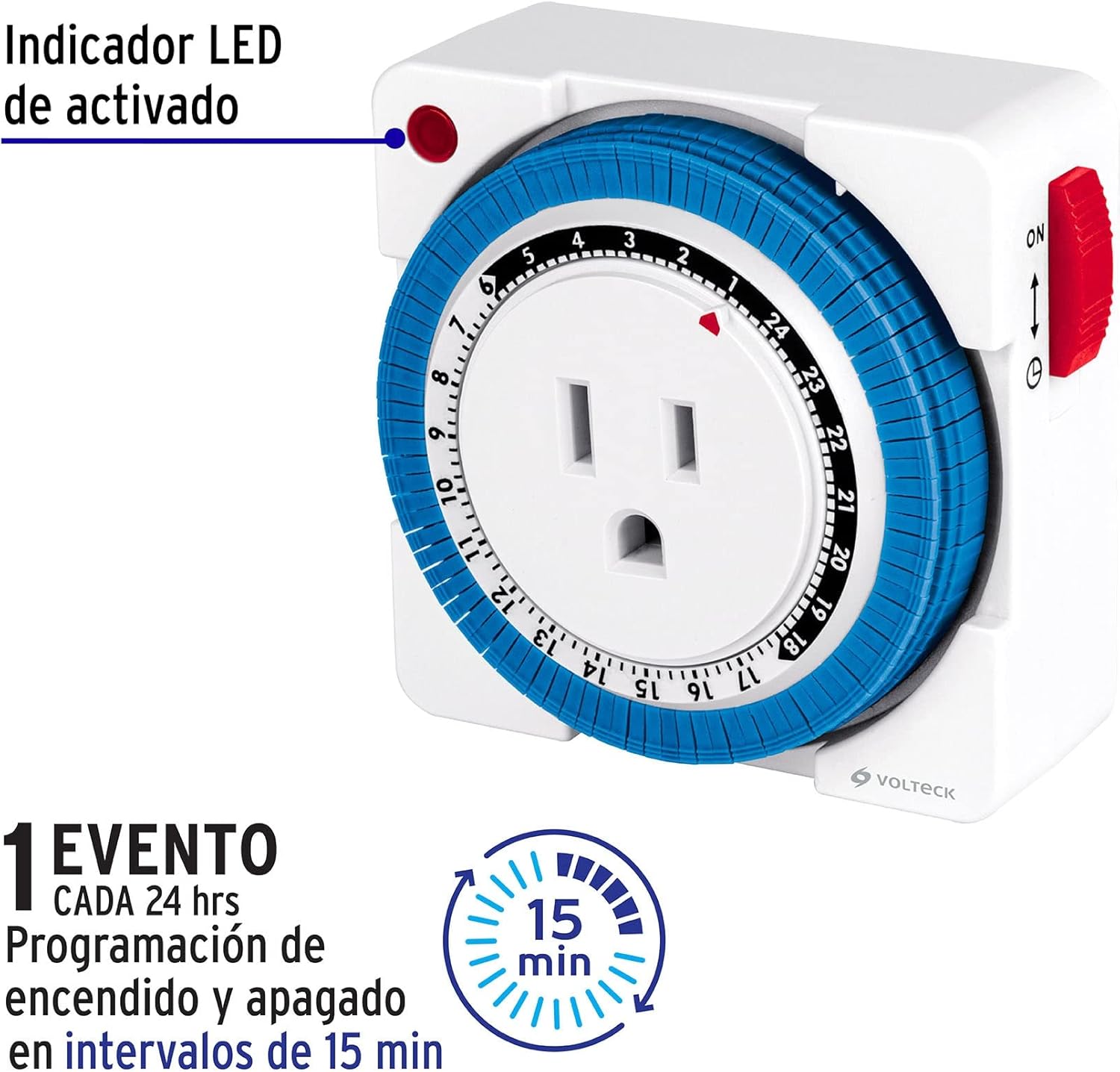
Figure 2: Timer detail showing activated LED indicator and 15-minute programming intervals.
5. Operating Instructions
Once set up, the timer will automatically cycle your appliance according to your programmed schedule. The 24-hour dial will continuously rotate.
- Automatic Operation: With the manual override switch set to 'TIMER', the connected appliance will turn ON when the current time indicator reaches a pushed-down segment and turn OFF when it reaches an up segment. The red LED indicator will light up when the appliance is ON.
- Manual Override: If you need to temporarily override the programmed schedule, slide the red switch to 'ON' for continuous power or 'OFF' to cut power to the appliance. Remember to return the switch to 'TIMER' for automatic operation to resume.
6. Maintenance
The Volteck TEM-1M Mini Analog Timer requires minimal maintenance.
- Cleaning: Unplug the timer from the wall outlet before cleaning. Wipe the exterior with a soft, dry cloth. Do not use liquid cleaners or immerse the timer in water.
- Storage: When not in use, store the timer in a cool, dry place away from direct sunlight and moisture.
7. Troubleshooting
If you encounter issues with your timer, refer to the following common problems and solutions:
- Appliance does not turn ON/OFF at programmed times:
- Ensure the manual override switch is set to 'TIMER'.
- Verify that the programming pins are correctly pushed down for ON times and up for OFF times.
- Check if the current time is accurately set on the dial.
- Ensure the appliance's own power switch is in the 'ON' position.
- Appliance is always ON or always OFF:
- Check the manual override switch. It might be set to 'ON' or 'OFF' instead of 'TIMER'.
- Timer dial is not rotating:
- Ensure the timer is securely plugged into a live electrical outlet.
- If the outlet is controlled by a wall switch, ensure the wall switch is ON.
8. Specifications

Figure 3: Dimensions of the Volteck TEM-1M Mini Analog Timer.
| Feature | Detail |
|---|---|
| Brand | Volteck |
| Model Number | TEM-1M |
| Colour | White |
| Product Dimensions (L x W x H) | 3 x 8 x 8 cm |
| Item Weight | 14.2 g (0.5 Ounces) |
| Number of Settings | 1 Event |
| Programming Interval | 15 minutes |
| Event Frequency | 1 event every 24 hours |
| Manufacturer | Truper SA de CV |
9. Warranty and Support
The Volteck TEM-1M Mini Analog Timer comes with a 1-year warranty from the date of purchase, covering defects in materials and workmanship under normal use. Please retain your proof of purchase for warranty claims.
For technical support or warranty inquiries, please contact Volteck customer service through their official website or the retailer where the product was purchased.
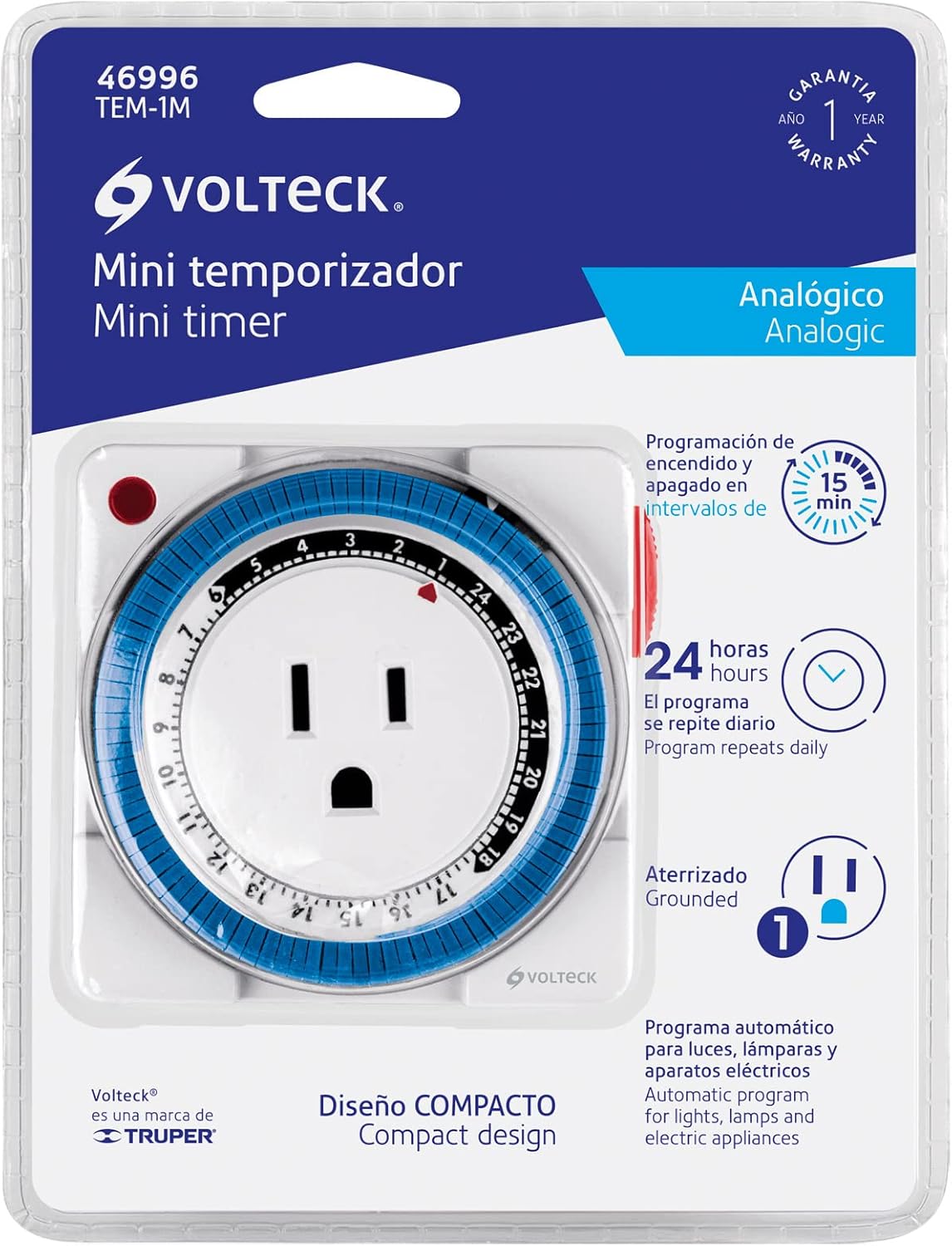
Figure 4: Product packaging indicating 1-year warranty.