
1. Introduction
This manual provides detailed instructions for the installation, operation, and maintenance of your POWLAND 80A MPPT Solar Charge Controller. This device is designed to efficiently manage power flow from solar panels to batteries in 12V, 24V, 36V, and 48V systems, ensuring optimal battery charging and system performance. Please read this manual thoroughly before installation and use to ensure safe and correct operation.
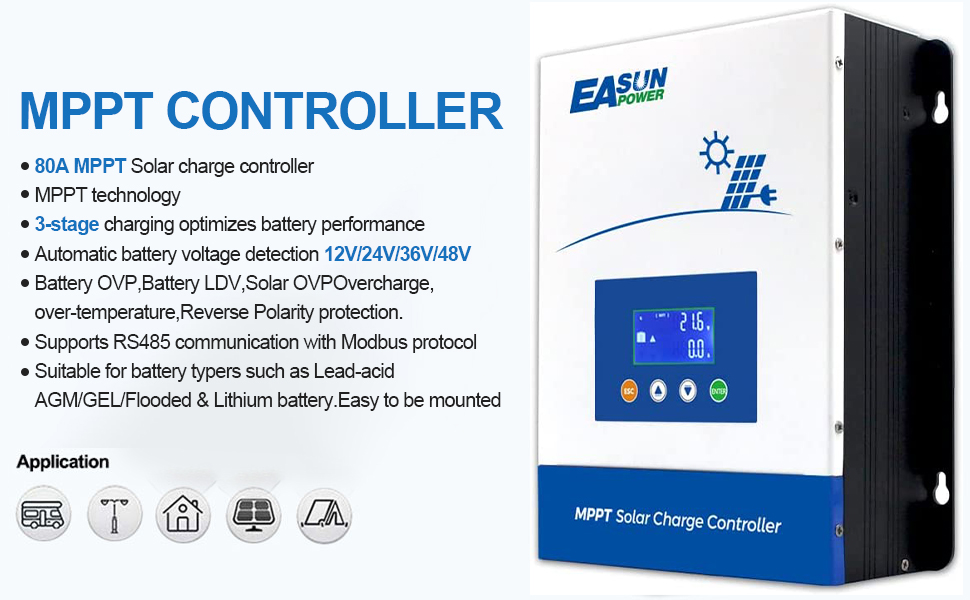
Figure 1: POWLAND 80A MPPT Solar Charge Controller, front view with LCD display.
2. Safety Information
Please observe the following safety precautions during installation and operation:
- Ensure all wiring is correctly polarized and securely connected to prevent damage to the controller or other components.
- Always disconnect the battery and solar panel power before performing any wiring or maintenance.
- Install the controller in a well-ventilated area, away from flammable materials and direct sunlight.
- Do not attempt to disassemble or repair the controller yourself. Contact qualified personnel for service.
- Wear appropriate personal protective equipment (PPE) such as gloves and eye protection during installation.
3. Product Features
- High Efficiency: Utilizes optimized MPPT technology for maximum power point tracking, achieving PV utilization of ≥99% and a maximum efficiency of ≥98.1%.
- Multiple Protection: Includes short circuit protection, open-circuit protection, reverse protection, and over-load protection.
- Intelligent Charging: Features an intelligent MPPT algorithm and three-stage charging to optimize and prolong battery life.
- Wide Battery Compatibility: Supports 12V, 24V, 36V, and 48V PV systems with a maximum charging current of 80A. Compatible with flooded, AGM, GEL, and Lithium-ion batteries.
- Communication: Supports communication via Modbus protocol.
- LCD Display: Multifunctional LCD screen with 4 buttons for dynamic display of system data and operating status.
4. Package Contents
Upon opening the package, please verify that all items are present and undamaged:
- POWLAND 80A MPPT Solar Charge Controller (x1)
- User Manual (x1)
- Connection Cable (x1)
5. Setup and Installation
Follow these steps for proper installation of the solar charge controller.
5.1 Wiring Diagram

Figure 2: Wiring diagram illustrating connections for solar panels, battery, and optional PC monitoring.
5.2 Connection Steps
- Connect the Battery: Connect the battery to the charge controller first. Ensure correct polarity (positive to positive, negative to negative). The controller will automatically detect the battery voltage.
- Connect the Solar Panels: Connect the solar panels to the charge controller. Ensure correct polarity. The controller will begin charging the battery.
- Connect the Load (Optional): If using a DC load directly from the controller, connect it last. Ensure correct polarity.
Important: Always connect the battery first and disconnect it last to prevent damage to the controller.

Figure 3: Example of a household solar power system integration with the MPPT charge controller.
6. Operating Instructions
The controller features an LCD display and four buttons for monitoring and configuration.
6.1 LCD Display and Buttons

Figure 4: LCD display and control buttons for navigating menus and viewing system data.
The LCD displays real-time information such as PV voltage, battery voltage, charging current, and system status. Use the buttons to navigate through the display menus and adjust settings as needed. Refer to the on-screen prompts for specific parameter adjustments.
6.2 MPPT Test Video
This video demonstrates the MPPT functionality of the solar charge controller.
Video 1: Demonstration of the MPPT (Maximum Power Point Tracking) test for the 80A Solar Charge Controller.
7. Maintenance
Regular maintenance ensures optimal performance and longevity of your solar charge controller.
- Cleaning: Periodically clean the exterior of the controller with a dry cloth. Ensure ventilation openings are free from dust and debris.
- Connections: Check all wiring connections regularly to ensure they are tight and free from corrosion.
- Inspection: Inspect the controller for any signs of physical damage, overheating, or unusual noises.
- Firmware Updates: Check the manufacturer's website for any available firmware updates.

Figure 5: Internal components and smart fan design for efficient heat dissipation, crucial for maintenance.
8. Troubleshooting
If you encounter issues with your solar charge controller, refer to the following common problems and solutions:
| Problem | Possible Cause | Solution |
|---|---|---|
| No display/Power off | Battery not connected or low voltage; loose wiring. | Check battery connections and voltage. Ensure battery voltage is above minimum operating threshold. |
| No charging | Solar panels not connected; insufficient sunlight; reverse polarity. | Verify solar panel connections and polarity. Check for adequate sunlight. |
| Overcharging/Undercharging | Incorrect battery type setting; faulty battery. | Check battery type settings on the controller. Test battery health. |
| Controller overheating | Poor ventilation; excessive load. | Ensure adequate airflow around the controller. Reduce load if necessary. |
If the problem persists, contact customer support.
9. Specifications
Key technical specifications for the POWLAND 80A MPPT Solar Charge Controller:

Figure 6: Detailed technical specifications including charging mode, system voltage, max PV input, and protection features.
- Model Number: MPPT8048
- System Voltage: 12V/24V/36V/48V Auto
- Max Charging Current: 80A
- Max PV Input Voltage: 150V
- Max PV Input Power: 1200W (12V), 2400W (24V), 3600W (36V), 4800W (48V)
- MPPT Efficiency: ≥99%
- Max Efficiency: ≥98.1%
- Display Type: LCD
- Operating Temperature: -20°C to +55°C
- Dimensions: 12.68 x 8.54 x 4.96 inches
- Weight: 5.55 pounds
10. Warranty and Support
Your POWLAND 80A MPPT Solar Charge Controller comes with a 1-year warranty. We also provide lifetime technical support.
For any issues, questions, or technical assistance, please contact us via Amazon. Our support team is available to help you with troubleshooting and product inquiries.
10.1 Product Overview Video
Watch this video for a general overview of the POWLAND 80A MPPT Solar Charge Controller.
Video 2: A brief overview of the 80A MPPT Solar Controller, showcasing its design and features.