Product Overview
The Xmenha Open Ear Bluetooth Headphones (Model JS270) are designed to provide a comfortable audio experience while maintaining awareness of your surroundings. These wireless headphones utilize bone conduction technology, making them ideal for activities such as cycling, running, or office work where situational awareness is crucial. They feature a lightweight, open-ear design, Bluetooth 5.2 connectivity, and IPX5 water resistance.

Image: The Xmenha Open Ear Bluetooth Headphones in their white charging case, showcasing the open-ear design and compact form factor.
Package Contents
- 1 x Xmenha Open Ear Headphones
- 1 x USB-C Charging Cable
- 1 x User Manual
- 1 x Exquisite Packaging Box
Setup and Pairing
Initial Setup
Before first use, ensure the headphones are fully charged. Connect the provided USB-C cable to the charging port on the charging case and plug the other end into a compatible USB power source.
Automatic Pairing
The Xmenha Open Ear Headphones feature automatic pairing for convenience.
- Open the charging case. The headphones will automatically power on and enter pairing mode.
- On your device (smartphone, tablet, laptop), navigate to the Bluetooth settings.
- Search for available devices and select "JS270" (or similar name) from the list.
- Once connected, a voice prompt will confirm successful pairing.

Image: A hand demonstrates picking up one of the headphones from its charging case, illustrating the automatic pairing feature with a smartphone in the foreground.
Single/Dual Earbud Use
Each earbud contains an independent Bluetooth chip, allowing for flexible use of either a single earbud or both simultaneously. Simply remove one or both from the case to connect.

Image: Two black Xmenha headphones are shown, highlighting their independent operation for single or dual earbud use.
Operating Instructions
Wearing the Headphones
The headphones are designed for an over-ear fit with earhooks, ensuring stability and comfort during various activities. Position the earhooks securely over your ears.
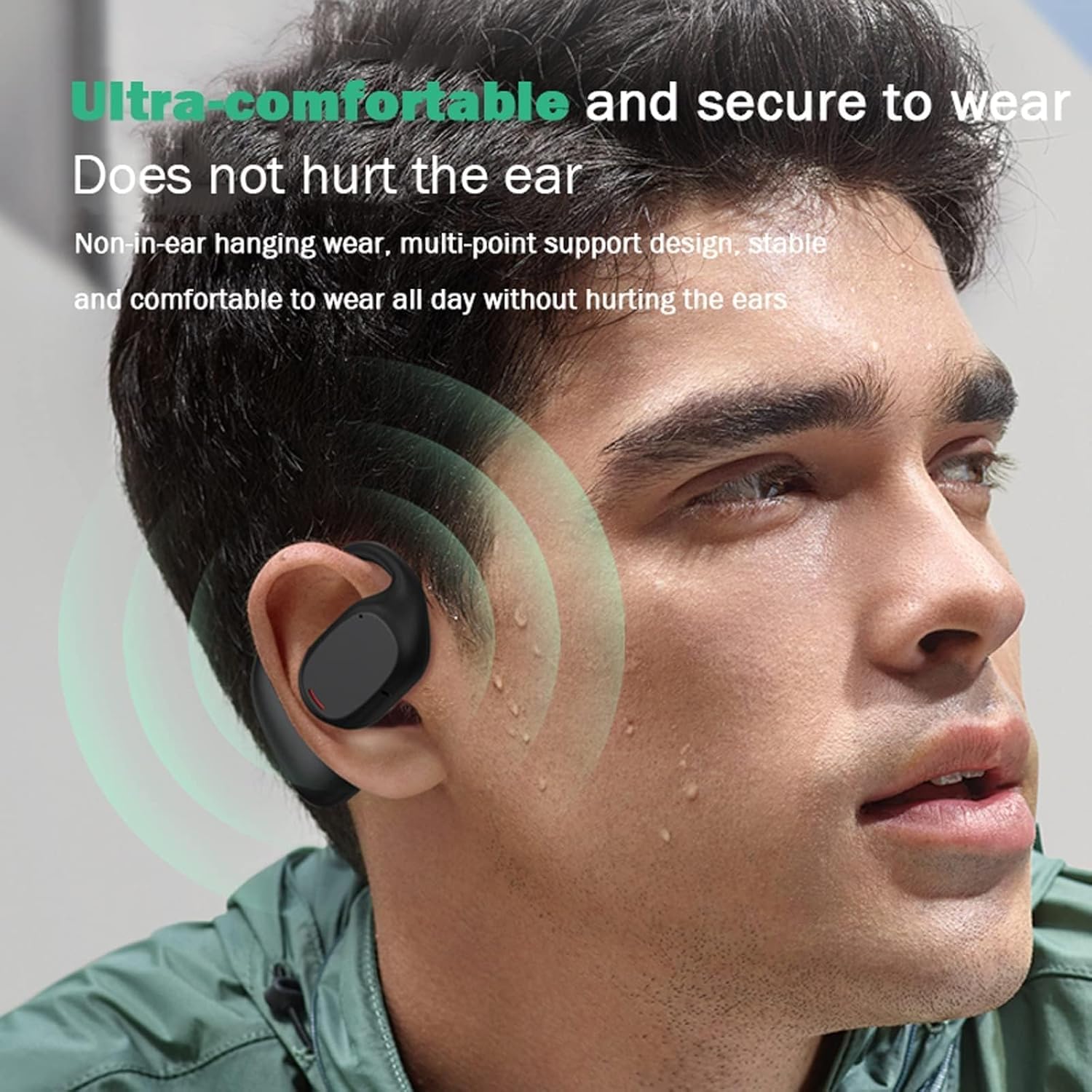
Image: A man wearing the headphone, demonstrating its ultra-comfortable and secure fit that does not hurt the ear.
Touch Controls
The headphones feature touch controls for easy management of audio playback and calls. Specific touch gestures for functions like play/pause, skip track, volume adjustment, and answering/ending calls are detailed in the included user manual. Refer to the manual for precise instructions.
Situational Awareness
The open-ear design allows you to hear your audio while remaining aware of your surroundings. This feature is particularly beneficial for outdoor activities or in environments where awareness is critical for safety.

Image: Two individuals interacting, with one wearing the headphones, demonstrating how the open-ear design allows for conversation without removing the headphones.

Image: A split image showing the headphones being used safely while driving and during exercise, emphasizing open listening and situational awareness.

Image: A split image illustrating the use of headphones in an office/learning environment for clear calls and during communication to stay connected.
Maintenance and Care
Water Resistance
The headphones are rated IPX5 waterproof and sweatproof, providing protection against sweat and light rain. This makes them suitable for workouts and outdoor activities. Avoid submerging the headphones in water.

Image: A man wearing the headphones during a workout, demonstrating their IPX5 waterproof and sweatproof capabilities for sports.
Cleaning
To clean the headphones, gently wipe them with a soft, damp cloth. Do not use abrasive cleaners or solvents. Ensure the charging contacts are clean and dry before placing them back in the charging case.
Troubleshooting
- No Power/Cannot Charge: Ensure the USB-C cable is securely connected to both the charging case and the power source. Verify the power source is active.
- Cannot Pair: Make sure Bluetooth is enabled on your device and the headphones are within range (approx. 10m/33 feet). Turn off and on the Bluetooth on your device, or reset the headphones (refer to the included user manual for specific reset instructions).
- Low Volume/Poor Sound Quality: Check the volume levels on both the headphones and your connected device. Ensure the headphones are positioned correctly on your ears.
- Language Issue (Voice Prompts): If the voice prompts are in an unexpected language (e.g., Chinese), refer to the detailed user manual for instructions on how to change the language setting. This typically involves a specific button combination or touch gesture during pairing or power-on.
- Intermittent Connection: Move closer to your connected device. Avoid obstacles between the headphones and the device. Ensure no other strong wireless signals are causing interference.
If you encounter persistent issues not covered here, please refer to the comprehensive user manual included in the package or contact customer support.
Specifications
| Feature | Detail |
|---|---|
| Model Name | JS270 |
| Connectivity Technology | Wireless (Bluetooth) |
| Bluetooth Version | V5.2 |
| Transmission Distance | Approx. 10m / 33 feet (barrier-free) |
| Play Time | About 8 hours (at 50% volume) |
| Charging Time | 1-2 hours |
| Charging Case Battery Capacity | 200mAh |
| Water Resistance Rating | IPX5 |
| Charging Port | USB Type-C |
| Control Method | Touch |
| Item Weight | 0.64 Ounces (approx. 18g) |
| Product Dimensions | 5.2 x 4.4 x 2 inches |
| Manufacturer | Shenzhen ALEX Technology Co., Ltd. |
Warranty and Support
Xmenha is committed to providing high-quality products. If you encounter any issues or have questions regarding your Open Ear Bluetooth Headphones, please do not hesitate to contact our customer support team. We aim to resolve any concerns within 24 hours.
For support, please refer to the contact information provided in the included user manual or visit the official Xmenha store on Amazon: Xmenha Store.


