
1. Introduction
Thank you for choosing the Arikasen Bluetooth 5.0 Wireless Earbuds. This manual provides detailed instructions on how to set up, operate, maintain, and troubleshoot your new earbuds. Please read this manual carefully before use to ensure optimal performance and longevity of your device.
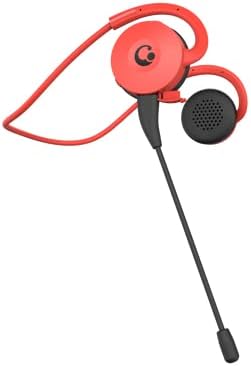
Figure 1.1: Arikasen Bluetooth 5.0 Wireless Earbuds (Red model shown).
2. Package Contents
Before you begin, please check the package contents to ensure all items are present:
- Arikasen Bluetooth 5.0 Wireless Earbuds
- USB Charging Cable
- User Manual
- Optional: Detachable Boom Microphone (if purchased with this accessory)
3. Setup
3.1. Charging the Earbuds
Before first use, fully charge the earbuds. Connect the provided USB charging cable to the charging port on the earbuds and plug the other end into a USB power source (e.g., computer USB port, wall adapter). The indicator light will show charging status and turn off or change color when fully charged.
3.2. Wearing the Earbuds
The earbuds are designed for on-ear comfort. Gently place the earbud over your ear, ensuring the ear hook sits securely behind your ear. The soft protein earpads provide a comfortable fit without pressure.
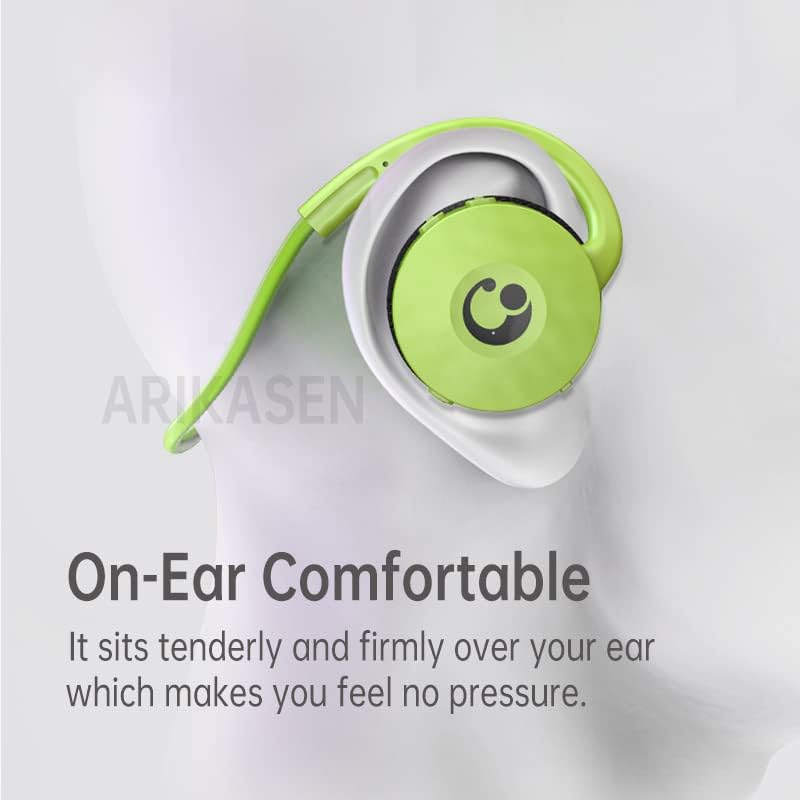
Figure 3.1: Proper placement of the earbud for comfortable on-ear wear.

Figure 3.2: Close-up of the soft protein earpads designed for long-lasting comfort.
4. Operating Instructions
4.1. Power On/Off
- Power On: Press and hold the multi-function button for approximately 3 seconds until the indicator light flashes.
- Power Off: Press and hold the multi-function button for approximately 5 seconds until the indicator light turns off.
4.2. Bluetooth Pairing
To pair your earbuds with a device:
- Ensure the earbuds are powered off.
- Press and hold the multi-function button for about 5-7 seconds until the indicator light flashes red and blue alternately. This indicates pairing mode.
- On your device (smartphone, tablet, computer), enable Bluetooth and search for available devices.
- Select "Arikasen Earbuds" (or similar name) from the list of found devices.
- Once connected, the indicator light on the earbuds will flash blue slowly or turn off, and you will hear a confirmation tone.

Figure 4.1: The compact design of the earbud, featuring Bluetooth 5.0 for low-latency transmission.
4.3. Music Playback
- Play/Pause: Press the multi-function button once.
- Next Track: Press and hold the Volume + button.
- Previous Track: Press and hold the Volume - button.
- Volume Up: Short press the Volume + button.
- Volume Down: Short press the Volume - button.
4.4. Call Management
- Answer/End Call: Press the multi-function button once.
- Reject Call: Press and hold the multi-function button for 2 seconds.
- Redial Last Number: Double-press the multi-function button.
4.5. Using the Optional Boom Microphone
If your earbuds include the detachable boom microphone, you can attach it to the designated port for enhanced voice clarity, especially during gaming or calls.

Figure 4.2: The earbud shown with the optional boom microphone attached for improved audio input.
5. Maintenance
To ensure the longevity and optimal performance of your Arikasen Wireless Earbuds, follow these maintenance guidelines:
- Cleaning: Use a soft, dry, lint-free cloth to clean the earbuds. Do not use abrasive cleaners, alcohol, or chemical solvents.
- Earpads: The protein earpads are durable but can be gently wiped with a damp cloth if needed. Ensure they are completely dry before use.
- Water Resistance: The earbuds are IPX5 water resistant, meaning they can withstand splashes and sweat. Do not submerge them in water or expose them to heavy rain. Dry them thoroughly if they get wet.
- Storage: Store the earbuds in a cool, dry place away from direct sunlight and extreme temperatures.
- Charging: Avoid overcharging. Disconnect the charging cable once the earbuds are fully charged.
6. Troubleshooting
If you encounter issues with your earbuds, please refer to the following common problems and solutions:
| Problem | Possible Cause | Solution |
|---|---|---|
| Earbuds do not power on | Low battery | Charge the earbuds fully. |
| Cannot pair with device | Earbuds not in pairing mode; Device Bluetooth off; Too far from device | Ensure earbuds are in pairing mode (flashing red/blue). Turn on device Bluetooth. Move earbuds closer to device (within 10 meters). |
| No sound or low volume | Volume too low; Earbuds not connected; Incorrect audio output selected on device | Increase volume on earbuds and device. Re-pair earbuds. Check device audio settings. |
| Poor call quality | Weak signal; Microphone obstructed | Move closer to your device. Ensure microphone is clear and positioned correctly. |
If the problem persists after trying these solutions, please contact customer support.
7. Specifications
| Feature | Detail |
|---|---|
| Model | B0BX5FGPQ4 |
| Connectivity Technology | Wireless |
| Wireless Technology | Bluetooth 5.0 |
| Earcup Type | Semi-open |
| Output Power | 50mW |
| Number of Drivers | 2 |
| Headphone Pad Material | Soft Sponge / Protein |
| Driver Type | Neodymium |
| Driver Diameter | 30mm |
| Total Harmonic Distortion | 5% |
| Impedance Range | Up to 32 Ohm |
| Water Resistance Rating | IPX5 |
| Playtime | Up to 18 hours |
| Control Type | Volume Control |
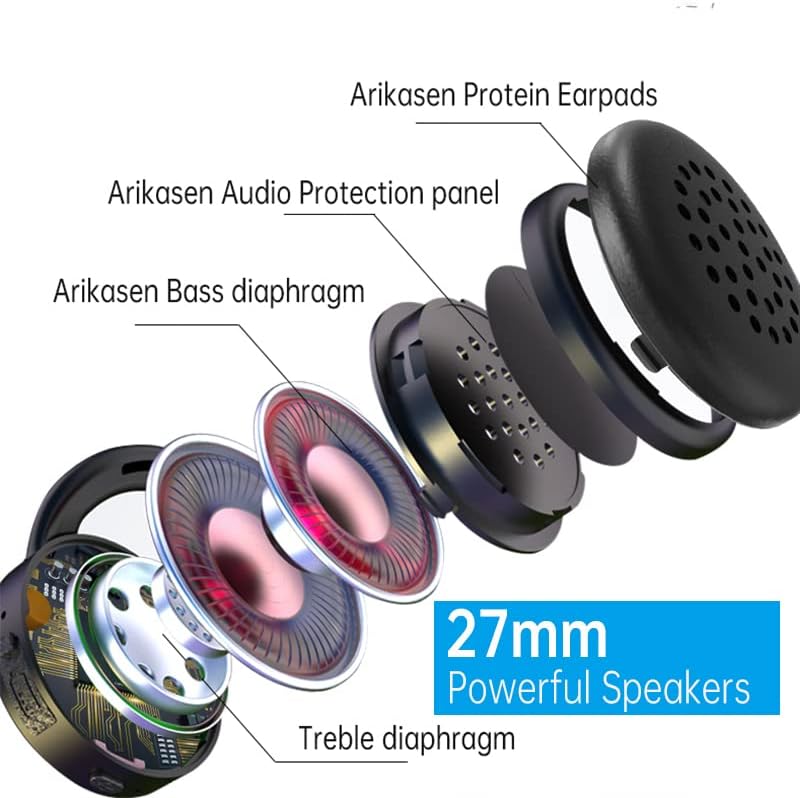
Figure 7.1: Internal components highlighting the 27mm powerful speakers.
8. Warranty and Support
Arikasen is committed to providing high-quality products and excellent customer service. Your earbuds come with a 12-month warranty from the date of purchase.
Warranty Coverage: This warranty covers manufacturing defects and issues arising from normal use. It does not cover damage caused by misuse, accidents, unauthorized modifications, or improper maintenance.
Customer Satisfaction Guarantee: If you experience any product quality issues, please do not hesitate to contact us. We are dedicated to ensuring 100% customer satisfaction and will offer a full refund or a new replacement product if necessary.
Contact Support: For warranty claims, technical assistance, or any other inquiries, please refer to the contact information provided on your purchase receipt or the seller's page on Amazon. Please have your model number (B0BX5FGPQ4) and purchase date ready when contacting support.


