
Escort 0100024-6
Contents
Escort MAX 360 MKII Radar and Laser Detector User Manual
Model: 0100024-6
Introduction
The Escort MAX 360 MKII is a state-of-the-art radar and laser detector designed to enhance driver awareness. It features advanced detection capabilities, directional alerts, and intelligent filtering to provide a more informed driving experience. This manual provides detailed instructions for setting up, operating, maintaining, and troubleshooting your device.

Figure 1: Front view of the Escort MAX 360 MKII Radar and Laser Detector. The device features a sleek black design with a central control panel and a front display showing speed and alert information.
Package Contents
Before proceeding with the setup, please ensure all items are present in your package:
- Escort MAX 360 MKII Radar and Laser Detector
- Travel Case
- Magnetic Mount
- USB SmartCord (with Mute Button)

Figure 2: The complete package contents of the Escort MAX 360 MKII, including the detector unit, travel case, magnetic mount, and USB SmartCord.
Setup
Mounting the Device
- Choose a Location: Select a location on your windshield that does not obstruct your view of the road and allows for clear line-of-sight for radar and laser detection. The center of the windshield, near the rearview mirror, is often ideal.
- Clean the Windshield: Ensure the mounting area on your windshield is clean and dry for optimal suction.
- Attach the Magnetic Mount: Press the suction cup of the magnetic mount firmly against the chosen windshield area until it is securely attached.
- Attach the Detector: The MAX 360 MKII features a magnetic connection point. Simply align the detector with the magnetic mount until it clicks into place.
Powering On
- Connect the SmartCord: Insert the small end of the USB SmartCord into the power input port on the side of the MAX 360 MKII.
- Plug into Vehicle Power: Insert the larger end of the USB SmartCord into your vehicle's 12V accessory socket (cigarette lighter).
- Automatic Power On: The device will typically power on automatically when the vehicle's ignition is turned on.
Operating the Device
Basic Controls
- Power Button: Press and hold to turn the device on or off.
- Volume Buttons (+/-): Adjust the alert volume.
- Mute Button: Briefly press to mute an alert. Press again to unmute.
- Sensitivity (SEN) Button: Cycles through sensitivity modes (Auto, AutoNoX, Highway, AutoLoK).
- Mark (MRK) Button: Marks locations for future alerts or false alert suppression.
- Brightness (BRT) Button: Adjusts display brightness.
Understanding Alerts
The MAX 360 MKII provides comprehensive alerts with directional arrows indicating the source of the radar or laser signal.
- Directional Arrows: Arrows on the display illuminate to show the direction (front, side, rear) from which a threat is detected.
- Signal Strength Meter: A bar graph indicates the strength of the detected signal.
- Audible Alerts: Distinct tones are used for different radar bands (X, K, Ka) and laser.

Figure 3: The display of the Escort MAX 360 MKII showing directional arrows for 360° awareness and indicating the AutoLearn™ Intelligence feature, which learns and rejects repeated false alert locations.
Advanced Features
- AutoLearn™ Intelligence: This GPS-based software learns your route and automatically rejects false alerts from specific locations after repeated trips.
- Blackfin® DSP Chip: Provides improved performance and faster processing of legitimate signals, ensuring timely alerts.
- 50% Improved Range: Dual antennas and the M13 platform offer significantly enhanced detection range and sensitivity compared to previous models.
- False Alert Filtering: Advanced intelligence effectively reduces false alerts from Collision Avoidance Systems (CAS) and Blind Spot Monitoring (BSM) systems in other vehicles.

Figure 4: The Escort MAX 360 MKII mounted in a vehicle, highlighting its 50% improved range for enhanced detection capabilities.

Figure 5: Visual representation of the Escort MAX 360 MKII's exceptional detection range, outstanding false alert filtering, and faster signal processing for timely alerts.
Drive Smarter® App Integration
The Escort MAX 360 MKII is Bluetooth enabled and compatible with the Drive Smarter® app, allowing for shared alerts and enhanced situational awareness.
- Shared Alerts: Connect to the Drive Smarter community to receive live alerts from other drivers.
- Apple CarPlay & Android Auto Compatibility: View your route and interact with alerts directly on your vehicle's display.
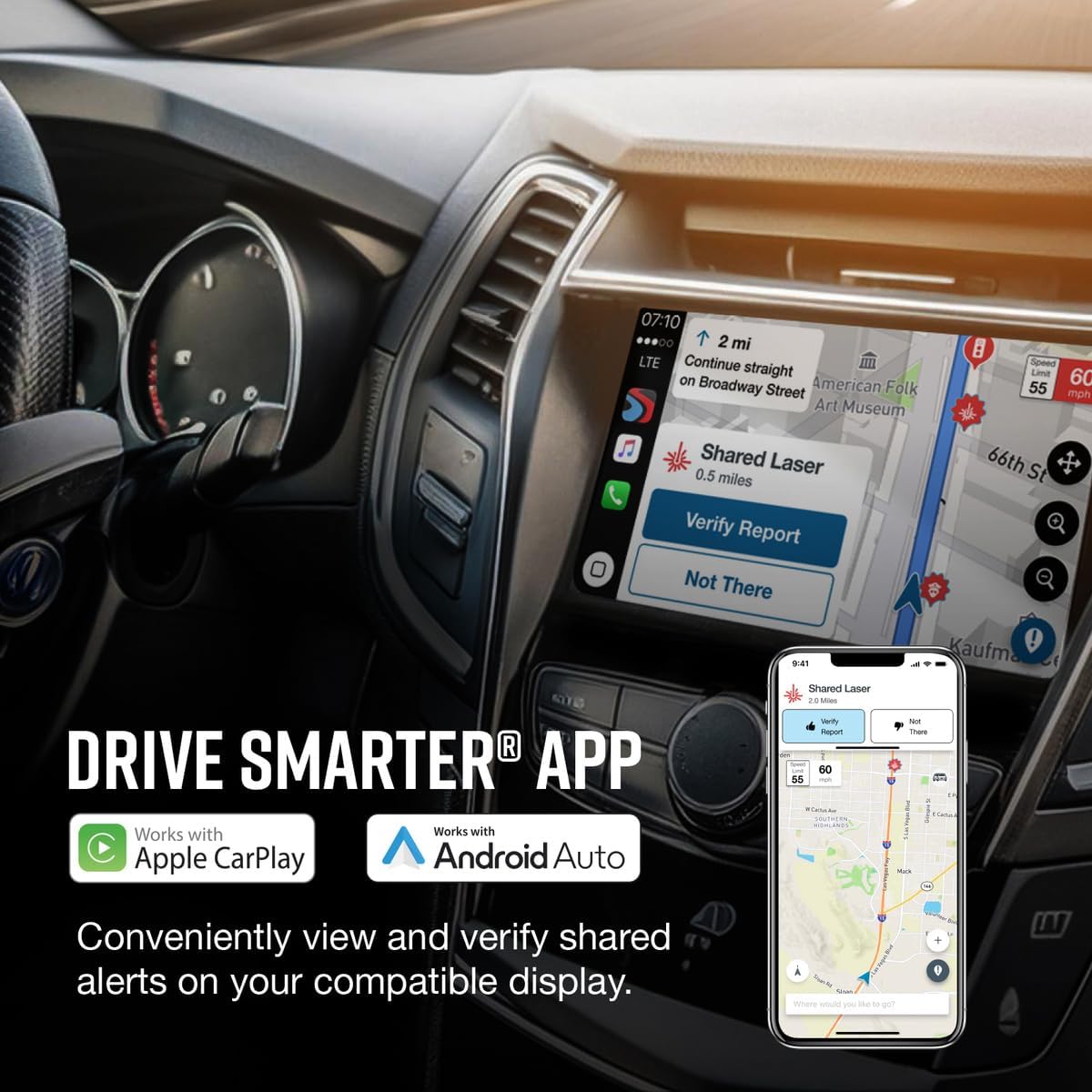
Figure 6: The Escort MAX 360 MKII integrating with the Drive Smarter® App, showing how alerts can be viewed and verified on a compatible vehicle display or smartphone.
Maintenance
To ensure optimal performance and longevity of your Escort MAX 360 MKII, follow these maintenance guidelines:
- Cleaning: Use a soft, dry cloth to clean the exterior of the device. Avoid abrasive cleaners or solvents.
- Lens Care: Keep the front and rear lenses clean and free from dust or smudges to ensure accurate detection.
- Software Updates: Periodically check for and install software updates via the Drive Smarter app or Escort's official website to ensure your device has the latest features and performance enhancements.
- Storage: When not in use, store the device in its provided travel case to protect it from dust and damage. Avoid storing in extreme temperatures.
Troubleshooting
This section addresses common issues you might encounter with your Escort MAX 360 MKII.
| Problem | Possible Cause | Solution |
|---|---|---|
| Device does not power on. | No power from vehicle's 12V socket; loose connection; blown fuse in vehicle. | Check the SmartCord connection. Ensure the vehicle's 12V socket is active. Check your vehicle's fuse box for a blown fuse related to the accessory socket. |
| Frequent false alerts. | Interference from other vehicles' safety systems (CAS/BSM); urban environment noise. | Enable AutoLearn™ feature. Adjust sensitivity mode (e.g., to Auto or AutoNoX). Ensure the device firmware is up to date. |
| No GPS signal. | Obstructed view of the sky; device not acquiring satellites. | Ensure the device has a clear view of the sky. Move to an open area. Allow a few minutes for the device to acquire satellites. |
| Bluetooth connectivity issues. | Bluetooth not enabled on phone; device not paired; interference. | Ensure Bluetooth is enabled on your smartphone. Re-pair the device with the Drive Smarter app. Restart both the detector and your smartphone. |
Specifications
| Feature | Detail |
|---|---|
| Product Dimensions | 5.15"L x 3.25"W x 1.38"H (13.08 x 8.26 x 3.51 cm) |
| Item Weight | 1.65 pounds (0.75 kg) |
| Model Number | 0100024-6 |
| Color | Black |
| Power Source | Corded Electric |
| Display Type | OLED |
| Frequency Bands Supported | 10.525 GHz (X-band), 24.150 GHz (K-band), 34.700 GHz (Ka-band) |
| Connectivity | Bluetooth Enabled |
| Manufacturer | Escort Radar |
Warranty and Support
Warranty Information
The Escort MAX 360 MKII comes with a manufacturer's warranty. Please refer to the warranty card included in your product packaging for specific terms and conditions, including warranty period and coverage details. Keep your proof of purchase for warranty claims.
Customer Support
For technical assistance, troubleshooting, or general inquiries, please contact Escort Customer Support:
- Online Support: Visit the official Escort website for FAQs, support articles, and contact forms.
- Phone Support: Refer to your product documentation or the Escort website for the most current customer service phone numbers and operating hours.
- User Guide (PDF): A detailed user guide is available for download at https://manuals.plus/m/6725b3c3f478784f17becdd7f6b064997ad991e64d1b0dcbda1d1ad5b917e707.
Documents and downloads
Ask a question about this manual
Ask about setup, troubleshooting, compatibility, parts, safety, or missing instructions. Manuals+ will review the question and use this page’s manual context to help answer it.