
1. Introduction
Thank you for choosing the SKMEI Model 1894 Digital Watch. This manual provides detailed instructions for setting up, operating, and maintaining your watch. The Model 1894 is a versatile digital watch featuring dual time, a chronograph, alarm, date and week display, EL backlight, 12/24 hour format, and a countdown timer, all within a 50-meter water-resistant design.
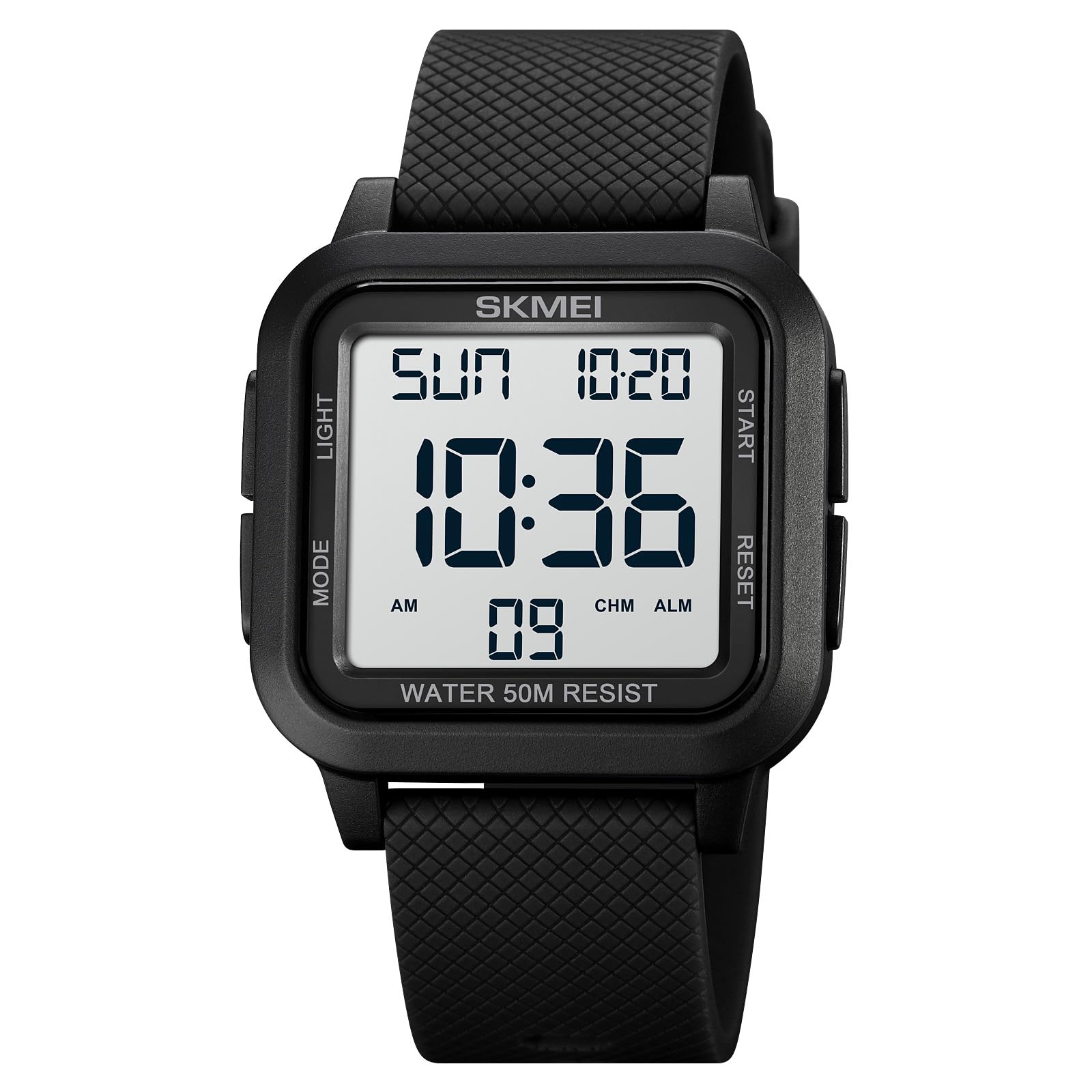
Figure 1: SKMEI Model 1894 Digital Watch
2. Setup and Button Functions
Your SKMEI 1894 watch features four primary buttons for navigation and function control:
- LIGHT Button: Activates the EL backlight for visibility in low-light conditions.
- MODE Button: Cycles through different operational modes (Time, Chronograph, Alarm, Dual Time, Countdown).
- START/STOP Button: Used to start/stop functions like the chronograph or adjust settings.
- RESET Button: Used to reset functions or confirm settings.

Figure 2: Watch Button Layout and Functions
2.1. Initial Time and Date Setting
To set the time and date:
- From the normal time display, press the MODE button repeatedly until the time setting mode is activated (usually indicated by flashing digits).
- Use the RESET button to select the digit or setting you wish to adjust (e.g., seconds, hour, minute, year, month, day).
- Use the START/STOP button to increase the selected value. Hold it down for faster adjustment.
- Once all settings are correct, press the MODE button to exit the setting mode and return to the normal time display.
For a visual guide on setting the time and date, please refer to the video below:
Video 1: Demonstrating Time and Date Setting on SKMEI 1894 Digital Watch
3. Operating Instructions
3.1. Mode Switching
Press the MODE button to cycle through the following functions:
- Normal Time Display (Hour, Minute, Second, Day, Date, Week)
- Chronograph (Stopwatch)
- Alarm Setting
- Dual Time Display
- Countdown Timer
3.2. Chronograph (Stopwatch)
- Press MODE until the chronograph display appears (usually '00:00:00').
- Press START/STOP to begin timing.
- Press START/STOP again to pause timing.
- Press RESET to clear the chronograph to zero.
3.3. Alarm Function
- Press MODE until the alarm setting display appears.
- Use RESET to select the hour or minute digits.
- Use START/STOP to adjust the selected value.
- Press MODE to confirm and exit.
- To activate/deactivate the alarm, press START/STOP while in the alarm display mode. An alarm icon will appear/disappear.
3.4. Dual Time
- Press MODE until the dual time display appears.
- To set the dual time, follow similar steps as setting the main time, using RESET and START/STOP buttons.
3.5. Countdown Timer
- Press MODE until the countdown timer display appears.
- Use RESET to select the hour, minute, or second digits.
- Use START/STOP to adjust the selected value.
- Press START/STOP to begin the countdown.
- Press START/STOP again to pause/resume.
- Press RESET to stop and reset the countdown.
3.6. EL Backlight
Press the LIGHT button to illuminate the display for a few seconds. This feature is useful in dark environments.

Figure 3: EL Luminous Display in Normal and Light Mode
4. Maintenance
4.1. Water Resistance (50M)
The SKMEI 1894 watch is rated for 50 meters (5ATM) water resistance. This means it is suitable for:
- Daily use, such as hand washing and rain.
- Showering with cold water.
- Shallow swimming.
Important:
- Do NOT press any buttons while the watch is submerged in water.
- Avoid exposure to hot water, steam, or saunas, as this can compromise the watch's water seals.
- Not suitable for diving or snorkeling.

Figure 4: 50M Water Resistance Capabilities
4.2. Cleaning
To clean your watch, wipe it gently with a soft, dry cloth. For stubborn dirt, a slightly damp cloth can be used, followed by immediate drying. Avoid using chemical cleaners or abrasive materials.
4.3. Battery Replacement
The watch is powered by one unknown battery (included). When the display dims or functions become erratic, it may be time to replace the battery. Battery replacement should ideally be performed by a qualified watch technician to ensure water resistance is maintained.
5. Troubleshooting
| Problem | Possible Cause | Solution |
|---|---|---|
| Display is blank or dim. | Low battery. | Replace the battery. |
| Time is incorrect. | Time not set correctly or accidental adjustment. | Refer to Section 2.1 to reset the time. |
| Buttons are unresponsive. | Temporary software glitch or water ingress. | Try a soft reset (if applicable, by holding all buttons for a few seconds) or allow the watch to dry if exposed to water. If issues persist, seek professional service. |
| Alarm does not sound. | Alarm not activated or set incorrectly. | Refer to Section 3.3 to ensure the alarm is set and activated. |
6. Specifications

Figure 5: Product Parameters
| Feature | Detail |
|---|---|
| Brand | SKMEI |
| Model | 1894 |
| Weight | 39g (0.11 kg) |
| Movement Type | Digital |
| Crystal Material | Resin |
| Case Material | ABS (Acrylonitrile Butadiene Styrene) |
| Band Material | PU (Polyurethane) |
| Buckle Material | Stainless Steel |
| Water Resistance | 50M (5ATM) |
| Functions | Dual Time, Chronograph, Alarm, Date, Week, EL Light, 12/24 hour clock, Countdown |
| Case Width | 40mm |
| Case Thickness | 11mm |
| Band Width | 22mm |
| Band Length | 25cm |
| Battery | 1 Unknown battery (included) |
7. Warranty and Support
7.1. Warranty Information
This product comes with a manufacturer-and-seller-combination warranty. Please retain your proof of purchase for any warranty claims. For specific details regarding the warranty period and coverage, refer to the documentation provided at the time of purchase or contact your retailer.
7.2. Customer Support
For further assistance, technical support, or inquiries regarding your SKMEI 1894 Digital Watch, please contact the retailer where the product was purchased. You may also visit the official SKMEI website for general product information and support resources.


