
Introduction
The RSH Air Tracker Tag is a compact Bluetooth item finder designed to help you locate your personal belongings quickly and efficiently. Utilizing the Apple Find My network, this smart tag allows you to track items such as luggage, bags, backpacks, wallets, and keys directly from your iOS device. Its durable design includes a replaceable battery for extended use and a protective silicone case for enhanced resilience against daily wear.
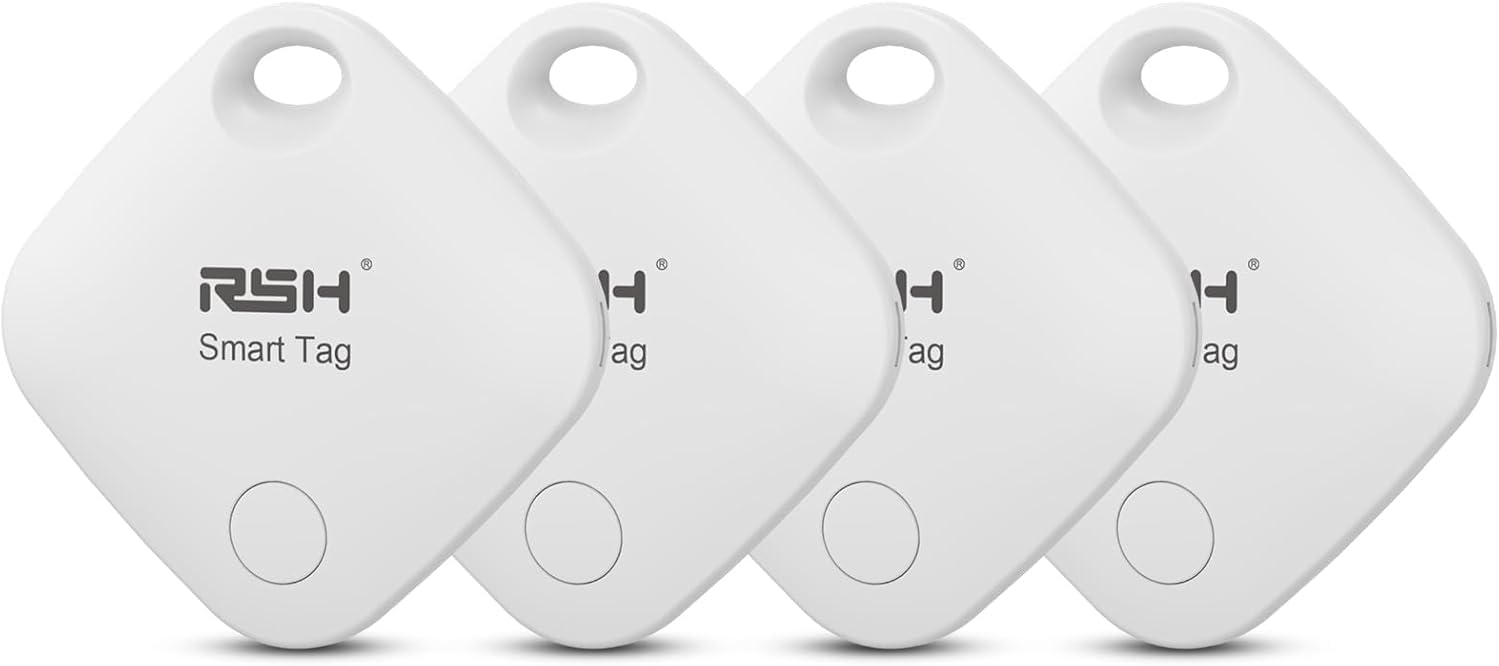
Image: Four RSH Air Tracker Tags, showcasing the product's compact and sleek design.
Package Contents
Your RSH Air Tracker Tag package includes the following items:
- 4 x RSH Air Tracker Tags
- 4 x CR2032 Batteries (pre-installed or included separately)
- 4 x Silicone Protective Cases
- 1 x Battery Opener Tool
Specifications
| Model Number | RSH-ITag03 |
| Dimensions | 1.38"L x 1.38"W x 0.28"Th (35 x 35 x 7 mm) |
| Item Weight | 0.388 ounces |
| Connectivity | Bluetooth 5.1 |
| Battery Type | CR2032 (Replaceable) |
| Compatibility | Apple Find My network (iOS 14.5 or later) |
| Material | Plastic, Silicone (case) |
Setup Guide
Follow these steps to pair your RSH Air Tracker Tag with your Apple device:
- Prepare Your Device: Ensure your Apple iPhone or iPad is running iOS 14.5 or later and that Bluetooth is enabled.
- Activate the Tag: If the tag has a battery baffle, pull it out to activate the tag. The tag will emit a sound indicating it's ready for pairing.
- Open Find My App: On your Apple device, open the "Find My" application.
- Add New Item: Navigate to the "Items" tab and tap the "+" icon. Select "Add Other Supported Item" from the options. Do not select "Add AirTag".
- Search for Smart Tag: Your device will begin searching for nearby compatible smart tags. The RSH Air Tracker Tag should appear in the list.
- Connect and Name: Tap on the detected RSH Smart Tag to connect. Follow the on-screen prompts to name your item (e.g., "Keys", "Wallet", "Luggage") and choose an appropriate icon.
- Agree to Terms: Review and agree to the privacy and registration terms.
- Complete Registration: Once registered, your RSH Air Tracker Tag will appear in the "Items" tab of your Find My app, ready for use.

Image: Visual guide illustrating the pairing process with the Find My app.
Operating Instructions
Once your RSH Air Tracker Tag is set up, you can utilize various features within the Apple Find My app to locate your items.
Locating Nearby Items (Play Sound)
If your item is within Bluetooth range (up to 250ft/75m), you can make the tag emit a sound to help you pinpoint its exact location.
- Open the "Find My" app on your Apple device.
- Go to the "Items" tab.
- Select the RSH Air Tracker Tag you wish to locate.
- Tap "Play Sound". The tag will emit a "Dilili" sound, guiding you to your item.

Image: Demonstrating the "Play Sound" feature to locate a nearby item.
Locating Far Away Items (View Location)
If your item is out of Bluetooth range, the Find My network can help you locate it. The Find My network consists of hundreds of millions of Apple devices around the world. These devices securely and anonymously detect nearby Find My-enabled items and relay their location to iCloud, allowing you to see your item's last known location on a map.
- Open the "Find My" app.
- Go to the "Items" tab.
- Select the RSH Air Tracker Tag.
- The app will display the tag's last known location on a map. You can get directions to this location.

Image: Map view in the Find My app showing the location of a tracked item.
Left-Behind Remind
Receive notifications on your Apple device if you leave your tagged item behind at an unfamiliar location.
- In the "Find My" app, select your RSH Air Tracker Tag.
- Under "Notifications", enable "Notify When Left Behind".
- You can also set up "Notify When Arrive" or "Notify When Left" for specific locations.

Image: Illustration of the "Left Remind" feature, alerting the user when an item is left behind.
Lost Mode
If your item is truly lost, you can put your RSH Air Tracker Tag into Lost Mode. This will automatically notify you when it's detected by any device in the Find My network. You can also include a contact message and phone number for anyone who finds your item.
- In the "Find My" app, select your RSH Air Tracker Tag.
- Scroll down and tap "Enable" under "Lost Mode".
- Follow the instructions to enter your contact information.
Battery Replacement
The RSH Air Tracker Tag uses a replaceable CR2032 coin cell battery, designed to last approximately one year under normal use. When the battery is low, you will receive a notification in the Find My app.
Steps to Replace Battery:
- Locate the small groove on the side of the RSH Air Tracker Tag.
- Insert the provided battery opener tool (or a similar thin, flat object like a guitar pick) into the groove.
- Gently twist or pry the tool to open the tag's casing. The two halves will separate.
- Carefully remove the old CR2032 battery.
- Insert a new CR2032 battery with the positive (+) side facing upwards.
- Align the two halves of the tag and press them firmly together until they click into place, ensuring a secure seal.

Image: RSH Smart Tag and a CR2032 battery, indicating user-replaceable power source.
Maintenance and Care
To ensure the longevity and optimal performance of your RSH Air Tracker Tag:
- Protective Case: Always use the provided silicone protective case. It offers scratch, dust, anti-drop shock, and life waterproof resistance.
- Cleaning: Wipe the tag with a soft, dry cloth. Avoid using harsh chemicals or abrasive materials.
- Storage: Store the tag in a cool, dry place when not in use.
- Water Resistance: While the silicone case provides life waterproof protection, the tag is not designed for submersion. Avoid exposing it to heavy rain or direct water streams.

Image: RSH Smart Tag with its silicone protective case, emphasizing durability features.
Troubleshooting
| Problem | Possible Cause / Solution |
|---|---|
| Tag not pairing with iPhone/iPad. |
|
| Cannot hear the tag's sound. |
|
| Location on map is inaccurate or not updating. |
|
| Battery life is shorter than expected. |
|
Safety Information
Please read and follow these safety guidelines to prevent injury or damage to your device:
- Battery Safety: Keep batteries out of reach of children. If swallowed, seek immediate medical attention. Dispose of used batteries responsibly according to local regulations.
- Operating Temperature: Do not expose the device to extreme temperatures (hot or cold) or direct sunlight for prolonged periods.
- Avoid Damage: Do not disassemble, crush, puncture, or incinerate the device. Avoid strong impacts.
- Choking Hazard: The RSH Air Tracker Tag contains small parts and is not a toy. Keep away from small children and pets.
Warranty and Support
RSH is committed to providing high-quality products and customer satisfaction. If you encounter any issues or have questions regarding your RSH Air Tracker Tag, please contact our customer service team. We are dedicated to assisting you until you are satisfied with your product experience.
For support, please refer to the contact information provided with your purchase or visit the official RSH brand store on Amazon.
Please note: Specific warranty terms and conditions may vary. Retain your proof of purchase for any warranty claims.


