
1. Introduction
The Phomemo PM246S is a high-performance thermal label printer designed for efficiency and versatility. It offers inkless printing, making it a cost-effective solution for various labeling needs, from shipping labels to product barcodes. This manual provides detailed instructions for setting up, operating, maintaining, and troubleshooting your PM246S printer.

Image: Phomemo PM246S Label Printer in use, printing a round label.
2. Package Contents
Please verify that all items are present in your package:
- Phomemo PM246S Desktop Label Printer
- USB Cable
- Power Cable + Adapter
- PM-246S Quick Start Guide
- Label Sample (20 pieces/pack)
3. Safety Information
To ensure safe operation and prolong the life of your printer, please observe the following:
- Use only the provided power adapter and cables.
- Do not expose the printer to water or excessive humidity.
- Avoid placing the printer in direct sunlight or near heat sources.
- Keep the printer away from dust and debris.
- Do not attempt to disassemble or repair the printer yourself. Contact customer support for assistance.
4. Setup
4.1 Hardware Setup
- Connect Power: Plug the power adapter into the printer's power port and then into a wall outlet.
- Connect USB: Connect the USB cable from the printer to your computer. For Mac users, a Type-C converter is included if needed.
- Load Labels: Open the printer cover and insert your thermal labels. Ensure the labels are facing up and aligned correctly with the feeder. Close the cover.
Image: Phomemo PM246S Label Printer with a label roll inserted.
4.2 Software Installation
The PM246S printer is compatible with Windows, Mac, Linux, and Chrome OS.
- Windows/Mac/Linux: Drivers and video tutorials are available to guide you through the setup process. Please visit the official Phomemo website for the latest drivers.
- Chrome OS: Users can install the "Labelife" extension from the Chrome Web Store to connect to the printer and print.

Image: Screenshot illustrating the installation of the Labelife Chrome extension for printer connectivity.
5. Operating Instructions
5.1 Automatic Label Detection
The printer features automatic label detection to prevent wasting the first label:
- Insert the labels directly into the printer's feeder.
- Press and hold the power button until you hear a beep.
- The printer will automatically detect the label size and retract it to the correct starting position.

Image: The Phomemo PM246S printer performing automatic label detection.
5.2 Printing Labels
The PM246S is compatible with major e-commerce platforms and shipping carriers, supporting label widths from 25.4 mm (1 inch) to 116 mm (4.6 inches).
- Supported Platforms: Shopify, Etsy, eBay, Amazon, Hermes, Royal Mail Click & Drop, Parcelforce, DPD, UPS, DHL, FedEx, and more.
- Label Types: Primarily used for 4x6 inch shipping labels, address labels, FBA labels, barcode labels, price tags, and custom labels.
- Labelife Software: Utilize the free "Labelife" label editing software to easily create and customize any label you wish to print.
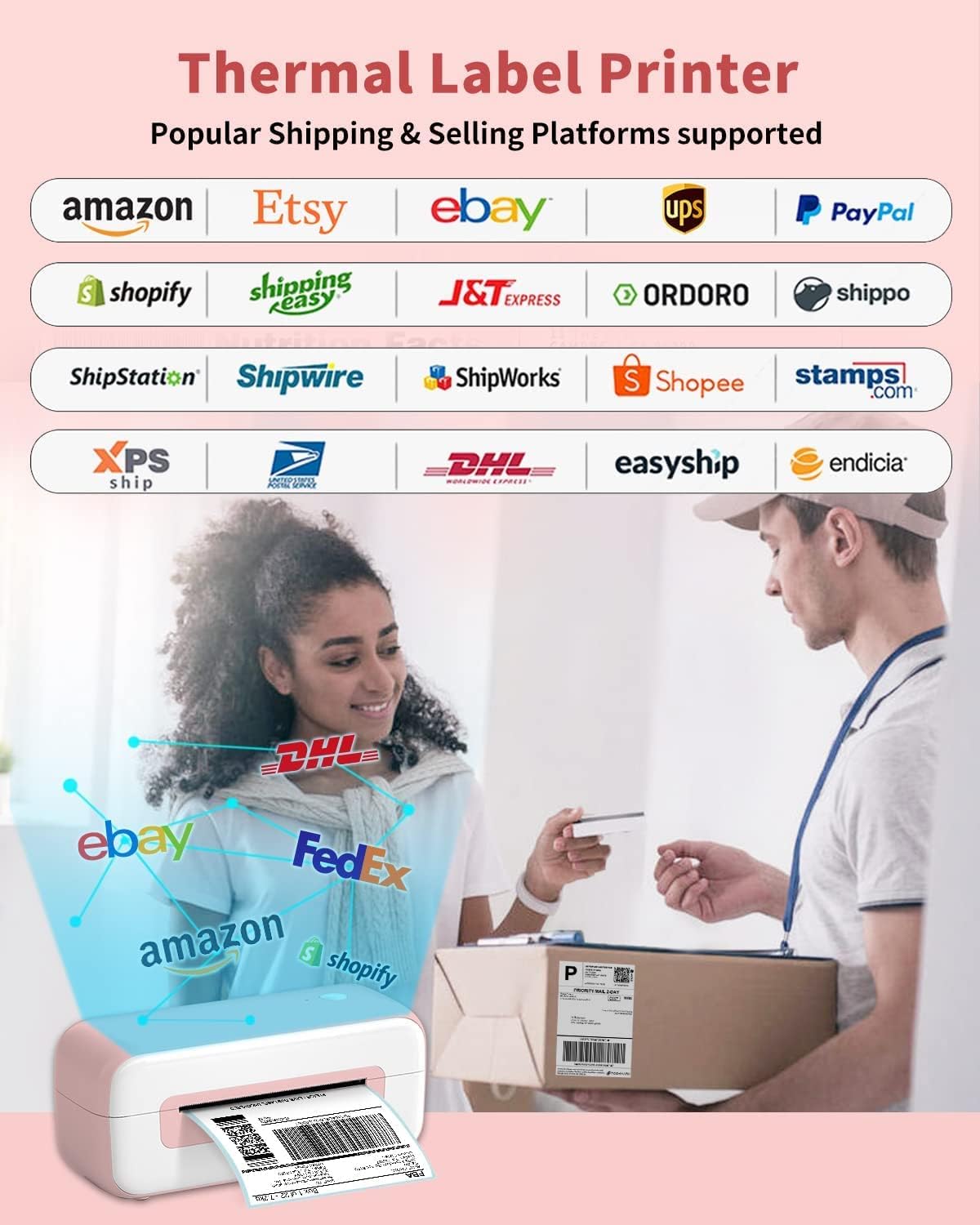
Image: Visual representation of various e-commerce and shipping platforms supported by the Phomemo PM246S printer.

Image: Examples of different label sizes and types, including shipping, address, and round labels, printable with the Phomemo PM246S.

Image: The compact Phomemo PM246S printer positioned on a desk, demonstrating its small footprint.
6. Maintenance
6.1 Cleaning the Printer
Regular cleaning ensures optimal print quality and extends the printer's lifespan:
- Print Head: Use an alcohol swab or a specialized thermal print head cleaning pen to gently wipe the print head. Ensure the printer is off and cooled down before cleaning.
- Exterior: Wipe the exterior of the printer with a soft, damp cloth. Do not use abrasive cleaners or solvents.
- Dust: Use a soft brush or compressed air to remove any dust or paper debris from inside the printer.
6.2 Storing the Printer
When not in use for extended periods, store the printer in a cool, dry place, away from direct sunlight and extreme temperatures. Keep the printer covered to prevent dust accumulation.
7. Troubleshooting
7.1 Common Issues and Solutions
| Issue | Possible Cause | Solution |
|---|---|---|
| Printer not responding | Power cable loose, USB cable disconnected, printer off. | Check all cable connections. Ensure printer is powered on. Restart printer and computer. |
| Poor print quality (faded, lines) | Dirty print head, low-quality labels, incorrect print settings. | Clean the print head. Use high-quality thermal labels. Adjust print density settings in your software. |
| Labels not feeding correctly | Labels loaded incorrectly, label path obstructed, automatic detection failed. | Reload labels correctly, ensuring they are aligned. Clear any obstructions. Perform automatic label detection again. |
| Printer offline | Driver issue, incorrect port selection. | Reinstall printer drivers. Verify the correct USB port is selected in printer settings. |
8. Specifications
| Feature | Detail |
|---|---|
| Model Number | PM246S |
| Printing Technology | Thermal |
| Connectivity | USB |
| Print Resolution | 203 dpi |
| Max Print Speed | 150 mm/s |
| Max Label Width | 116 mm (4.6 inches) |
| Min Label Width | 25.4 mm (1 inch) |
| Operating System Compatibility | Windows, Mac, Linux, Chrome OS |
| Dimensions (L x W x H) | 23 x 8 x 10 cm (approx.) |
| Weight | 1050 Grams |
| Special Features | Inkless printing, Automatic label detection |
9. Warranty and Support
Phomemo is committed to providing excellent customer service:
- Customer Service: Strong 24-hour customer service is available to help resolve any issues you may encounter.
- Returns: We support free returns for 30 days. Please do not hesitate to contact us if you have any questions or concerns.
- Official Store: For more information and products, visit the Phomemo Store.


