
Introduction
This manual provides essential information for the proper installation, use, and maintenance of your KoreHealth Kore 2.0 Elite Fitness Tracker Replacement Band. Please read these instructions carefully before use to ensure optimal performance and longevity of your product.

Figure 1: KoreHealth Kore 2.0 Elite Fitness Tracker Replacement Band (Polar White)
Setup: Replacing Your Band
The KoreHealth Kore 2.0 Elite Fitness Tracker Replacement Band is designed for easy installation without specialized tools. Follow these steps to replace your existing band:
- Remove the Current Band: Gently twist and pull the current wristband away from the main fitness tracker unit. It should detach with minimal force.
- Attach the New Band: Align the new replacement band with the insert slots on the fitness tracker unit. Push the wristband firmly into the insert until you hear or feel a click, indicating it is securely fastened.
- Verify Connection: Lightly tug on the attached band to ensure it is firmly connected to the tracker unit. A secure connection prevents accidental detachment during activity.

Figure 2: Visual guide for band assembly. To remove, pull out the current band. To replace, push the wristband into the insert.
Video 1: Demonstration of changing Kore 2.0 Elite Fitness Tracker bands, showcasing various color options and the simple attachment process.
Operating Instructions
Once the replacement band is securely attached, your Kore 2.0 Elite Fitness Tracker is ready for use. This band is designed to enhance your daily activity tracking experience.
- Comfortable Wear: The band is made from premium, flexible elastomer material, ensuring comfort during extended wear, including during sleep or intense physical activity.
- Secure Fit: The pin-and-tuck clasp provides a snug and secure fit, preventing the tracker from falling off during movement. Adjust the band to a comfortable tightness that allows for accurate sensor readings without restricting circulation.
- Water and Sweat Resistant: The band is water and sweat resistant, making it suitable for various activities such as running, showering, or washing dishes. This feature ensures durability and hygiene.
- Activity Tracking: The band is an integral part of your Kore Elite activity tracker, enabling continuous monitoring of vital signs, steps, calories burned, and sleep patterns.

Figure 3: The Kore 2.0 Elite Fitness Tracker band is water-resistant, durable, and easy to attach.
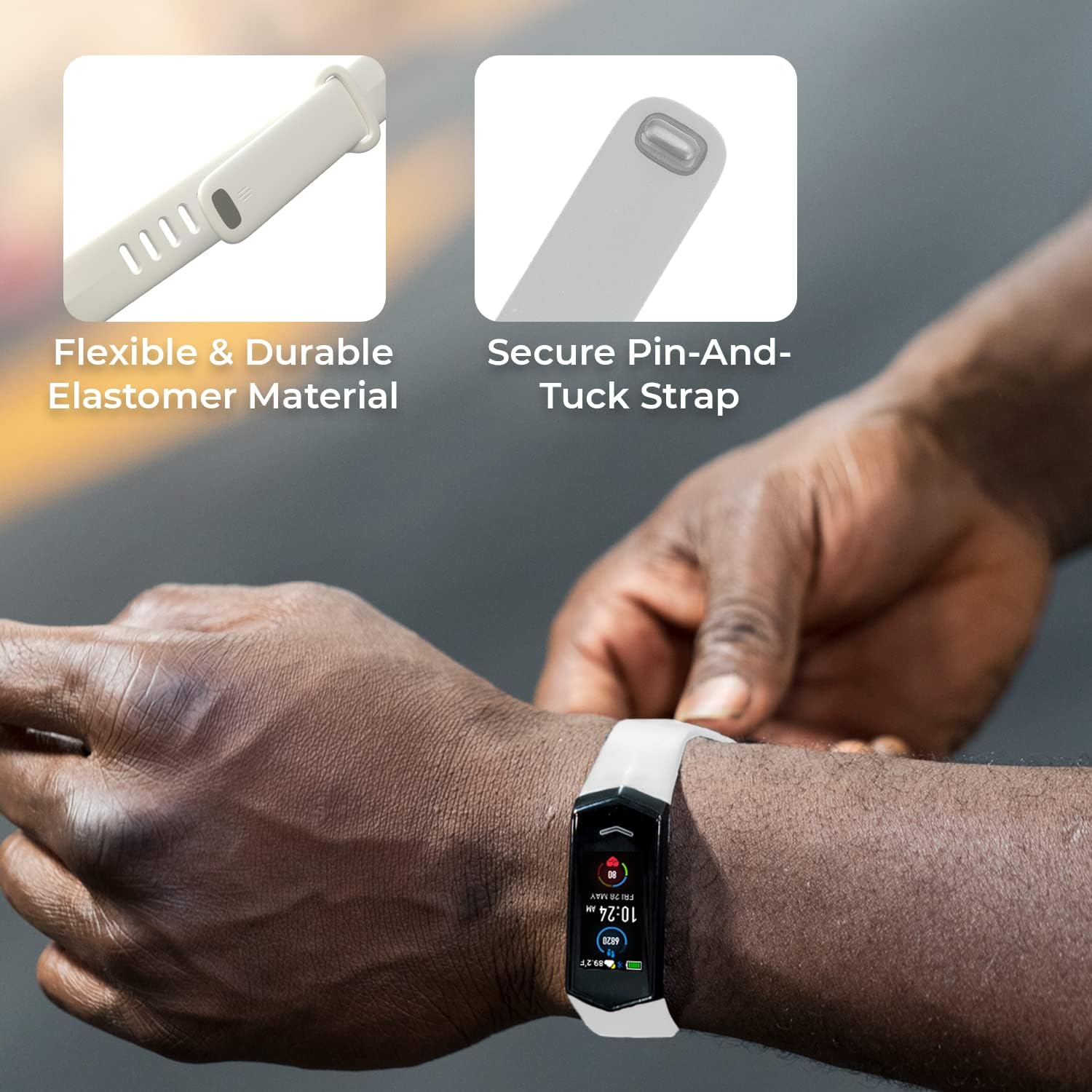
Figure 4: The band features flexible and durable elastomer material with a secure pin-and-tuck strap for a reliable fit.
Maintenance
To maintain the quality and hygiene of your KoreHealth Kore 2.0 Elite Fitness Tracker Replacement Band, follow these simple maintenance guidelines:
- Cleaning: Regularly clean the band with mild soap and water. Rinse thoroughly and dry completely before reattaching to your wrist. Avoid harsh chemicals or abrasive materials that could damage the elastomer.
- Storage: When not in use, store the band in a cool, dry place away from direct sunlight and extreme temperatures.
- Inspection: Periodically inspect the band for any signs of wear, tear, or damage. If the band shows significant damage, replace it to ensure continued secure fit and comfort.
Troubleshooting
If you encounter any issues with your replacement band, consider the following:
- Band Detachment: Ensure the band is correctly aligned and fully pushed into the tracker's insert slots until it clicks. A loose connection can cause detachment.
- Discomfort/Irritation: Adjust the band's tightness. If irritation persists, clean the band thoroughly and ensure it is dry. If the issue continues, discontinue use and consult a healthcare professional.
- Difficulty Attaching/Removing: Ensure no debris is obstructing the connection points on either the band or the tracker. Apply gentle, firm pressure during attachment.
Specifications
| Feature | Detail |
|---|---|
| Material | TPU plastic |
| Clasp Type | Pin-and-tuck |
| Package Dimensions | 6.3 x 3.35 x 1.73 inches |
| Item Weight | 0.39 ounces |
| Department | Unisex Adult |
| First Available | February 27, 2023 |

Figure 5: Dimensions of the Kore 2.0 Elite Fitness Tracker Replacement Band.
Warranty Information
For detailed warranty information regarding your KoreHealth Kore 2.0 Elite Fitness Tracker Replacement Band, please refer to the documentation provided with your original fitness tracker or contact KoreHealth customer support directly. Warranty terms may vary based on region and purchase date.
Customer Support
If you require further assistance, have questions, or need to purchase additional accessories, please visit the official KoreHealth Store or contact their customer support team.
