
ANRAN Q1
ANRAN 5MP FHD Outdoor Surveillance Camera User Manual
Model: Q1 Max (Grey)
Brand: ANRAN
Introduction
This manual provides comprehensive instructions for the setup, operation, and maintenance of your ANRAN 5MP FHD Outdoor Surveillance Camera. Designed for robust outdoor security, this wireless camera features a solar panel for continuous power, 5MP high-definition resolution, PIR motion detection, two-way audio, and compatibility with smart home systems like Alexa. Please read this manual carefully to ensure proper installation and optimal performance of your device.

Figure 1: ANRAN 5MP FHD Outdoor Surveillance Camera with Solar Panel.
Setup
1. App Download and Installation
To begin, download the CloudEdge application on your smartphone. The app is available on both the Apple App Store and Google Play Store. Scan the QR codes below or search for "CloudEdge" in your respective app store.

Apple App Store

Google Play Store
Follow the on-screen instructions within the CloudEdge app to set up your Q1 camera. This typically involves selecting "Battery Camera" and following prompts to connect to your 2.4GHz Wi-Fi network.
Video 1: Demonstrates the initial setup process using the CloudEdge app, including scanning the QR code for device pairing and Wi-Fi connection.
2. Camera Installation
The ANRAN Q1 camera is designed for flexible wireless setup, powered by a solar panel for continuous operation. It can be easily mounted on a stable wall base.

Figure 2: Illustrates the flexible wireless setup of the camera with its solar panel.
Installation Tips:
- Use the outdoor mounting bracket if installing outside.
- It is recommended to install the camera at a height of 2-3 meters for optimal coverage.
- Avoid placing the camera lens directly against strong sunlight.
- Ensure the camera is not placed too close to walls or glass to prevent reflections or signal interference.
- The camera can be easily detached from its base for charging if solar power is insufficient.
Operating Instructions
1. High-Definition Viewing (5MP HD)
The ANRAN Q1 camera provides a 5MP resolution (2560x1920) for a superior visual experience, capturing clearer and smoother videos both day and night. The camera supports both infrared and color night vision modes. In color night vision, the four spotlights illuminate to provide full-color images and deter intruders.
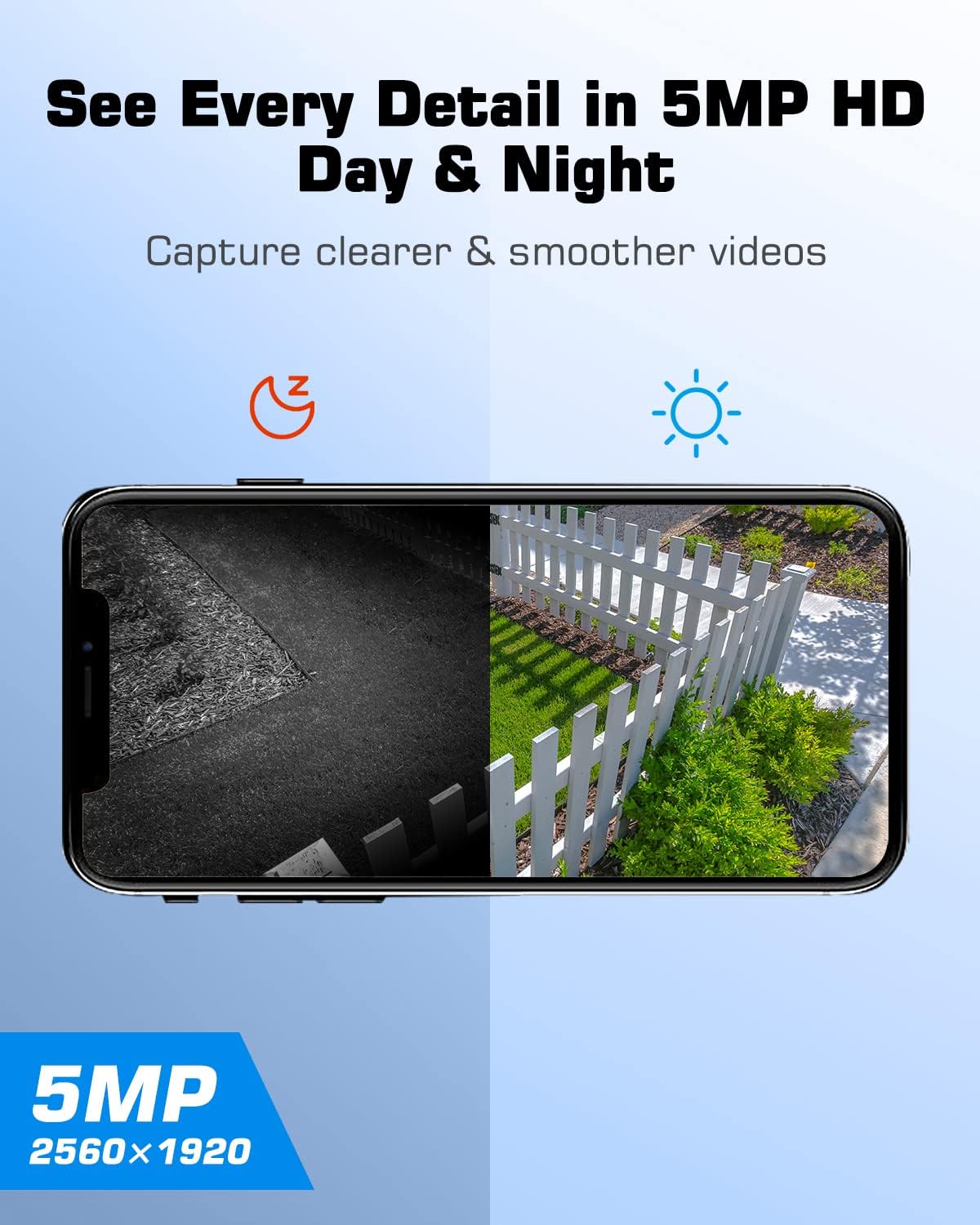
Figure 3: Comparison of day and night vision capabilities at 5MP HD resolution.
2. Pan & Tilt Functionality
The camera offers a 360° pan and 90° tilt capability, allowing you to monitor a wide area without blind spots. Control these movements directly from the CloudEdge app on your smartphone.

Figure 4: Demonstrates the camera's 355° pan and 90° tilt range for comprehensive coverage.
3. PIR Motion Detection and Instant Alerts
Equipped with a PIR sensor, the camera accurately detects human motion. When motion is detected, you will receive instant alerts on your mobile device. The camera can also activate a siren to deter intruders.

Figure 5: Shows the camera's smart siren alarm and instant alert features upon motion detection.
4. Two-Way Audio
Communicate directly with individuals near the camera using the two-way audio feature via the mobile app. This allows for real-time interaction, such as speaking to delivery personnel or warning unwanted visitors.
Video 2: Demonstrates the two-way audio functionality, allowing communication through the camera.
5. Storage Options
The camera supports local storage via a Micro SD card (up to 128GB, not included). Additionally, a 7-day free trial for cloud storage is available, providing a secure backup for your recordings without hidden costs.

Figure 6: Illustrates the Micro SD card slot and the availability of cloud storage.
6. Smart Home Integration
The ANRAN Q1 camera is compatible with Alexa devices, allowing for voice control and integration into your smart home ecosystem.
Maintenance
The ANRAN Q1 camera is designed for low maintenance, primarily due to its solar charging capability and waterproof construction.
- Solar Charging: The integrated solar panel keeps the camera battery charged, minimizing the need for manual recharging. Ensure the solar panel is positioned to receive adequate sunlight.
- Battery Recharging: If solar power is insufficient during prolonged periods of low sunlight, the camera can be easily removed from its base for manual charging via a power adapter.
- Waterproof Design: The camera is waterproof, designed to withstand various outdoor weather conditions. Regular cleaning of the lens and solar panel with a soft, damp cloth is recommended to ensure optimal performance.
Troubleshooting
If you encounter issues with your ANRAN Q1 camera, please refer to the following common troubleshooting steps:
| Problem | Possible Cause / Solution |
|---|---|
| Camera fails to connect to Wi-Fi. |
|
| Motion detection recordings are incomplete or miss the beginning. |
|
| Cannot save videos or images to smartphone from the app. |
|
| Battery not charging via solar panel or power adapter. |
|
Specifications
| Feature | Detail |
|---|---|
| Brand | ANRAN |
| Model Number | Q1 |
| Color | Grey |
| Video Resolution | 5MP (2560x1920) |
| Connectivity Protocol | Wi-Fi (2.4GHz) |
| Power Source | Battery powered, Solar powered |
| Controller Type | Amazon Alexa, Google Assistant, iOS, Android |
| Mounting Type | Wall Mount |
| Viewing Angle | 360 Degrees (Pan & Tilt) |
| Night Vision Range | 15 Meters |
| Material | Plastic |
| Water Resistance | Waterproof |
| Storage | Micro SD Card (up to 128GB), Cloud Storage |
| Batteries | 2 Lithium-Ion Batteries required |
Warranty and Support
ANRAN is committed to providing high-quality products and excellent customer service.
- 2-Year Warranty: Your ANRAN Q1 camera is covered by a 2-year warranty from the date of purchase.
- Lifetime Technical Support: ANRAN offers lifetime technical support for your product.
- 7x24-Hour Online Service: For any inquiries or assistance, our support team is available 24/7 online.

Figure 7: ANRAN's commitment to customer service and support.
Related documentsQ1


Ask a question about this manual
Ask about setup, troubleshooting, compatibility, parts, safety, or missing instructions. Manuals+ will review the question and use this page’s manual context to help answer it.