1. Introduction
Thank you for choosing the HomePlus 2-in-1 Cooling Neck Fan. This device is designed to provide instant personal cooling and refreshing airflow, ideal for combating heat and hot flashes. Its ergonomic design and advanced semiconductor refrigeration technology ensure comfort and efficiency.

Figure 1: HomePlus 2-in-1 Cooling Neck Fan (Navy Blue)
Package Contents:
- HomePlus 2-in-1 Cooling Neck Fan
- Type-C USB Charging Cable
- User Manual
2. Setup and Charging
Before first use, fully charge your HomePlus Cooling Neck Fan. The device features a 4400mAh large battery, providing extended use.
Charging Instructions:
- Locate the Type-C USB charging port on the device.
- Connect the provided Type-C USB cable to the fan.
- Plug the other end of the USB cable into a compatible USB power adapter (not included) or a computer's USB port.
- The LED display will indicate the battery charging status. A full charge typically takes approximately 3 hours.
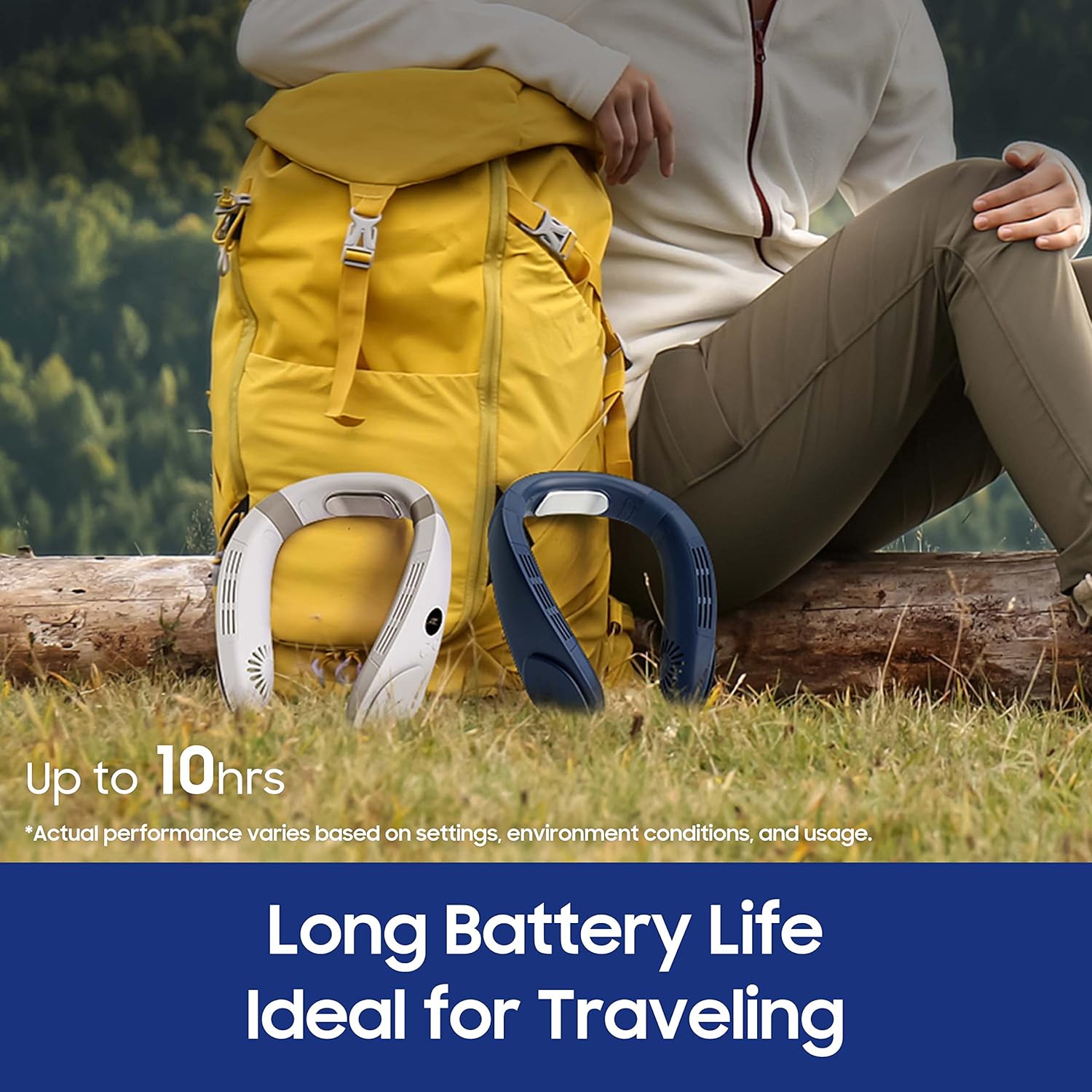
Figure 2: Long-lasting battery for extended use.
3. Operating Instructions
The HomePlus 2-in-1 Cooling Neck Fan offers both fan mode and a cooling plate for versatile personal cooling.
Controls and LED Display:
The device features an intuitive LED display that shows battery level, current fan speed, and cooling level. Control buttons are conveniently located on the side of the fan.

Figure 3: Convenient LED display for real-time status.
Fan Mode:
Press the fan button to cycle through 3 powerful fan speeds. The high-performance motors spin up to 5000 rpm, providing refreshing air around your cheeks and neck.
- Speed 1 (Low): Gentle breeze for light cooling.
- Speed 2 (Medium): Moderate airflow for consistent comfort.
- Speed 3 (High): Strong airflow for maximum cooling.

Figure 4: Fan Mode provides powerful airflow.
Cooling Mode (Semiconductor Refrigeration):
Activate the cooling plate feature by pressing the dedicated cooling button. The semiconductor refrigeration technology delivers cool temperature sensations to the back of your neck, offering instant relief. There are 3 temperature settings for the cooling plate.
- Level 1: Mild cooling.
- Level 2: Moderate cooling.
- Level 3: Maximum cooling, reaching temperatures as low as 59°F (15°C) in approximately 1 second.

Figure 5: Cool Mode for instant cooling relief.

Figure 6: Semiconductor Cooling Plate enhances cooling experience.
Wearing the Device:
The ergonomic and flexible design ensures a comfortable fit around your neck, preventing slippage during activities. It is made from skin-friendly and durable materials.

Figure 7: Comfortable and ergonomic design.
4. Maintenance
To ensure the longevity and optimal performance of your HomePlus Cooling Neck Fan, follow these maintenance guidelines:
- Cleaning: Use a soft, dry cloth to wipe the exterior of the fan. Do not use abrasive cleaners or immerse the device in water.
- Storage: When not in use, store the fan in a cool, dry place away from direct sunlight and extreme temperatures.
- Battery Care: To maintain battery health, avoid fully discharging the battery frequently. Recharge the device when the battery level is low.
5. Troubleshooting
If you encounter any issues with your HomePlus Cooling Neck Fan, please refer to the following common problems and solutions:
| Problem | Possible Cause | Solution |
|---|---|---|
| Device does not turn on. | Low or no battery charge. | Charge the device fully using the provided Type-C USB cable. |
| Fan is not blowing or airflow is weak. | Fan speed set too low; obstructions in air vents. | Increase fan speed using the control button. Check and clear any obstructions from the air vents. |
| Cooling plate is not cold. | Cooling mode not activated or set too low. | Activate cooling mode and increase the cooling level using the control button. Ensure the device is adequately charged. |
| Short battery life. | High fan speed or cooling level; frequent use of both modes. | Reduce fan speed or cooling level. Battery life varies based on settings, environmental conditions, and usage. |
6. Specifications
| Feature | Detail |
|---|---|
| Product Dimensions | 7.8 x 7.3 x 2.4 inches |
| Item Weight | 12 ounces (0.75 Pounds) |
| Manufacturer | HomePlus |
| Model Number | 2-in-1 Neck Fan |
| Battery | 4400mAh Lithium Ion (included) |
| Power Source | Battery Powered |
| Material | Plastic |
| Color | Navy Blue |
| Charging Time | Approx. 3 hours |
| Operating Time | Up to 10 hours (fan only, low speed) |

Figure 8: Battery life varies by mode and settings.
7. Warranty and Support
HomePlus products are designed for quality and reliability. For warranty information and customer support, please refer to the warranty card included in your package or visit the official HomePlus website. Registering your product may extend your warranty coverage.
For further assistance, please contact HomePlus customer service.