
Product Overview
The intelamp Solar Flood Light (Model YL002-12C) is a high-efficiency, solar-powered LED lighting solution designed for outdoor security and illumination. Featuring a 6000mAh battery and 1200 lumens brightness, it provides reliable lighting from dusk to dawn. Its dual motion sensors offer a wide 270° lighting angle and 180° motion detection range, ensuring comprehensive coverage. The light includes multiple smart modes and can be controlled via a remote, making it versatile for various outdoor applications such as yards, driveways, gardens, and porches.

Figure 1: intelamp Solar Flood Light (Model YL002-12C) with included remote control.
What's in the Box
- intelamp Solar Flood Light Unit
- Remote Control
- Mounting Hardware (Screws, Wall Anchors)
- Instruction Manual (This document)
Specifications
| Feature | Detail |
|---|---|
| Brand | intelamp |
| Model Name | YL002-12C |
| Brightness | 1200 Lumens |
| Battery Capacity | 6000mAh Lithium Ion (included) |
| Power Source | Solar Powered |
| Motion Sensor Angle | 180° |
| Lighting Angle | 270° Wide Coverage |
| Water Resistance | IP65 Waterproof |
| Product Dimensions | 9.8"L x 4.5"W x 5.3"H |
| Item Weight | 1.74 pounds |
| Light Color Temperature | 6500 Kelvin (White Light) |
| Control Method | Remote Control |
| Installation Type | Wall Mount, Pole Mount |

Figure 2: Product dimensions and large solar panel for efficient charging.
Key Features
- All-Night Lighting: Powered by a high-efficiency solar panel and 6000mAh battery, providing up to 3 nights of lighting in sensor mode on a full charge.
- Ultra-Bright Illumination: Delivers 1200 lumens with 3 adjustable light heads for a wide 270° lighting angle.
- Dual Motion Sensors: Features dual motion sensors with a 180° detection range, detecting movement from both front and sides for enhanced security.
- 4 Smart Modes: Offers versatile lighting options including Dim + Sensor, OFF + Sensor, Dim + Lighting, and OFF + Lighting modes. Motion duration is customizable (20s, 30s, 40s).
- IP65 Waterproof: Designed for reliable outdoor use, resistant to heavy rain and snow.
- Easy Installation: All-in-one design allows for quick mounting on walls, fences, trees, or lamp posts.

Figure 3: High brightness and waterproof design for outdoor durability.
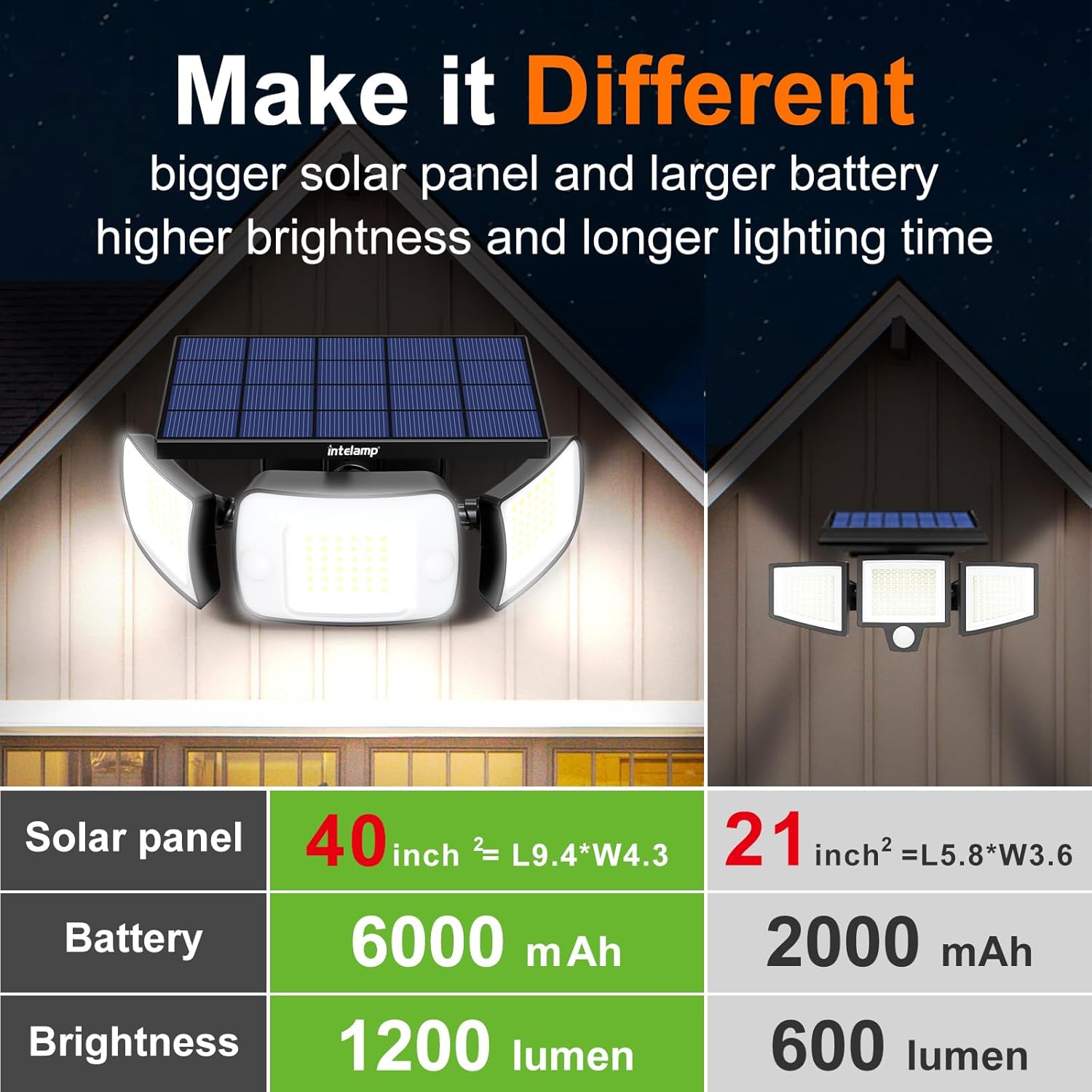
Figure 4: Dual sensors provide a wider and longer detection range (180° detection angle, 25ft*2 operation range).
Setup and Installation
Before installation, ensure the solar panel receives direct sunlight for optimal charging. A full charge typically takes 4 hours of direct sunlight.
Choosing an Installation Location:
- Select a location where the solar panel can receive at least 4-6 hours of direct sunlight daily.
- Avoid areas under eaves, trees, or other obstructions that may block sunlight or cast shadows.
- The recommended installation height is approximately 13 feet for optimal motion detection and lighting coverage.

Figure 5: Optimal installation height and maximum detecting distance of 25ft.
Mounting Instructions:
The intelamp Solar Flood Light supports both wall mount and pole mount installations.
- Prepare the Unit: Rotate the solar panel from side to side and the central lamp vertically up and down to provide space for the installation of screws.
- Mark Drilling Points: Hold the light unit against the desired mounting surface and mark the positions for the mounting holes. The hole spacing is 3.5 inches.
- Drill Holes: Drill holes at the marked positions. Insert wall anchors if installing on masonry or drywall.
- Secure the Light: Align the light unit with the drilled holes and secure it using the provided screws.
- Adjust Angles: Adjust the solar panel (up and down by 60 degrees, optimum tilt angle usually 20 degrees) and light heads (main light head horizontally, up and down by 45 degrees; side light heads horizontally, left and right by up to 90 degrees) to achieve desired coverage and sunlight exposure.
- Pole/Tree Installation (Optional): For pole or tree mounting, insert cable ties through the mounting holes on the light unit and securely tie the light to the pole or tree trunk.

Figure 6: Adjustability of the solar panel and light heads for optimal positioning.

Figure 7: Step-by-step guide for wall and cable tie installation.
Operating Instructions
The intelamp Solar Flood Light features 4 smart modes and can be controlled using the included remote control.

Figure 8: Overview of remote control buttons and their functions.
Remote Control Functions:
- ON/OFF: Turns the light on or off.
- Sensor Mode (20s / 30s / 40s): Sets the duration of high brightness after motion detection.
- Dim / Off (Sensor Mode): After the set motion duration, the light will either dim to a low brightness or turn completely off until new motion is detected.
- Lighting Mode (2H / +1H / 6H): Sets the duration for the light to maintain medium brightness.
- Dim / Off (Lighting Mode): After the set lighting duration, the light will either dim to a low brightness or turn completely off until dawn.
- Brightness Adjustment: Adjusts the overall brightness of the light (e.g., 60%, 80%, 100%).
Smart Modes Explained:
- Dim + Sensor Mode:
The light maintains a low brightness (e.g., 20%) at night. When motion is detected, it turns on to strong light (100% brightness) for the set duration (20s/30s/40s), then returns to dim brightness after people leave.
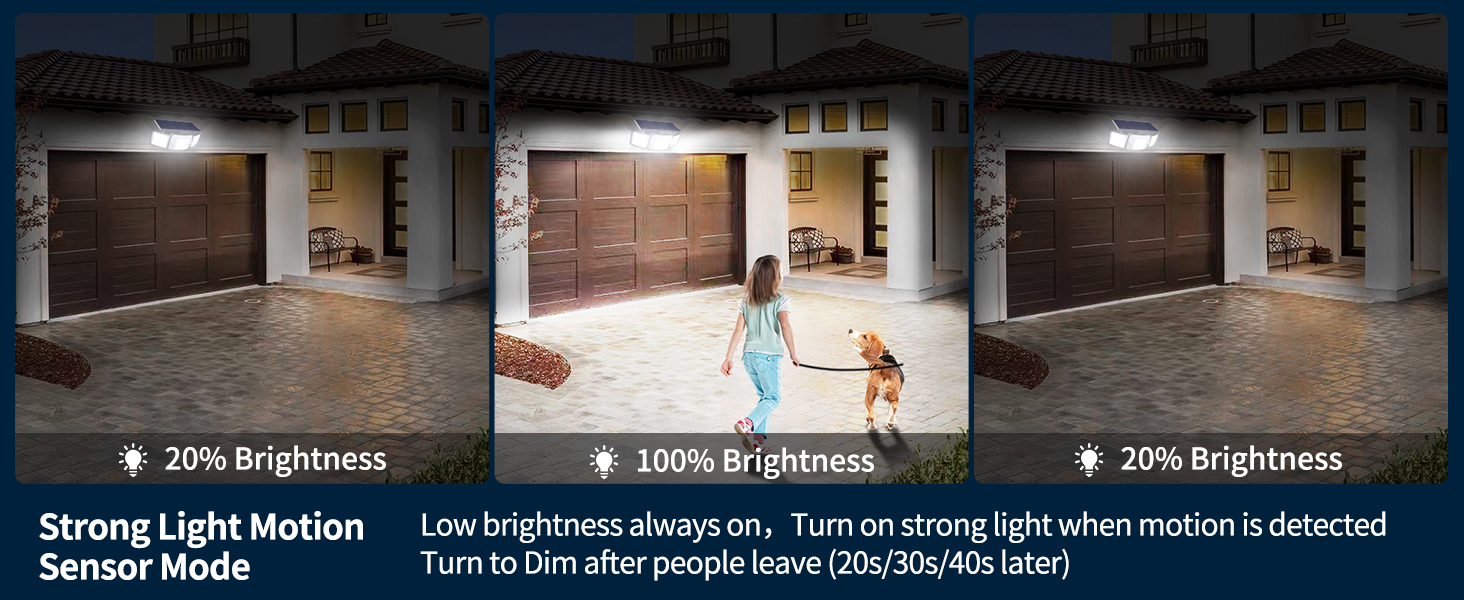
Figure 9: Dim + Sensor Mode: Low brightness always on, strong light on motion, then dim.
- OFF + Sensor Mode:
The light remains off at night. When motion is detected, it turns on to strong light (100% brightness) for the set duration (20s/30s/40s), then turns completely off after people leave.
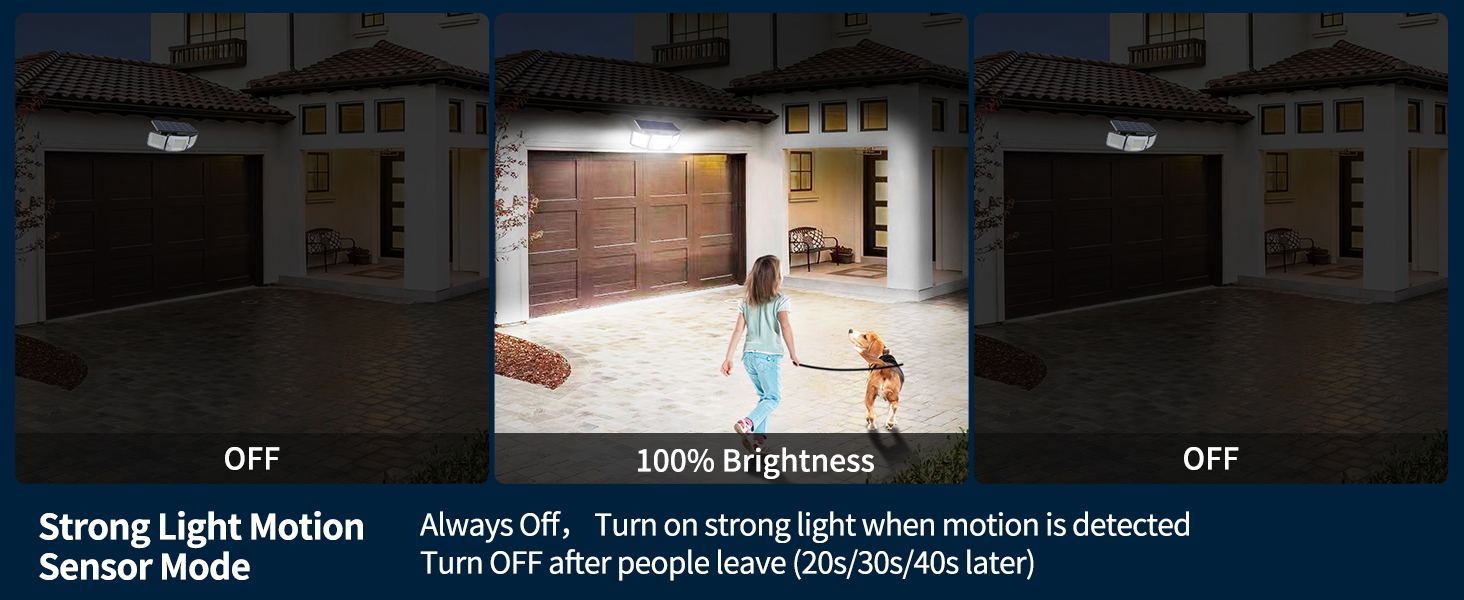
Figure 10: OFF + Sensor Mode: Off when no motion, strong light on motion, then off.
- Dim + Lighting Mode (Motion Sensor Disabled):
The light maintains a medium brightness (e.g., 80%) for a set timing (2-12 hours) at night. After the timing ends, it dims to a low brightness (e.g., 20%) until dawn.
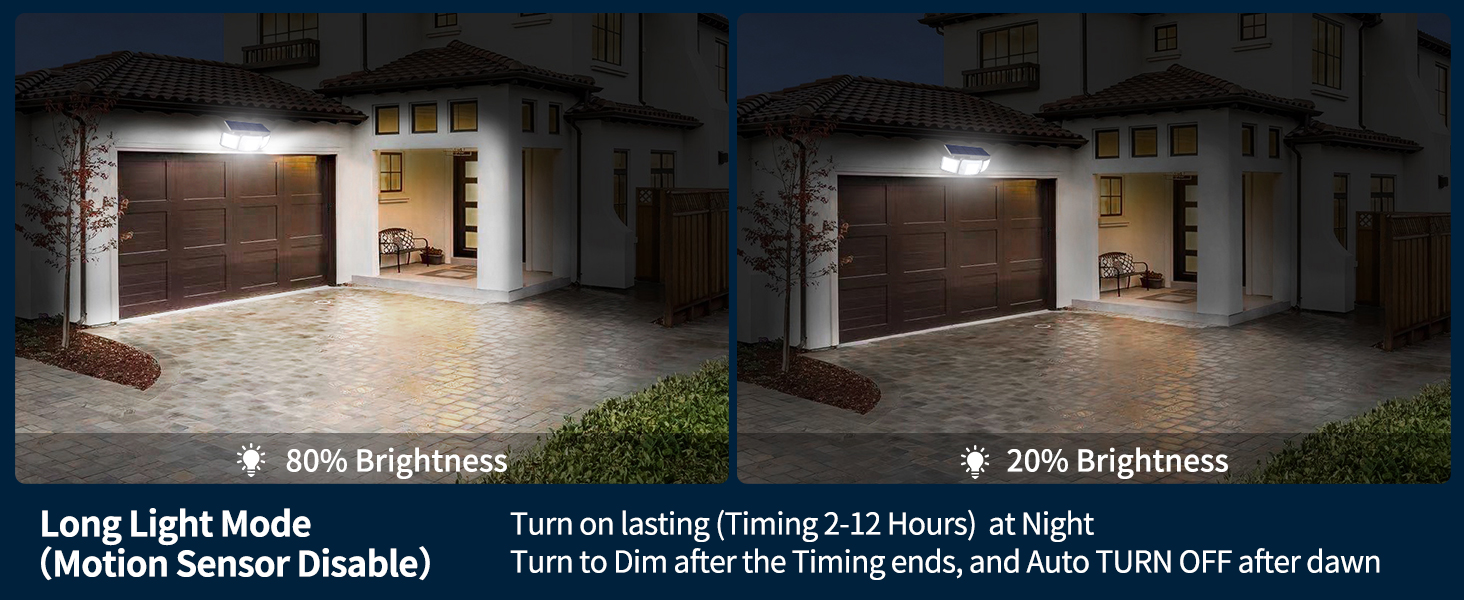
Figure 11: Dim + Lighting Mode: Constant medium brightness for set time, then dim until dawn.
- OFF + Lighting Mode (Motion Sensor Disabled):
The light maintains a medium brightness (e.g., 80%) for a set timing (2-12 hours) at night. After the timing ends, it turns completely off. It will turn on automatically after dark the next day.
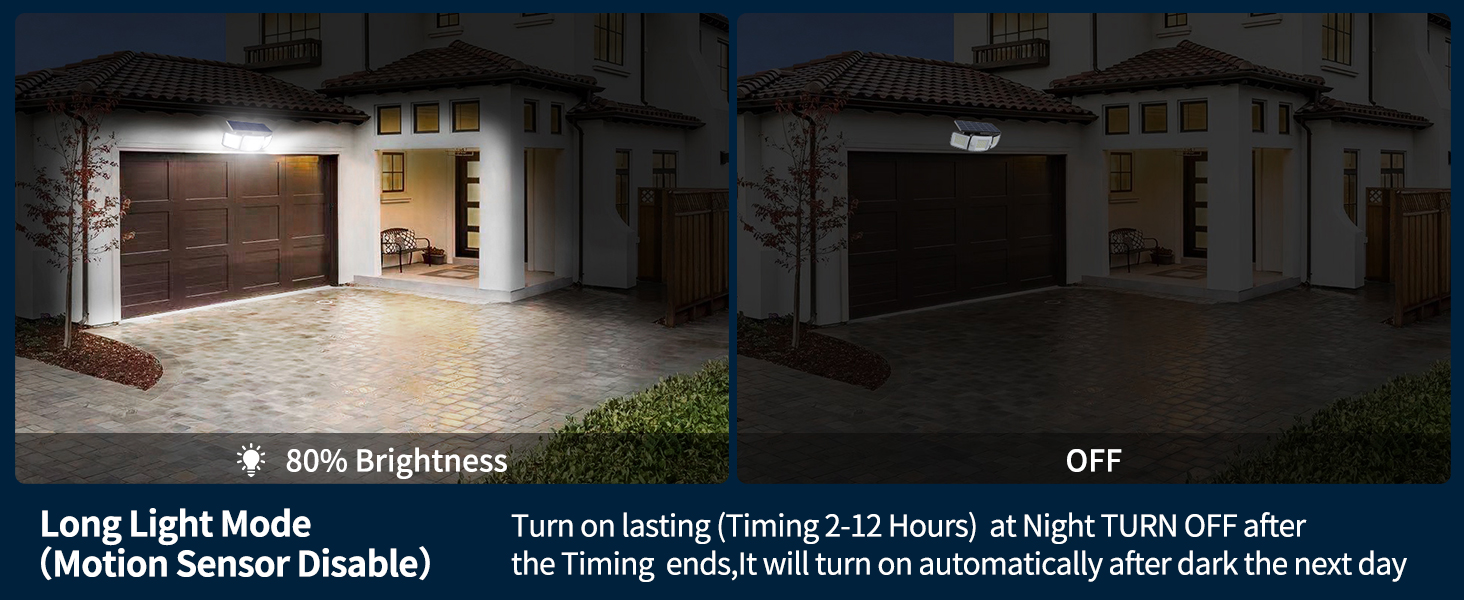
Figure 12: OFF + Lighting Mode: Constant medium brightness for set time, then off until next dark cycle.
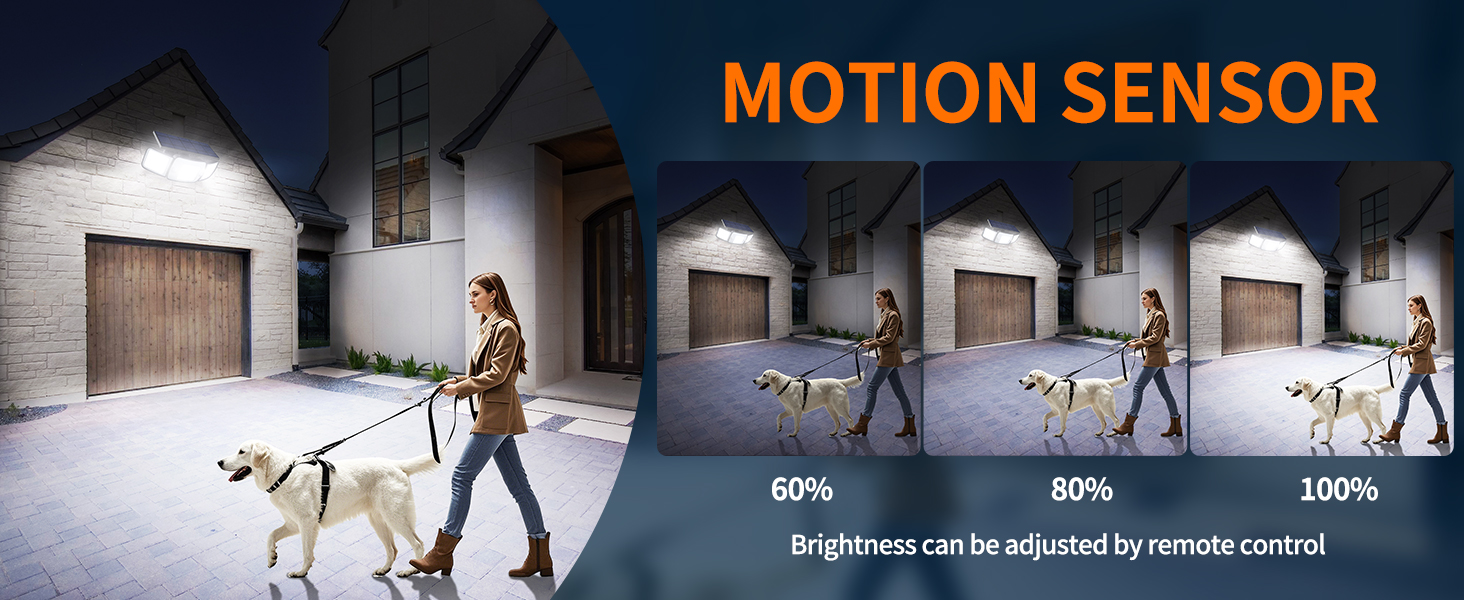
Figure 13: Brightness can be adjusted by remote control (60%, 80%, 100%).
Maintenance
- Solar Panel Cleaning: Regularly wipe the solar panel with a soft, damp cloth to remove dust, dirt, or debris. A clean panel ensures maximum sunlight absorption and charging efficiency.
- Battery Care: The integrated Lithium Ion battery is designed for long life. For optimal performance, ensure the light receives sufficient sunlight for charging, especially after prolonged periods of low light or heavy use.
- General Cleaning: Clean the light heads and housing periodically to maintain optimal light output and appearance.
- Winter Performance: In snowy conditions, clear snow from the solar panel to allow for charging. The IP65 rating ensures durability in harsh weather.
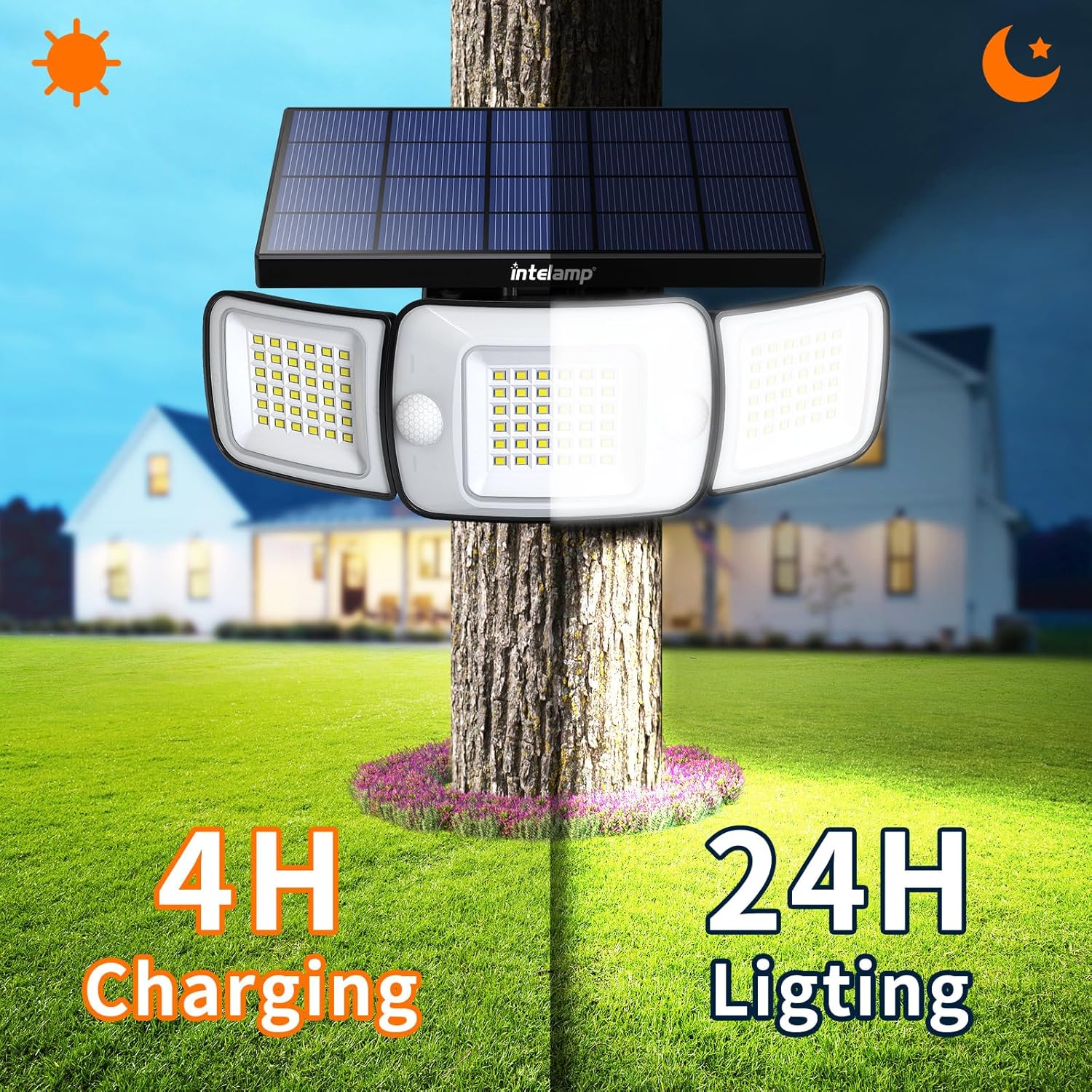
Figure 14: The light charges during the day (4H) and provides illumination at night (24H).
Troubleshooting
| Problem | Possible Cause | Solution |
|---|---|---|
| Light does not turn on at night. | Insufficient solar charge. | Ensure the solar panel is in direct sunlight for at least 4-6 hours daily. Clean the solar panel. |
| Light flickers or has low brightness. | Low battery charge or dirty solar panel. | Allow the light to charge fully in direct sunlight. Clean the solar panel. |
| Motion sensor not detecting. | Sensor obstructed or incorrect mode. | Ensure the sensor is clear of obstructions. Verify the light is in a motion sensor mode (Dim + Sensor or OFF + Sensor). |
| Remote control not working. | Battery in remote is dead or remote is too far. | Replace the remote control battery. Ensure you are within effective range of the light. |
Warranty and Support
The intelamp Solar Flood Light comes with a Limited Warranty. For specific warranty details or technical support, please refer to the warranty card included with your product or contact intelamp customer service through the retailer where you purchased the product.
For more information and product updates, visit the official intelamp store: intelamp Store
Product Videos
The Ultimate Test: Intelamp Solar Lights in Wind and Snow
This video demonstrates the durability and performance of intelamp solar lights in challenging weather conditions, specifically wind and snow. It highlights their ability to provide effective illumination even in adverse environments, showcasing the new lighting system installed at Roberts Farm for night skiing.
