
Introduction
Thank you for choosing the Yebicola 4D 9-Floating Head Shaver. This device is designed to provide a comfortable and efficient shaving experience for bald men, offering versatility with its 6-in-1 grooming kit. Please read this manual thoroughly before using the product to ensure safe operation and optimal performance. Keep this manual for future reference.
Important Safety Information
To reduce the risk of electric shock, injury, or damage, please observe the following safety precautions:
- Do not immerse the charging base or power adapter in water or other liquids.
- Keep the device away from children. This is not a toy.
- Do not use the shaver if it is damaged or malfunctioning. Contact customer support for assistance.
- Only use the provided charging cable and adapter.
- Ensure your hands are dry when plugging or unplugging the charger.
- Do not attempt to disassemble or repair the shaver yourself.
- Avoid using the shaver on irritated, damaged, or infected skin.
- For external use only.
Package Contents
Verify that all items are present in your package:
- Yebicola 4D 9-Floating Head Shaver
- Extra Replacement Blade
- Nose Hair Trimmer Attachment
- Facial Massager Attachment
- Sideburns Trimmer Attachment
- Facial Cleansing Brush Attachment
- Body Trimmer Attachment
- USB Charging Cable
- Cleaning Brush
- Protective Cap
- User Manual

The Yebicola 4D 9-Floating Head Shaver and its various attachments, including the nose hair trimmer, facial massager, sideburns trimmer, facial cleansing brush, and body trimmer.

A visual representation of the shaver and its included components, highlighting the comprehensive grooming kit.
Product Overview
The Yebicola 4D 9-Floating Head Shaver features an ergonomic design for comfortable handling and a powerful motor for efficient grooming. Its 9 floating heads adapt to the contours of your head and face for a close shave.

The main shaver unit with its 9 floating heads, designed for a smooth and close shave.

An illustration demonstrating the 4D floating head technology, showing how the blades adapt to facial and head contours.
Setup and Initial Use
1. Charging the Shaver
Before first use, fully charge the shaver. Connect the USB charging cable to the shaver's charging port and plug the other end into a USB power source (e.g., computer, power bank, or wall adapter). The LED display will indicate the charging status.
- Charging Time: Approximately 2 hours for a full charge.
- Operating Time: Up to 90 minutes on a full charge.
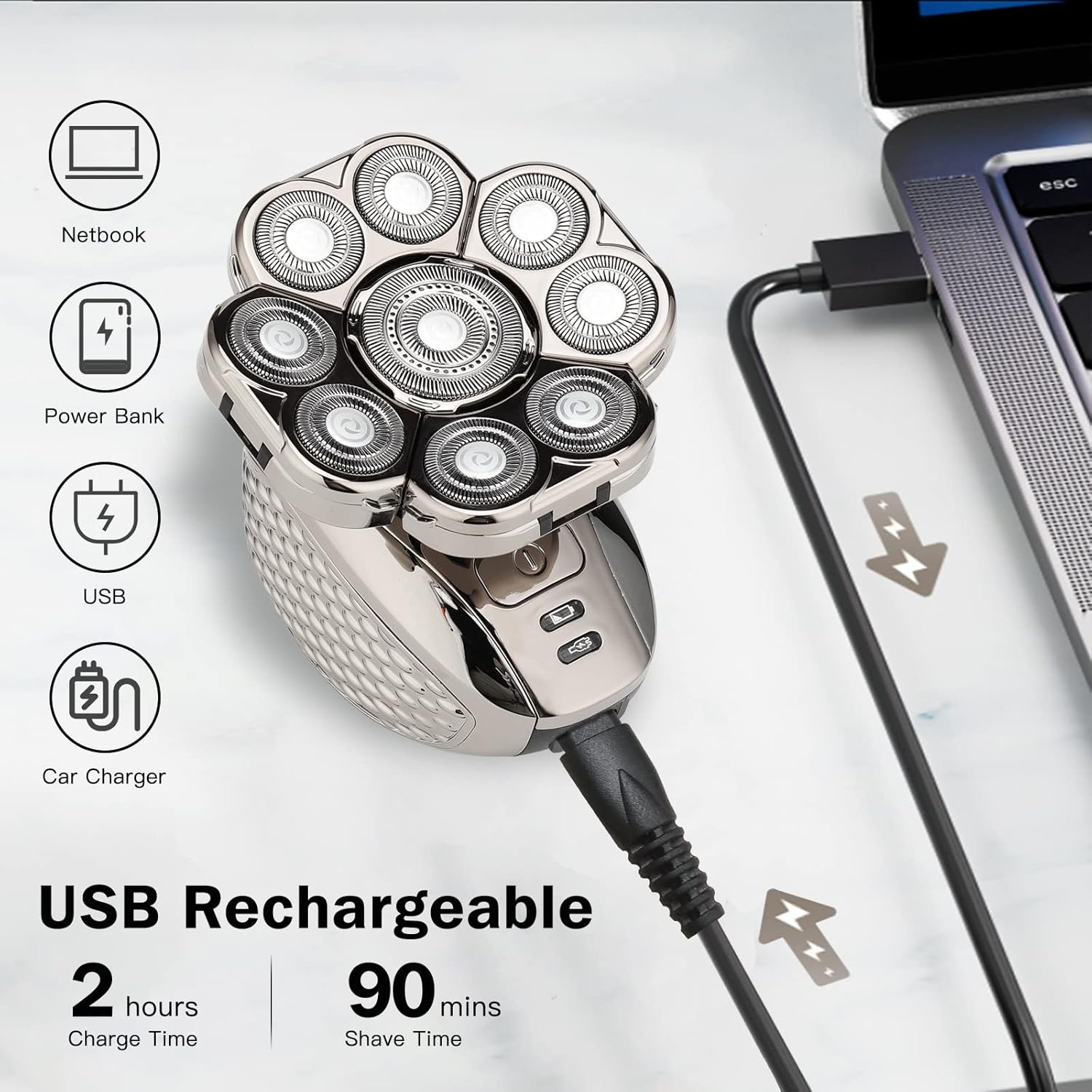
The shaver being charged via a USB connection, illustrating its compatibility with various USB power sources.
2. Attaching/Detaching Accessories
To attach an accessory, align the accessory with the shaver body and push it firmly until it clicks into place. To detach, pull the head horizontally away from the shaver body.

Visual guide on how to easily change and attach different grooming heads to the shaver body.
Operating Instructions
1. Shaving Your Head or Face
- Ensure the shaver is fully charged.
- Attach the 9-floating head shaver attachment.
- Dry Shave: For a quick shave, use the shaver on dry skin.
- Wet Shave: For a smoother shave, apply shaving cream or gel to your skin. The shaver is IPX5 waterproof and can be used in the shower.
- Press the power button to turn on the shaver.
- Gently move the shaver in circular motions over the area you wish to shave. Do not press too hard.
- After shaving, turn off the shaver and clean it as described in the Maintenance section.
2. Using Other Attachments (6-in-1 Grooming Kit)
Each attachment is designed for specific grooming needs:
- Nose Hair Trimmer: Gently insert the trimmer into your nostril or ear and move it in a circular motion to trim unwanted hair.
- Sideburns Trimmer: Use this attachment to define sideburns, beard lines, or trim longer hair before shaving.
- Body Trimmer: Ideal for trimming body hair.
- Facial Cleansing Brush: Attach the brush head, wet your face, apply cleanser, and gently move the brush in circular motions to cleanse your skin.
- Facial Massager: Use this attachment to gently massage your face, promoting circulation and relaxation.

Demonstration of the various functions of the 6-in-1 grooming kit, including head shaving, nose hair trimming, facial massage, sideburns trimming, facial cleansing, and body trimming.
Video demonstrating the features and usage of the LALAHOO Head Shaver, including its waterproof capabilities and various attachments. This video is provided by the seller and showcases similar product functionality.
Maintenance and Cleaning
Regular cleaning ensures optimal performance and extends the life of your shaver.
1. Cleaning the Shaver Head
- After each use, turn off the shaver.
- Detach the shaver head by pulling it horizontally.
- Rinse the shaver head and the main body under running water. The shaver is IPX5 waterproof.
- For a deeper clean, release the outer blades by turning the central blade counterclockwise and pulling it up. Rinse all parts thoroughly.
- Allow all parts to air dry completely before reassembling or storing.

The shaver head being cleaned under running water, demonstrating its waterproof design for easy maintenance.

Detailed view of the shaver head being opened for thorough cleaning, highlighting the ease of maintenance.
2. Replacing Blades
The shaver comes with an extra replacement blade. It is recommended to replace the shaver head every 6-12 months, depending on usage, to maintain optimal shaving performance. Follow the instructions for detaching and attaching heads when replacing.
Troubleshooting
| Problem | Possible Cause | Solution |
|---|---|---|
| Shaver does not turn on. | Battery is low or depleted. | Charge the shaver for at least 2 hours. |
| Poor shaving performance. | Blades are dull or clogged with hair. | Clean the shaver head thoroughly. Replace the shaver head if blades are dull. |
| Shaver makes unusual noise. | Hair or debris caught in the blades. | Clean the shaver head. Ensure all parts are correctly assembled. |
| Skin irritation after shaving. | Pressing too hard, dry shaving sensitive skin, or dull blades. | Use lighter pressure. Try wet shaving with shaving cream. Ensure blades are sharp. |
Specifications
- Model Number: LK-9300
- Brand: Yebicola
- Power Source: Battery Powered (Rechargeable)
- Special Features: 4D 9-Floating Heads, 6-in-1 Grooming Kit, IPX5 Waterproof, Wet & Dry Use, LED Display
- Charging Time: Approx. 2 hours
- Operating Time: Approx. 90 minutes
- Dimensions: 6.73 x 4.53 x 3.39 inches
- Weight: 1.04 Pounds
Warranty and Support
Yebicola products are manufactured to high-quality standards. For any questions, concerns, or warranty claims, please contact Yebicola customer support through the retailer where you purchased the product or visit the official Yebicola website for contact information. Please retain your proof of purchase.