
EKSA H16
EKSA H16 Wireless Bluetooth Headset User Manual
Model: H16
1. Introduction
Thank you for choosing the EKSA H16 Wireless Bluetooth Headset. This manual provides detailed instructions on how to set up, operate, and maintain your headset to ensure optimal performance and longevity. Please read this manual carefully before using the product.
2. Package Contents
Please verify that all items are present in your package:
- EKSA H16 Wireless PC Headset with Microphone
- USB Dongle
- USB-C Charging Cable
- User Manual

Image: The EKSA H16 Wireless Bluetooth Headset, showing the headset and its accompanying USB dongle.
3. Product Features
Advanced Bluetooth V5.2 & USB Dongle
The H16 headset utilizes the latest Bluetooth V5.2 technology, ensuring a faster, low-latency, and ultra-stable connection up to 50 feet (15 meters). It supports dual-mode wireless connection via both Bluetooth and the included USB dongle, offering flexibility in connectivity.

Image: A diagram illustrating the internal components and Bluetooth 5.2 chip of the headset, highlighting stable and low-latency connection.
Extended 55-Hour Battery Life
Enjoy up to 55 hours of continuous music playback or 35 hours of talk time on a single charge. The headset fully charges in approximately 2 hours using the Type-C charger.

Image: A person wearing the headset, with graphics indicating 55 hours music time, 35 hours talk time, and 2 hours charging time.
Crystal Clear Calls with VoicePure ENC
Equipped with a built-in VoicePure ENC (Environmental Noise Cancellation) chip, the EKSA H16 effectively reduces background noise by over 42dB, eliminating up to 99.8% of ambient sound. This ensures your voice is transmitted clearly during calls, even in noisy environments.

Image: A graph showing the reduction of outside noise by 45dB after noise reduction, demonstrating the effectiveness of the AI Environment Noise Cancellation technology.
Wide Compatibility
The headset is compatible with a broad range of devices including PCs, laptops, iPads, mobile phones, and other devices with Bluetooth functionality or a USB interface. It is ideal for various applications such as remote work, online learning, video conferencing, and calls on platforms like Skype, Zoom, VoIP, Avaya, Google Meet, MS Teams, and WhatsApp.
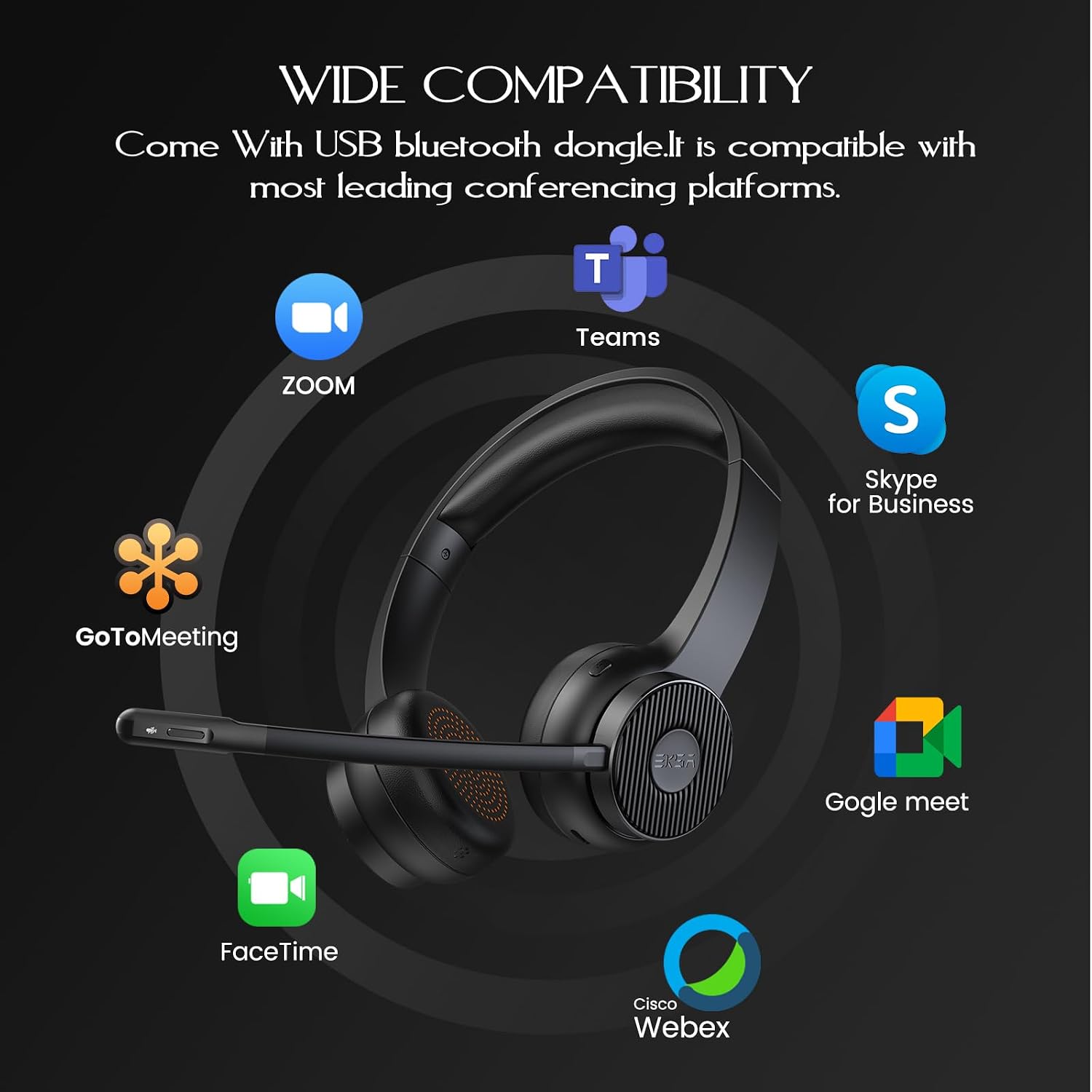
Image: The headset surrounded by logos of various conferencing platforms like Zoom, Teams, Skype for Business, GoToMeeting, Google Meet, FaceTime, and Cisco Webex, indicating wide compatibility.
Immersive Audio Quality
Equipped with high-quality 40mm drivers, the EKSA H16 delivers rich bass, natural mid-tones, and crisp highs, providing an exceptional audio experience for both music and calls.
Ultra-Comfortable Design
The headset features soft, inert elastic sponge ear cushions and skin-friendly protein leather earmuffs, designed for extended use without discomfort. The adjustable headband ensures a perfect fit for all-day wear.

Image: Close-ups of the soft ear cushions, durable construction, and adjustable headband, emphasizing the headset's comfortable design for prolonged use.
User-Friendly Features
The H16 includes a removable ear shell with a magnetic cover, providing convenient and secure storage for the USB dongle to prevent loss. A dedicated microphone mute button allows for quick and easy muting during calls.

Image: A close-up of the microphone arm, highlighting the quick mute button for easy control during calls.

Image: A sequence of images demonstrating how to access the hidden USB dongle storage compartment under the magnetic ear cup cover.
4. Setup and Connection
4.1. Connecting via USB Dongle
- Insert the USB dongle into an available USB port on your computer (PC/Laptop).
- The LED indicator on the dongle will flash blue, then turn solid blue once connected.
- The headset will automatically pair with the dongle.
- On your computer, navigate to Sound Settings.
- Set "EKSA Telecom H16" as your default input and output device.
4.2. Connecting via Bluetooth
- Ensure the headset is powered on and in pairing mode (LED flashing blue/red).
- On your device (PC, laptop, tablet, phone), go to Bluetooth settings.
- Search for new devices and select "EKSA Telecom H16" from the list.
- Once paired, the headset's LED will turn solid blue.
- In your device's Sound Settings, set "EKSA Telecom H16" as your default input and output device.

Image: A visual guide detailing the steps for connecting the headset to a PC via USB dongle or Bluetooth, and configuring sound settings for various communication platforms.
4.3. Multipoint Connection
The EKSA H16 supports multipoint connection, allowing it to be connected to two devices simultaneously (e.g., a computer via dongle and a phone via Bluetooth). You can switch between audio sources as needed.
5. Operating Instructions
5.1. Power On/Off
- Power On: Press and hold the Power button for 3 seconds until the LED indicator flashes blue.
- Power Off: Press and hold the Power button for 3 seconds until the LED indicator turns off.
5.2. Volume Control
- Volume Up: Press the '+' button.
- Volume Down: Press the '-' button.
5.3. Microphone Mute
To mute or unmute the microphone, press the dedicated mute button located on the microphone arm. The LED on the microphone arm will indicate its status (e.g., red for muted).

Image: A detailed view of the microphone arm, showing the mute button and its indicator light.
5.4. Call Management
- Answer/End Call: Press the Multi-function button once.
- Reject Call: Press and hold the Multi-function button for 2 seconds.
5.5. Music Playback
- Play/Pause: Press the Multi-function button once.
- Next Track: Press and hold the '+' button for 2 seconds.
- Previous Track: Press and hold the '-' button for 2 seconds.
6. Maintenance and Care
- Clean the headset regularly with a soft, dry cloth. Do not use harsh chemicals or abrasive materials.
- Avoid exposing the headset to extreme temperatures, humidity, or direct sunlight.
- Store the headset in a cool, dry place when not in use.
- Do not attempt to disassemble or repair the headset yourself, as this will void the warranty.
- Keep the USB dongle stored securely in its magnetic compartment when not in use to prevent loss.
7. Troubleshooting
| Problem | Possible Cause | Solution |
|---|---|---|
| Headset does not power on. | Low battery. | Charge the headset fully using the provided USB-C cable. |
| No sound or poor sound quality. | Incorrect audio output device selected. Headset not properly connected. Volume too low. | Ensure "EKSA Telecom H16" is selected as the default playback device in your device's sound settings. Reconnect the headset via Bluetooth or USB dongle. Increase the volume on both the headset and your device. |
| Microphone not working. | Microphone is muted. Incorrect audio input device selected. Microphone arm not positioned correctly. | Press the mute button on the microphone arm to unmute. Ensure "EKSA Telecom H16" is selected as the default recording device in your device's sound settings. Adjust the microphone arm closer to your mouth. |
| Bluetooth connection unstable or frequently disconnects. | Too far from the device. Interference from other wireless devices. Low headset battery. | Ensure the headset is within 15 meters (50 feet) of the connected device. Move away from other strong wireless signals. Charge the headset. |
| Microphone noise cancellation not effective in very noisy environments. | Extreme background noise levels. | While the headset offers excellent noise cancellation, extremely loud or chaotic environments may still impact performance. Try to find a quieter location if possible. |
8. Specifications
| Feature | Detail |
|---|---|
| Brand | EKSA |
| Model Number | H16 |
| Connectivity Technology | Wireless (Bluetooth 5.2, USB Dongle) |
| Wireless Range | Up to 15 meters (50 feet) |
| Battery Life (Music) | Up to 55 hours |
| Battery Life (Talk Time) | Up to 35 hours |
| Charging Time | Approx. 2 hours (USB Type-C) |
| Microphone | Built-in, VoicePure ENC Noise Cancellation (>42dB reduction) |
| Driver Size | 40mm |
| Frequency Range | 20 Hz - 20,000 Hz |
| Weight | 150 Grams |
| Material | Plastic, Protein Leather (earmuffs) |
| Control Type | Noise Cancellation, Volume, Mute |
| Recommended Use | Remote work, online learning, video conferencing, gaming, music listening |
| Compatible Devices | Laptops, PCs, Phones, Tablets |
9. Warranty and Support
EKSA products are designed for reliability and performance. For any questions, technical support, or warranty claims, please contact EKSA customer service through their official website or the platform where you purchased the product. Please refer to your purchase receipt for specific warranty terms and conditions.
For further assistance, you may visit the EKSA official support page or contact their customer service team directly.
Related documentsH16


Ask a question about this manual
Ask about setup, troubleshooting, compatibility, parts, safety, or missing instructions. Manuals+ will review the question and use this page’s manual context to help answer it.