
DOINOW B1 Pro
Contents
DOINOW Precision Electric Screwdriver Kit - Model B1 Pro User Manual
Model: B1 Pro | Brand: DOINOW
1. Introduction
Thank you for choosing the DOINOW Precision Electric Screwdriver Kit, Model B1 Pro. This compact and powerful tool is designed for precision repair tasks on various small electronic devices. This manual provides essential information for safe and effective use, including setup, operation, maintenance, and troubleshooting.
Please read this manual thoroughly before using the product and retain it for future reference.
2. Package Contents
Verify that all items are present in your package:
- 1 x DOINOW Mini Electric Screwdriver (with built-in battery)
- 48 x Precision Screwdriver Bits (various types: Phillips, Tri-tip, Slotted, Hex, Secure, Pentagon, Triangle, U-Shaped, SIM)
- 1 x USB-C Charging Cable
- 1 x Portable Storage Case
- 1 x User Manual

Image: The complete DOINOW Precision Electric Screwdriver Kit, including the screwdriver, 48 precision bits, and the storage case.
3. Product Features
- Powerful Performance: 5 adjustable torque settings, 200 RPM rotation speed.
- Long Battery Life: Integrated 350 mAh lithium battery, providing 2-3 hours of continuous operation or tightening up to 500 screws on a single charge. Overcharge protection for safe charging.
- Magnetic Design: Bits attach magnetically to the case and the screwdriver tip holds screws securely.
- Smart LED Screen: Displays torque level, battery status, and rotation direction (forward/reverse).
- LED Work Light: Automatically illuminates the work area for improved visibility.
- Premium Bits: 48 robust S2 steel bits with over 60 HRC hardness, resistant to wear and deformation.
- Ergonomic Design: Pen-shaped aluminum body for comfortable grip.
- Portable: Lightweight (0.5 kg) and compact design for easy transport.
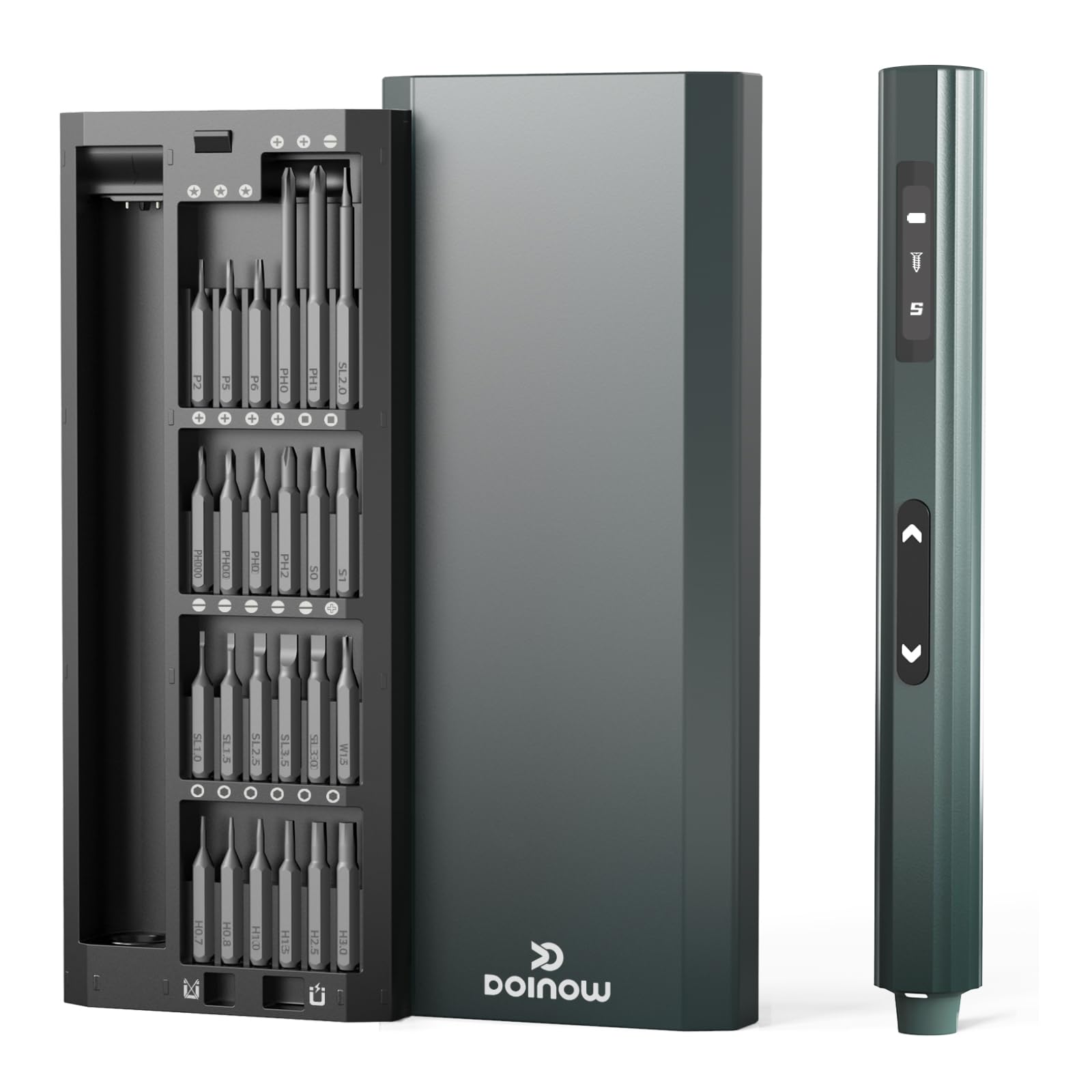
Image: Detail of the screwdriver's control panel, highlighting the adjustable torque settings (1-5) and the LED light button.

Image: Illustration of the magnetic case and bit holder, showing how bits are stored and secured, preventing loss.
4. Setup
4.1 Charging the Screwdriver
- Locate the USB-C charging port on the screwdriver.
- Connect the provided USB-C cable to the screwdriver and a compatible USB power adapter (not included).
- The LED screen will indicate the charging status. A full charge typically takes 2-3 hours.
- Disconnect the cable once fully charged. The screwdriver features overcharge protection.

Image: The electric screwdriver connected to a USB-C charging cable and power adapter, illustrating the charging process.
4.2 Inserting a Screwdriver Bit
- Select the appropriate precision bit from the 48-piece set for your task.
- The screwdriver features a magnetic bit holder. Simply insert the desired bit into the hexagonal opening at the tip of the screwdriver. The magnetic holder will secure it in place.
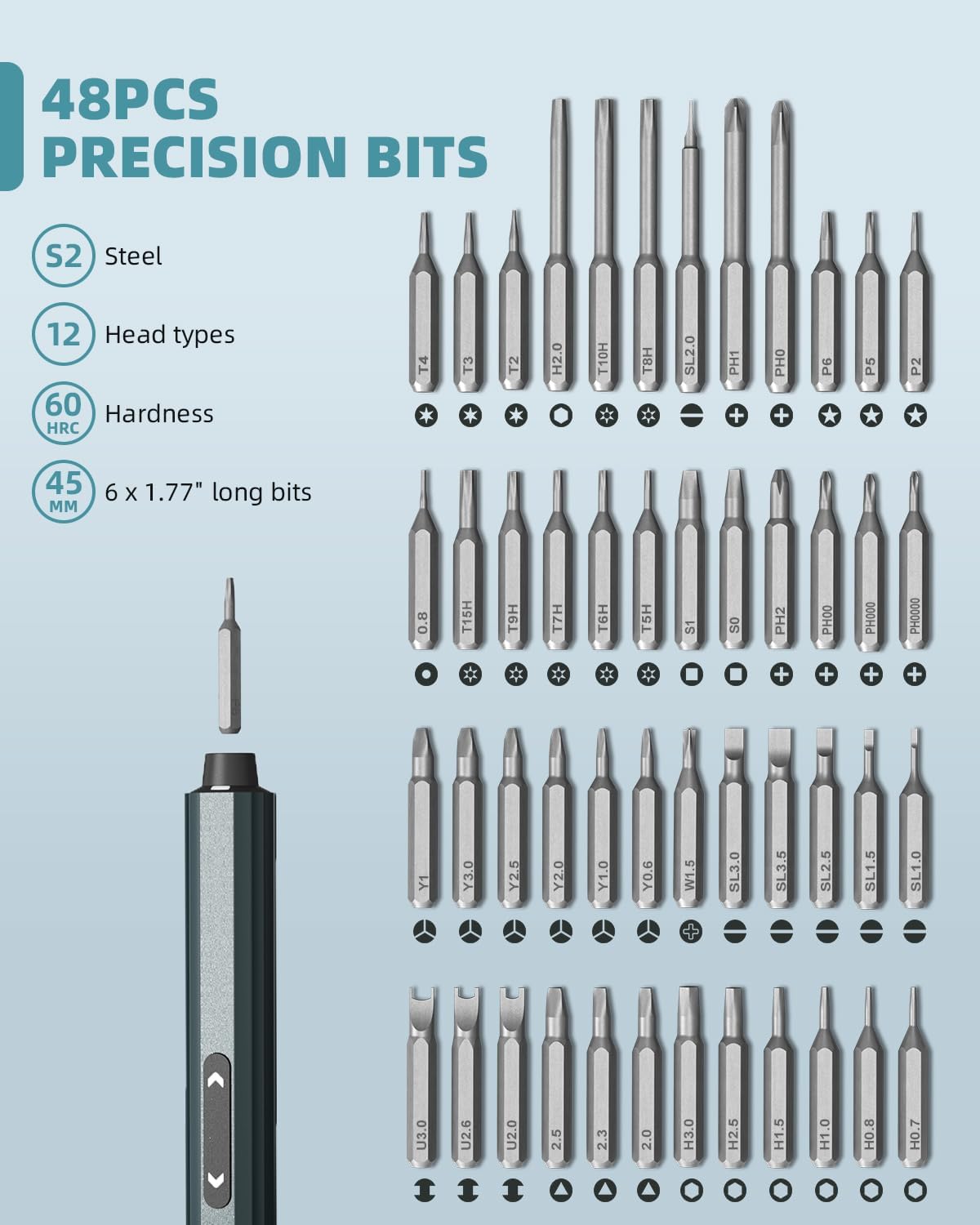
Image: A close-up of the DOINOW electric screwdriver alongside a selection of its 48 precision bits, demonstrating the variety available.
5. Operating Instructions
5.1 Powering On/Off and Rotation Direction
- To power on, press either the forward (screw in) or reverse (unscrew) button.
- Press the forward button (usually indicated by an arrow pointing right or a screw icon) to tighten screws.
- Press the reverse button (usually indicated by an arrow pointing left or an unscrew icon) to loosen screws.
- The screwdriver will automatically power off after a period of inactivity.
5.2 Adjusting Torque Settings
- The screwdriver offers 5 adjustable torque settings.
- To adjust the torque, long-press the "Setting Button" (refer to product image for location).
- The LED screen will display the current torque level (1-5). Release the button when the desired torque is displayed.
- Start with a lower torque setting for delicate tasks and increase as needed.
Image: The screwdriver's interface, illustrating how to control the LED light with a single press and adjust torque settings (1-5) with a long press of the setting button.
5.3 Using the LED Work Light
- The LED work light automatically activates when the screwdriver is in operation.
- To manually control the LED light, press the "Control LED light" button once (refer to product image for location).
5.4 Manual Mode
For tasks requiring higher torque or precise control, the screwdriver can be used in manual mode. Simply turn the screwdriver by hand when it is not electrically powered. The manual torque can reach up to 3 N.m.
5.5 Important Usage Notes
- This precision screwdriver is designed for small screws and delicate electronic components.
- Do not use for large screws or heavy-duty applications, as this may damage the tool.
- Ensure the bit is fully seated and matches the screw head to prevent stripping.
6. Maintenance
- Cleaning: Wipe the screwdriver and bits with a soft, dry cloth after each use. Do not use abrasive cleaners or solvents.
- Storage: Store the screwdriver and bits in the provided portable case to prevent loss and damage. Keep in a cool, dry place away from direct sunlight and moisture.
- Battery Care: Charge the battery regularly, even if not in frequent use, to maintain battery health. Avoid fully discharging the battery for extended periods.
- Bit Inspection: Periodically inspect bits for wear or damage. Replace worn bits to ensure optimal performance and prevent screw damage.
7. Troubleshooting
7.1 Screwdriver Not Turning On
- Check Battery: Ensure the battery is charged. Connect to a USB-C charger and allow it to charge for at least 30 minutes.
- Power Button: Confirm you are pressing the forward or reverse button firmly.
7.2 Screwdriver Lacks Power/Torque
- Battery Level: Check the LED screen for battery status. Recharge if low.
- Torque Setting: Ensure the torque setting is appropriate for the task. Increase the torque if necessary (up to level 5).
- Manual Mode: For very tight screws, use the manual mode to apply additional force.
- Application: Confirm the screwdriver is being used for precision tasks only. It is not designed for large or heavy-duty screws.
7.3 Bits Not Holding Screws
- Bit Magnetism: The magnetic area at the bottom of the case can re-magnetize bits. Place the bit in this area for a few seconds.
- Bit Wear: Inspect the bit for wear or damage. A worn bit may not grip screws effectively. Replace if necessary.
8. Specifications
| Model Number | B1 Pro |
| Brand | DOINOW |
| Battery Type | 1 Lithium-ion (included) |
| Battery Capacity | 350 mAh |
| Rotation Speed | 200 RPM |
| Electric Torque | Up to 0.2 N.m (5 adjustable settings) |
| Manual Torque | Up to 3 N.m |
| Charging Port | USB-C |
| Bit Material | S2 Steel (Hardness > 60 HRC) |
| Number of Bits | 48 |
| Screwdriver Body Material | Aluminum |
| Dimensions (L x W x H) | 20.6 x 8 x 2.5 cm (approx.) |
| Weight | 465 Grams (approx.) |
| Color | Dark Green |
| Recommended Use | Precision screws for small electronics (PC, phones, watches, cameras, laptops, drones, toys, smartphones, etc.) |
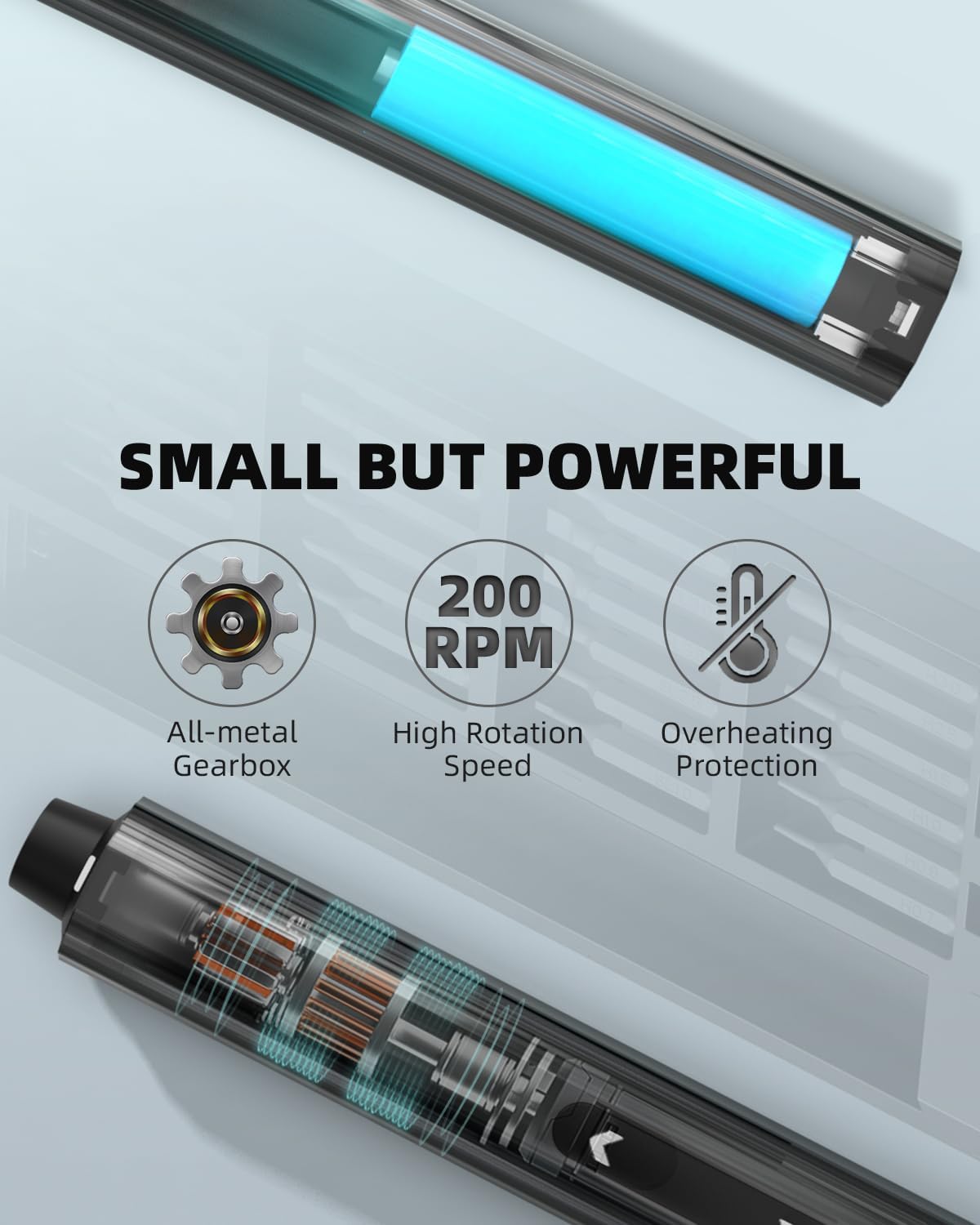
Image: An X-ray view of the screwdriver highlighting its internal components, including the all-metal gearbox, and indicating its 200 RPM speed and overheating protection.

Image: The screwdriver and its case, demonstrating the pop-up design for bit access and the streamlined, ergonomic design of the screwdriver itself.
9. Warranty and Support
DOINOW provides a 2-year warranty and replacement service for this product. For any questions, issues, or support needs, please contact DOINOW customer service through your purchase platform or the contact information provided in your product packaging.
10. Safety Information
- Keep out of reach of children.
- Do not expose the device to water or extreme temperatures.
- Do not attempt to disassemble or modify the screwdriver.
- Use only the provided charging cable and compatible USB power adapters.
- Avoid using the screwdriver near flammable liquids or gases.
- Always wear appropriate eye protection when performing repair tasks.
Ask a question about this manual
Ask about setup, troubleshooting, compatibility, parts, safety, or missing instructions. Manuals+ will review the question and use this page’s manual context to help answer it.