
1. Introduction
This manual provides detailed instructions for the assembly, operation, and maintenance of your FEZIBO 63" L-Shaped Electric Standing Desk. Please read this manual thoroughly before assembly and use to ensure proper function and safety.

Image 1.1: FEZIBO 63" L-Shaped Electric Standing Desk.
2. Safety Information
- Ensure the desk is properly anchored to the wall for stability if required by local regulations or personal preference.
- Do not exceed the maximum weight recommendation of 175 pounds (79.3 kg).
- Two people are recommended for assembly to prevent injury and ensure proper setup.
- The desk is equipped with anti-collision technology. If the adjustable desk encounters obstacles during movement, it will retract approximately 2 cm in the opposite direction to prevent potential damage or injury.
- Keep children and pets away from the desk during height adjustments.
- Do not sit or stand on the desk.
- Ensure all cables are managed to prevent entanglement during desk movement.
3. Package Contents
Verify that all components are present before beginning assembly. Refer to the assembly video for visual identification of parts.
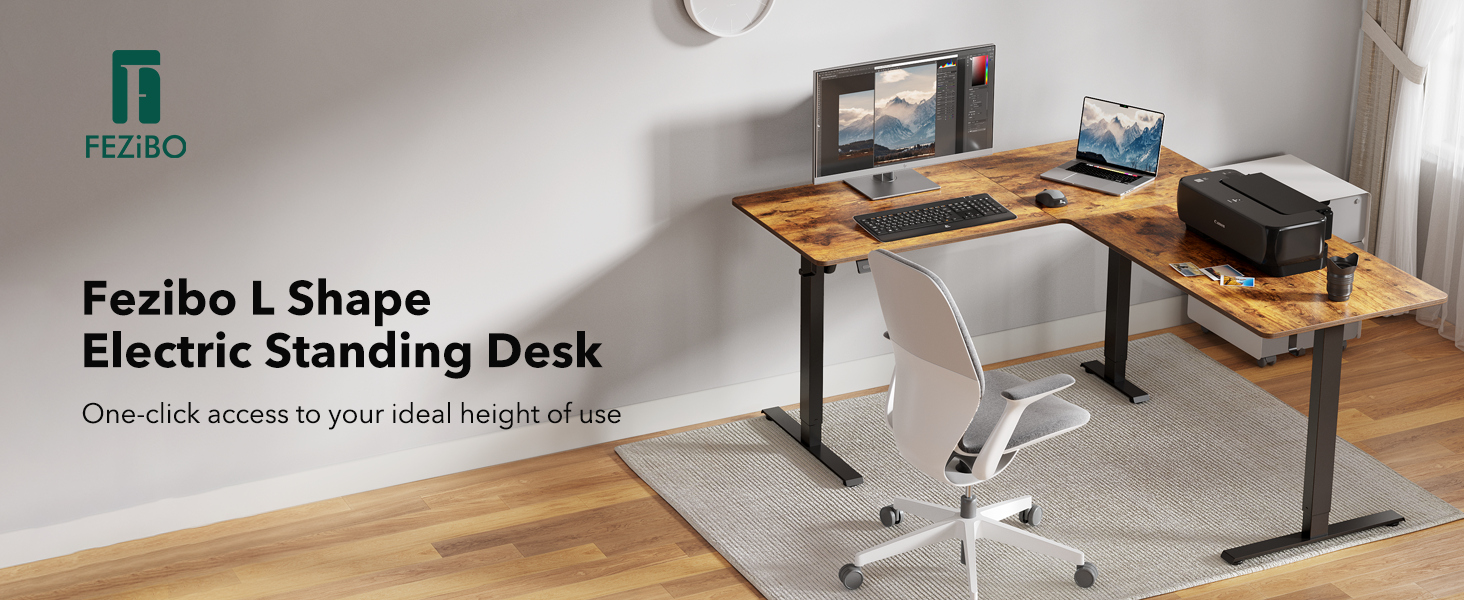
Image 3.1: Overview of desk components and hardware.
4. Setup and Assembly
The FEZIBO L-Shaped Electric Standing Desk is designed for hassle-free installation. All necessary assembly tools are included. For a step-by-step visual guide, please refer to the official installation video below.
Video 4.1: Official FEZIBO L-Shaped Standing Desk Installation Guide. This video demonstrates the assembly process for the desk frame and tabletop components.
General Assembly Steps:
- Unpack all components and verify against the parts list.
- Assemble the desk legs and crossbars according to the instructions.
- Attach the motor and drive shaft mechanisms.
- Secure the tabletop sections to the frame using the provided hardware.
- Connect the control panel and power supply.
- Perform initial calibration as per the operating instructions.
Two people are recommended for lifting and positioning the desk during assembly.
5. Operating Instructions
5.1. Height Adjustment
The desk features an electric adjustable height mechanism, allowing seamless transitions between sitting and standing positions. The height range is from 28.3 inches to 46.8 inches.
- Use the Up (▲) and Down (▼) arrow buttons on the control panel to manually adjust the desk height. The current height is displayed on the LED screen.
- The motor operates with low noise, typically under 48 dB.

Image 5.1: Smooth transition from sitting to standing height.
5.2. Memory Presets
The control panel includes three preset memory buttons (1, 2, 3) to save your preferred sitting and standing heights for quick adjustments.
- To save a height preset: Adjust the desk to your desired height using the Up/Down arrows. Press the 'S' button, then press the desired memory button (1, 2, or 3) within 3 seconds. The display will confirm the setting.
- To recall a height preset: Simply press the corresponding memory button (1, 2, or 3). The desk will automatically move to the saved height.
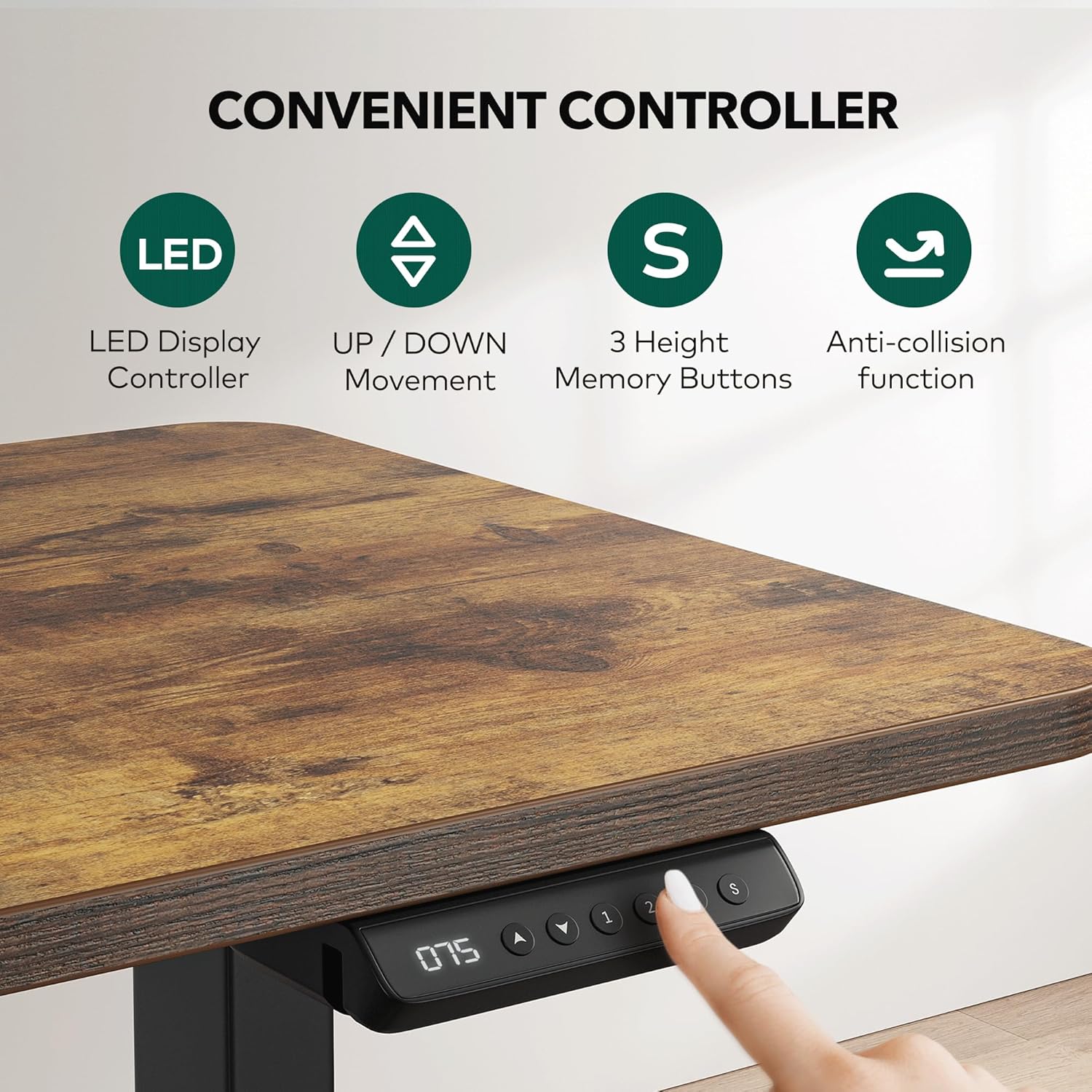
Image 5.2: Convenient control panel with LED display and memory buttons.
5.3. Child Lock Function
To prevent accidental adjustments, the desk features a child lock function.
- To lock: Press and hold both the '2' and '▲' (Up) buttons for 5 seconds. The display will indicate 'LOC'.
- To unlock: Press and hold both the '2' and '▲' (Up) buttons for 5 seconds again. The display will return to the current height.

Image 5.3: Child Lock activation and deactivation.
6. Maintenance
- Cleaning: Wipe the desk surfaces with a dry cloth. Avoid abrasive cleaners or harsh chemicals that may damage the finish.
- Inspection: Periodically check all screws and connections to ensure they are tight. Retighten if necessary.
- Cable Management: Ensure cables are neatly organized and secured to prevent interference with the desk's moving parts. The desk includes cable management hooks for this purpose.
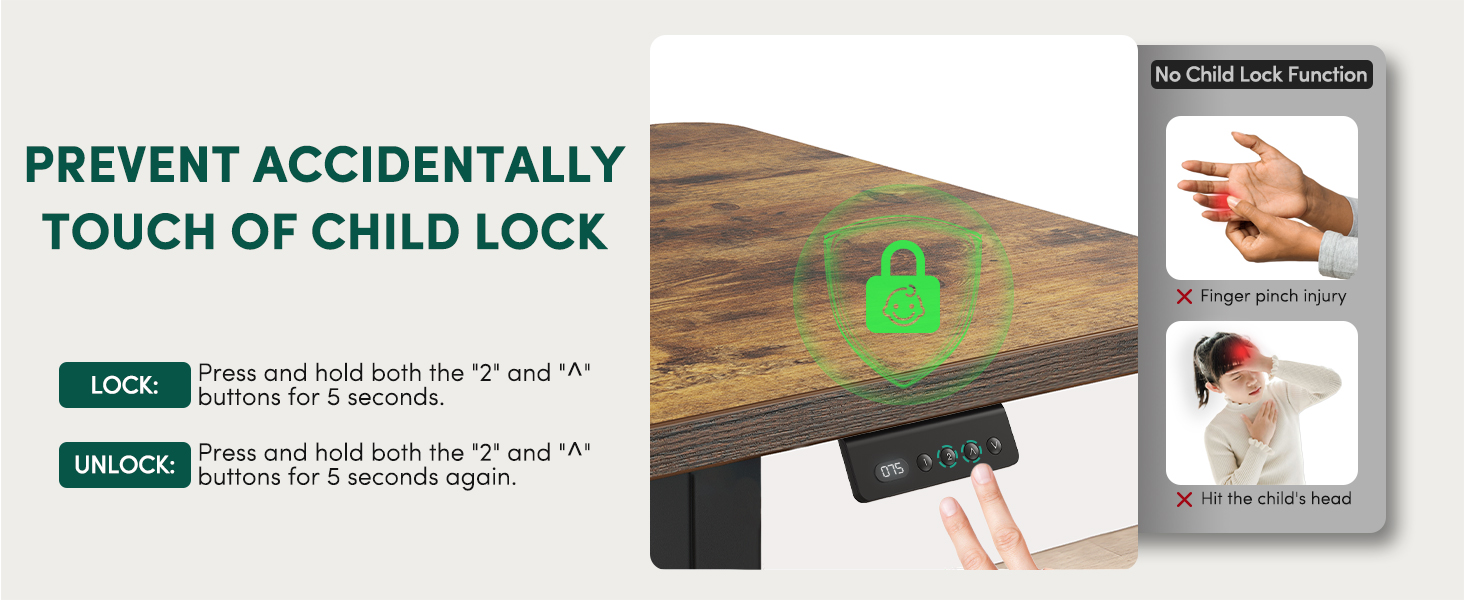
Image 6.1: Desk hooks for cable management and accessories.
7. Troubleshooting
If you experience issues with your FEZIBO L-Shaped Electric Standing Desk, consider the following:
- Desk Not Moving / Unresponsive Control Panel:
- Check all power connections to ensure they are securely plugged in.
- Perform a reset: Unplug the desk from the power outlet for 10-15 seconds, then plug it back in. If the issue persists, consult the manufacturer's support.
- Uneven Movement / Desk Wobbling:
- Ensure the desk is on a level surface. Use the adjustable feet to stabilize the desk if the floor is uneven.
- Verify that all assembly screws are tightened.
- Anti-Collision System Triggering Frequently:
- Ensure there are no obstructions in the path of the desk's movement.
- The sensitivity of the anti-collision system may be adjustable (refer to specific control panel instructions if available).
8. Specifications
| Feature | Detail |
|---|---|
| Brand | FEZIBO |
| Model Number | B0BWR3KMYQ |
| Product Dimensions | 55"D x 63"W x 28.3"H |
| Color | Rustic Brown |
| Style | Modern |
| Base Material | Alloy Steel |
| Top Material Type | FSC-Certified wood |
| Finish Type | Laminated |
| Special Feature | Cordless (referring to the desk's ability to be placed freely, not battery-powered), Electric Height Adjustment, Anti-collision, Memory Presets |
| Recommended Uses | Gaming, Office |
| Maximum Weight Recommendation | 175 Pounds (79.3 kg) |
| Minimum Height | 27.6 Inches (70.1 cm) |
| Maximum Height | 46.9 Inches (119.1 cm) |
| Noise Level | Under 48 dB |
| Number of Height Positions | 3 (Memory Presets) |
| Required Assembly | Yes |
| Recommended Number of People for Assembly | 2 |
9. Warranty and Support
For any installation assistance, technical issues, or warranty inquiries, please contact FEZIBO customer support. Detailed contact information can typically be found on the product packaging or the official FEZIBO website.


