
Introduction
This manual provides essential information for the setup, operation, and maintenance of your Apple Watch SE 2nd Generation (GPS, 40mm). The Apple Watch SE is designed to assist with fitness monitoring, connectivity, health tracking, and personal safety. It features a faster processor and includes advanced functionalities such as Crash Detection and enhanced workout metrics.
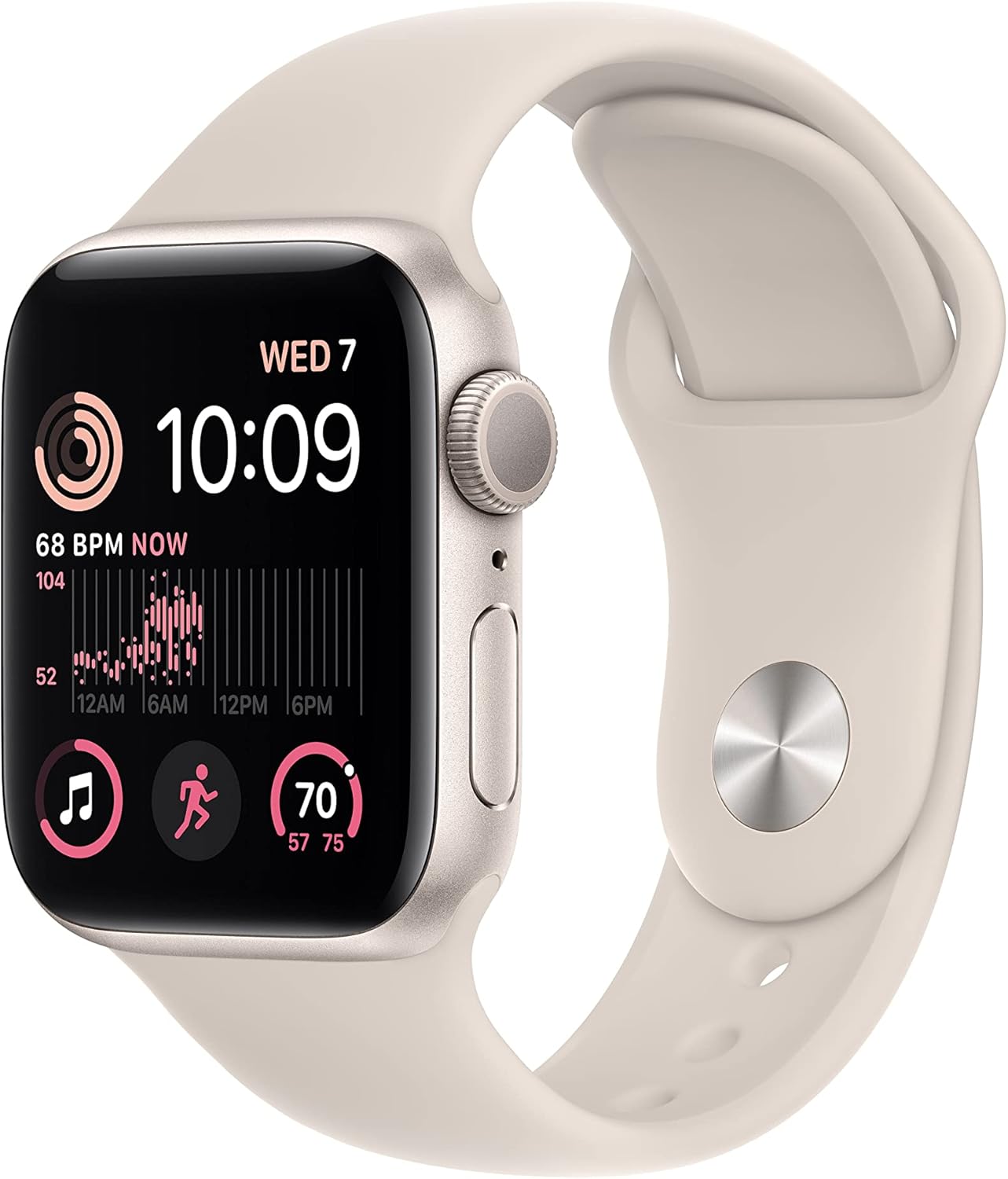
Image: The Apple Watch SE 2nd Generation in Starlight, featuring the watch face displaying time, heart rate, and activity rings, with the matching Starlight Sport Band.
What's in the Box
Upon unboxing your Apple Watch SE 2nd Gen, verify that all components are present:
- Apple Watch SE2 (40mm Starlight Aluminum Case)
- Starlight Sport Band (S/M size)
- 1m Magnetic Charging Cable

Image: A visual representation of the items included in the Apple Watch SE 2nd Gen packaging: the watch unit, the sport band, and the USB-C magnetic charging cable.
Setup
To begin using your Apple Watch SE, it must be paired with a compatible iPhone. The Apple Watch SE requires an iPhone 8 or later running the latest iOS version.
- Charge the Watch: Before initial setup, ensure your Apple Watch has sufficient charge. Connect the magnetic charging cable to the back of the watch and plug the USB-C end into a power adapter (sold separately) or a compatible USB-C port.
- Power On: Press and hold the side button until the Apple logo appears.
- Pair with iPhone: Bring your iPhone close to the Apple Watch. A pairing prompt will appear on your iPhone. Follow the on-screen instructions to pair the devices. You may be prompted to use your iPhone's camera to scan an animation on the watch face.
- Set Up as New or Restore: Choose to set up the watch as a new device or restore from a previous Apple Watch backup.
- Sign In: Sign in with your Apple ID.
- Customize Settings: Configure settings such as passcode, activity tracking, and app preferences.
Operating Instructions
The Apple Watch SE is operated primarily through its touch screen, Digital Crown, and Side Button.
Basic Navigation:
- Digital Crown: Rotate to scroll, zoom, or adjust values. Press once to go to the watch face or app list. Double-press to switch between the last two apps. Press and hold to activate Siri.
- Side Button: Press once to open the Dock (recent apps). Double-press to use Apple Pay. Press and hold to access Emergency SOS, Medical ID, and Power Off options.
- Touch Screen: Tap to select, swipe to navigate, force touch (press firmly) for additional options within apps.

Image: A detailed view of the Apple Watch SE 2nd Generation's display, showing the time, activity rings, and heart rate monitor interface.

Image: A side profile of the Apple Watch SE 2nd Generation, highlighting the Digital Crown and the Side Button, which are key for device interaction.
Key Features:
- Fitness Tracking: Monitor daily activity, workouts, and progress towards fitness goals. Includes enhanced workout metrics.
- Health Monitoring: Track heart rate, receive notifications for irregular rhythms, unusually high or low heart rates, and monitor sleep stages.
- Communication: Make and receive calls, send and receive messages, and manage notifications directly from your wrist when connected to your iPhone.
- Apple Pay: Securely make payments using your watch.
Health and Safety Features
The Apple Watch SE incorporates several features designed to enhance user safety and health awareness:
- Crash Detection: Automatically detects severe car crashes and can connect you with emergency services, providing your location to dispatchers.
- Fall Detection: If a hard fall is detected and you are unresponsive, the watch can automatically call emergency services.
- Emergency SOS: Press and hold the side button to quickly call emergency services or notify your emergency contacts.
- Heart Rate Monitoring: Continuously monitors your heart rate and can alert you to irregular rhythms, high, or low heart rates.
- Sleep Tracking: Provides insights into your sleep stages to help you understand and improve your sleep patterns.

Image: A graphic illustrating key features of the Apple Watch SE 2nd Generation, including sleep stage tracking, Crash Detection, Fall Detection, Emergency SOS, and its improved performance.
Customization
Personalize your Apple Watch SE to match your style and needs:
- Watch Faces: Choose from a wide variety of watch faces and customize them with complications that display information from your favorite apps.
- Bands: The Apple Watch SE is compatible with a wide range of bands, allowing you to easily change the look and feel of your watch.
Water Resistance
The Apple Watch SE is water resistant to 50 meters. This means it can be used for shallow-water activities like swimming in a pool or ocean. It should not be used for scuba diving, waterskiing, or other activities involving high-velocity water or submersion below shallow depths.

Image: The Apple Watch SE 2nd Generation displaying swim workout data, surrounded by water droplets, indicating its water resistance capabilities.
Maintenance
Proper care ensures the longevity and optimal performance of your Apple Watch SE:
- Cleaning: Regularly clean your Apple Watch and band. Wipe the watch with a soft, lint-free cloth. If necessary, lightly dampen the cloth with fresh water. Do not use soaps or abrasive materials.
- Charging: Charge your watch daily using the provided magnetic charging cable. Battery life can vary based on usage, typically requiring charging every night for consistent daily use.
- Avoid Extreme Temperatures: Do not expose the watch to extreme hot or cold temperatures.
- Storage: Store the watch in a cool, dry place when not in use.
Troubleshooting
If you encounter issues with your Apple Watch SE, try the following steps:
- Watch Not Charging:
- Ensure the magnetic charging cable is properly connected to the watch and the power source.
- Verify the power adapter and outlet are functioning correctly.
- Try a different power adapter or USB-C port.
- Clean the back of the watch and the charging cable for any debris.
- Watch Not Responding:
- Force restart the watch by holding both the Digital Crown and the side button for at least 10 seconds until you see the Apple logo.
- Pairing Issues:
- Ensure Bluetooth and Wi-Fi are enabled on your iPhone.
- Make sure your iPhone is running the latest iOS version.
- Restart both your iPhone and Apple Watch.
- Inaccurate Readings (Heart Rate, Activity):
- Ensure the watch is worn snugly on your wrist, not too loose or too tight.
- Clean the back of the watch where the sensors are located.
If issues persist, consider unpairing and re-pairing the watch with your iPhone, or contacting Apple Support.
Specifications
| Feature | Detail |
|---|---|
| Product Dimensions | 1.57 x 1.34 x 0.42 inches |
| Item Weight | 7 ounces |
| Model Number | A2722 |
| Batteries | 1 Lithium Ion battery required |
| Battery Capacity | 285 Milliamp Hours |
| Operating System | WatchOS |
| Memory Storage Capacity | 32 GB |
| Screen Size | 40 Millimeters |
| Connectivity Technology | USB, Wi-Fi |
| GPS | Built-in GPS |
| Water Resistance | 50 meters |
Warranty and Support
This Apple Watch SE 2nd Gen (Renewed) typically comes with a return/replacement policy. For this specific product, a 90-day return/replacement period is generally offered by the seller. Please refer to your purchase documentation for exact terms and conditions.
For technical support, software updates, or warranty claims related to manufacturing defects, please contact Apple Support directly. You can find support resources and contact information on the official Apple website: support.apple.com.
Ensure you have your device's serial number ready when contacting support, which can be found in the Watch app on your iPhone (My Watch > General > About) or on the watch itself (Settings > General > About).


