
1. Product Overview
The Race-Driven Brake Pressure Switch is a direct OEM replacement component designed for specific Polaris RZR Pro R Ultimate models. This switch plays a crucial role in your vehicle's braking system, typically activating brake lights or other related functions when brake pressure is applied. It is engineered to meet or exceed OEM specifications, ensuring reliable performance and a precise fit.
2. Safety Information
Always prioritize safety when working on your vehicle. Improper installation or handling of automotive components can lead to serious injury or damage. It is recommended that installation be performed by a qualified mechanic if you are not experienced with vehicle maintenance.
- Ensure the vehicle is turned off and the battery is disconnected before beginning any work.
- Wear appropriate personal protective equipment, including safety glasses and gloves.
- Refer to your vehicle's service manual for specific instructions and torque specifications.
- Keep all tools and small parts organized to prevent loss or misplacement.
3. Package Contents
Your package should contain the following item:
- 1 x Race-Driven Brake Pressure Switch
4. Compatibility
This Race-Driven Brake Pressure Switch is compatible with the following Polaris RZR Pro R Ultimate models:
- 2022 Polaris RZR Pro R Ultimate
- 2023 Polaris RZR Pro R Ultimate
- 2024 Polaris RZR Pro R Ultimate
Replaces Polaris OEM part numbers: 4014262, 4081117.
5. Installation
This section provides general guidance for replacing a brake pressure switch. Always consult your vehicle's specific service manual for detailed, model-specific instructions.
- Preparation: Park the vehicle on a level surface and engage the parking brake. Turn off the engine and disconnect the negative terminal of the battery to prevent accidental electrical shorts.
- Locate the Old Switch: The brake pressure switch is typically located near the master cylinder or within the brake line system. Refer to your vehicle's service manual for the exact location.
- Disconnect Electrical Connector: Carefully disconnect the electrical connector from the existing brake pressure switch. Avoid pulling on the wires.
- Remove Old Switch: Place a drain pan underneath the switch location to catch any brake fluid that may leak. Using an appropriately sized wrench, carefully unscrew the old brake pressure switch. Be prepared for a small amount of brake fluid to escape.
- Install New Switch: Apply a small amount of thread sealant (if recommended by your vehicle's manual) to the threads of the new Race-Driven brake pressure switch. Carefully thread the new switch into place by hand to avoid cross-threading.
- Tighten the Switch: Using the wrench, tighten the new switch to the manufacturer's specified torque. Do not overtighten.
- Reconnect Electrical Connector: Reconnect the electrical connector to the new switch, ensuring it clicks securely into place.
- Bleed the Brake System (if necessary): If a significant amount of brake fluid was lost or air entered the system, it may be necessary to bleed the brake system. Consult your vehicle's service manual for the proper bleeding procedure.
- Test Functionality: Reconnect the battery. Start the vehicle and test the brake lights and any other functions controlled by the switch to ensure proper operation. Check for any brake fluid leaks.
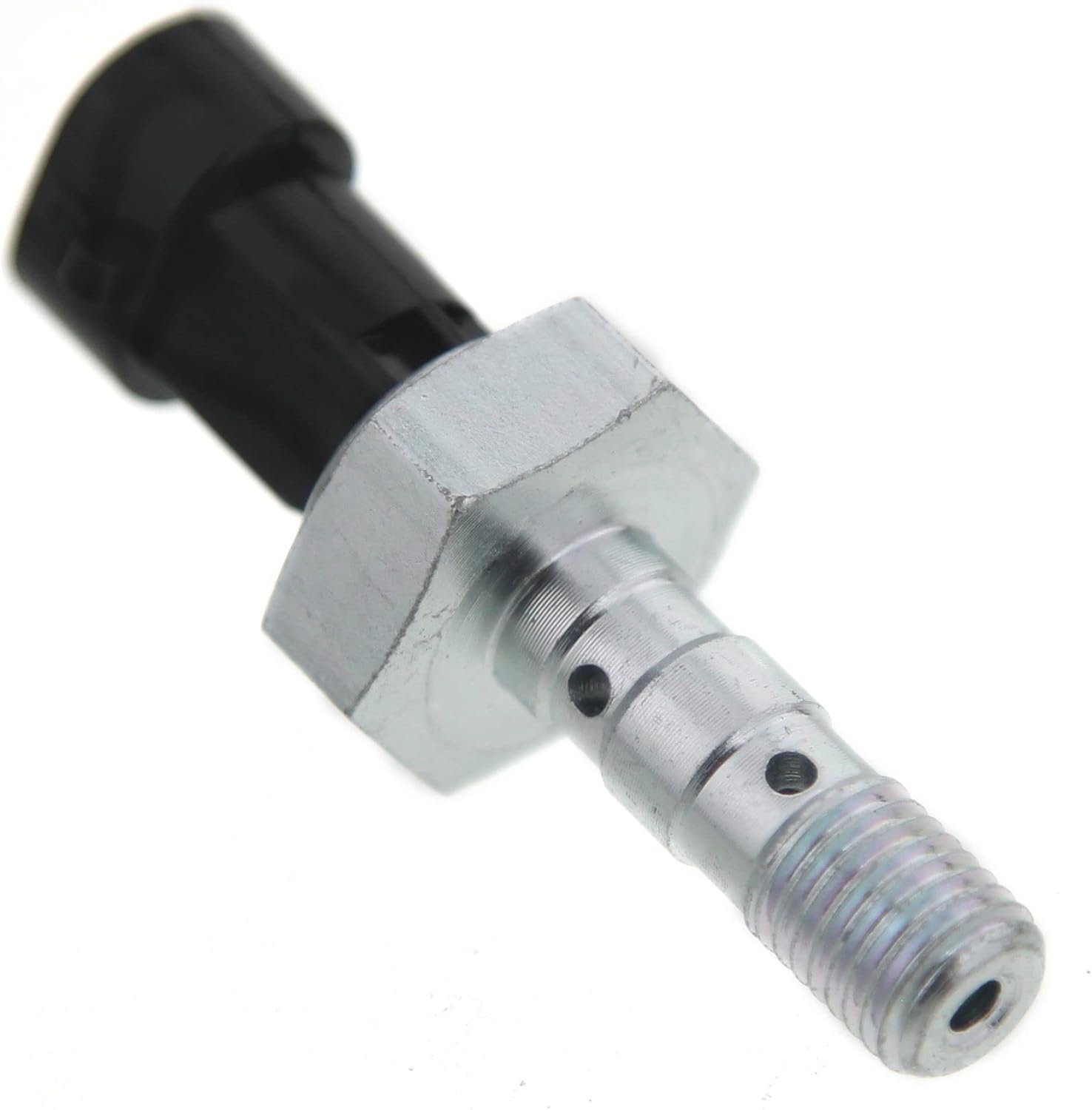
Figure 1: Overall view of the Race-Driven Brake Pressure Switch.

Figure 2: Close-up view of the electrical connector end of the switch.

Figure 3: Side profile of the brake pressure switch, showing the threaded portion and connector.
6. Operation
The brake pressure switch operates automatically. When the brake pedal is pressed, hydraulic pressure in the brake lines increases. The switch detects this pressure increase and closes an electrical circuit, typically activating the vehicle's brake lights. When the brake pedal is released, the pressure drops, and the switch opens the circuit, turning off the brake lights.
7. Maintenance
The Race-Driven Brake Pressure Switch is designed for long-term reliability and typically requires no routine maintenance. However, it is advisable to:
- Periodically inspect the switch and its electrical connector for any signs of corrosion, damage, or loose connections.
- Ensure the brake fluid level is maintained at the proper level as per your vehicle's recommendations.
- Address any brake system issues promptly, as they can affect the switch's performance.
8. Troubleshooting
If you experience issues with your brake lights or related systems after installing or using the switch, consider the following:
| Symptom | Possible Cause | Solution |
|---|---|---|
| Brake lights not working | Faulty switch, blown fuse, loose connection, bad brake light bulb. | Check fuse box. Inspect electrical connections. Test brake light bulbs. If all else fails, test or replace the switch. |
| Brake lights stay on | Stuck switch, improper installation. | Check if the switch is fully seated and not overtightened. Replace switch if it is internally stuck. |
| Intermittent brake light operation | Loose electrical connection, intermittent switch failure. | Ensure electrical connector is secure. Consider replacing the switch if connection is good. |
| Brake fluid leak around switch | Improperly tightened switch, damaged threads, no thread sealant. | Ensure switch is tightened to specification. Check for thread damage. Apply appropriate thread sealant if needed. |
9. Specifications
| Attribute | Detail |
|---|---|
| Brand | Race-Driven |
| Model Number | 812079 |
| OEM Part Numbers Replaced | 4014262, 4081117 |
| Operation Mode | Manual |
| Contact Type | Normally Open |
| Connector Type | Plug In |
| Item Dimensions (L x W x H) | 9 x 6 x 1 inches |
| Circuit Type | Smart |
| Number of Positions | 1 |
| Specification Met | OEM |
| Control Method | Touch |
| Connectivity Protocol | X-10 |
| Item Weight | 1.6 ounces |
10. Warranty and Support
Race-Driven is committed to providing high-quality products. For information regarding product warranty, returns, or technical support, please refer to the official Race-Driven website or contact their customer service directly. Keep your purchase receipt as proof of purchase.
Contact Information: Please visit the Race-Driven Store on Amazon or their official website for the most current support options.