
1. Introduction
This user manual provides comprehensive instructions for the Onn Portable 10-inch DVD Media Player, model 100093889. It covers setup, operation, maintenance, and troubleshooting to ensure optimal performance and longevity of your device. Please read this manual thoroughly before using the player.
2. Safety Information
- Do not expose the device to rain or moisture.
- Avoid placing the device near heat sources such as radiators, heat registers, stoves, or other apparatus (including amplifiers) that produce heat.
- Use only attachments/accessories specified by the manufacturer.
- Unplug this apparatus during lightning storms or when unused for long periods of time.
- Refer all servicing to qualified service personnel. Servicing is required when the apparatus has been damaged in any way.
- Keep the device away from strong magnetic fields.
- Ensure proper ventilation during use.
3. Package Contents
Verify that all items are present in the package:
- Onn Portable 10-inch DVD Media Player
- AC Power Adapter
- Car Charger
- Earphones
- Remote Control (if included with renewed unit)
- User Manual (this document)
4. Product Overview
4.1 Front View and Controls
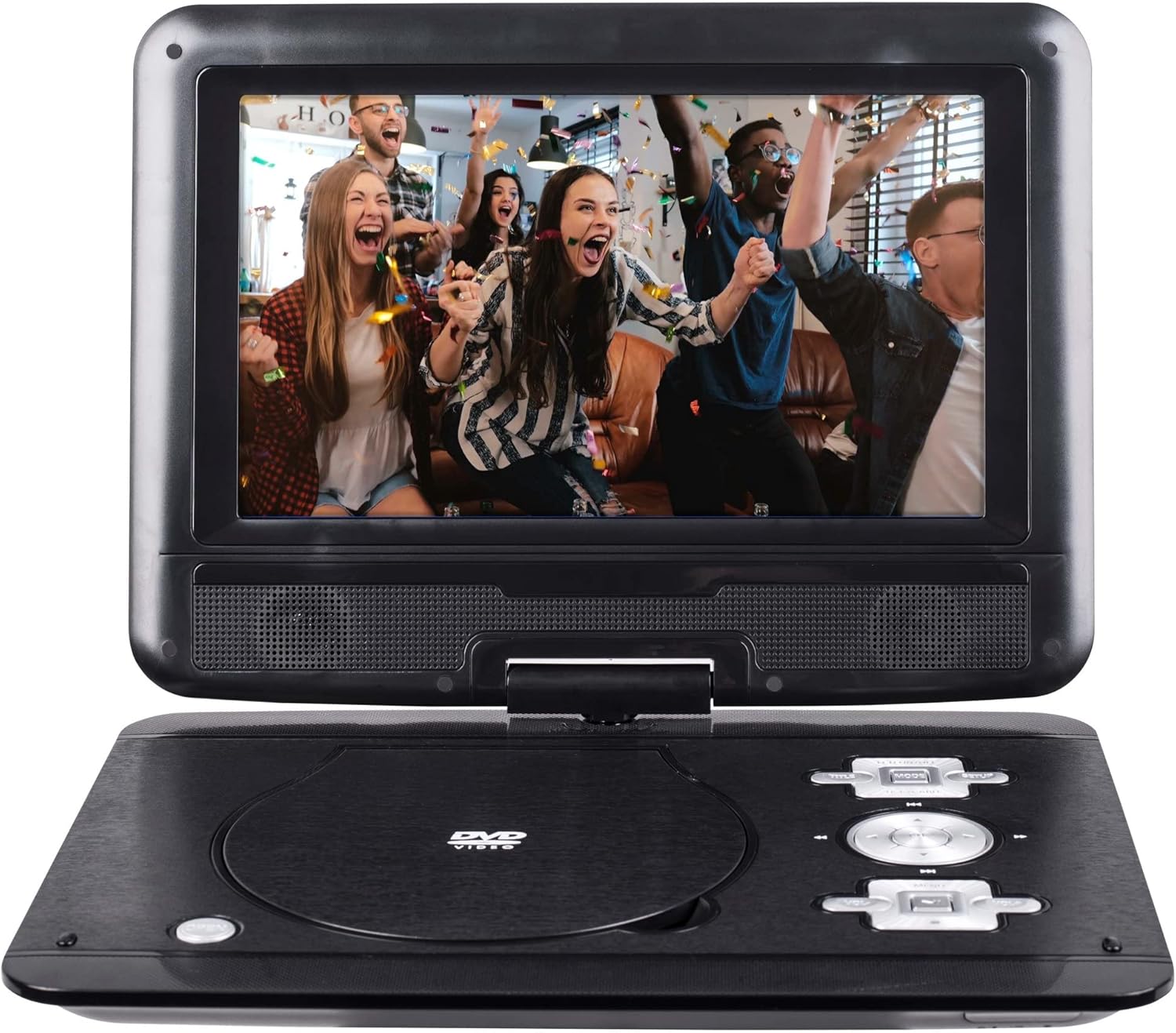
Figure 4.1: Front view of the Onn Portable 10-inch DVD Player. The device features a 10-inch screen that can swivel 180 degrees, a DVD disc tray, and control buttons for playback and navigation.
The Onn Portable DVD Player is designed for on-the-go entertainment. Key features include:
- 10-inch Swivel Screen: The display can rotate up to 180 degrees for optimal viewing angles.
- DVD Disc Tray: Located on the main unit for inserting DVDs and CDs.
- Control Buttons: Play/Pause, Stop, Fast Forward, Rewind, Next/Previous Track, Menu, Volume Up/Down.
- Built-in Speakers: Integrated speakers for audio playback.
4.2 Side View and Ports

Figure 4.2: Side view of the Onn Portable DVD Player, highlighting the various input/output ports.
The side of the player houses essential connectivity ports:
- USB Port: For connecting USB flash drives to play compatible media files.
- SD Card Reader: For inserting SD memory cards to play compatible media files.
- 3.5mm Aux Jack (Headphone Out): For connecting headphones or external speakers.
- AV Out (Composite/Component): For connecting the player to an external display or TV.
- DC IN Port: For connecting the AC power adapter or car charger.
- Power ON/OFF Switch: To turn the device on or off.
5. Setup
5.1 Charging the Battery
- Connect the AC power adapter to the DC IN port on the player.
- Plug the adapter into a standard wall outlet.
- The charging indicator light will illuminate. A full charge provides up to 5 hours of playtime.
5.2 Powering On/Off
- To power on, slide the Power ON/OFF switch to the "ON" position.
- To power off, slide the Power ON/OFF switch to the "OFF" position.
5.3 Inserting a Disc
- Gently open the disc tray cover.
- Place the DVD or CD disc onto the spindle with the label side facing up.
- Press down gently on the center of the disc until it clicks into place.
- Close the disc tray cover firmly until it latches.
6. Operating Instructions
6.1 Basic Playback
- After inserting a disc, the player will typically begin playback automatically.
- Use the Play/Pause button to pause or resume playback.
- Use the Stop button to stop playback.
- Use the Next/Previous Track buttons to skip between chapters or tracks.
- Use the Fast Forward/Rewind buttons to scan through content.
- Adjust volume using the Volume Up/Down buttons.
6.2 Using USB and SD Card Media
The player supports media playback from USB flash drives and SD cards.
- Insert a USB flash drive into the USB port or an SD card into the SD Card Reader slot.
- The player should automatically detect the media and display a menu for file selection.
- Navigate through folders and files using the directional buttons and confirm selection with the OK/Enter button.
- Supported formats include DVD+R/RW, CD-R/RW, JPEG, and MP3.
6.3 Connecting to an External Display
The player features Composite and Component outputs for connecting to a larger screen.
- Connect the appropriate AV cables (not included) from the player's AV Out ports to the corresponding input ports on your TV or monitor.
- Select the correct input source on your external display.
7. Maintenance and Care
- Cleaning: Use a soft, dry cloth to clean the exterior of the player. For the screen, use a screen-specific cleaning solution and a microfiber cloth. Do not use abrasive cleaners or solvents.
- Disc Care: Handle discs by their edges. Keep discs clean and free of scratches. Use a soft, lint-free cloth to wipe discs from the center outwards.
- Storage: When not in use, store the player in a cool, dry place away from direct sunlight and extreme temperatures.
- Battery: To prolong battery life, fully charge the player before long periods of inactivity.
8. Troubleshooting
| Problem | Possible Cause | Solution |
|---|---|---|
| Player does not power on. | Battery is depleted; Power switch is off; AC adapter not connected properly. | Charge the battery; Slide power switch to ON; Ensure AC adapter is securely connected. |
| Disc does not play. | Disc is dirty or scratched; Disc is inserted incorrectly; Unsupported disc format. | Clean the disc; Re-insert disc correctly; Ensure disc is DVD+R/RW or CD-R/RW. |
| No sound. | Volume is too low; Headphones connected; Mute function active. | Increase volume; Disconnect headphones if using speakers; Deactivate mute. |
| No picture on external display. | Incorrect AV cable connection; Wrong input source selected on TV. | Check AV cable connections; Select correct input source (e.g., AV1, Video) on your TV. |
9. Specifications
- Model: 100093889
- Screen Size: 10 inches
- Swivel: 180-degree rotation
- Battery Life: Up to 5 hours of playtime
- Supported Media: DVD+R/RW, CD-R/RW, JPEG, MP3
- Connectivity: USB port, SD Card Reader, 3.5mm Aux Jack, Composite/Component outputs, DC IN
- Dimensions: Approximately 11.22 x 8.26 x 1.5 inches (based on image 61B6ybDc6nL.jpg showing 11.22in and 8.26in)
- Weight: Approximately 4 pounds
- UPC: 657768321849

Figure 9.1: Approximate dimensions of the Onn Portable DVD Player.
10. Warranty and Support
This Onn Portable 10-inch DVD Media Player is a renewed product. As such, it is typically covered by a specific return or replacement policy rather than a standard manufacturer's warranty.
- Return Policy: This renewed product is eligible for a 90-day refund or replacement policy from the date of purchase. Please refer to the retailer's specific return policy for detailed terms and conditions.
- For technical support or inquiries regarding your renewed product, please contact the seller or the Amazon Renewed support team.