
1. Introduction
The SQRMINI MY002 Mini Bluetooth Earbuds are designed for comfort and portability, featuring advanced Bluetooth 5.3 technology. These earbuds are suitable for various activities including sleeping, sports, and daily use, offering a lightweight and ergonomic design for extended wear.

Image: SQRMINI MY002 Mini Bluetooth Earbuds shown with their charging case, one earbud removed.
2. Package Contents
Please verify that all items listed below are included in your package:
- SQRMINI MY002 Mini Bluetooth Earbuds (Left and Right)
- Charging Case
- USB-C Charging Cable
- User Manual

Image: The complete package contents, including the earbuds, charging case, USB-C cable, and a user manual booklet.
3. Setup
3.1 Charging the Earbuds and Case
Before first use, fully charge the earbuds and the charging case. The charging case provides approximately 2.5 additional charges for the earbuds.
- Place the earbuds into the charging case, ensuring they are correctly seated.
- Connect the USB-C charging cable to the charging port on the case and plug the other end into a compatible USB power source.
- Indicator lights on the case or earbuds will show charging status. Refer to the specific light indicators for full charge notification.
A full charge provides up to 6 hours of listening time for the earbuds, with a total of up to 20 hours when combined with the fully charged case.

Image: Top-down view of the SQRMINI MY002 charging case with both earbuds inserted, displaying a blue indicator light.
3.2 Pairing with a Device
The earbuds are designed for easy pairing and automatic reconnection.
- Open the lid of the charging case. The earbuds will automatically enter pairing mode.
- On your device (smartphone, tablet, laptop), enable Bluetooth and search for available devices.
- Select "MY002" from the list of found devices to connect.
- Once paired, the earbuds will automatically connect to the last paired device when the charging case lid is opened.
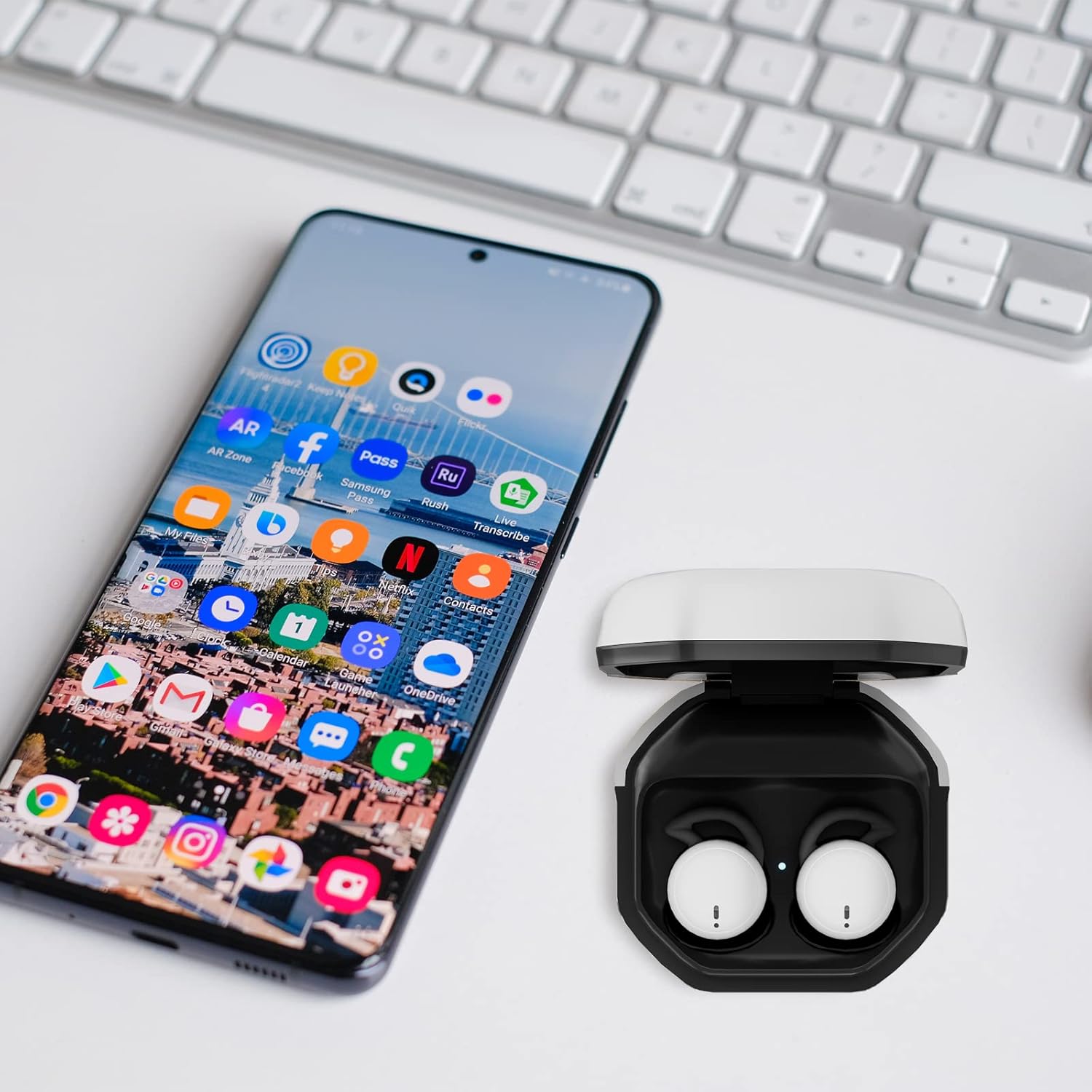
Image: A smartphone displaying various applications positioned next to the open SQRMINI MY002 charging case with earbuds inside, illustrating the pairing process.
4. Operating Instructions
4.1 Wearing the Earbuds
The MY002 earbuds feature a half in-ear ergonomic design, weighing only 2.7g (0.095oz) and measuring 1.3cm (0.51 inches). This design ensures a lightweight and comfortable fit, even for side sleeping.
- Gently insert each earbud into the corresponding ear canal.
- Adjust the earbud until it feels secure and comfortable.

Image: A woman meditating with SQRMINI MY002 earbuds comfortably placed in her ears.

Image: A woman sleeping on her side, demonstrating the comfortable and low-profile fit of the SQRMINI MY002 earbuds for sleep.
4.2 Smart Touch Controls
The earbuds feature intuitive touch controls on their outer surface. A light tap is sufficient for operation, eliminating the need for pressure.

Image: A close-up view of a single SQRMINI MY002 earbud, highlighting the touch-sensitive area marked with a fingerprint icon.
| Action | Left Earbud | Right Earbud |
|---|---|---|
| Play/Pause Music | Tap Twice | Tap Twice |
| Volume Up | Tap Triple | |
| Volume Down | Tap Triple | |
| Answer/End Call | Press Once | Press Once |
| Reject Call | Press and Hold 2 seconds | Press and Hold 2 seconds |
| Activate Voice Assistant | Tap Four Times | Tap Four Times |
4.3 Single Earbud Mode
You can use either earbud independently. This mode is useful for calls or listening to audio while maintaining awareness of your surroundings.
- Remove one earbud from the charging case. It will automatically connect to your device.
- The other earbud can remain in the case or be turned off.
5. Maintenance
5.1 Cleaning
Regular cleaning helps maintain optimal performance and hygiene.
- Use a soft, dry, lint-free cloth to wipe the earbuds and charging case.
- For stubborn dirt, slightly dampen the cloth with water. Avoid excessive moisture.
- Clean the charging contacts on both the earbuds and inside the case with a dry cotton swab to ensure proper charging.
- Do not use abrasive cleaners, alcohol, or chemical solvents.
5.2 Storage
When not in use, store the earbuds in their charging case to protect them from dust and damage.
- Store in a cool, dry place away from extreme temperatures.
- Avoid prolonged exposure to direct sunlight.
6. Troubleshooting
If you encounter issues with your SQRMINI MY002 earbuds, refer to the following common solutions:
- Earbuds not charging: Ensure the earbuds are correctly seated in the charging case and the charging contacts are clean. Verify the charging cable is securely connected to both the case and the power source.
- Cannot pair with device: Make sure Bluetooth is enabled on your device and the earbuds are in pairing mode (open the case lid). Try turning Bluetooth off and on again on your device. If the issue persists, try forgetting the device in your Bluetooth settings and re-pairing.
- No sound or low volume: Check the volume levels on both your device and the earbuds. Ensure the earbuds are properly connected to your device. Try cleaning any debris from the earbud speakers.
- Intermittent connection: Ensure there are no obstructions between the earbuds and your device. Keep the earbuds within the recommended Bluetooth range. Avoid strong electromagnetic interference.
- Low battery alerts are disruptive: While the earbuds provide alerts for low battery, ensure they are fully charged before extended use, especially for sleep, to avoid interruptions.
7. Specifications
Detailed technical specifications for the SQRMINI MY002 Mini Bluetooth Earbuds:
| Feature | Specification |
|---|---|
| Model Number | MY002 |
| Bluetooth Version | 5.3 |
| Earbud Weight | 2.7g (0.095oz) |
| Product Weight (with case) | 31.9g |
| Product Dimensions | 45 x 45 x 25 mm (Case) |
| Audio Sensitivity | 102dB SPL |
| Frequency Response | 20Hz-20kHz |
| THD+N | ≤1% |
| Microphone | MEMS Omnidirectional Mic |
| Drivers | 8mm Triple-Layer Composite Drivers |
| Waterproof Rating | IPX5 |
| Earbud Battery Life | Up to 6 hours |
| Total Battery Life (with case) | Up to 20 hours |
| Battery Type | Lithium Polymer (included) |
| Impedance | 16 Ohm |
8. Warranty and Support
SQRMINI products are manufactured with attention to quality and performance. For specific warranty details and customer support, please refer to the information provided with your purchase or contact SQRMINI customer service through the retailer where the product was purchased.
Please retain your proof of purchase for any warranty claims.

