
1. Introduction
This manual provides detailed instructions for the safe and efficient use of your EBL C9008 LCD 8-Bay Ni-MH Battery Charger. Please read this manual thoroughly before operating the device and retain it for future reference.
The EBL C9008 is designed to charge Ni-MH AA, AAA, C, and D rechargeable batteries. It features independent charging channels, an LCD display for status indication, and multiple safety protections.
2. Important Safety Instructions
To prevent injury or damage to the charger and batteries, always follow these safety precautions:
- Only charge Ni-MH rechargeable batteries. Do not attempt to charge non-rechargeable batteries (e.g., alkaline, lithium-ion flat top, zinc batteries) as this may lead to leakage, rupture, or explosion.
- Use only a 5V/2A USB power adapter. Do not use a 1.0A adapter or lower, as this may affect charging performance. The adapter is not included with the charger.
- Ensure correct battery polarity (+/-) when inserting batteries into the charger slots. Incorrect insertion can cause damage.
- Do not disassemble or modify the charger.
- Avoid exposing the charger to rain, moisture, or extreme temperatures.
- Keep the charger away from children and pets.
- Unplug the charger from the power source when not in use or before cleaning.
- The charger features advanced safety protections including over-heat, over-current, short-circuit protection, and defective battery detection. If an "ERROR" message appears, remove the battery and inspect it.
3. Package Contents
Verify that all items are present in your package:
- EBL C9008 Battery Charger
- Micro USB Cable
- Instruction Manual
Note: A 5V/2A USB power adapter is required but not included.
4. Product Overview
The EBL C9008 charger is designed for versatility and ease of use. It features:
- 8 Independent Charging Bays: Allows charging of 1 to 8 AA/AAA batteries or 1 to 4 C/D batteries simultaneously.
- LCD Display: Provides real-time charging status for each battery.
- Dual Input Ports: Micro USB and Type-C input for flexible power connection.
- Multiple Protection Features: Ensures safe charging with over-charge, over-current, over-voltage, over-heat, and short-circuit protection.

Figure 1: Top-down view of the EBL C9008 8-Bay Battery Charger, showing the LCD screens and eight charging slots.
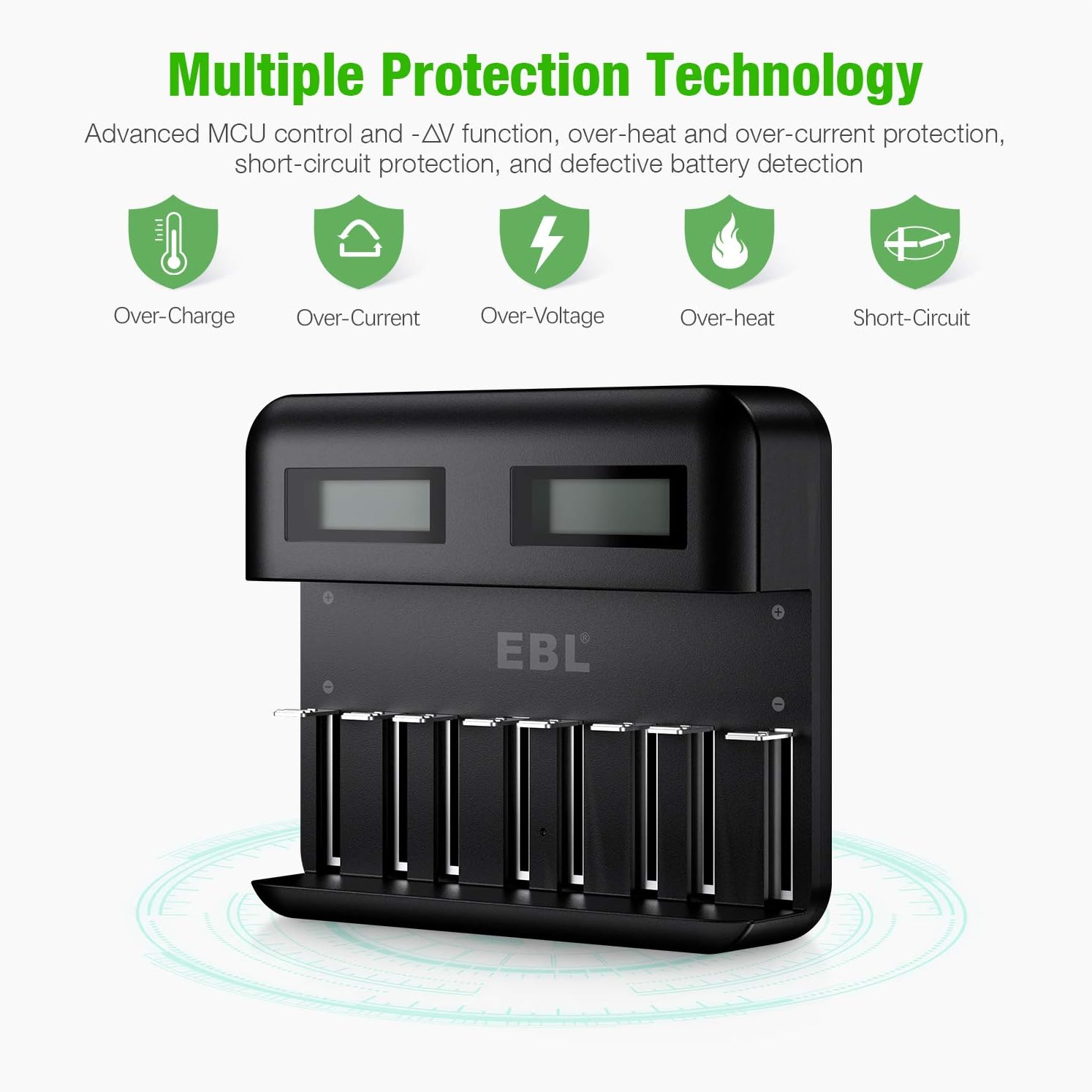
Figure 2: Diagram illustrating the multiple protection features of the EBL C9008 charger, including over-charge, over-current, over-voltage, over-heat, and short-circuit protection.
5. Setup
- Connect Power: Connect the provided Micro USB cable to either the Micro USB input port or the Type-C input port on the charger.
- Power Source: Plug the other end of the USB cable into a 5V/2A USB power adapter (not included) and then into a wall outlet.
- Power On: The LCD screens on the charger will briefly illuminate, indicating it is ready for use.

Figure 3: Close-up view of the EBL C9008 charger's side, showing both the Micro USB and Type-C input ports for power connection.
6. Operating Instructions
6.1 Inserting Batteries
- Ensure the battery type is Ni-MH and matches the charger's compatibility (AA, AAA, C, D).
- Insert batteries into the charging slots according to their polarity (+ and -). The spring-loaded negative terminal allows for easy insertion and secure fit.
- The charger supports mixed charging, allowing different battery types (AA, AAA, C, D) to be charged simultaneously in their respective slots.

Figure 4: The EBL C9008 charger with a mix of AA, AAA, C, and D batteries inserted into their respective slots, demonstrating its mixed charging capability.

Figure 5: The EBL C9008 charger shown with individual AA, AAA, C, and D batteries, highlighting its universal compatibility for these Ni-MH battery types.
6.2 Understanding the LCD Display
The smart LCD screen indicates the charging status for each individual battery:
- "CHG": Indicates the battery is currently charging. The battery icon will show segments filling up.
- Full Battery Icon: A static, full battery icon indicates the battery is fully charged. The charger will automatically switch to trickle charge.
- "ERROR": Indicates a damaged battery, incorrect battery type (non-rechargeable), or improper installation. Remove the battery and inspect it.

Figure 6: Close-up of the EBL C9008's LCD screens, displaying various charging statuses such as "CHG" (charging), full battery icon (fully charged), and "ERROR" (battery issue).
6.3 Charging Process
Once batteries are correctly inserted and the charger is powered, the charging process begins automatically. The charger uses intelligent control and -△V function to optimize charging and prevent overcharging. When batteries are nearly full, the charger automatically switches to trickle charge to maintain battery health.
Charging times vary depending on battery capacity and the number of batteries being charged. Larger batteries (C/D) and a higher number of batteries will generally require more time.
7. Maintenance
- Cleaning: Disconnect the charger from the power source before cleaning. Use a soft, dry cloth to wipe the surface of the charger. Do not use abrasive cleaners or solvents.
- Storage: Store the charger in a cool, dry place away from direct sunlight and moisture when not in use.
- Screen Protector: The charger comes with a fine screen protector film to prevent scratches during transportation. You may remove it before use if desired.

Figure 7: A close-up image showing the protective film on the LCD screen of the EBL C9008 charger, which can be peeled off before use.
8. Troubleshooting
| Problem | Possible Cause | Solution |
|---|---|---|
| Charger not powering on. | No power connection or faulty adapter/cable. |
|
| "ERROR" displayed on LCD for a battery. | Damaged battery, non-rechargeable battery, or incorrect insertion. |
|
| Batteries charging slowly. | High capacity batteries (C/D), many batteries charging simultaneously, or adapter not 2A. |
|
9. Specifications
| Feature | Detail |
|---|---|
| Model Number | C9008 |
| Compatible Battery Types | Ni-MH AA, AAA, C, D |
| Input | Micro USB / Type-C, 5V/2A |
| Output Voltage | 1.2 Volts |
| Product Dimensions | 6.3 x 5.1 x 1.8 inches (16.0 x 13.0 x 4.6 cm) |
| Item Weight | 0.01 ounces (approximately 0.28 grams) |
| Manufacturer | EBL |
| Date First Available | September 20, 2019 |
10. Warranty and Support
EBL products are designed and manufactured to high-quality standards. For warranty information, technical support, or customer service inquiries, please refer to the contact information provided with your purchase or visit the official EBL website.
Please retain your proof of purchase for warranty claims.


