
1. Introduction
Thank you for choosing the KopBeau Portable Camping Fan with Lights. This manual provides essential information for the safe and efficient operation of your device. Please read it thoroughly before use and retain it for future reference.
2. Important Safety Instructions
- Use only the specified DC power source or the built-in Li-ion battery.
- Keep out of reach of children.
- Do not insert fingers or foreign objects into the fan grille.
- Do not use near water or in excessively humid environments.
- Do not disassemble, repair, or modify the fan.
- Do not expose the battery to extreme temperatures or direct sunlight.
- Ensure the fan is placed on a stable surface or hung securely.
- The fan is intended for consumer use. This fan is not intended for commercial or industrial use.
- The remote control assumes no responsibility for damage due to unauthorized or improper modification.
- Do not use if the battery is damaged or has leaked.
- The maximum charging time should not exceed 24 hours.
- Clean the fan regularly to prevent dust accumulation.
- Store in a cool, dry, and ventilated environment when not in use.
3. Package Contents
Verify that all items are included in your package:
- KopBeau Portable Camping Fan (DFT15-1LW)
- USB Type-C Charging Cable
- User Manual (this document)
- Remote Control

Image: The KopBeau Portable Camping Fan in yellow, along with its USB-C charging cable and remote control, laid out on a surface.
4. Product Overview
The KopBeau Portable Camping Fan is a versatile device designed for both indoor and outdoor use. It features a powerful fan, LED lighting, and a built-in power bank function.
Key Features:
- 20000mAh Rechargeable Battery: Provides extended operation time and can act as a power bank.
- 3 Fan Speeds: Adjustable airflow for optimal comfort.
- 3-Level LED Light: Provides illumination for various environments.
- Adjustable Tilt: The fan head can be tilted to direct airflow.
- Hanging Hook & Wall Mount: Multiple placement options for convenience.
- Timer Function: Set the fan to automatically turn off after a specified duration.
- Remote Control: Convenient operation from a distance.
- Aroma Device: Detachable front cover allows for essential oil diffusion.

Image: A close-up of the KopBeau Portable Camping Fan, highlighting its digital display showing battery percentage and timer, along with the surrounding LED lights.
5. Setup
5.1 Initial Charging
- Before first use, fully charge the fan.
- Connect the provided USB Type-C cable to the fan's charging port (located on the side of the base).
- Plug the other end of the USB cable into a compatible USB power adapter (not included).
- The digital display will show the charging progress. A full charge typically takes 8-9 hours.
5.2 Placement Options
- Tabletop: Place the fan on a flat, stable surface.
- Hanging: Extend the integrated hook from the bottom of the fan's base and hang it from a tent, branch, or other suitable support.
- Wall Mount: Use the designated keyholes on the back of the fan's base to mount it securely to a wall.
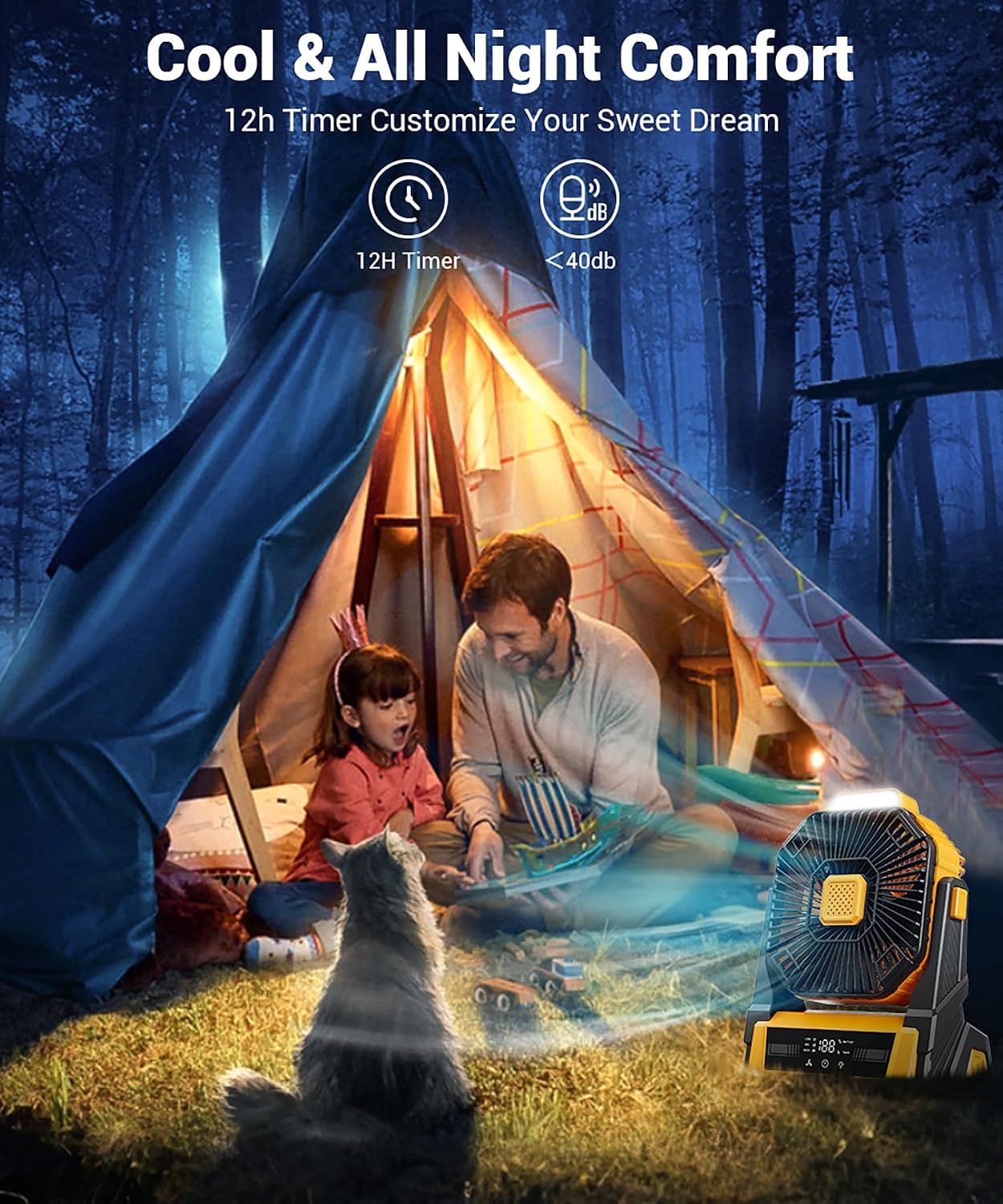
Image: The KopBeau Portable Camping Fan demonstrating its versatility with illustrations for tabletop, wall-hanging, and hanging hook usage.
6. Operating Instructions
6.1 Power On/Off & Fan Speed Adjustment
- Press the Power Button (usually the leftmost button on the control panel or on the remote) to turn the fan on.
- Press the Power Button repeatedly to cycle through fan speeds: Low (1), Medium (2), High (3), and Off.
- Alternatively, use the Speed +/- buttons on the remote control to adjust the fan speed.
6.2 LED Light Operation
- Press the Light Button (usually the middle button on the control panel or on the remote) to turn the LED light on.
- Press the Light Button repeatedly to cycle through brightness levels: Low, Medium, High, and Off.
- The fan also features a "Night Mode" button (moon icon) on the control panel to turn off all indicator lights for undisturbed sleep.
6.3 Timer Function
- Press the Timer Button (usually the rightmost button on the control panel or on the remote) to activate the timer.
- Press repeatedly to set the desired auto-off duration (e.g., 1H, 2H, 4H, 8H). The display will show the selected time.
6.4 Power Bank Function
- To charge external devices, connect your device's USB charging cable to the USB-A output port on the fan's base.
- The fan will automatically begin charging your device. Note that using the power bank function will reduce the fan's operating time.
6.5 Aroma Diffusion
- Gently twist the front cover of the fan counter-clockwise to detach it.
- Place a few drops of your preferred essential oil onto the cotton pad located inside the fan.
- Reattach the front cover by aligning and twisting clockwise until secure.
- Turn on the fan to enjoy fragrant air.

Image: The KopBeau fan demonstrating its aroma diffusion feature, with a woman meditating and a small illustration showing how to add essential oil to the fan's center.
7. Maintenance
7.1 Cleaning
- Ensure the fan is turned off and unplugged before cleaning.
- Wipe the exterior of the fan with a soft, damp cloth.
- To clean the fan blades, gently twist the front cover counter-clockwise to remove it. Use a dry cloth or soft brush to remove dust.
- Do not use abrasive cleaners or immerse the fan in water.
7.2 Storage
When not in use for extended periods, store the fan in a cool, dry, and well-ventilated area, away from direct sunlight and extreme temperatures.
8. Troubleshooting
| Problem | Possible Cause | Solution |
|---|---|---|
| Fan does not turn on. | Low battery or no power. | Charge the fan fully. Ensure power button is pressed. |
| Fan speed is weak. | Low battery or fan set to low speed. | Charge the fan. Increase fan speed setting. |
| LED light does not work. | Light is off or low battery. | Press the Light Button to turn on/increase brightness. Charge the fan. |
| Remote control not working. | Remote battery depleted or obstruction. | Replace remote battery. Ensure clear line of sight to the fan. |
| Battery life is shorter than expected. | Frequent use of high speed, LED light, or power bank function. | Reduce usage of power-intensive features. Ensure full charge before use. |
9. Specifications
- Model Name: KW-MF11E
- Item Model Number: DFT15-1LW
- Brand: KopBeau
- Color: Yellow
- Power Source: Battery Powered (2 Lithium Ion batteries included)
- Battery Capacity: 20000mAh
- Charging Time: 8-9 hours
- Max Working Time: Up to 60 hours (low fan speed, no light)
- Fan Speed: 3 levels, up to 2600 RPM
- Air Flow Capacity: 2600 Cubic Feet Per Minute
- Noise Level: 40 Decibels
- LED Light: 3 levels
- Product Dimensions: 4.72"D x 8.46"W x 10.35"H
- Item Weight: 2.2 pounds
- Main Power Connector Type: USB Type C (Input/Output)
- Output: 5V-2A (USB-A)
- Control Method: Touch, Button Control, Remote Control
- Special Features: Portable, Front Aroma Device, Adjustable Tilt, LED Light, Hanging Hook, Wall Mount
10. Product Videos
KopBeau Portable Camping Fan with Lights
Video: An official product video from KopBeau showcasing the portable camping fan's features and uses in various outdoor settings.
11. Warranty and Support
For warranty information or technical support, please refer to the contact details provided in the product packaging or visit the official KopBeau website.
Customer Service Email: support@kopbeau.com