Introduction
Thank you for choosing the Earbood Smartwatch IDW13. This manual provides essential information for setting up, operating, and maintaining your device. Please read it thoroughly to ensure proper use and to maximize your smartwatch experience.
Product Overview
Key Features
- Bluetooth 5.3 for enhanced connectivity and power efficiency.
- Integrated call function and notification alerts.
- Alexa voice assistant support.
- 1.8-inch IPS TFT-LCD display with 5-level brightness adjustment.
- Comprehensive 24-hour health monitoring (heart rate, blood oxygen, sleep tracking, stress management).
- Over 100 sports modes with automatic detection for running and walking.
- IP68 waterproof rating with water drainage function.
- Long-lasting battery: approximately 1 week of use, up to 15 days in power-saving mode.
- Customizable watch faces.
- Remote camera control, music control, weather forecast, find phone function.
Package Contents
- Earbood Smartwatch IDW13
- Magnetic charging cable
- User Manual
Setup
1. Charging the Smartwatch
Before first use, fully charge the smartwatch. Connect the magnetic charging cable to the charging contacts on the back of the watch and to a 5V1A USB power adapter. A full charge typically takes about 2.5 hours.
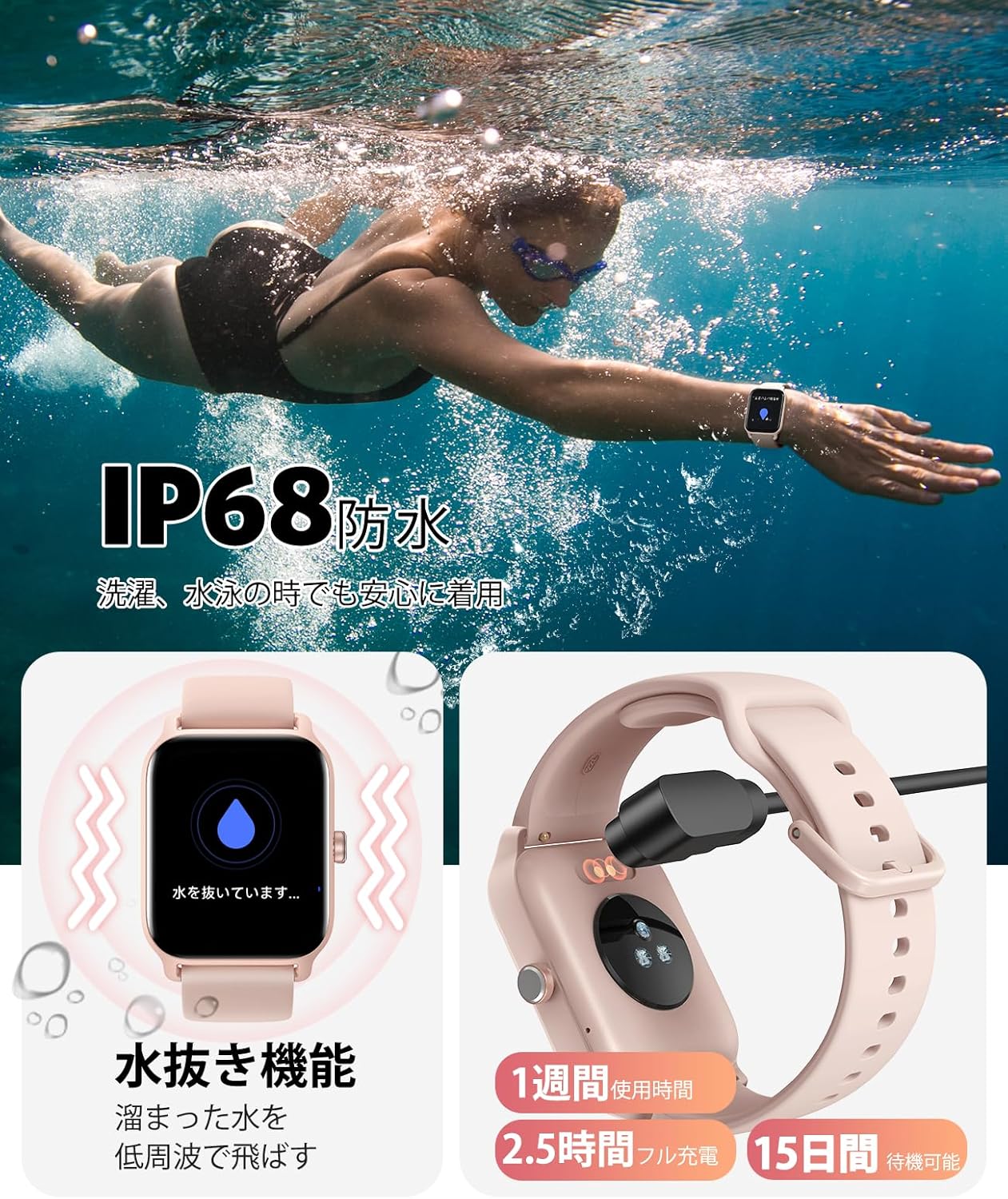
Image: The smartwatch connected to its magnetic charging cable. The display shows a charging icon. This image illustrates the charging process and the IP68 waterproof feature.
2. App Installation and Pairing
- Download the dedicated "Veryfit" app from your smartphone's app store (compatible with iOS 12.0+ and Android 8.0+).
- Open the Veryfit app and follow the on-screen instructions to create an account or log in.
- Enable Bluetooth on your smartphone.
- In the Veryfit app, search for your smartwatch (IDW13) and select it to initiate the pairing process.
- Confirm the pairing request on both your smartphone and the smartwatch.
Once paired, the app will display detailed health data and allow you to customize various smartwatch settings.

Image: A close-up of the smartwatch display showing 'Bluetooth 5.3' and various social media notification icons (Line, Instagram, Facebook, Mail). This highlights the advanced Bluetooth connectivity and notification features.
Operating Instructions
Call Function and Notifications
- Making/Answering Calls: With Bluetooth 5.3, you can make and answer calls directly from your smartwatch. The call volume is adjustable for a clear experience.
- Call History & Contacts: View call history and synchronize contacts through the smartwatch.
- Message Notifications: Receive vibration alerts and display notifications for messages from apps like Line, Instagram, and email. This feature is useful during meetings or household chores when checking your phone is inconvenient.
Alexa Voice Control
The smartwatch supports Alexa voice commands. Simply speak to Alexa to:
- Start or stop exercises.
- Check information or weather forecasts.
- Set alarms and reminders.
- Control other smart home devices (if compatible).

Image: The smartwatch screen showing an Alexa interaction, with text bubbles indicating commands like "Set an alarm for 10 AM" and responses. Below are icons representing music control, weather, alarm, find phone, raise-to-wake, breathing exercise, sedentary reminder, hydration reminder, female health, and remote camera.
Health Monitoring
The smartwatch features an improved sensor for 24-hour health tracking:
- Sleep Monitoring: Detects deep sleep, light sleep, and REM sleep patterns to visualize sleep quality.
- Stress Management: Provides insights into stress levels.
- Breathing Exercises: Guides you through breathing sessions.
- Hydration Reminders: Notifies you to drink water at regular intervals.
- Sedentary Alerts: Reminds you to move after periods of inactivity.
- Female Health Management: Tracks menstrual cycles.
Note: This product is not a medical device. Data is for health management purposes only and should not be used for diagnosis or treatment.
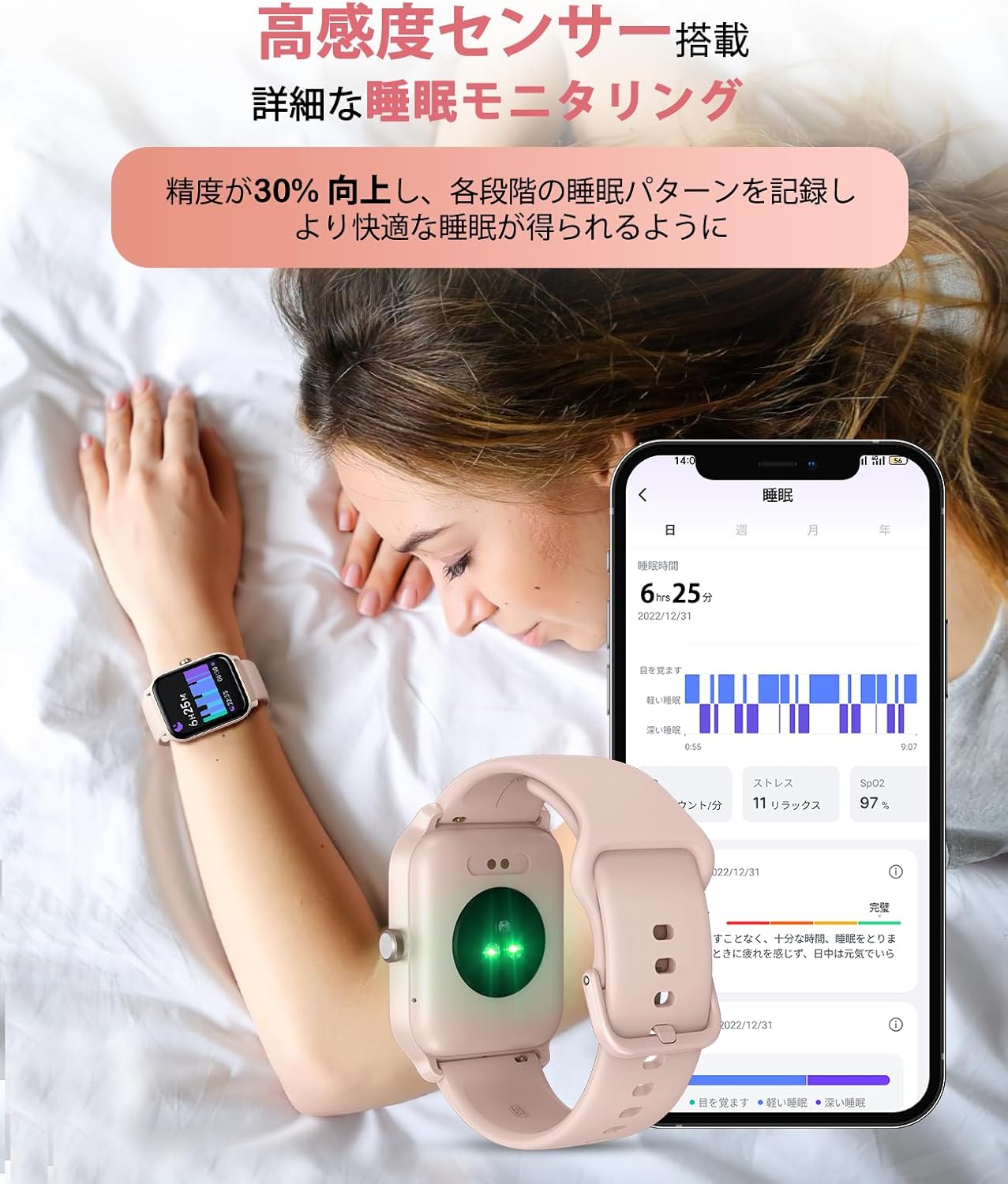
Image: A person sleeping with the smartwatch on their wrist. The image shows the smartwatch's green sensor light and a smartphone screen displaying detailed sleep monitoring data, including deep sleep, light sleep, and SpO2 levels.
Sports Modes
Choose from over 100 sports modes, including cycling, climbing, swimming, and baseball. The smartwatch also supports automatic detection for running and walking. It records and monitors fitness data such as exercise duration, average pace, and calories burned, helping you achieve your fitness goals.
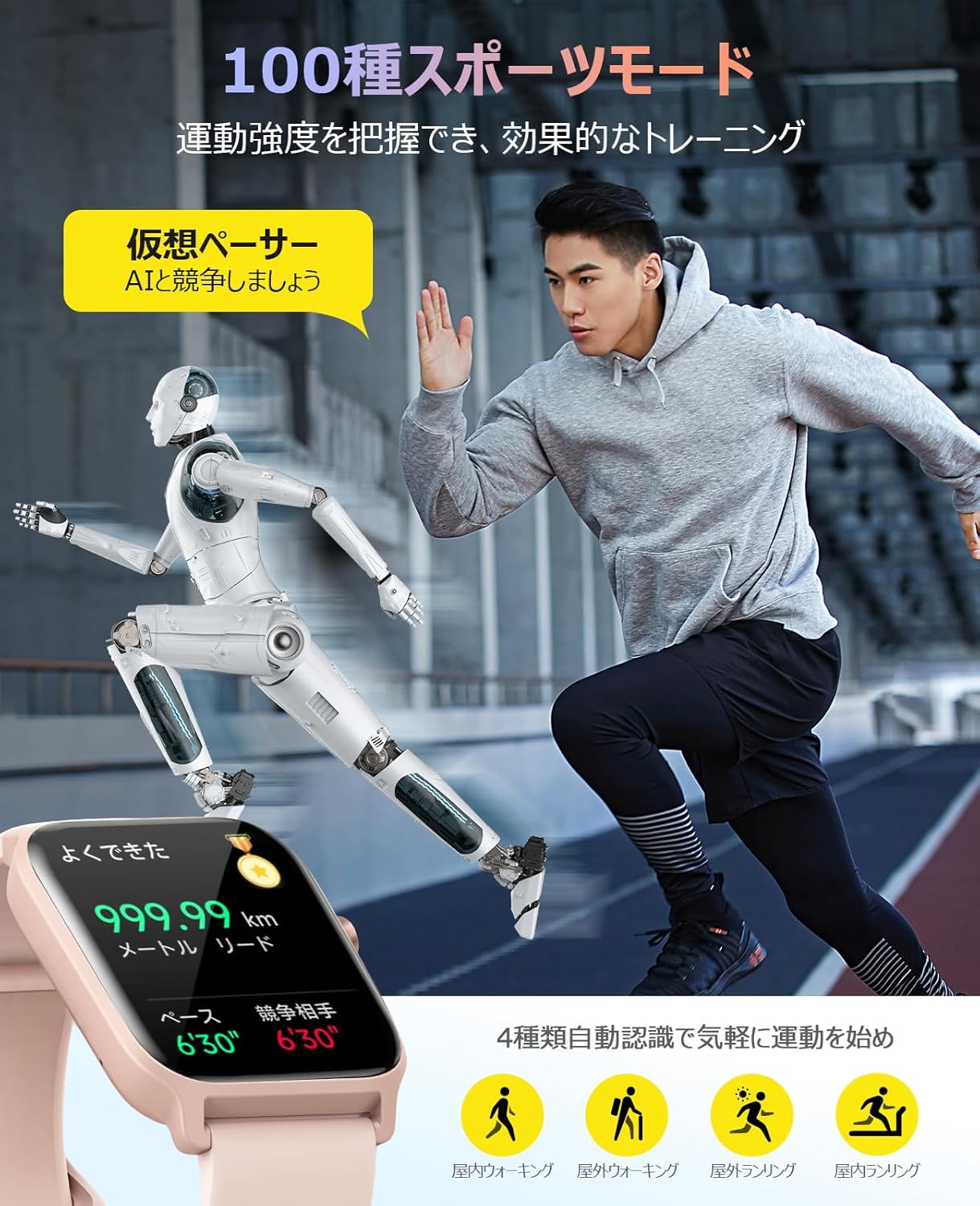
Image: A person running on a track with the smartwatch on their wrist, alongside a virtual robot pacer. The smartwatch display shows distance, pace, and a comparison with the virtual pacer. Icons for indoor walking, outdoor walking, outdoor running, and indoor running are also visible.
Display and Customization
The 1.8-inch IPS TFT-LCD screen offers clear visibility with 5-level brightness adjustment. Customize your watch face by selecting from various designs in the app or by setting your favorite photos as the background.

Image: A visual representation of the smartwatch's 1.8-inch high-resolution display, highlighting its 5-level brightness adjustment and improved touch sensitivity. The image shows a vibrant, flowing graphic on the screen, emphasizing visual quality.
Battery and Charging
The smartwatch is equipped with a large-capacity battery, providing approximately one week of continuous use. In power-saving mode, standby time can extend up to 15 days. Charging is convenient with the magnetic charging cable, taking about 2.5 hours for a full charge. Always use a 5V1A adapter for charging.
Waterproofing and Maintenance
The Earbood Smartwatch IDW13 has an IP68 waterproof rating, allowing for worry-free use in rain, during workouts, washing hands, or swimming. It also features a water drainage function to easily remove accumulated water.
Image: A person swimming underwater with the smartwatch on their wrist, demonstrating its IP68 waterproof capability. The image also shows the smartwatch's water drainage function and charging details (1 week usage, 2.5 hours full charge, 15 days standby).
Caution: Avoid using the smartwatch during diving, in saunas, or hot springs, as extreme conditions may affect its waterproof integrity.
Cleaning
Wipe the smartwatch and strap with a soft, dry cloth. If necessary, use a slightly damp cloth and then dry thoroughly. Avoid harsh chemicals or abrasive materials.
Troubleshooting
- Smartwatch not turning on: Ensure the device is fully charged. Connect it to the charger for at least 30 minutes.
- Cannot pair with smartphone:
- Ensure Bluetooth is enabled on your smartphone.
- Make sure the smartwatch is within range of your smartphone.
- Restart both your smartphone and the smartwatch.
- Check if the Veryfit app is updated to the latest version.
- If previously paired, try unpairing and re-pairing the devices.
- Notifications not received:
- Ensure the smartwatch is successfully paired with your smartphone.
- Check notification settings within the Veryfit app and your smartphone's system settings to ensure permissions are granted.
- Verify that the app is running in the background on your phone.
- Inaccurate health data: Ensure the smartwatch is worn snugly on your wrist, not too tight or too loose. Clean the sensor regularly.
- Short battery life: Adjust screen brightness, reduce notification frequency, or enable power-saving mode. Ensure background app usage is optimized on your phone.
Specifications
| Model Number | IDW13 |
| Display Size | 1.8 inches |
| Display Type | IPS TFT-LCD |
| Connectivity | Bluetooth 5.3 |
| Waterproof Rating | IP68 |
| Compatible OS | iOS 12.0+, Android 8.0+ |
| Battery Life (Typical) | Approx. 1 week |
| Battery Life (Power Saving) | Up to 15 days |
| Charging Time | Approx. 2.5 hours |
| Product Dimensions | 5.3 x 3.75 x 1.14 cm |
| Product Weight | 36 grams |
Warranty and Support
This product has received technical certification, ensuring compliance with international quality standards. For any inquiries or issues, please contact customer support through your purchase platform. Typically, you can find support by navigating to "Account Service" -> "Order History" -> "Contact Seller".

Image: A composite image showing the smartwatch. One panel displays a technical certification mark (TELEC) indicating compliance. Another panel shows the back of the smartwatch with its high-sensitivity sensors, emphasizing precision and safety.


