
1. Introduction
This manual provides essential information for the safe and effective use of your GEARSTONE Folding Treadmill WP7. Please read this manual thoroughly before operating the treadmill and retain it for future reference. This treadmill is designed for indoor home use, offering both a running machine and an under-desk walking treadmill functionality.
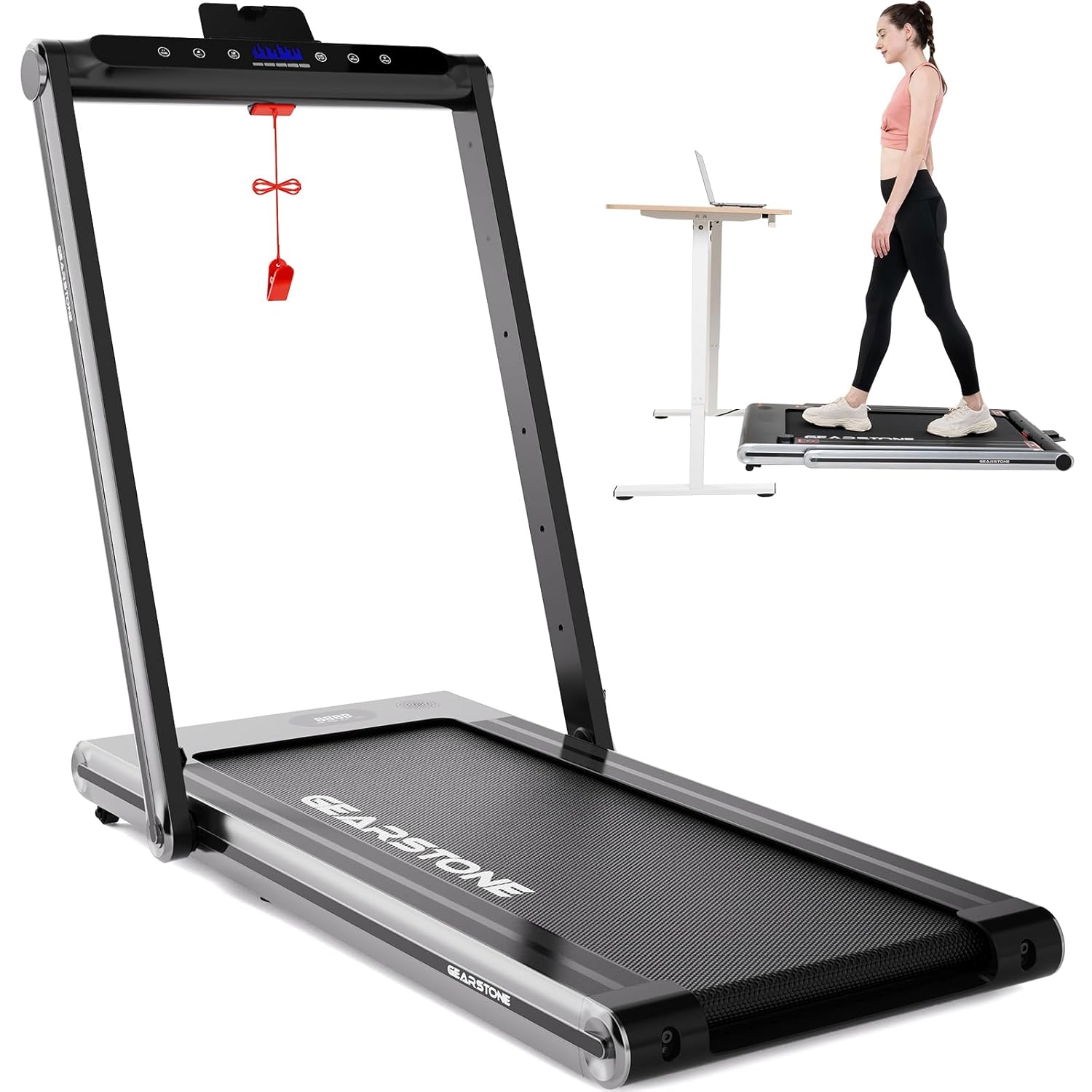
Image 1.1: The GEARSTONE Folding Treadmill WP7, showcasing its versatility as both a traditional running treadmill and a compact under-desk walking pad. The image displays the treadmill in its upright position with handles, and a smaller inset shows it flat under a standing desk with a user walking.
2. Important Safety Instructions
To reduce the risk of serious injury, read all instructions before using the treadmill. The manufacturer assumes no responsibility for personal injury or property damage sustained by or through the use of this product.
- Always attach the safety key clip to your clothing before starting the treadmill.
- Ensure the treadmill is placed on a flat, stable surface with adequate clearance around it.
- Keep children and pets away from the treadmill during operation.
- Do not operate the treadmill if it has a damaged cord or plug, or if it is not working properly.
- Wear appropriate athletic footwear and clothing.
- Consult a physician before starting any exercise program.
- Do not use the treadmill outdoors or in damp areas.
- Unplug the treadmill from the power outlet when not in use or before cleaning/maintenance.
3. Product Components
Familiarize yourself with the main parts of your GEARSTONE Folding Treadmill WP7.

Image 3.1: Key components of the treadmill are highlighted. These include the phone holder, LCD screen for displaying workout data, the essential safety key, transport wheels for easy movement, and the running belt.
- Control Panel: Houses the LCD display, speed controls, and other function buttons.
- LCD Screen: Displays time, speed, distance, and calories burned.
- Safety Key: A magnetic key that must be in place for the treadmill to operate. Pulling it off stops the treadmill immediately.
- Running Belt: The surface on which you walk or run. Features a non-slip texture and multi-layer shock absorption.
- Upright Frame/Handrails: Provides support and houses the control panel in running mode. Folds down for under-desk use.
- Transport Wheels: Located at the front for easy movement and storage.
- Phone Holder: Integrated into the control panel for device placement.
4. Setup and Assembly
The GEARSTONE WP7 treadmill comes fully assembled. Follow these steps for initial setup and to switch between modes.
4.1 Unpacking and Placement
- Carefully remove the treadmill from its packaging.
- Place the treadmill on a firm, level surface. Ensure there is at least 2 feet (60 cm) of clear space behind the treadmill and 1 foot (30 cm) on each side.
- Inspect the treadmill for any damage that may have occurred during shipping. Contact customer support if any issues are found.
4.2 Switching Between Running and Walking Modes
The treadmill offers two modes: running (upright frame unfolded) and walking (upright frame folded).

Image 4.1: This image illustrates the foldable design of the treadmill, showing how the upright frame can be lowered for under-desk use or compact storage. It also depicts the treadmill stored flat under a bed and vertically against a wall, highlighting its space-saving features.
- For Running Mode (Upright): Gently lift the upright frame until it locks securely into position. Ensure it is fully extended and stable before use.
- For Walking Mode (Under-Desk): Release the locking mechanism (refer to the specific latch on your unit, usually near the base of the upright frame) and carefully lower the upright frame until it lies flat against the running deck.
Once in walking mode, the treadmill can be placed under a standing desk. The maximum speed in this mode is limited to 4 km/h for safety.
5. Operating Instructions
5.1 Powering On and Off
- Plug the power cord into a grounded electrical outlet.
- Locate the power switch (usually near the front base of the treadmill) and turn it to the "ON" position.
- To turn off, switch the power switch to "OFF" and unplug the unit.
5.2 Using the Safety Key
The safety key is a critical safety feature. The treadmill will not operate without it.
- Attach the magnetic end of the safety key to the designated spot on the control panel.
- Clip the other end of the safety key to your clothing. In case of an emergency or if you lose balance, the safety key will detach, and the treadmill will stop immediately.
5.3 Starting a Workout
- Ensure the safety key is properly attached.
- Step onto the side rails of the treadmill, not directly onto the belt.
- Press the "START" button on the control panel. The treadmill will typically begin with a short countdown and then start at a low speed.
- Carefully step onto the moving belt and begin walking.
5.4 Adjusting Speed
Use the speed control buttons on the control panel to increase or decrease the belt speed.
- In Running Mode (upright frame), the speed range is 1-15 km/h.
- In Walking Mode (frame folded), the speed range is 1-4 km/h.

Image 5.1: A detailed view of the treadmill's widened running belt, emphasizing its multi-layer shock-absorbing design. This feature is engineered to protect joints and enhance user comfort during exercise.
5.5 Monitoring Your Workout
The built-in LCD display tracks your workout progress:
- Time: Duration of your workout.
- Speed: Current speed of the running belt.
- Distance: Total distance covered.
- Calories: Estimated calories burned.
5.6 Stopping a Workout
To stop the treadmill:
- Press the "STOP" button on the control panel. The belt will gradually slow down and stop.
- Alternatively, pull the safety key from the control panel for an immediate stop.
- Once the belt has stopped, step off the treadmill.
6. Maintenance and Care
Regular maintenance ensures the longevity and optimal performance of your treadmill.
6.1 Cleaning
- Always unplug the treadmill before cleaning.
- Wipe down the control panel and exterior surfaces with a soft, damp cloth. Avoid abrasive cleaners or solvents.
- Periodically vacuum underneath the treadmill to prevent dust and debris buildup.
6.2 Running Belt Lubrication
The running belt requires periodic lubrication to reduce friction and extend its lifespan. The frequency depends on usage, but generally every 3-6 months or after 50 hours of use.
- Unplug the treadmill.
- Loosen the rear roller bolts slightly to allow access under the belt (do not remove them completely).
- Apply a thin line of 100% silicone lubricant (specifically designed for treadmills) evenly under the center of the running belt.
- Tighten the rear roller bolts to their original tension.
- Plug in the treadmill and run it at a slow speed (e.g., 2 km/h) for 5 minutes to distribute the lubricant.
Note: Over-lubrication can be detrimental. Follow the lubricant manufacturer's instructions.
6.3 Belt Tension and Alignment
If the running belt slips or drifts to one side, it may need adjustment. Refer to the specific instructions in your included user manual for detailed steps on adjusting belt tension and alignment, as this can vary slightly by model.
7. Troubleshooting
This section addresses common issues you might encounter with your treadmill.
| Problem | Possible Cause | Solution |
|---|---|---|
| Treadmill does not start |
|
|
| Running belt slips or hesitates |
|
|
| Unusual noise or squealing |
|
|
| Error Codes (e.g., U01, E01) |
|
|
If you encounter a problem not listed here or if the suggested solutions do not resolve the issue, please contact GEARSTONE customer support.
8. Product Specifications
Technical details for the GEARSTONE Folding Treadmill WP7.
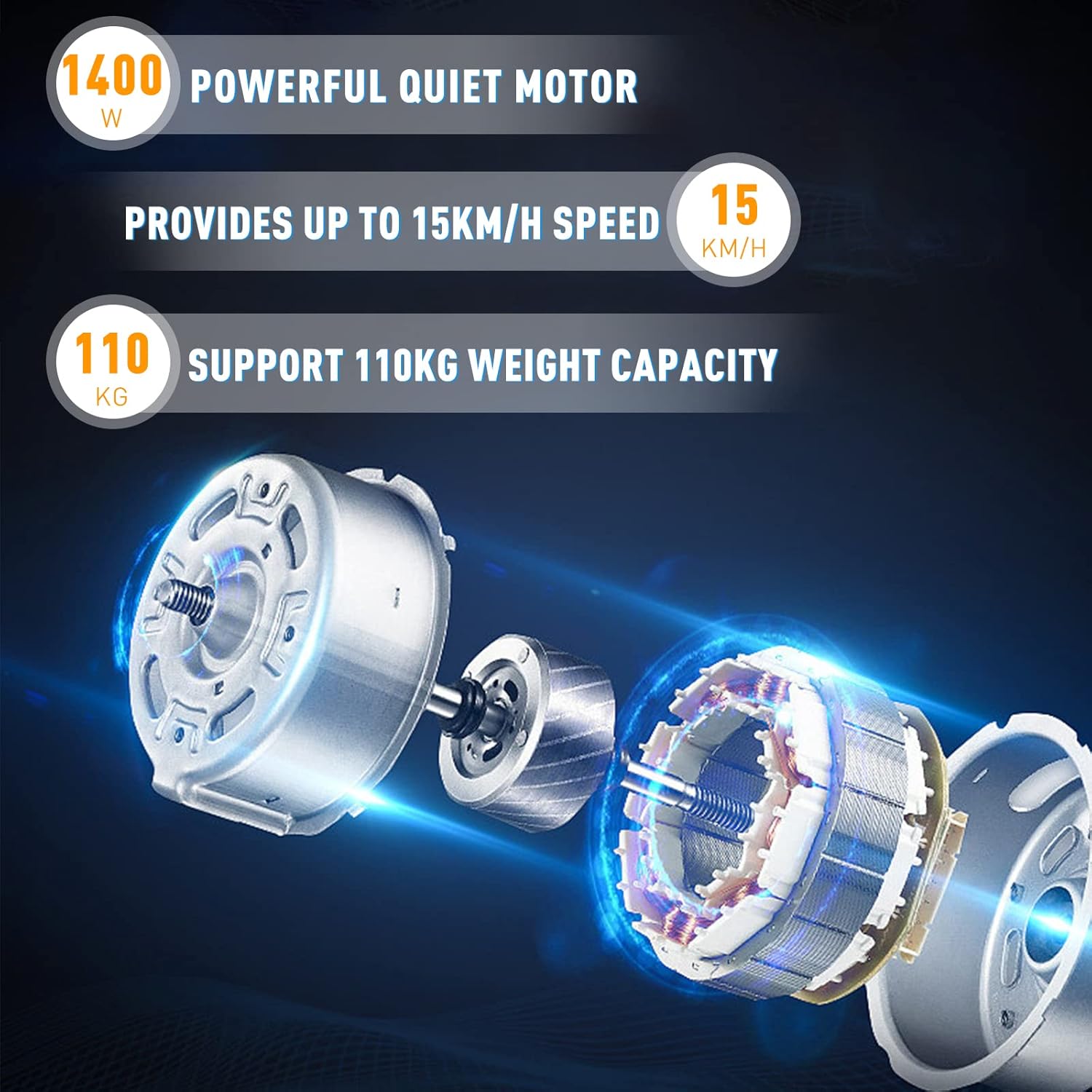
Image 8.1: An illustration detailing the treadmill's powerful and quiet 1400W motor. It highlights the maximum speed capability of 15 km/h and a maximum user weight capacity of 110 kg.
| Feature | Detail |
|---|---|
| Brand | GEARSTONE |
| Model Name | WP7 |
| Product Grade | Folding Treadmill |
| Material | Alloy Steel |
| Item Weight | 31.5 Kilograms (31 kg 500 g) |
| Maximum Speed | 15 Kilometers per Hour |
| Maximum Horsepower | 1400 Watts |
| Maximum Weight Recommendation | 110 Kilograms |
| Deck Length | 40 Inches |
| Display Type | LCD |
| Connectivity Technology | Power cord |
| Assembly Required | No (comes fully assembled) |
| Recommended Uses | Indoor home use |
| Included Components | User Manual |
9. Warranty and Customer Support
For warranty information, please refer to the specific warranty card included with your product or visit the official GEARSTONE website. If you require technical assistance, have questions about your product, or need to report a defect, please contact GEARSTONE customer support through the contact information provided in your purchase documentation or on the official brand website.
10. Storage
The GEARSTONE WP7 treadmill is designed for easy storage due to its foldable nature and transport wheels.
- Ensure the treadmill is turned off and unplugged.
- Fold the upright frame down into the walking (under-desk) position (refer to Section 4.2).
- Using the transport wheels, carefully move the treadmill to your desired storage location. It can be stored flat under a sofa or bed, or vertically against a wall.
- Store in a dry, cool place away from direct sunlight and moisture.

