
Introduction
Thank you for choosing Sanus Wireless Speaker Stands for your Sonos ERA 300™ speakers. These stands are designed to provide optimal listening height, secure placement, and integrated cable management, enhancing your audio experience while seamlessly blending with your home environment.
Safety Information
Please read and understand all instructions before installation and use. Failure to follow these instructions may result in property damage, serious injury, or death. If you have any questions, please contact Sanus customer support.
- Do not exceed the maximum weight capacity of the stands.
- Ensure all screws are securely tightened before placing speakers on the stands.
- Keep small parts away from children.
- Install on a stable, level surface.
Package Contents
Verify that all components are present before beginning assembly:
- Speaker Stand Base (2)
- Speaker Stand Pole (2)
- Speaker Mounting Plate (2)
- Assembly Hardware (screws, washers, etc.)
- Rubber Feet (for hard floors)
- Carpet Spikes (for carpeted floors)
- Instruction Manual
Setup and Assembly
Follow these steps for easy and secure assembly of your Sanus speaker stands:
- Attach the Pole to the Base: Securely fasten the speaker stand pole to the base using the provided screws and tools. Ensure a firm connection for stability.
- Attach the Speaker Mounting Plate: Connect the speaker mounting plate to the top of the pole. This plate is specifically designed to fit the Sonos ERA 300™ speaker.
- Install Floor Compatibility Feet: Depending on your flooring, attach either the rubber feet (for hard surfaces like wood or tile) or the carpet spikes (for carpeted areas) to the bottom of the stand base. This ensures stability and prevents vibrations.
- Route Speaker Cables: The stand features integrated wire channels to conceal speaker power cords. Carefully route the cable through the designated channel in the pole for a clean, clutter-free appearance.
- Place Sonos ERA 300™ Speaker: Gently place your Sonos ERA 300™ speaker onto the mounting plate. The plate is designed to securely hold the speaker in place.

The image illustrates the straightforward assembly process, including securing the base and attaching the speaker platform.

Choose between rubber feet for hard floors or carpet spikes for carpeted surfaces to ensure optimal stability.

The wire channels within the stand's pole help conceal cables, maintaining a tidy aesthetic.

The assembled stands with Sonos ERA 300 speakers provide an elevated and integrated audio solution.
Operating and Placement
These stands are engineered to position your Sonos ERA 300™ speakers at an optimal listening height of 32.31 inches (82.07 cm) for an immersive audio experience.

The stands are designed for an optimal listening height of 32.31 inches.
For best sound dispersion, consider placing the stands equidistant from your primary listening position and ensure no obstructions block the speaker's sound path. The compact design allows for versatile placement in various home environments.
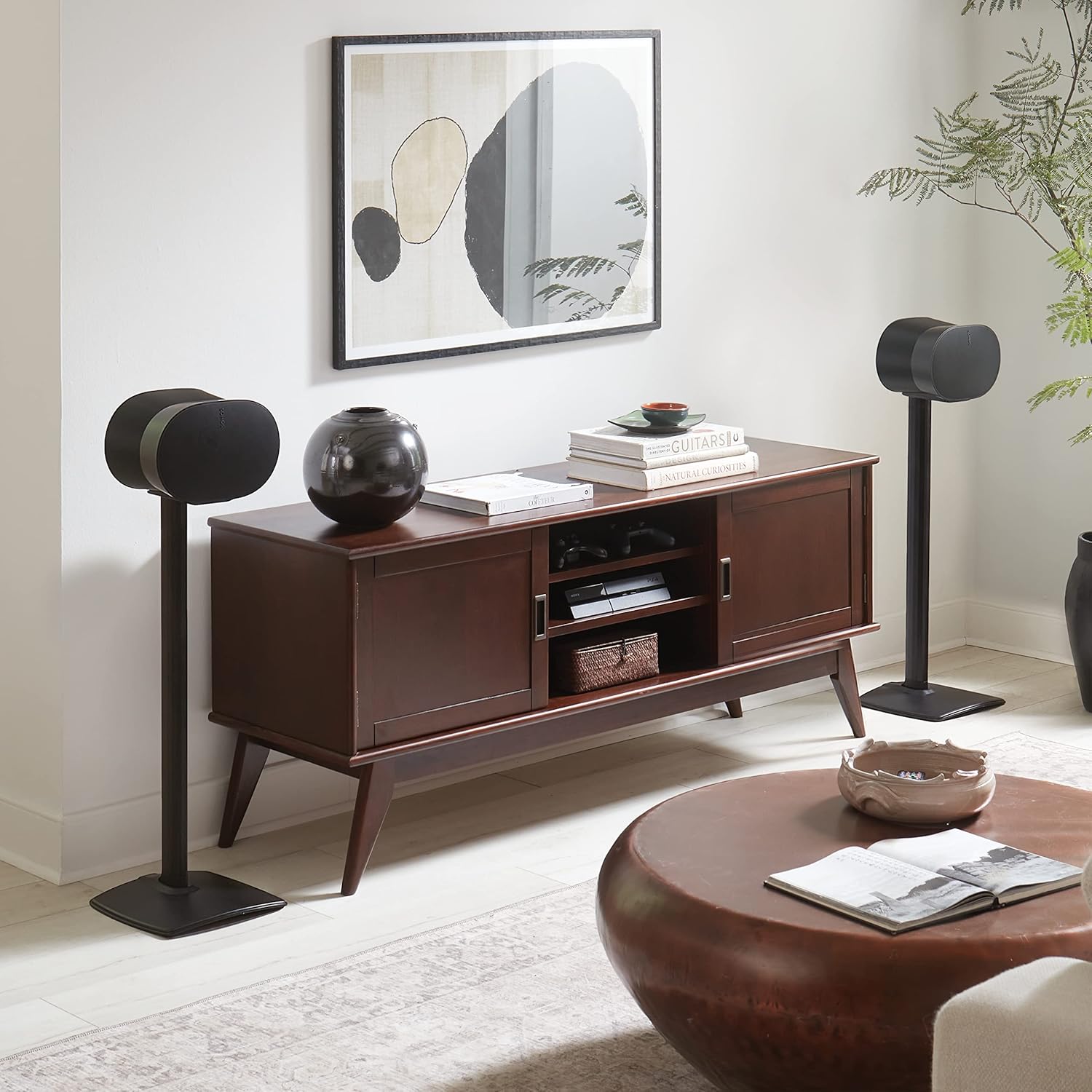
The stands seamlessly integrate into various home environments, providing optimal speaker placement.
Maintenance
To ensure the longevity and appearance of your speaker stands, follow these simple maintenance guidelines:
- Cleaning: Wipe the stands with a soft, dry cloth to remove dust. For stubborn marks, a slightly damp cloth can be used, followed by immediate drying. Avoid abrasive cleaners or solvents.
- Periodic Checks: Periodically check all screws and connections to ensure they remain tight and secure.
Troubleshooting
If you encounter any issues with your speaker stands, refer to the following common problems and solutions:
| Problem | Possible Cause | Solution |
|---|---|---|
| Stand feels unstable or wobbly. | Loose connections; uneven floor; incorrect feet used. | Ensure all screws are tightened. Adjust stand position on a level surface. Verify correct rubber feet/carpet spikes are installed. |
| Speaker does not sit flush on the plate. | Speaker not correctly aligned; debris on plate. | Re-align the speaker with the mounting points. Clear any debris from the mounting plate. |
| Cables are visible or not fully concealed. | Cable not routed correctly through the channel. | Re-route the cable, ensuring it is fully tucked into the designated wire management channel. |
Specifications
- Model: OSSE32-B2
- Compatible Speakers: Sonos ERA 300™
- Height: 32.31 inches (82.07 cm)
- Material: Plastic (as per product specifications)
- Item Weight: 25.2 pounds (per pair)
- Color: Black
- Features: Adjustable (feet/spikes), Wire Management

Detailed dimensions of the speaker stand.
Warranty and Support
Sanus provides a 5-Year Limited Warranty for these speaker stands, covering defects in materials and workmanship under normal use. For warranty claims or technical assistance, please contact Sanus customer support.
Our US-based expert customer care team is available 7 days a week to assist you with any questions or concerns regarding your product.
For further information, visit the official Sanus website or refer to your purchase documentation.


