Introduction
The Philips Series 7000 Electric Shaver S7887/35 is designed to provide a close and comfortable shave while offering advanced skin protection. This shaver is suitable for both wet and dry use, allowing for versatile grooming options. It incorporates innovative technologies such as SkinIQ, SteelPrecision blades, and Nano SkinGlide coating to enhance your shaving experience and minimize irritation.
This manual provides essential information on how to set up, operate, maintain, and troubleshoot your Philips Series 7000 shaver to ensure optimal performance and longevity.
Product Overview and Included Components
Your Philips Series 7000 Shaver S7887/35 package includes the following items:
- 1 Philips Series 7000 Wet & Dry Electric Shaver
- 1 Travel Pouch
- 1 Charging Stand
- 1 USB-A Charging Cable
- 1 Cleaning Brush
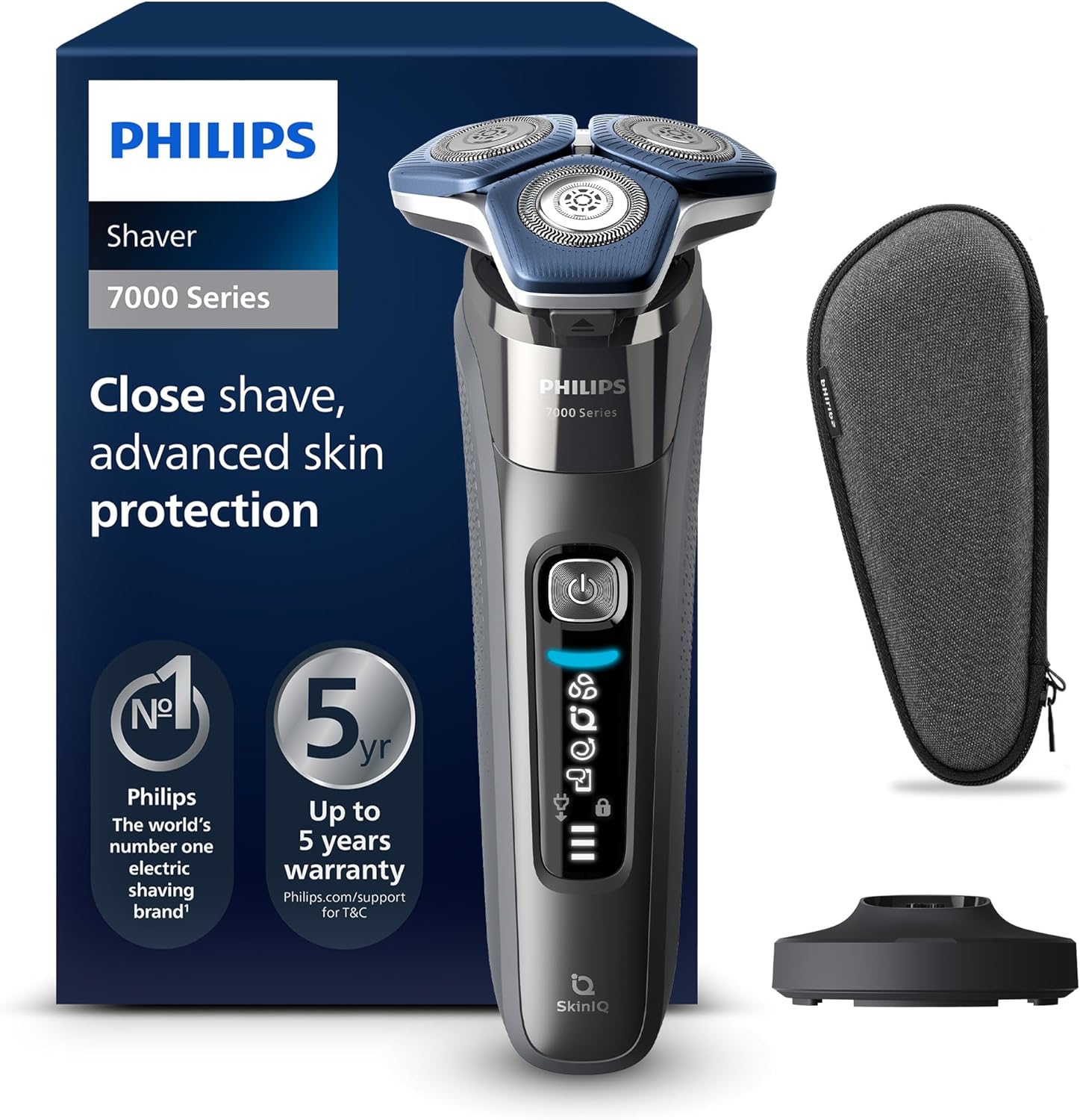
Figure 1: Philips Series 7000 Electric Shaver S7887/35, including its retail packaging, charging stand, and protective travel case.

Figure 2: The Philips Series 7000 Electric Shaver shown alongside its USB charging cable, highlighting the power connection.
Safety Information
To ensure safe operation and prevent injury or damage to the product, please adhere to the following safety guidelines:
- Always ensure the shaver is completely dry before connecting it to the charging stand or USB cable.
- Use only the provided charging stand and USB cable for charging.
- Do not immerse the charging stand or USB cable in water or any other liquid.
- Keep the shaver and its components away from extreme heat sources.
- This appliance can be used by children aged 8 years and above and persons with reduced physical, sensory or mental capabilities or lack of experience and knowledge if they have been given supervision or instruction concerning use of the appliance in a safe way and understand the hazards involved.
- Children shall not play with the appliance. Cleaning and user maintenance shall not be made by children without supervision.
- Always turn off and unplug the shaver before cleaning or performing any maintenance.
- Handle the shaver heads with care to minimize the risk of cuts.
- Store the shaver and its accessories in the provided travel case when not in use to protect them from damage.
Setup
Initial Charging
Before using your Philips Series 7000 shaver for the first time, it is essential to fully charge it. A full charge provides approximately 60 minutes of cordless shaving time.
- Connect the USB-A charging cable to the charging stand.
- Plug the USB-A end of the cable into a compatible USB power adapter (not included) or a USB port.
- Place the shaver onto the charging stand. The battery indicator lights on the shaver will illuminate to show the charging progress.
- Allow the shaver to charge for approximately 1 hour for a full charge. A 5-minute quick charge provides enough power for one shave.
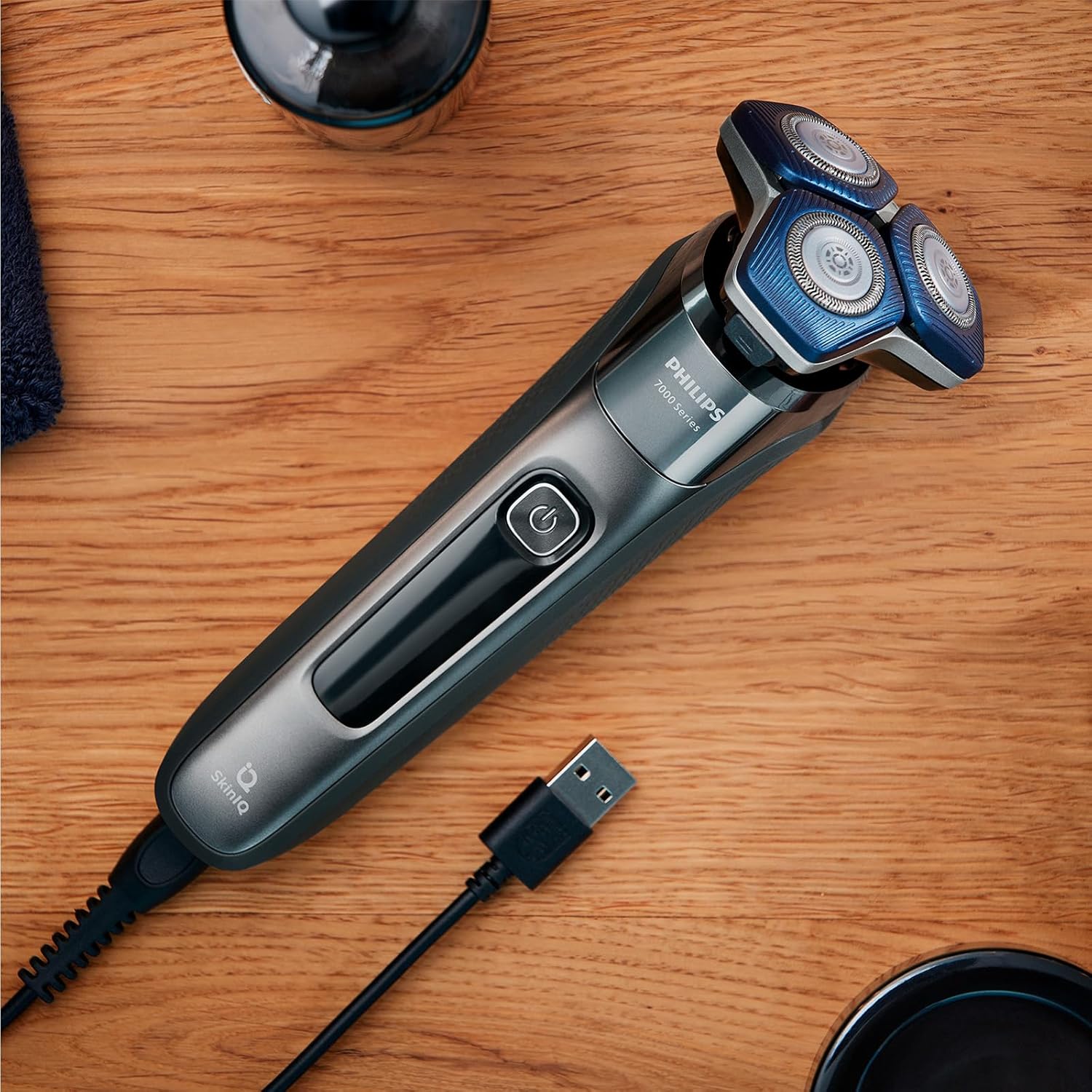
Figure 3: The Philips Series 7000 Shaver placed on a surface with its USB charging cable connected, ready for charging.
Operating Instructions
Shaving Technique
The Philips Series 7000 shaver is designed for both wet and dry shaving. Choose the method that best suits your preference and skin type.
- Dry Shaving: For a quick and convenient shave, ensure your face is clean and dry.
- Wet Shaving: For a refreshing shave, you can use shaving gel or foam, or even shave in the shower.
- Turn on the shaver by pressing the power button.
- Move the shaver in gentle, circular motions over your face and neck. The flexible 360-degree heads will follow the contours of your face for optimal contact.
- Apply light pressure. The SkinIQ technology with its intelligent facial hair sensor detects hair density 250 times per second and automatically adjusts cutting power for a smooth shave.
- For best results, stretch your skin with your free hand to make the hairs stand upright.
- After shaving, turn off the shaver.

Figure 4: A man demonstrating the proper technique for using the Philips Series 7000 Shaver on his face, highlighting the shaver's ergonomic design.
Using the Retractable Trimmer
The integrated retractable trimmer is ideal for maintaining your mustache and trimming sideburns.
- To activate the trimmer, slide the trimmer switch upwards.
- Use the trimmer to shape and define your beard lines or sideburns.
- After use, slide the trimmer switch downwards to retract it.
Philips GroomTribe App Integration
Enhance your shaving routine by connecting your shaver to the Philips GroomTribe app. The app provides real-time guidance on your shaving technique and allows you to track your skin's progress and personalize your routine.
- Download the Philips GroomTribe app from your device's app store.
- Follow the in-app instructions to pair your shaver via Bluetooth.
- Utilize the motion detection technology within the app to refine your shaving technique for more effective results.

Figure 5: A user holding the Philips Series 7000 Shaver in one hand and a smartphone displaying the Philips GroomTribe app in the other, illustrating the app's connectivity.
Maintenance and Cleaning
Regular cleaning and maintenance are crucial for optimal performance and hygiene of your shaver.
Daily Cleaning
- After each shave, turn off the shaver.
- Press the release button to open the shaver head unit.
- Rinse the shaver head thoroughly under warm running water.
- Shake off excess water and leave the shaver head open to air dry.
- Close the shaver head unit.
Thorough Cleaning
For a more thorough cleaning, perform the following steps weekly or as needed:
- Turn off the shaver and open the shaver head unit.
- Remove the individual shaving heads by gently pulling them upwards.
- Rinse each shaving head and the hair chamber under warm running water.
- Use the provided cleaning brush to remove any stubborn hair or debris from the shaving heads and the shaver body.
- Allow all parts to air dry completely before reassembling.
- Reinsert the shaving heads into the shaver head unit, ensuring they click into place.
- Close the shaver head unit.
Blade Maintenance
The SteelPrecision blades are self-sharpening and designed for long-lasting performance. For optimal shaving results, it is recommended to replace the shaving heads every two years. Replacement heads can be purchased from authorized Philips retailers or the Philips website.
Troubleshooting
If you encounter any issues with your Philips Series 7000 shaver, please refer to the common problems and solutions below:
| Problem | Possible Cause | Solution |
|---|---|---|
| Shaver does not turn on. | Battery is depleted. | Charge the shaver fully. Ensure the charging cable and stand are properly connected. |
| Poor shaving performance. | Shaver heads are dirty or worn. | Clean the shaver heads thoroughly. If performance does not improve, consider replacing the shaving heads. |
| Shaver pulls hair. | Shaver heads are dirty or blades are dull. | Clean the shaver heads. If the issue persists, replace the shaving heads. Ensure you are using gentle, circular motions. |
| Battery indicator not working. | Connection issue or internal fault. | Ensure the shaver is correctly placed on the charging stand. If the problem persists, contact Philips customer support. |
If the problem you are experiencing is not listed above or the suggested solutions do not resolve the issue, please contact Philips customer support for further assistance.
Specifications
| Feature | Detail |
|---|---|
| Model Number | S7887/35 |
| Brand | PHILIPS |
| Product Dimensions (L x W x H) | 9.2 x 16.4 x 24.5 cm |
| Product Weight | 0.56 grams |
| Power Source | Battery Powered |
| Battery Run Time | Up to 60 minutes (cordless) |
| Charging Time | 1 hour for full charge; 5-minute quick charge for one shave |
| Blade Material | Alloy Steel (SteelPrecision blades) |
| Head Type | Rotary (Flexible 360-degree heads) |
| Special Feature | Antimicrobial, Wet & Dry use, SkinIQ Technology, Nano SkinGlide Coating |
| Color | Black |
| Recommended Use | Beard, Sculpting |
| Country of Origin | Netherlands |
Warranty and Support
Your Philips Series 7000 Electric Shaver S7887/35 comes with a 5-year warranty, ensuring peace of mind regarding its quality and durability. This warranty covers manufacturing defects and ensures reliable performance under normal use.
For warranty claims, technical support, or any questions not addressed in this manual, please visit the official Philips support website or contact Philips customer service directly. Keep your proof of purchase for warranty validation.
Note: No official product videos were found in the provided data for embedding in this manual.


