
Dpofirs Dpofirs862an71094
Contents
Dpofirs Bluetooth Ring Remote Control User Manual
Model: Dpofirs862an71094
1. Product Overview
The Dpofirs Bluetooth Ring Remote Control is a compact and versatile device designed to enhance your mobile experience. It allows for remote control of various functions on your smartphone or tablet, including page turning, media playback, and camera shutter activation, from up to 10 meters away. Its ergonomic design ensures comfortable use.
Package Contents
- 1 x Phone Bluetooth Ring Remote Control
- 1 x Instruction Manual
- 1 x USB Cable
Device Components

Image: The Dpofirs Bluetooth Ring Remote Control, showing its compact ring design with five white control buttons on a black body. This is the main product image.

Image: A hand wearing the Bluetooth ring remote control, demonstrating its ergonomic design suitable for various finger widths. The image highlights the charging port facing outward and the indicator light to the right.

Image: The Bluetooth ring remote control shown alongside its included USB charging cable, which features a micro-USB connector.
2. Setup
Charging the Device
Before first use, ensure the Bluetooth Ring Remote Control is fully charged. Connect the provided USB cable to the device's charging port and to a standard USB power source (e.g., computer USB port, wall adapter). A full charge takes approximately 2 hours and provides up to 48 hours of continuous working time.
Bluetooth Pairing
- Long press the middle key (1 key) on the remote control for 3 seconds to turn on the device. The blue indicator light will flash, indicating it is in pairing mode.
- On your phone or tablet, navigate to the Bluetooth settings.
- Search for available Bluetooth devices. The device name will appear as "JX-05".
- Select "JX-05" to initiate the pairing process. Once successfully paired, the blue light may stop flashing or change its pattern (refer to device indicator behavior for confirmation).

Image: A hand wearing the Bluetooth ring remote control, interacting with a smartphone displaying a social media application. Blue waves emanate from the ring, symbolizing its Bluetooth connection.

Image: The Bluetooth ring remote control with text overlays indicating "Support APP", "Easy to match", and "Stable operation", emphasizing its compatibility and ease of use.
3. Operating Instructions
The Dpofirs Bluetooth Ring Remote Control offers intuitive control over various applications on your connected device.
General Operation (Example: Short Video Apps like TikTok)
- Play/Pause Video: Press the middle key once.
- Like Video: Double-click the middle key.
- Scroll Up/Down (Page Turning): Use the up and down arrow keys to navigate content.
- Scroll Left/Right: Use the left and right arrow keys for horizontal navigation.

Image: A person relaxing on a bed, using the Bluetooth ring remote to control a phone mounted on a stand, demonstrating the 10-meter remote control capability for easy interaction.
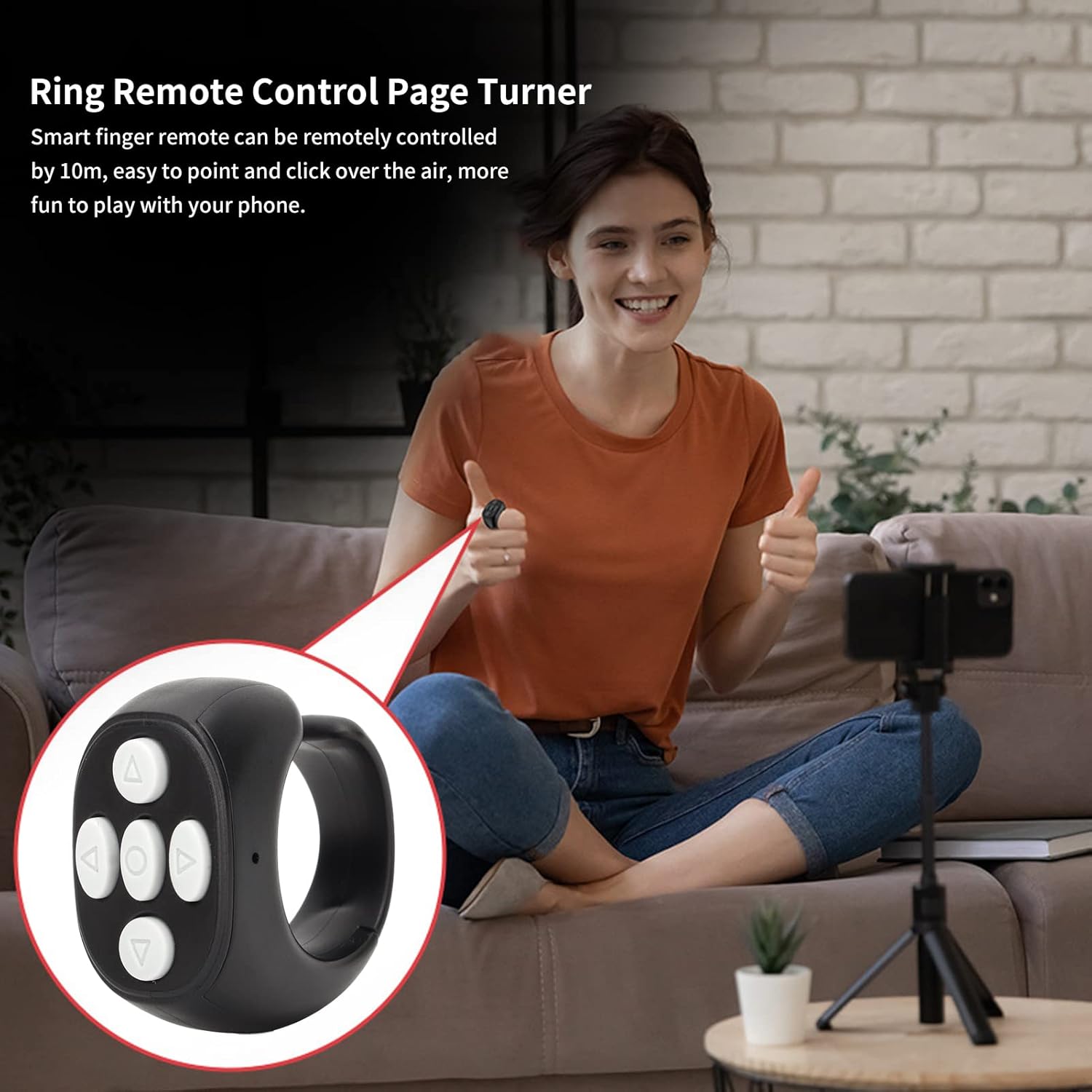
Image: A woman playing a guitar, with the Bluetooth ring remote control and a phone on a stand in the foreground. Text highlights "High Performance" and "low power consumption, long battery life, charging 2h, continuous working 48h."
Camera Remote Shutter
The remote can also function as a camera shutter. Open your phone's camera app and press the designated button (usually the middle key or a specific arrow key, depending on your phone's settings) to take photos or start/stop video recording.

Image: A hand holding the Bluetooth ring remote control, with a smartphone displaying its camera interface in the background. This illustrates the remote's function as a camera shutter.

Image: A hand holding the Bluetooth ring remote control in an outdoor setting, with a smartphone on a tripod displaying a camera view of a beach. Text indicates "Phone ring remote control supports many kinds of mainstream short video APP, beauty camera, novel APP."
App Compatibility
The remote control is compatible with a wide range of mainstream applications, including:
- Short video applications (e.g., TikTok)
- Beauty camera applications
- Novel reading applications (for page turning)
- Kindle App (for page turning)

Video: This video demonstrates the Dpofirs Bluetooth Ring Remote Control in action, showcasing its use for navigating content on a mobile device, specifically highlighting its functionality with TikTok and Kindle apps for page turning and scrolling.
4. Maintenance
- Keep the device dry. Avoid exposure to moisture or liquids.
- Clean the device with a soft, dry cloth. Do not use harsh chemicals or abrasive cleaners.
- Store the device in a cool, dry place when not in use.
- Avoid dropping or subjecting the device to strong impacts.
5. Troubleshooting
| Problem | Possible Cause | Solution |
|---|---|---|
| Device does not turn on. | Low battery. | Charge the device for at least 2 hours. |
| Cannot pair with phone/tablet. | Bluetooth not enabled on phone; device not in pairing mode; out of range. | Ensure Bluetooth is on. Long press the middle key for 3 seconds to enter pairing mode. Move device closer to phone (within 10m). |
| Remote functions not working in app. | App not fully compatible; incorrect button mapping. | Ensure the app is supported. Some apps may require specific settings or may not fully support all remote functions. Refer to app-specific instructions if available. |
| Limited functionality (e.g., only volume control). | Specific app behavior or device mode. | Some users report limited functionality with certain apps (e.g., TikTok only controlling volume). This can be due to app updates or specific phone OS interpretations of Bluetooth input. Try restarting both the remote and the phone. Ensure the remote is in the correct mode if multiple modes are available (though this model appears to have a single mode). |
6. Specifications
| Feature | Detail |
|---|---|
| Brand | Dpofirs |
| Model Number | Dpofirs862an71094 |
| Connectivity | Bluetooth 5.3 |
| Operating Range | Up to 10 meters (32.8 feet) |
| Battery Life | Approx. 48 hours continuous working after 2 hours charge |
| Item Weight | 2.11 ounces |
| Compatible Devices | Phones, Tablets (iOS/Android/Hongmeng OS), Cameras |
| Special Feature | Ergonomic Design |
7. Warranty and Support
For warranty information and customer support, please refer to the contact details provided with your purchase or visit the official Dpofirs website. Keep your proof of purchase for any warranty claims.
Documents and downloads
Ask a question about this manual
Ask about setup, troubleshooting, compatibility, parts, safety, or missing instructions. Manuals+ will review the question and use this page’s manual context to help answer it.