
1. Introduction
Thank you for choosing the Candy RapidÓ 10 Kg Front Load Washing Machine. This appliance is designed to provide efficient and convenient laundry care with advanced features such as rapid wash cycles, steam function, and smart connectivity via the hOn App. This manual provides essential information for safe installation, operation, maintenance, and troubleshooting to ensure optimal performance and longevity of your washing machine.
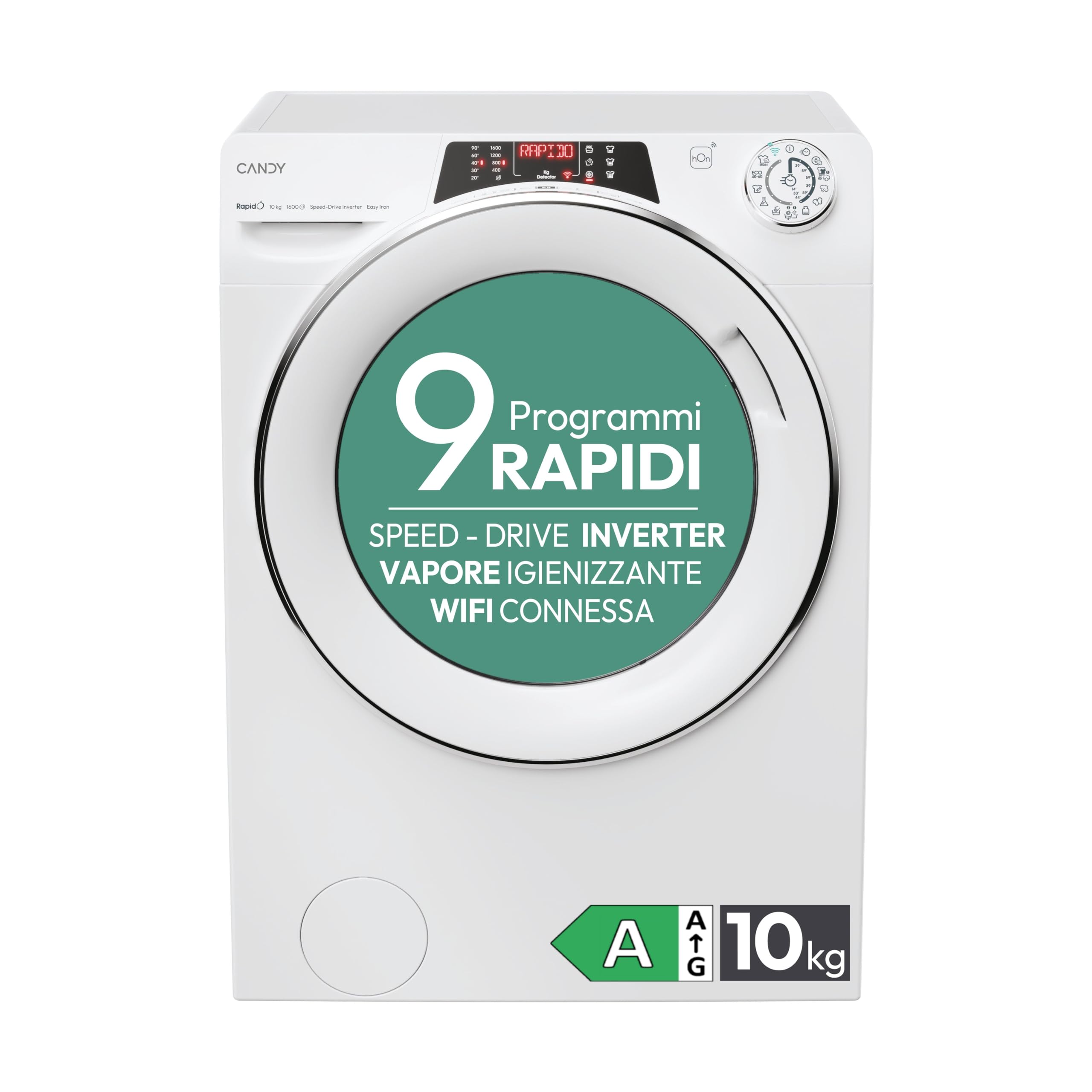
Front view of the Candy RapidÓ washing machine with the door closed, showcasing its sleek white design.
2. Safety Information
Please read all safety instructions carefully before using the appliance. Keep this manual for future reference.
- Ensure the appliance is properly grounded.
- Do not allow children to play with or operate the washing machine.
- Never force the door open during operation.
- Unplug the appliance before cleaning or performing any maintenance.
- Do not install the appliance in areas exposed to extreme temperatures or high humidity.
- Remove all transport bolts before use to prevent damage and excessive vibration.
3. Unpacking and Installation
Careful installation is crucial for the proper functioning of your washing machine.
3.1 Unpacking
Remove all packaging materials. Check the appliance for any damage during transit. The package should include the user manual and a drain hose.
3.2 Removing Transport Bolts
Before operating the machine, it is essential to remove the transport bolts located at the rear of the appliance. These bolts secure the drum during transport and must be removed to prevent severe damage during operation.

Rear view of the Candy RapidÓ washing machine, highlighting the areas where transport bolts are located and must be removed before first use.
3.3 Positioning and Leveling
Place the washing machine on a firm, level surface. Adjust the feet to ensure the appliance is perfectly level and stable. This prevents excessive vibration and noise during operation.
3.4 Water and Drain Connections
Connect the water inlet hose to a cold water tap. Ensure all connections are tight to prevent leaks. Connect the drain hose to a suitable drain pipe or place it over a sink, ensuring it is securely fastened to prevent displacement during draining.
4. Operating Instructions
Familiarize yourself with the control panel and various functions to optimize your washing experience.
4.1 Control Panel Overview
The control panel features an alphabetical display, intuitive controls, and a program selection dial for easy operation.
The control panel includes a central program dial, a digital display, and touch-sensitive buttons for various options such as temperature, spin speed, and special functions. The display provides information on the selected program, remaining time, and error codes.
4.2 Loading Laundry
Open the washing machine door. Load laundry loosely into the drum, ensuring not to overload the machine. For optimal results, leave enough space for clothes to tumble freely.
A couple loading clothes into the washing machine, demonstrating the large door opening for convenience.
4.3 Adding Detergent and Additives
Pull out the detergent drawer. Add the appropriate amount of detergent to the main wash compartment and any fabric softener or pre-wash detergent to their respective compartments. Refer to detergent packaging for dosage recommendations.

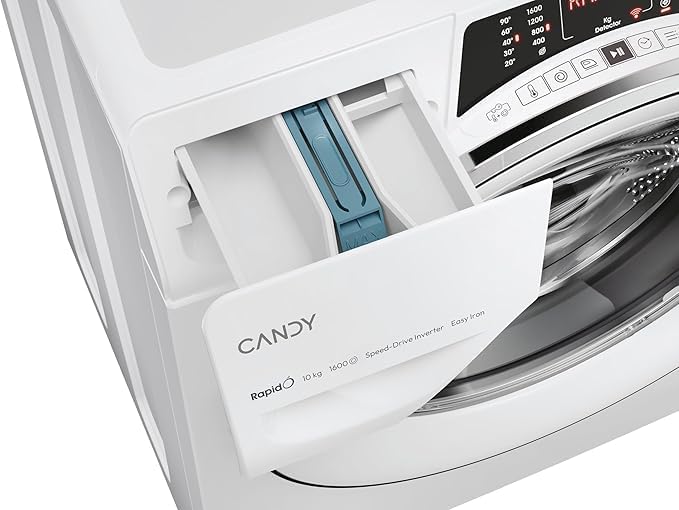
The detergent drawer, showing compartments for main wash detergent, pre-wash, and fabric softener.
4.4 Selecting a Program
Turn the program dial to select the desired wash program. The machine offers 9 rapid and efficient programs, all under an hour, including a 59-minute Hygiene Plus program at 60°C for allergen and germ removal. Other rapid cycles include 14', 29', 30', 39', 44', and 59' options.

The program dial highlighting various rapid wash cycles, such as the 39-minute half-load option.
4.5 Using Special Functions
- Steam Function: Activate the Steam option to relax fabric fibers, making ironing easier and reducing wrinkles. This function helps keep clothes fresh and smooth.
- Quick&Clean Technology: This innovative technology delivers a highly concentrated solution of water and detergent at high pressure, enhancing washing effectiveness. It allows for excellent cleaning results even at lower temperatures.
- Snap&Wash Function: Use the hOn App to take a photo of your laundry. The machine will then suggest the most suitable program, optimal temperature, and spin speed, saving you time and ensuring perfect results.
- hOn App Connectivity: Manage your washing machine directly from your smartphone using the hOn App. It offers over 60 additional wash cycles, provides detergent dosage advice, fabric care tips, and monitors maintenance status to prevent malfunctions.

Visual representation of the steam function's benefits: odor removal, wrinkle reduction, and easier ironing.

A user interacting with the hOn app on a smartphone, demonstrating smart control and access to additional features.
4.6 Starting and Ending a Wash Cycle
Press the Start/Pause button to begin the selected program. The display will show the remaining time. Once the cycle is complete, the machine will signal, and the door will unlock. Remove your laundry promptly.
5. Maintenance
Regular maintenance ensures the efficiency and longevity of your washing machine.
5.1 Cleaning the Detergent Drawer
Periodically remove and clean the detergent drawer to prevent residue buildup. Rinse it under running water and ensure all compartments are clear before reinserting.
5.2 Cleaning the Filter
The filter should be cleaned regularly to prevent blockages. Refer to the specific instructions in your full manual for accessing and cleaning the filter, typically located at the bottom front of the machine.
5.3 Cleaning the Drum and Exterior
Run a maintenance wash cycle (e.g., a hot wash with no laundry and a descaling agent) periodically to clean the drum. Wipe the exterior surfaces with a soft, damp cloth. Do not use abrasive cleaners.
6. Troubleshooting
If you encounter issues with your washing machine, consult the following common troubleshooting tips before contacting customer service.
| Problem | Possible Cause | Solution |
|---|---|---|
| Machine does not start | Power cord unplugged; door not closed properly; program not selected; Start/Pause button not pressed. | Check power connection; ensure door is latched; select a program; press Start/Pause. |
| No water intake | Water tap closed; inlet hose kinked or blocked; water pressure too low. | Open water tap; straighten hose; check water supply. |
| Water not draining | Drain hose kinked or blocked; pump filter clogged. | Straighten drain hose; clean pump filter. |
| Excessive vibration/noise | Transport bolts not removed; machine not level; uneven load. | Remove transport bolts; adjust leveling feet; redistribute laundry. |
| Poor washing results | Incorrect detergent dosage; overloaded machine; wrong program selected. | Adjust detergent; reduce load size; select appropriate program. |
7. Technical Specifications
Detailed specifications for the Candy RapidÓ Washing Machine Model RO 16106DWMCT/1-S.
| Feature | Specification |
|---|---|
| Manufacturer | Candy |
| Model Number | RO 16106DWMCT/1-S (31018824) |
| Dimensions (W x D x H) | 60 x 58 x 85 cm |
| Weight | 66 kg |
| Capacity | 10 Kilograms |
| Energy Efficiency Class | A |
| Maximum Spin Speed | 1600 RPM |
| Loading Type | Front Load |
| Color | White |
| Control Type | Touch |
| Special Features | 16 Programs, Easy Iron, Inverter Speed Driver Motor, Quick & Clean, Wifi + Bluetooth |
| Material | Plastic |

Side view of the washing machine, providing a visual reference for its dimensions.

Diagram showing the internal components of the innovative inverter motor, highlighting its design for efficiency and durability.
8. Warranty and Customer Support
Your Candy RapidÓ washing machine comes with a standard manufacturer's warranty. For specific details regarding warranty coverage, duration, and terms, please refer to the warranty card included with your purchase or visit the official Candy website.
For technical assistance, spare parts, or to schedule a service appointment, please contact Candy customer support. You can find contact information on the official Candy website or in the documentation provided with your appliance.
What's in the Box:
- User Manual
- Drain Hose


