
Introduction
Thank you for choosing the TrustFire T40R Tactical LED Flashlight. This high-performance, rechargeable flashlight is designed for demanding use, offering exceptional brightness, long-range illumination, and robust durability. This manual provides essential information for the safe and effective operation, maintenance, and troubleshooting of your device.

Image: TrustFire T40R Tactical LED Flashlight, showcasing its design and key features like 1800 lumens and 550-meter range.
Setup and Initial Use
Battery Installation
- Unscrew the tail cap of the flashlight counter-clockwise.
- Insert the included 18650 Lithium-ion battery with the positive (+) terminal facing towards the flashlight head.
- Screw the tail cap back on clockwise until it is securely tightened. Ensure the O-ring is properly seated to maintain water resistance.
Initial Charging
Before first use, fully charge the battery. The T40R features a convenient USB Type-C charging port.
- Locate the USB Type-C charging port on the side of the flashlight, usually protected by a rubber cover.
- Open the rubber cover and connect the provided USB Type-C cable to the flashlight and a compatible USB power source (e.g., wall adapter, power bank, computer USB port).
- The charging indicator light will show the charging status:
- Red Light: Charging in progress.
- Green Light: Charging complete.
- Once fully charged, disconnect the cable and securely close the rubber cover to ensure water resistance.

Image: The TrustFire T40R flashlight connected to a power bank via its USB Type-C port, showing the charging indicator lights.
Operating Instructions
Power On/Off and Mode Selection
The T40R features a dual-switch design for versatile operation: a tactical tail switch and a side switch.

Image: Close-up view of the TrustFire T40R, highlighting the tactical tail switch for momentary/constant on and the side switch for mode cycling.
Tactical Tail Switch:
- Momentary On: Lightly press and hold the tail switch for temporary illumination. Release to turn off.
- Constant On/Off: Fully press the tail switch until it clicks to turn the flashlight on or off.
Side Switch:
When the flashlight is on (using the tactical tail switch), use the side switch to cycle through the lighting modes.
- Mode Cycling: Short press the side switch to cycle through modes: High > Medium > Low > Candlelight.
- Strobe Mode: Press and hold the side switch for approximately 2 seconds to activate Strobe mode.
- SOS Mode: From Strobe mode, press and hold the side switch for approximately 2-3 seconds to activate SOS mode.
Battery Level Indicator
The side switch also functions as a battery level indicator:
- Green: 100% - 50% battery remaining.
- Yellow: 50% - 20% battery remaining.
- Red: 20% - 5% battery remaining.
- Flashing Red: Less than 5% battery remaining, recharge immediately.

Image: The TrustFire T40R flashlight illuminating a distant area, demonstrating its impressive 550-meter beam range.
Maintenance
Cleaning
- Clean the flashlight body with a soft, damp cloth.
- For stubborn dirt, use a mild detergent. Avoid harsh chemicals or abrasives.
- Keep the lens clean for optimal light output. Use a lens cleaning cloth or cotton swab.
O-Ring and Threads
- Regularly inspect the O-rings for wear and tear. Replace if damaged to maintain water resistance.
- Apply a thin layer of silicone grease to the O-rings and threads periodically to ensure smooth operation and water sealing.
Battery Care
- Store the flashlight with a partially charged battery if not used for extended periods.
- Avoid fully discharging the battery to prolong its lifespan.
- If the flashlight will not be used for a long time, remove the battery to prevent potential leakage.
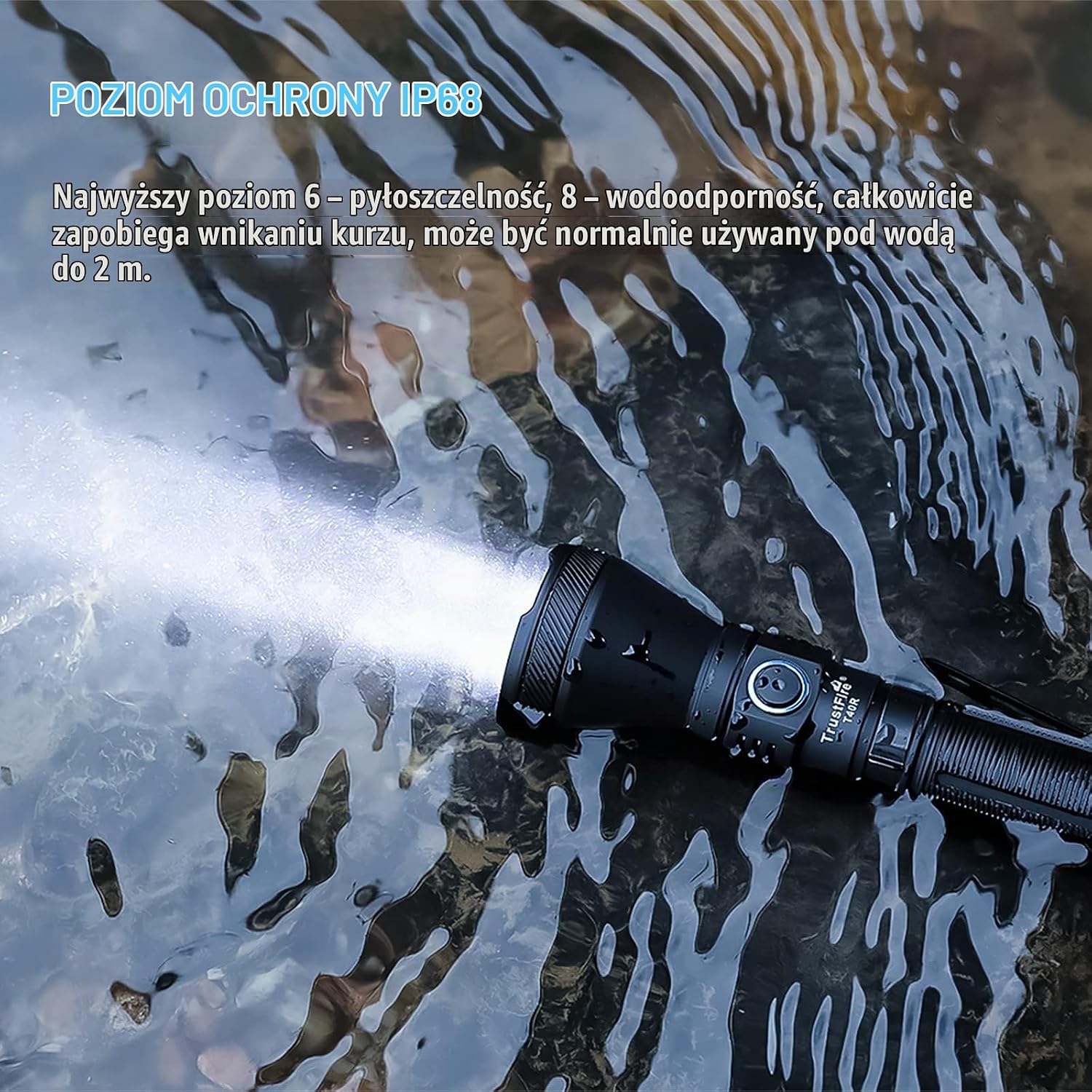
Image: The TrustFire T40R flashlight submerged in water, demonstrating its IP68 waterproof rating.
Troubleshooting
| Problem | Possible Cause | Solution |
|---|---|---|
| Flashlight does not turn on. | Battery is dead or improperly installed. | Recharge the battery or ensure it is inserted correctly with the positive (+) end towards the head. |
| Light output is dim or flickers. | Low battery, loose connections, or dirty contacts. | Recharge the battery. Tighten the tail cap and head. Clean battery contacts with a cotton swab. |
| Flashlight gets hot during use. | Operating on High mode for extended periods. | This is normal for high-lumen flashlights. Switch to a lower mode if it becomes too hot to handle. The flashlight has built-in thermal regulation. |
| Water ingress after submersion. | Damaged O-ring or improperly sealed tail cap/charging port cover. | Inspect and replace O-rings if damaged. Ensure tail cap is fully tightened and charging port cover is securely closed before submersion. |
Specifications
| Feature | Detail |
|---|---|
| Brand | TrustFire |
| Model | T40R (TF-11) |
| Light Source | LED |
| Maximum Output | 1800 Lumens |
| Beam Distance | 550 Meters |
| Lighting Modes | High, Medium, Low, Candlelight, Strobe, SOS (6 modes) |
| Power Source | 1 x Lithium-ion Battery (included) |
| Charging | USB Type-C Rechargeable |
| Run Time | Up to 2 hours and 2 minutes (mode dependent) |
| Water Resistance | IP68 (Waterproof) |
| Material | Aviation Aluminum Alloy body, Stainless Steel clip |
| Dimensions (L x W x H) | 16 cm x 6 cm x 4 cm (approximate) |
| Weight | 103 Grams (without battery) |
| Special Features | Dual Switch, Battery Level Indicator, Removable Pocket Clip |

Image: The internal LED component of the TrustFire T40R, highlighting its advanced design and long lifespan of 50,000 hours.
Warranty Information
TrustFire products are manufactured to high-quality standards. For specific warranty terms and conditions, please refer to the warranty card included with your product or visit the official TrustFire website. Please retain your proof of purchase for any warranty claims.
Customer Support
TrustFire Technology Co. Ltd. is committed to providing excellent after-sales service. If you encounter any issues or have questions regarding your TrustFire T40R flashlight, please contact our customer support team through the retailer where you purchased the product or visit the official TrustFire website for contact information.