
1. Introduction and Overview
The RIENOK Portable Bluetooth Speaker (Model: Rienok S1 mini) delivers powerful, high-definition stereo sound with deep bass, making it ideal for various indoor and outdoor activities. Featuring Bluetooth 5.3 for stable connectivity, IPX7 waterproofing for durability, and a long-lasting 3600mAh battery, this speaker is designed for convenience and performance. It also supports True Wireless Stereo (TWS) pairing for an enhanced audio experience and dynamic RGB lighting to complement your music.

The RIENOK Portable Bluetooth Speaker, showcasing its waterproof design with dynamic water splashes.
2. Package Contents
Please check the box for the following items:
- RIENOK Portable Bluetooth Speaker (Rienok S1 mini)
- USB Charging Cable
- AUX Cable
- Lanyard
- User Manual (this document)

Contents of the RIENOK Portable Bluetooth Speaker package, including the speaker, charging cable, AUX cable, and lanyard.
3. Product Features
- Powerful 30W HD Stereo Sound: Experience immersive audio with rich bass and dynamic highs, replicating a live concert feel.
- Extended Playtime: Equipped with a 3600mAh battery, providing up to 30 hours of continuous music playback (actual playtime may vary with volume and music genres).
- IPX7 Waterproof: Designed to withstand splashes, rain, and gentle spray, making it perfect for use in the shower, by the pool, at the beach, or in rainy conditions.
- Bass Boost Function: Enhance your audio experience with deeper, richer bass at the touch of a button.
- RGB Breath Light: Dynamic RGB lights that change color with the music, adding a visual element to your listening experience.
- True Wireless Stereo (TWS): Connect two Rienok S1 mini speakers wirelessly for a true stereo sound experience.
- Multiple Connectivity Modes: Supports Bluetooth 5.3 for wireless streaming, Micro SD card mode for direct playback, and Aux-In for wired connections.
- Portable Design: Compact and lightweight, making it easy to carry for travel, sports, or any outdoor adventure.

An exploded view of the RIENOK speaker's internal components, highlighting its 30W audio drivers for powerful sound output.
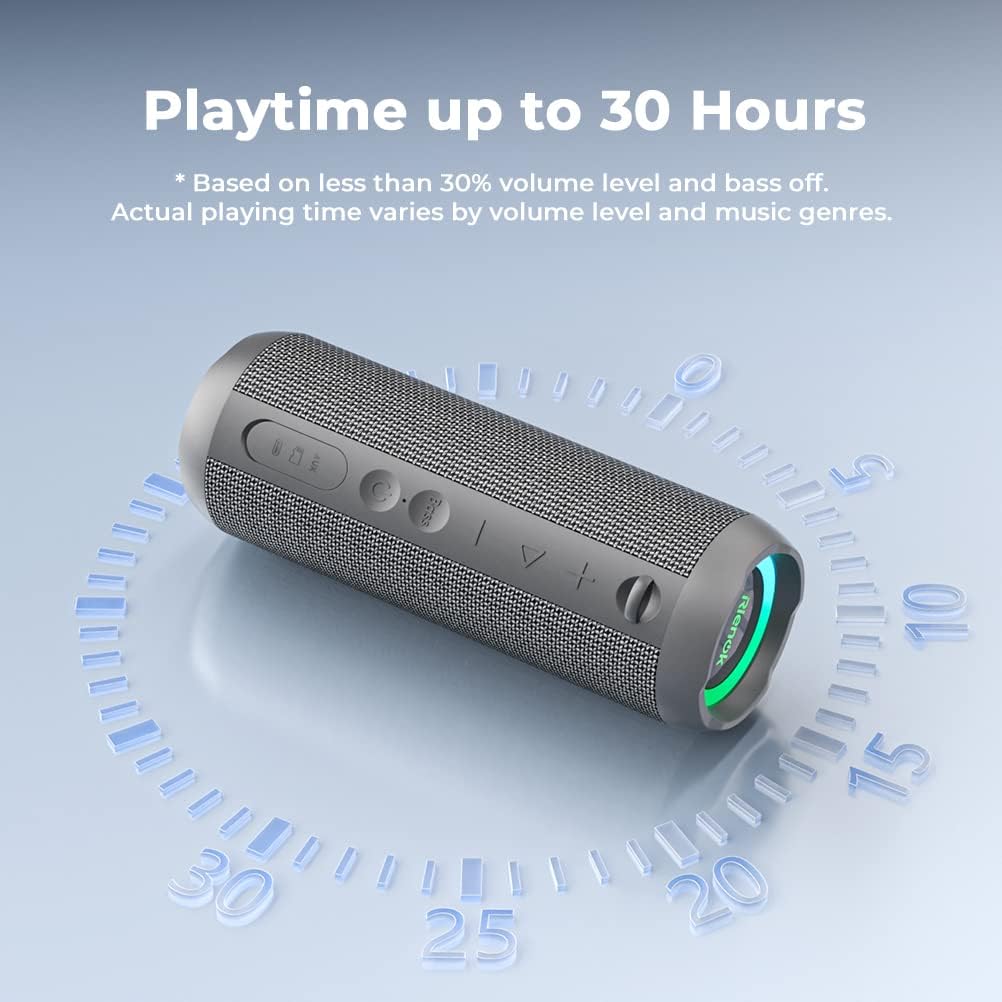
The RIENOK speaker with a graphic indicating its extended battery life of up to 30 hours on a single charge.

The RIENOK speaker partially submerged in water, demonstrating its IPX7 waterproof capability, suitable for outdoor and wet environments.

A close-up of the RIENOK speaker, showing the dedicated "Bass" button for enhanced low-frequency audio.

A user enjoying the RIENOK speaker outdoors, illustrating its amazing loud sound capabilities.

Two RIENOK speakers wirelessly connected to a smartphone, demonstrating the True Wireless Stereo (TWS) pairing feature for immersive sound.

The RIENOK speaker attached to a backpack, emphasizing its portable design for outdoor activities.
4. Specifications
| Feature | Description |
|---|---|
| Model Name | Rienok S1 mini |
| Speaker Type | Outdoor, Portable Bluetooth Speaker |
| Connectivity Technology | Bluetooth 5.3, AUX, Micro SD Card |
| Speaker Output Power | 30 Watts |
| Battery Capacity | 3600 mAh |
| Playtime | Up to 30 Hours (varies by volume) |
| Water Resistance | IPX7 Waterproof |
| Dimensions (D x W x H) | 3.24" x 3.12" x 8.35" |
| Item Weight | 466 Grams (1.03 pounds) |
| Special Features | Bass Boost, True Wireless Stereo (TWS), RGB Light |
| Compatible Devices | Phones, Tablets, Computers |
5. Setup
5.1 Power On/Off
- Power On: Press and hold the Power button (⏻) for 2-3 seconds until you hear a startup tone and the RGB lights illuminate.
- Power Off: Press and hold the Power button (⏻) for 2-3 seconds until you hear a shutdown tone and the lights turn off.
5.2 Bluetooth Pairing
- Ensure the speaker is powered on and in Bluetooth pairing mode (the Bluetooth indicator light will flash quickly).
- On your device (phone, tablet, computer), enable Bluetooth and search for available devices.
- Select "Rienok S1 mini" from the list.
- Once connected, the Bluetooth indicator light will remain solid blue, and you will hear a confirmation tone.
5.3 True Wireless Stereo (TWS) Pairing
To achieve a true stereo sound experience, you can pair two Rienok S1 mini speakers together.
- Ensure both speakers are powered on and disconnected from any Bluetooth devices.
- On one of the speakers, press and hold the Volume Up (+) and Volume Down (-) buttons simultaneously for 2-3 seconds. You will hear a pairing tone.
- Repeat the same step on the second speaker.
- After a few seconds, the speakers will automatically pair with each other. One speaker's Bluetooth indicator will flash quickly (master speaker), and the other will remain solid (slave speaker).
- Now, connect your device to the master speaker via Bluetooth as described in Section 5.2. Both speakers will play audio in stereo.
Video: How to pair two RIENOK Portable Bluetooth Speakers for True Wireless Stereo (TWS).
6. Operating Instructions
6.1 Basic Controls
- Play/Pause: Press the Play/Pause button (▶‖) once.
- Volume Up: Short press the Volume Up button (+).
- Volume Down: Short press the Volume Down button (-).
- Next Track: Long press the Volume Up button (+).
- Previous Track: Long press the Volume Down button (-).
Video: How to play, pause, skip tracks, and adjust volume on your RIENOK Portable Bluetooth Speaker.
6.2 Bass Boost Function
- Activate Bass Boost: Press the "Bass" button once. The LED light will turn blue.
- Deactivate Bass Boost: Press the "Bass" button again. The LED light will turn red.
6.3 RGB Light Control
- Turn On/Off RGB Light: Double-click the Play/Pause button (▶‖).
- Change Light Mode: Short press the Light button (💡) to cycle through different light modes.
Video: How to use the RGB light and Bass Boost functions on your RIENOK Portable Bluetooth Speaker.
6.4 Mode Switching
- Switch Modes: Press the Mode button (M) to cycle between Bluetooth, Micro SD card, and AUX modes.
6.5 Checking Battery Level
- Check Battery: Double-click the Power button (⏻). The LED light will indicate the battery level:
- Green: Power > 65%
- Orange: Power is between 30% and 65%
- Red: Power < 30% (Please charge in time)
Video: How to check the battery level of your RIENOK Portable Bluetooth Speaker.
7. Maintenance
7.1 Charging
- Connect the provided USB charging cable to the speaker's charging port and a compatible USB power source.
- Charging Indicator: The charging indicator light is always red when charging.
- Fully Charged: The charging indicator light turns off when fully charged.
7.2 Waterproof Care (IPX7)
- Ensure the charging port cover is securely closed before exposing the speaker to water.
- Do not submerge the speaker for extended periods or at depths greater than 1 meter.
- After exposure to water, wipe the speaker dry with a soft cloth before charging or opening the port cover.
7.3 Cleaning
- Use a soft, damp cloth to clean the speaker's exterior.
- Avoid using harsh chemicals, abrasive cleaners, or solvents.
8. Troubleshooting
- Speaker won't turn on: Ensure the battery is charged. Connect to a power source and try again.
- Cannot pair with Bluetooth device:
- Ensure the speaker is in pairing mode (flashing blue light).
- Check if Bluetooth is enabled on your device.
- Move the speaker closer to your device.
- Clear the Bluetooth device list on your device and try pairing again.
- No sound or low volume:
- Adjust the volume on both the speaker and your connected device.
- Ensure the speaker is properly paired.
- If using AUX mode, ensure the cable is fully inserted and functional.
- TWS pairing failed:
- Ensure both speakers are disconnected from any other Bluetooth devices.
- Repeat the TWS pairing steps carefully.
- Sound distortion:
- Reduce the volume on both the speaker and your device.
- Ensure the speaker is not too far from the connected device.
- Check for interference from other wireless devices.
9. Warranty and Support
The RIENOK Portable Bluetooth Speaker comes with a standard manufacturer's warranty. For detailed warranty information, product support, or any inquiries, please refer to the contact information provided in your product packaging or visit the official RIENOK website.
Please retain your proof of purchase for warranty claims.


