
Introduction
This manual provides detailed instructions for the RIENOK Portable Bluetooth Speaker, Model Rienok S1 mini. This 30W speaker features True Wireless Stereo (TWS) pairing, IPX7 waterproofing, and dynamic RGB lighting, making it suitable for various indoor and outdoor environments. Please read this manual thoroughly before use to ensure proper operation and longevity of your device.
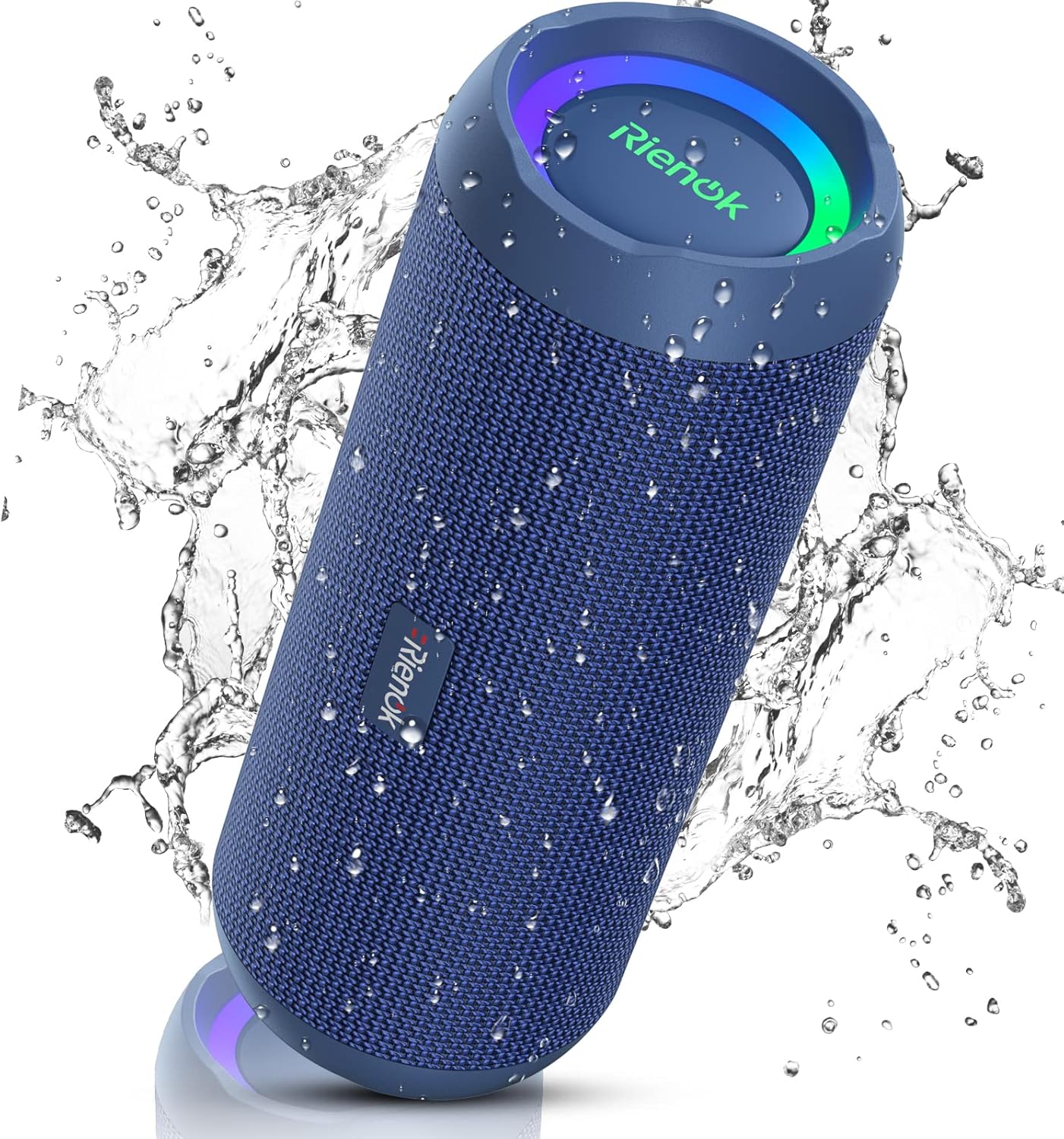
Figure 1: RIENOK Portable Bluetooth Speaker, Model Rienok S1 mini.
Setup
What's in the Box
Upon opening the package, verify that all components are present:
- RIENOK Portable Bluetooth Speaker
- Charge Cable (USB-C)
- Aux Cable
- Lanyard

Figure 2: Included accessories with the RIENOK speaker.
Charging the Speaker
Before first use, fully charge the speaker. Connect the provided USB-C cable to the charging port on the speaker and the other end to a compatible USB power adapter (not included). The charging indicator light will be red while charging and turn off when fully charged. A full charge takes approximately 4 hours.
Video 1: Demonstrates how to check the battery level and charging process. The charging indicator is red when charging and turns off when fully charged.
Power On/Off
To power on the speaker, press and hold the power button until the indicator lights illuminate. To power off, press and hold the power button again until the lights turn off.
Bluetooth Pairing
1. Ensure the speaker is powered on and in pairing mode (Bluetooth indicator light will flash).
2. On your mobile device, enable Bluetooth and search for available devices.
3. Select "Rienok S1 mini" from the list to connect. A confirmation tone will sound upon successful pairing.

Figure 3: Illustrates the wireless stereo pairing capability of two RIENOK speakers.
True Wireless Stereo (TWS) Pairing
To achieve a true stereo sound experience, you can pair two RIENOK S1 mini speakers together:
- Ensure both speakers are powered on and disconnected from any Bluetooth devices.
- Press and hold the TWS button on one speaker (this will be your primary speaker). The indicator light will flash rapidly.
- The primary speaker will automatically search for and connect to the second speaker. A confirmation tone will sound when TWS pairing is successful.
- Once paired, connect your mobile device to the primary speaker via Bluetooth as described above.
Video 2: Instructions on how to pair two RIENOK speakers for True Wireless Stereo sound.
Operating
Basic Controls
The speaker features intuitive controls for media playback:
- Play/Pause: Press the Play/Pause button once.
- Volume Up: Press the '+' button.
- Volume Down: Press the '-' button.
- Next Track: Long press the '+' button.
- Previous Track: Long press the '-' button.
- Bass Boost: Press the 'Bass' button to enhance bass output.

Figure 4: Close-up of the speaker's control panel, highlighting the Bass Boost button.
Video 3: Demonstrates how to play, pause, and skip music tracks using the speaker's controls.
RGB Breath Light
The speaker features dynamic RGB lights that synchronize with the music, enhancing your listening experience. These lights can be toggled on or off using the dedicated light button on the control panel.

Figure 5: The RIENOK speaker displaying its RGB lighting feature.
Multiple Usage Modes
In addition to Bluetooth, the speaker supports other playback modes:
- Micro SD Card Mode: Insert a Micro SD card with audio files into the designated slot. The speaker will automatically switch to Micro SD mode and begin playback.
- Aux-In Mode: Connect an external audio device using the provided Aux cable. The speaker will automatically switch to Aux-In mode.
Maintenance
Waterproofing (IPX7)
The RIENOK speaker is IPX7 waterproof, meaning it can withstand splashes, rain, and gentle spray. It can be submerged in water up to 1 meter for 30 minutes. Ensure the charging port and AUX port covers are securely closed before exposing the speaker to water.

Figure 6: The speaker's IPX7 waterproof capability.
Cleaning and Storage
To clean the speaker, use a soft, damp cloth. Avoid using harsh chemicals or abrasive cleaners. When not in use for extended periods, store the speaker in a cool, dry place away from direct sunlight and extreme temperatures. Ensure the speaker is fully charged before long-term storage to preserve battery health.
Troubleshooting
| Problem | Possible Cause | Solution |
|---|---|---|
| Speaker does not power on. | Low battery. | Charge the speaker fully. |
| Cannot pair via Bluetooth. | Speaker not in pairing mode or already connected to another device. | Ensure speaker is in pairing mode (flashing blue light). Disconnect from other devices if necessary. Restart both speaker and mobile device. |
| Volume decreases after connecting to phone. | Volume limitation enabled on phone settings. | Disable volume limitation in your phone's audio settings (e.g., 'Reduce Loud Sounds' on iOS or 'Sync volume with phone' on Android). Video 4: Guide on how to disable volume limits on Android devices. |
| No sound from speaker. | Volume too low, incorrect mode, or device not playing. | Increase speaker and device volume. Check if the correct input mode (Bluetooth, Aux, SD card) is selected. Ensure audio is playing on the connected device. |
Specifications
| Feature | Detail |
|---|---|
| Model Name | Rienok S1 mini |
| Speaker Type | Subwoofer |
| Connectivity Technology | Bluetooth 5.3 |
| Speaker Maximum Output Power | 30 Watts |
| Battery Capacity | 3600 mAh |
| Battery Life | Up to 30 Hours (varies by volume) |
| Charging Time | Approx. 4 Hours |
| Water Resistance Level | IPX7 Waterproof |
| Product Dimensions | 8.31"D x 3.32"W x 3.24"H |
| Item Weight | 466 Grams (1.03 pounds) |
| Wireless Range | Up to 20 Meters (Bluetooth) |
| Audio Output Mode | Stereo |

Figure 7: Physical dimensions of the RIENOK speaker.
Warranty and Support
Warranty Information
This product comes with a limited warranty. Please refer to the product packaging or contact customer support for specific warranty terms and conditions.
Customer Support
For any questions, technical assistance, or warranty claims, please contact RIENOK customer support through the official website or your purchase platform. Have your model number (Rienok S1 mini) and purchase details ready for faster service.


