Introduction
Thank you for choosing the Sigoobal LED Rechargeable Flashlight. This manual provides essential information for the safe and effective use of your flashlight. Please read it thoroughly before operation and retain it for future reference.
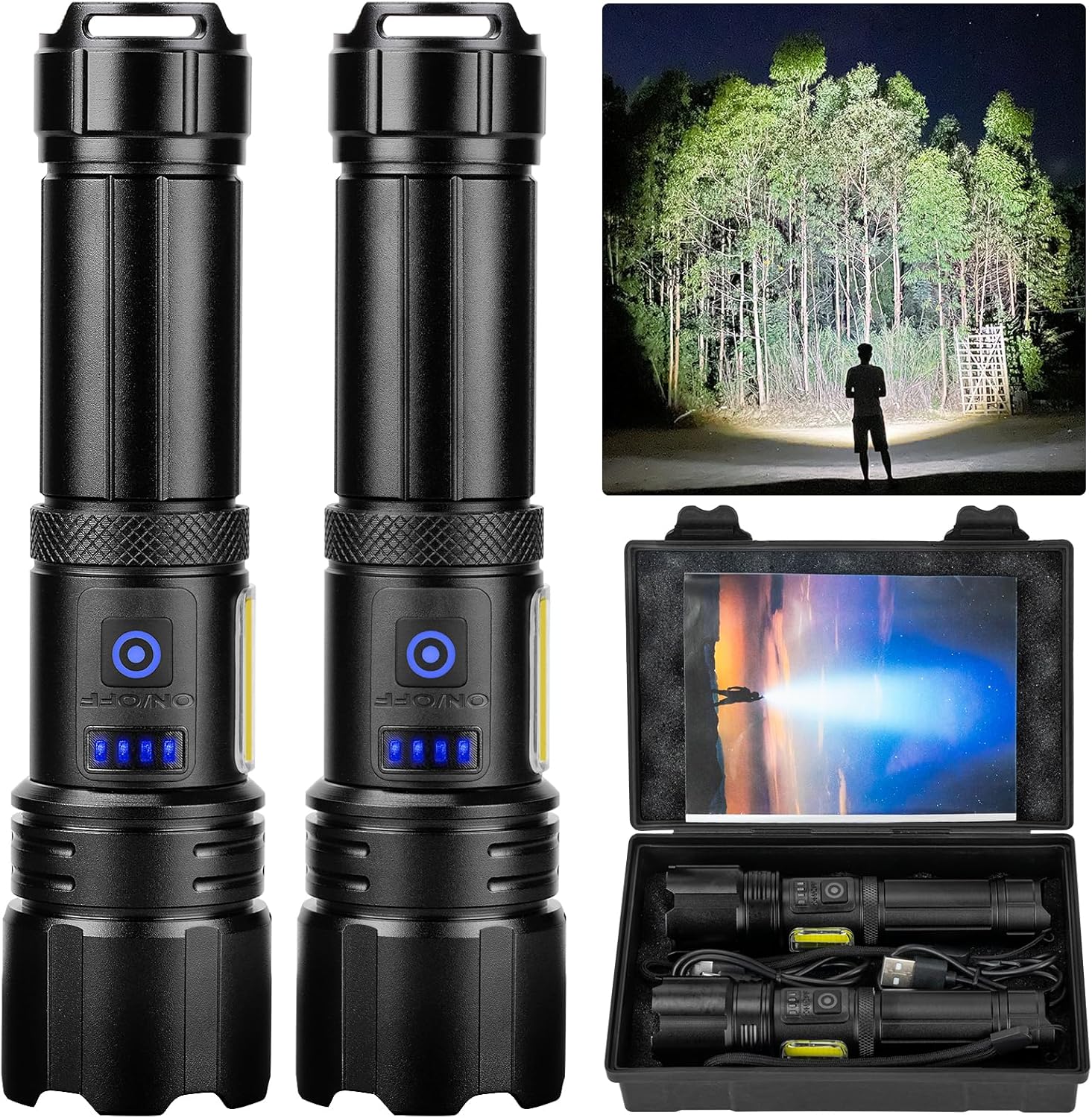
Image: Two Sigoobal LED rechargeable flashlights, one demonstrating its powerful beam in a dark forest, alongside the product packaging containing two flashlights, USB cables, and lanyards.
Package Contents
Verify that all items are present in the package:
- 2 x Sigoobal Rechargeable LED Flashlights
- 2 x High Capacity Rechargeable Batteries (built-in)
- 2 x USB Charging Cables
- 2 x Lanyards
- 1 x User Manual
- 1 x Storage Box

Image: A detailed diagram highlighting the components of the flashlight (LED chip, heat sink, press switch, metal tube, COB light, power display, lanyard, tail cover) and a separate image showing the complete package contents.
Setup
Battery Charging
- Locate the USB charging port on the flashlight.
- Connect the provided USB charging cable to the flashlight and a compatible USB power source (e.g., wall adapter, computer USB port).
- The power display lights will indicate the charging status. Four blue lights indicate a full charge.
- A full charge typically takes approximately 4 hours. The flashlight can provide continuous illumination for up to 15 hours on a full charge (on low mode).

Image: The flashlight connected to a USB power source, illustrating the power display with four blue indicator lights showing the battery charge level.

Image: A visual representation of the flashlight's long-lasting runtime, indicating up to 15 hours of operation on a single charge.
Operating Instructions
Power On/Off and Main Light Modes
- To turn the flashlight ON, press the power button once.
- To cycle through the main light modes (High, Medium, Strobe), press the power button repeatedly.
- To turn the flashlight OFF from any mode, press and hold the power button for 2 seconds.
COB Sidelight Modes
- To activate the COB sidelight, quickly double-press the power button.
- To cycle through the COB sidelight modes (High, Medium, Red Light, Red Flashing Light), press the power button repeatedly after activating the sidelight.
- To turn the flashlight OFF from any COB sidelight mode, press and hold the power button for 2 seconds.

Image: A visual guide to the flashlight's 7 light modes, showing the main beam options and the COB sidelight options, along with instructions for switching between them.
Adjustable Focus
The flashlight features an adjustable focus mechanism to switch between a wide floodlight and a narrow spotlight beam.
- To adjust the beam, gently pull or push the lamp head forward or backward.
- Extend the lamp head for a narrow, focused beam for long-distance illumination.
- Retract the lamp head for a wide, diffused beam to illuminate a larger area.

Image: A comparison of the flashlight's wide beam and narrow beam capabilities, illustrating how adjusting the lamp head changes the light spread.
Maintenance
- Cleaning: Wipe the flashlight body with a soft, damp cloth. Do not use abrasive cleaners or solvents.
- Battery Care: To prolong battery life, charge the flashlight regularly, even if not in frequent use. Avoid fully discharging the battery for extended periods.
- Storage: Store the flashlight in a cool, dry place away from direct sunlight and extreme temperatures.
- Water Resistance: The flashlight is rated IPX6 waterproof, meaning it is protected against powerful water jets. It is suitable for use in heavy rain or snowy conditions but should not be submerged in water.

Image: The flashlight being tested under water splashes, highlighting its IPX6 waterproof capability and robust construction.
Troubleshooting
| Problem | Possible Cause | Solution |
|---|---|---|
| Flashlight does not turn on. | Battery is depleted or not properly connected. | Charge the flashlight fully. Ensure the battery is correctly seated (if removable, though this model has built-in). |
| Light output is dim. | Low battery charge. | Recharge the flashlight. |
| Flashlight does not charge. | Faulty USB cable or power adapter. Charging port obstruction. | Try a different USB cable and power adapter. Check the charging port for debris. |
| Cannot switch modes. | Incorrect button press sequence. | Refer to the "Operating Instructions" section for correct button press sequences for main and COB sidelight modes. |
Specifications
| Feature | Detail |
|---|---|
| Model Number | 206-P99-COB |
| Light Source | LED |
| Brightness | Up to 99,000 Lumens |
| Light Modes | 7 (3 Main: High, Medium, Strobe; 4 COB Sidelight: High, Medium, Red Light, Red Flashing Light) |
| Power Source | Rechargeable Battery (Built-in) |
| Battery Type | Lithium Ion |
| Runtime | Up to 15 hours (on low mode) |
| Charging Time | Approx. 4 hours |
| Material | Aviation Aluminum Alloy |
| Water Resistance | IPX6 (Protected against powerful water jets) |
| Special Features | Adjustable Focus, Power Display, Shockproof, Dirtproof, Snowproof |
| Product Dimensions | 6.3"D x 3.2"W x 1.5"H |
| Item Weight | 1.01 pounds |
Warranty and Support
Sigoobal offers a 2-Year Free Replacement Service for this product. If you encounter any issues or have questions regarding your Sigoobal LED Rechargeable Flashlight, please contact our customer support team.
For assistance, please refer to the contact information provided with your purchase or visit the official Sigoobal store on Amazon: Sigoobal Store.


